
If you’ve been working with the ESP32 and want to take your IoT projects to the next level, understanding ESP32 FreeRTOS tasks is essential. FreeRTOS (Free Real-Time Operating System) is built right into the ESP-IDF and Arduino ESP32 framework, enabling true concurrent task execution on the ESP32’s dual-core Xtensa LX6 processor. This tutorial will walk you through everything you need to know about running multiple IoT operations simultaneously on your ESP32 board.
What is FreeRTOS and Why Does ESP32 Use It?
FreeRTOS is an open-source, real-time operating system kernel designed for embedded microcontrollers. Unlike a traditional bare-metal approach where you write one long loop() function, FreeRTOS lets you create multiple independent tasks that appear to run simultaneously. On the ESP32, this is not just simulated multitasking — with its two Xtensa LX6 cores running at up to 240 MHz, you get real parallel execution.
Espressif Systems chose FreeRTOS as the foundation for ESP-IDF because IoT devices inherently need to do many things at once: read sensors, manage WiFi connections, serve web servers, drive displays, respond to button presses, and more. Trying to juggle all of this in a single Arduino loop() leads to missed readings, unresponsive UIs, and timing errors. FreeRTOS solves this elegantly.
In the Arduino framework for ESP32, FreeRTOS runs transparently in the background. When you call setup() and loop(), the framework wraps your code in a FreeRTOS task. But you can also create your own tasks directly, giving you full control over scheduling and resource management.
FreeRTOS Task Basics: Creating and Managing Tasks
A FreeRTOS task is simply a C function that runs as an independent thread of execution. Each task has its own stack space, priority level, and can be suspended, resumed, or deleted dynamically.
The primary function for creating a task is xTaskCreate():
BaseType_t xTaskCreate(
  TaskFunction_t pvTaskCode,   // Function to run
  const char * const pcName,   // Task name (for debugging)
  configSTACK_DEPTH_TYPE usStackDepth, // Stack size in words
  void *pvParameters,          // Parameters to pass
  UBaseType_t uxPriority,      // Task priority (0 = lowest)
  TaskHandle_t *pxCreatedTask  // Handle for later control
);
Here is a minimal example that creates two tasks — one blinking an LED and another printing sensor data:
#include <Arduino.h>

void blinkTask(void *pvParameters) {
  pinMode(2, OUTPUT);
  while (true) {
    digitalWrite(2, HIGH);
    vTaskDelay(500 / portTICK_PERIOD_MS);
    digitalWrite(2, LOW);
    vTaskDelay(500 / portTICK_PERIOD_MS);
  }
}

void sensorTask(void *pvParameters) {
  while (true) {
    float temperature = 27.5; // Replace with real sensor read
    Serial.printf("Temp: %.1f°Cn", temperature);
    vTaskDelay(2000 / portTICK_PERIOD_MS);
  }
}

void setup() {
  Serial.begin(115200);
  xTaskCreate(blinkTask, "Blink", 2048, NULL, 1, NULL);
  xTaskCreate(sensorTask, "Sensor", 2048, NULL, 1, NULL);
}

void loop() {
  vTaskDelay(1000 / portTICK_PERIOD_MS); // Yield to FreeRTOS
}
Notice the use of vTaskDelay() instead of delay(). This is crucial — vTaskDelay() yields the CPU to other tasks during the wait, while delay() is a blocking spin-wait that starves other tasks.
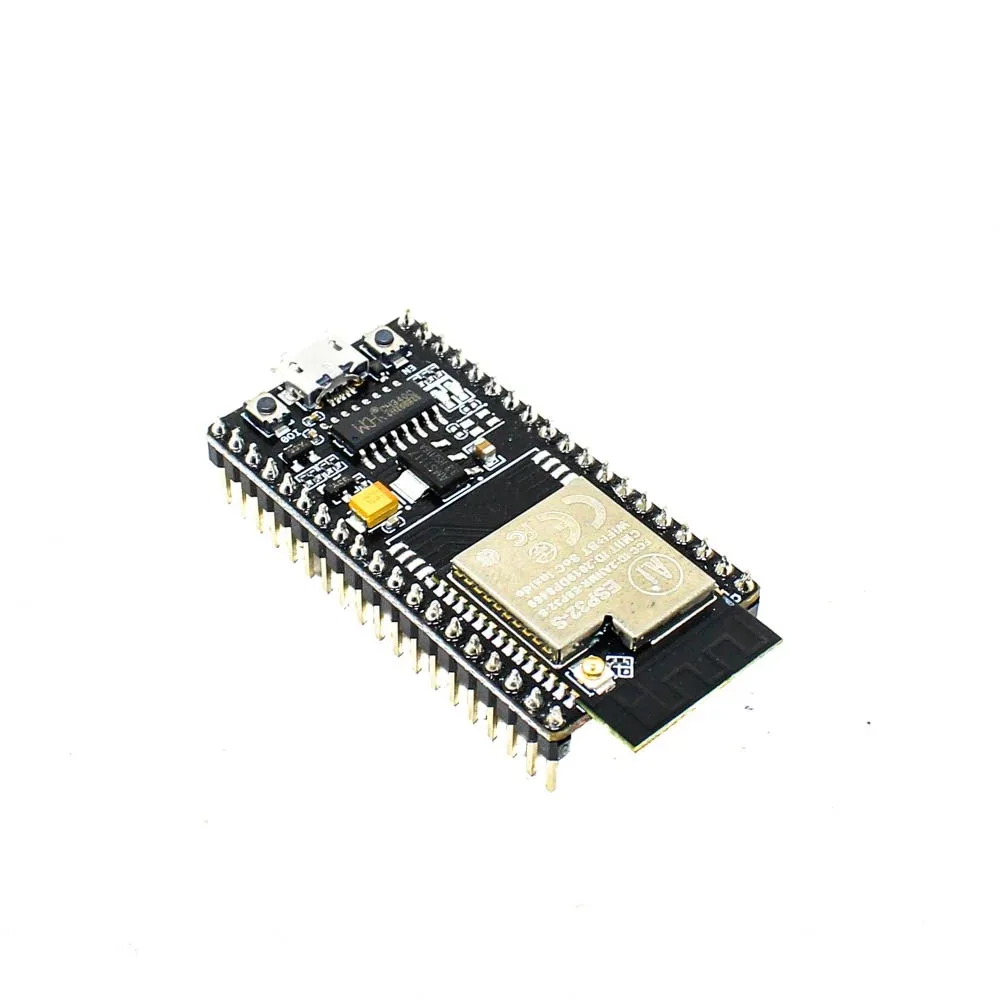
Ai Thinker NodeMCU-32S-ESP32 Development Board – IPEX Version
A reliable dual-core ESP32 development board perfect for learning FreeRTOS multitasking. Its large flash and stable power regulation make it ideal for sensor + WiFi concurrent tasks.
Leveraging ESP32’s Dual-Core Architecture
The ESP32’s biggest advantage over microcontrollers like Arduino Uno or even the ESP8266 is its dual-core processor. Core 0 (PRO_CPU) handles WiFi, Bluetooth, and system tasks by default. Core 1 (APP_CPU) runs your Arduino sketch code. With FreeRTOS, you can explicitly pin tasks to specific cores using xTaskCreatePinnedToCore():
// Pin WiFi publishing task to Core 0
xTaskCreatePinnedToCore(
  wifiPublishTask,
  "WiFiPublish",
  8192,
  NULL,
  2,
  &wifiTaskHandle,
  0  // Core 0
);

// Pin sensor reading task to Core 1
xTaskCreatePinnedToCore(
  sensorReadTask,
  "SensorRead",
  4096,
  NULL,
  1,
  &sensorTaskHandle,
  1  // Core 1
);
This is a common and recommended pattern for IoT projects: keep your sensor reading, actuator control, and time-sensitive operations on Core 1 (APP_CPU) so they are not interrupted by WiFi radio events which run on Core 0. This greatly reduces jitter in real-time sensor sampling.
When designing your task architecture, follow these guidelines:
- Core 0: Network tasks (MQTT, HTTP, WebSocket), OTA updates, data transmission
- Core 1: Sensor reads, PWM control, display updates, user input handling
- Stack size: Give each task enough stack — WiFi/HTTPS tasks often need 8192+ bytes
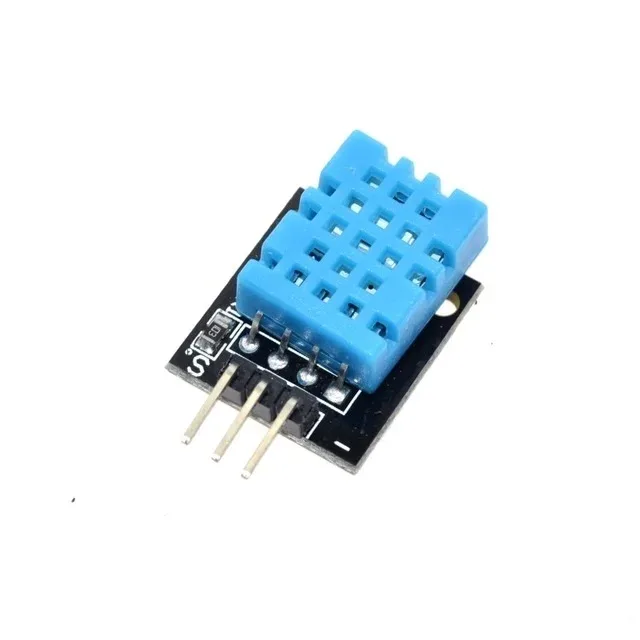
DHT11 Digital Relative Humidity and Temperature Sensor Module
A classic beginner-friendly sensor to practice ESP32 FreeRTOS tasks. Read temperature and humidity in one task while publishing data over WiFi in another simultaneously.
Task Communication: Queues, Semaphores, and Mutexes
When multiple tasks run concurrently and need to share data, you must use FreeRTOS synchronization primitives to avoid race conditions — bugs that are notoriously hard to reproduce and debug.
Queues
Queues are the primary mechanism for passing data between tasks. They are thread-safe by design. A sensor task can write readings into a queue, and a publishing task can read from it when ready:
QueueHandle_t sensorQueue;

void setup() {
  sensorQueue = xQueueCreate(10, sizeof(float)); // Queue of 10 floats
  // ... create tasks
}

void sensorTask(void *params) {
  while (true) {
    float temp = readDHT11();
    xQueueSend(sensorQueue, &temp, portMAX_DELAY);
    vTaskDelay(2000 / portTICK_PERIOD_MS);
  }
}

void publishTask(void *params) {
  float temp;
  while (true) {
    if (xQueueReceive(sensorQueue, &temp, portMAX_DELAY)) {
      mqttPublish("sensors/temp", temp);
    }
  }
}
Semaphores
Semaphores are used for signaling between tasks. A binary semaphore acts like a flag — one task gives it, another waits for it. This is useful for triggering actions based on events like button presses or interrupts.
Mutexes
When multiple tasks need to access a shared resource (like a global variable, I2C bus, or SPI device), use a mutex to ensure only one task accesses it at a time:
SemaphoreHandle_t i2cMutex = xSemaphoreCreateMutex();

void taskA(void *params) {
  while (true) {
    if (xSemaphoreTake(i2cMutex, 100 / portTICK_PERIOD_MS)) {
      // Safe to use I2C bus
      readBME280();
      xSemaphoreGive(i2cMutex);
    }
    vTaskDelay(1000 / portTICK_PERIOD_MS);
  }
}
Practical Example: Sensor Reading + WiFi Publishing
Let’s put it all together with a real-world IoT scenario: reading temperature from a DHT11 sensor every 5 seconds and publishing to an MQTT broker over WiFi, while simultaneously monitoring for a PIR motion sensor interrupt and logging to Serial — all running concurrently.
#include <Arduino.h>
#include <WiFi.h>
#include <PubSubClient.h>
#include <DHT.h>

#define DHT_PIN 4
#define PIR_PIN 34
#define DHTTYPE DHT11

DHT dht(DHT_PIN, DHTTYPE);
WiFiClient espClient;
PubSubClient mqtt(espClient);
QueueHandle_t dataQueue;
SemaphoreHandle_t serialMutex;

struct SensorData {
  float temp;
  float humidity;
  bool motionDetected;
};

void sensorTask(void *params) {
  dht.begin();
  while (true) {
    SensorData data;
    data.temp = dht.readTemperature();
    data.humidity = dht.readHumidity();
    data.motionDetected = digitalRead(PIR_PIN);
    if (!isnan(data.temp)) {
      xQueueSend(dataQueue, &data, 0);
    }
    vTaskDelay(5000 / portTICK_PERIOD_MS);
  }
}

void mqttTask(void *params) {
  SensorData data;
  char msg[100];
  while (true) {
    if (xQueueReceive(dataQueue, &data, portMAX_DELAY)) {
      snprintf(msg, 100, "{"temp":%.1f,"hum":%.1f,"motion":%d}",
        data.temp, data.humidity, data.motionDetected);
      mqtt.publish("zbotic/sensors", msg);
    }
  }
}

void setup() {
  Serial.begin(115200);
  serialMutex = xSemaphoreCreateMutex();
  dataQueue = xQueueCreate(5, sizeof(SensorData));
  // Connect WiFi, setup MQTT...
  xTaskCreatePinnedToCore(sensorTask, "Sensor", 4096, NULL, 2, NULL, 1);
  xTaskCreatePinnedToCore(mqttTask, "MQTT", 8192, NULL, 1, NULL, 0);
}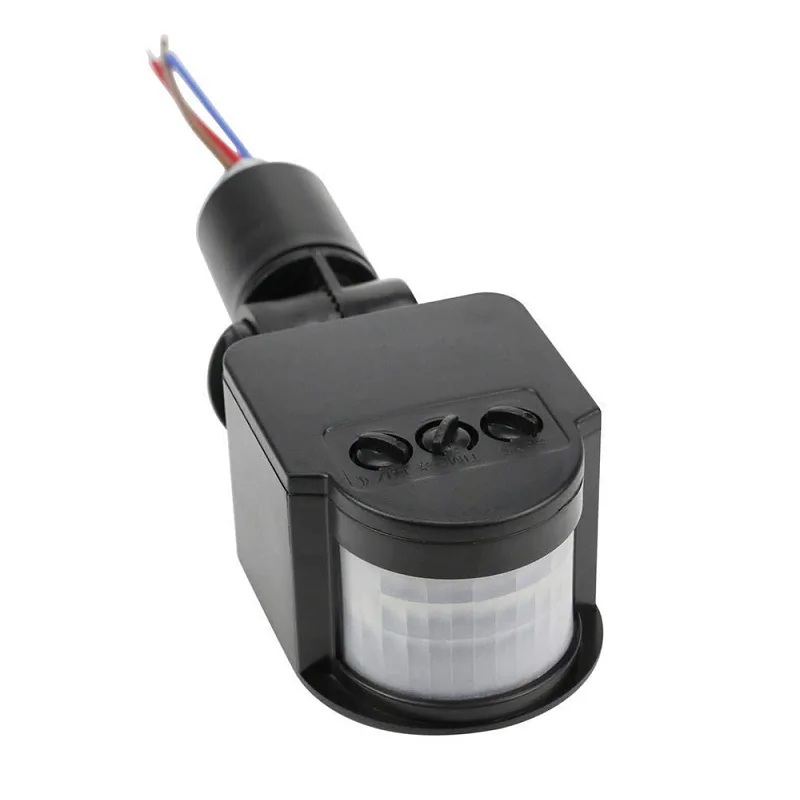
AC 220V Security PIR Human Body Motion Sensor Detector
Add motion detection to your FreeRTOS project. Run the PIR sensor monitoring in a dedicated high-priority task for near-instant response to movement events.
Task Priorities and Scheduling Deep Dive
FreeRTOS uses a priority-based preemptive scheduler. Tasks with higher priority numbers run first and can interrupt lower-priority tasks. On ESP32, valid priorities range from 0 to configMAX_PRIORITIES - 1 (typically 24). The idle task always runs at priority 0.
General guidelines for priority assignment in IoT projects:
| Priority Level | Suitable For | Example |
|---|---|---|
| 1 (Low) | Background, non-time-critical | Serial logging, LED heartbeat |
| 2 (Medium) | Normal IoT operations | Sensor reading, MQTT publish |
| 3 (High) | Time-sensitive, fast response | Motor control, alarms |
| 4+ (Critical) | Hard real-time, safety-critical | Emergency stop, watchdog feed |
A common mistake is giving all tasks the same priority. This forces round-robin scheduling, which may not match your application’s needs. Assign priorities thoughtfully based on latency requirements and whether a task blocks frequently.
Use uxTaskGetStackHighWaterMark(NULL) to check how much stack space your task is actually using. If the high water mark is close to zero, increase the stack size to avoid stack overflow crashes.

GY-BME280-3.3 Precision Altimeter Atmospheric Pressure Sensor Module
The BME280 measures temperature, humidity, and pressure via I2C — ideal for a dedicated FreeRTOS sensor task on ESP32 with mutex-protected bus access.
Frequently Asked Questions
Can I use FreeRTOS with the Arduino IDE for ESP32?
Yes. When you use the ESP32 Arduino core (via Board Manager or PlatformIO), FreeRTOS is included automatically. You can call xTaskCreate(), xQueueCreate(), and all FreeRTOS APIs directly in your Arduino sketches without any extra libraries.
How much stack size should I give each FreeRTOS task on ESP32?
Start with 2048 words (8KB) for simple tasks and 4096-8192 words for tasks involving WiFi, JSON parsing, or TLS. Use uxTaskGetStackHighWaterMark(NULL) inside your task to measure actual usage, then tune accordingly. Stack overflow causes random crashes and corrupted memory — always leave headroom.
What happens if a high-priority task never blocks on ESP32 FreeRTOS?
It will completely starve lower-priority tasks. Always ensure that tasks at any priority level call a blocking FreeRTOS function like vTaskDelay(), xQueueReceive(), or xSemaphoreTake() regularly. This yields the CPU so the scheduler can run other tasks.
Is it safe to use global variables between FreeRTOS tasks on ESP32?
No, not without protection. Accessing shared variables from multiple tasks without synchronization causes race conditions. Always use a mutex (xSemaphoreCreateMutex()) to guard shared state, or better yet, pass data between tasks via queues which are inherently thread-safe.
What is the difference between xTaskCreate and xTaskCreatePinnedToCore on ESP32?
xTaskCreate() lets the FreeRTOS scheduler decide which core to run the task on (typically Core 1). xTaskCreatePinnedToCore() lets you explicitly assign a task to Core 0 or Core 1. For WiFi-heavy tasks, pinning to Core 0 alongside the WiFi stack can reduce inter-core communication overhead.
Build Your ESP32 FreeRTOS Project with Zbotic
Ready to start building concurrent IoT applications? Zbotic.in offers a wide range of ESP32 development boards, sensors, and accessories shipped fast across India. Whether you’re a student, hobbyist, or professional engineer, we have everything you need.


Add comment