
The ESP-IDF vs Arduino IDE ESP32 platform comparison is one of the most debated topics in the Indian maker and embedded development community. Both are legitimate, powerful tools — but they serve fundamentally different use cases. If you’re just getting started with ESP32 or moving from hobbyist projects to professional products, choosing the right development environment from the beginning saves you weeks of frustration. This article breaks down both platforms across every important dimension, from ease of use and library support to performance, debugging capabilities, and real-time operating system (RTOS) access.
What is ESP-IDF?
ESP-IDF (Espressif IoT Development Framework) is the official, native development framework released and maintained by Espressif Systems, the manufacturer of the ESP32 chip. It is written in C and C++ and provides direct, low-level access to every feature of the ESP32 hardware without any abstraction layer.
ESP-IDF is built on top of FreeRTOS, a real-time operating system. This means every ESP-IDF application is inherently multitasked — you write tasks (threads) that run concurrently, managed by the RTOS scheduler. This is fundamentally different from the Arduino model where you have a single loop() function that runs sequentially.
ESP-IDF includes the following major components out of the box:
- FreeRTOS: Real-time task scheduling with priority-based preemption
- WiFi and Bluetooth stacks: Full IEEE 802.11 b/g/n WiFi with WPA3, and dual-mode Bluetooth (Classic + BLE)
- mbedTLS: Production-grade TLS 1.2/1.3 encryption library
- MQTT, HTTP, WebSocket clients: Protocol implementations built for embedded use
- Partition management: Flexible flash partition tables for OTA updates
- NVS (Non-Volatile Storage): Key-value store in flash, replacing EEPROM
- Power management: Fine-grained control over light sleep, deep sleep, and wake sources
- OpenOCD and GDB: Hardware debugging via JTAG
ESP-IDF is used by companies building commercial ESP32-based products — from smart home devices shipped by millions to industrial controllers deployed in factories across India.
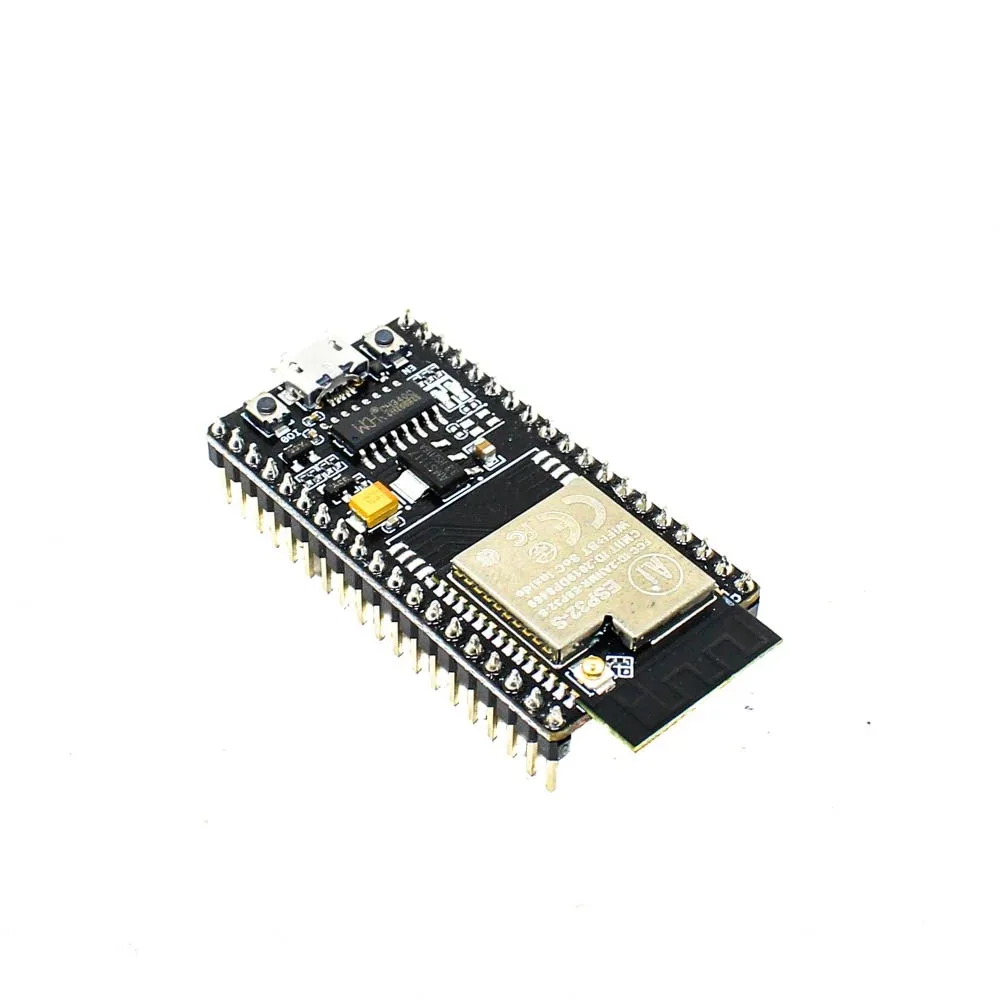
Ai Thinker NodeMCU-32S-ESP32 Development Board – IPEX Version
The ideal ESP32 board for both Arduino and ESP-IDF development — full GPIO access, IPEX antenna, and JTAG pins exposed for hardware debugging.
What is Arduino IDE for ESP32?
The Arduino IDE for ESP32 is provided by Espressif through the arduino-esp32 project on GitHub. It wraps the ESP-IDF underneath but exposes it through the familiar Arduino API — setup(), loop(), digitalWrite(), analogRead(), Serial.print(), and so on.
The key insight is that Arduino for ESP32 is not a separate, competing framework — it literally runs on top of ESP-IDF. A hidden FreeRTOS task runs your setup() and loop() functions. The WiFi library you call as WiFi.begin() in Arduino internally calls the same ESP-IDF WiFi functions.
Arduino IDE 2.x (the current version) is a full IDE with syntax highlighting, IntelliSense-like autocompletion, integrated serial monitor, and a library manager. It’s significantly simpler to install and use than ESP-IDF, which requires Python, CMake, and a command-line toolchain.
The Arduino for ESP32 ecosystem has thousands of libraries available in the library manager — for sensors, displays, communication protocols, cloud platforms, and more. Most hobbyist projects, maker videos on YouTube, and online tutorials use Arduino IDE, so finding code examples is easy.
Feature-by-Feature Comparison
| Feature | ESP-IDF | Arduino IDE |
|---|---|---|
| Learning Curve | Steep — C/C++, CMake, RTOS concepts required | Gentle — beginner-friendly, simple API |
| Multitasking | Native FreeRTOS tasks with full control | Hidden FreeRTOS task; limited direct access |
| Performance | Maximum — direct hardware access | Slightly lower due to abstraction overhead |
| Build System | CMake + idf.py (command line or VS Code) | Arduino IDE or Arduino CLI |
| Debugging | Full JTAG + GDB hardware debugging | Serial print only (no JTAG in IDE) |
| OTA Updates | Full partition control, rollback support | ArduinoOTA library (simpler, less control) |
| Library Ecosystem | Espressif’s own components + ESP Registry | Thousands of libraries in Arduino Library Manager |
| Community Support | Espressif forums, GitHub issues | Massive global community, Stack Overflow |
| Code Portability | ESP32-specific only | Portable across Arduino-compatible boards |
| Power Management | Fine-grained — every peripheral controllable | esp_deep_sleep() available but limited |
Performance and Resource Usage
In practical terms, the performance difference between ESP-IDF and Arduino is smaller than most people expect for typical IoT applications. Both ultimately run on the same 240 MHz dual-core LX6 processor with 520 KB SRAM.
Where ESP-IDF pulls ahead noticeably:
- Interrupt latency: ESP-IDF applications can achieve interrupt-to-response times under 5 microseconds. Arduino’s hidden task overhead adds 10-20 microseconds of latency in some scenarios.
- Memory efficiency: A minimal ESP-IDF “hello world” uses about 30 KB of RAM. The Arduino equivalent uses 45-60 KB because of all the framework overhead loaded by default.
- Timing precision: FreeRTOS tasks with real-time priorities in ESP-IDF can maintain microsecond-accurate timing. Arduino’s
delay()andmillis()have millisecond precision at best. - WiFi stability under load: ESP-IDF’s WiFi stack, used directly, shows better stability under high-throughput scenarios compared to the Arduino WiFi library abstraction.
For most IoT projects — reading a sensor every few seconds and sending data to a cloud API — these differences are irrelevant. Arduino is more than fast enough. The performance gap matters in applications like motor controllers, audio processing, video streaming, or protocol implementations requiring precise timing.

Waveshare ESP32-S3 1.43inch AMOLED Display Development Board, 466×466
This ESP32-S3 board with AMOLED display is a great platform for exploring both Arduino IDE and ESP-IDF, with enough RAM and flash for complex applications.
Ecosystem and Library Support
The library ecosystem is where Arduino has a decisive advantage for most makers. The Arduino Library Manager contains over 5,000 libraries for every conceivable sensor, display, actuator, and communication protocol. Finding a library for your specific sensor is usually a 30-second search.
ESP-IDF’s component registry (components.espressif.com) has fewer components but they are typically better optimized for the hardware. Espressif’s official drivers are battle-tested and production-grade. For common peripherals like I2C sensors, SPI displays, and UART modules, Espressif provides official driver components.
The good news: most Arduino libraries are usable in ESP-IDF projects through the ESP-IDF Arduino Component, which lets you call Arduino APIs from within an ESP-IDF application. This is the best of both worlds for projects that need ESP-IDF’s RTOS and low-level control but also want to use Arduino-ecosystem libraries.
Who Should Use Which Platform?
Here is a clear decision framework for Indian makers and developers:
Choose Arduino IDE if you are:
- A student learning electronics and programming for the first time
- A hobbyist building home automation or fun projects
- An engineer quickly prototyping an idea before committing to a platform
- Someone who needs to connect quickly to cloud services using existing libraries
- Building a project where time-to-working is more important than optimization
- An instructor or content creator who needs maximum community familiarity
Choose ESP-IDF if you are:
- An embedded software engineer building a commercial product
- Developing firmware for a product that will be manufactured in quantity
- Working on applications requiring RTOS task management (multiple concurrent functions)
- Building battery-powered products where power management is critical
- Implementing custom communication protocols requiring precise timing
- Needing hardware debugging via JTAG for complex firmware issues
- Working with ESP32-specific peripherals like the ULP co-processor, touch pads, or internal DAC at their lowest level

Ai Thinker ESP32-C3-01M Wi-Fi + BLE Module
The ESP32-C3 is a RISC-V based module with excellent ESP-IDF support — a great choice for learning ESP-IDF on a cost-effective platform.
Migration Path from Arduino to ESP-IDF
If you’ve been using Arduino and want to migrate to ESP-IDF, here is a practical approach:
Step 1: Learn the ESP-IDF toolchain
Install ESP-IDF v5.x by following the official Getting Started guide at docs.espressif.com. The installation process includes Python, CMake, Ninja build tool, and the Xtensa GCC compiler. Plan for about 2-3 GB of disk space and 30-60 minutes for the installation.
Step 2: Start with VS Code + ESP-IDF Extension
The ESP-IDF VS Code extension provides a GUI for building, flashing, monitoring, and debugging. It significantly smooths the command-line learning curve. Install it from the VS Code Marketplace and use the setup wizard to configure your ESP-IDF installation.
Step 3: Rewrite incrementally
Don’t try to port your entire Arduino project at once. Start with a minimal ESP-IDF “hello world” task. Then port your WiFi connection code. Then add your sensor reading code. Finally integrate your cloud API calls. Test each component as you add it.
Step 4: Use the Arduino Component for smooth migration
Add the idf_component.yml file to your project with a dependency on espressif/arduino-esp32. This lets you call digitalWrite(), Serial.print(), and use Arduino libraries inside an ESP-IDF project while benefiting from FreeRTOS and ESP-IDF’s native features.
Frequently Asked Questions
Can I use Arduino libraries in ESP-IDF?
Yes. The Arduino-ESP32 component allows you to mix Arduino libraries with native ESP-IDF code. Add it as a managed component in your idf_component.yml file. This is the recommended approach for gradual migration from Arduino to ESP-IDF without losing access to the extensive Arduino library ecosystem.
Is ESP-IDF suitable for college students in India learning embedded systems?
ESP-IDF is excellent for computer science and electronics engineering students who already know C programming. It teaches real embedded concepts — RTOS tasks, semaphores, queues, hardware registers — that directly apply to professional embedded development jobs. Arduino is better for absolute beginners. Many Indian colleges now include FreeRTOS and ESP-IDF in their IoT curriculum.
Does ESP-IDF support the new ESP32-C3 and ESP32-S3?
Yes. ESP-IDF is the primary development framework for all Espressif chips, including the ESP32-C3 (RISC-V), ESP32-S2 (USB), ESP32-S3 (Xtensa dual-core with vector extension), and the latest ESP32-C6 and ESP32-H2 (with 802.15.4/Thread/Zigbee). Arduino IDE also supports these chips, though support for newer variants sometimes lags behind ESP-IDF by a few months.
Which platform do Indian electronics companies prefer for product development?
Companies building commercial ESP32-based products in India — particularly in home automation, industrial IoT, and wearables — almost universally use ESP-IDF for production firmware. Arduino is commonly used for initial proof-of-concept development before the firmware is rewritten in ESP-IDF for the production version. This is because ESP-IDF gives the control needed for certification testing, OTA update reliability, and memory optimization required for mass production.
Start Your ESP32 Development Journey
Whether you choose Arduino IDE or ESP-IDF, Zbotic has the ESP32 development boards and accessories to power your projects. Fast delivery across India.


Add comment