
Table of Contents
- What Is ESC Calibration and Why Does It Matter?
- Understanding ESC Signal Types
- Tools and Prerequisites
- Individual ESC Calibration Method
- All-at-Once ESC Calibration
- ESC Calibration via Betaflight Configurator
- BLHeli / BLHeli_32 Calibration
- How to Verify Motor Synchronization
- Troubleshooting Common ESC Calibration Issues
- Recommended Products from Zbotic
- Frequently Asked Questions
If your drone wobbles, drifts, or one motor spins faster than the others at the same throttle input, there is a very good chance your ESCs (Electronic Speed Controllers) are not calibrated. ESC calibration is one of the most fundamental steps in building or setting up a quadcopter, yet it is often skipped or done incorrectly. In this comprehensive guide we walk through every method — from the classic all-at-once calibration to BLHeli configurator and Betaflight motor tab — so that every motor on your drone spins up together, responds identically to throttle commands, and keeps your aircraft stable in the air.
What Is ESC Calibration and Why Does It Matter?
An Electronic Speed Controller (ESC) reads a PWM signal from the flight controller and translates it into a three-phase AC signal that drives your brushless motor. The problem is that every ESC from the factory has a slightly different interpretation of what “minimum throttle” and “maximum throttle” mean in microseconds. One ESC might treat 1000 µs as zero throttle while another treats 1050 µs as zero. When you mix-match four ESCs of the same model, these tiny offsets add up and your drone pulls to one side.
ESC calibration tells each ESC exactly what your transmitter’s full-throttle and zero-throttle positions look like in microseconds, so all four units agree on a common scale. Once calibrated:
- All motors start spinning at the same throttle percentage.
- The flight controller’s PID loop works from a known, consistent baseline.
- You experience less toilet-bowling, drift, and yaw oscillation on first flights.
- Motor temperatures equalise under load.
Calibration is not a one-time affair. You should redo it whenever you replace an ESC, flash new firmware, or change transmitter endpoints.
Understanding ESC Signal Types
Before diving into calibration, it is important to understand which protocol your ESCs use because the calibration procedure differs.
Analog PWM (Standard)
The oldest and most universal protocol. Signal range is 1000 µs (off) to 2000 µs (full throttle). All analog ESCs require manual throttle-range calibration.
OneShot125 / OneShot42 / MultiShot
Faster analog-derived protocols that still use a variable pulse width but compressed in time. These still require throttle-range calibration through the same process as standard PWM.
DSHOT (Digital)
DSHOT150, DSHOT300, DSHOT600, and DSHOT1200 are fully digital protocols. They send a 16-bit digital packet over a single wire. Digital ESCs using DSHOT do NOT require throttle-range calibration — the signal is a number from 0 to 2047, so there is no analogue endpoint mismatch to worry about. If your flight controller and ESCs both support DSHOT, simply enable it in Betaflight and skip the analog calibration steps below. However, you still need to make sure motor directions are correct, which we will cover.
Tools and Prerequisites
Gather the following before you begin:
- Fully assembled quadcopter frame with ESCs, motors, and flight controller mounted.
- RC transmitter and receiver already bound and configured.
- Betaflight Configurator (latest version) installed on your PC or laptop.
- Micro USB or USB-C cable to connect FC to PC.
- BLHeli Suite or BLHeli Configurator if using BLHeli/BLHeli_32 ESCs.
- Propellers removed — this is critical for safety during calibration testing.
- A fully charged battery or a bench power supply (calibration can be done on USB alone for most FC + ESC combos, but spinning motors requires battery power).
Safety note: Always remove propellers before any ESC calibration or motor testing. A quadcopter with props spinning at full throttle in your hands is extremely dangerous. Do not skip this step even once.
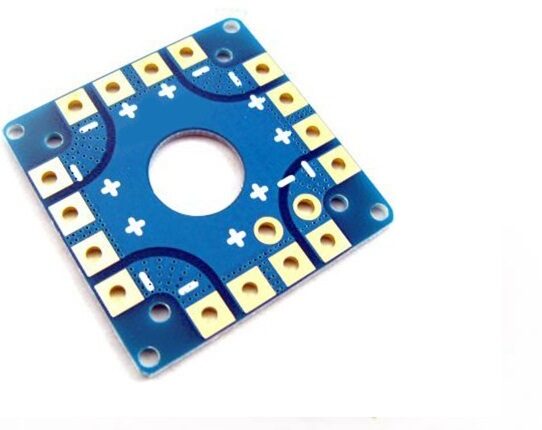
100A Multirotor ESC Power Distribution Battery Board For Quadcopter
A robust PDB with integrated power distribution for all four ESCs, making wiring clean and calibration straightforward on any quadcopter build.
Individual ESC Calibration Method
This method calibrates each ESC one at a time. It is slower but gives you the most precise result and is ideal for large multirotors where ESCs are spaced far apart.
Step 1: Disconnect all ESCs from the flight controller
Unplug the signal wires (usually white or yellow) from the FC motor outputs. You will connect each ESC’s signal wire directly to channel 3 (throttle) of your receiver during calibration.
Step 2: Connect receiver throttle to ESC signal wire
Connect the ESC’s signal wire to the throttle channel of your receiver. Also ensure the ESC’s red (+5V) and black (GND) BEC wires are powering the receiver (or connect an external BEC).
Step 3: Turn on transmitter at full throttle
Push the throttle stick all the way up on your transmitter before connecting battery power to the ESC. This is essential — the ESC must “see” full throttle at boot to enter calibration mode.
Step 4: Connect the battery
Power on the ESC by connecting the main battery (or just the ESC’s power leads if on a bench). You will hear two or three short beeps from the motor — this indicates the ESC has registered the maximum throttle position and is entering calibration mode.
Step 5: Drop throttle to zero
Within a few seconds of hearing the calibration beeps, pull the throttle stick all the way down to zero. You will hear a series of confirmation beeps — typically a melody or long beep — indicating the ESC has stored both endpoints and calibration is complete.
Step 6: Test the motor
Slowly raise the throttle. The motor should begin spinning smoothly around 10–15% throttle. If it spins up properly without stutter, the ESC is calibrated. Repeat the process for all four ESCs.
All-at-Once ESC Calibration
This is the most commonly used method and calibrates all four ESCs simultaneously through the flight controller. It works best on traditional PWM/OneShot builds.
Step 1: Ensure radio is connected and armed
Bind your receiver to the transmitter, confirm all channels are passing through the FC (check in Betaflight Receiver tab). Do not arm the FC yet.
Step 2: Put throttle to maximum
Raise the throttle stick to 100% on your transmitter. Some FC setups require you to also move the yaw stick to enter calibration mode — check your specific FC documentation.
Step 3: Connect the battery with throttle at full
With the throttle stick held at maximum, plug in the main LiPo battery. All four motors will emit a series of beeps simultaneously — this means all ESCs have recorded the high endpoint.
Step 4: Drop throttle to zero
Immediately drop the throttle stick to zero. All four ESCs will beep their completion tone. You may hear the battery cell-count beeps at this point too (1 beep per cell).
Step 5: Arm and test
Arm the flight controller using your normal arm sequence. Gently raise the throttle — all four motors should begin spinning at approximately the same moment. If they all spin up together, calibration was successful.
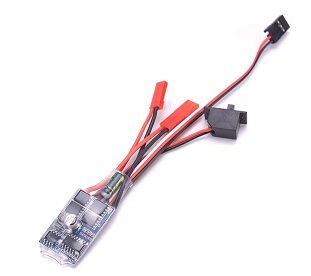
30 A Brushed ESC No Brake
A reliable 30A brushed ESC ideal for smaller quads and rover builds, with no-brake mode for smooth motor response and easy calibration.
ESC Calibration via Betaflight Configurator
Betaflight offers a built-in motor test and calibration utility that works over USB without needing your radio at all for the initial check. Here is how to use it effectively:
Motor Direction Check
- Open Betaflight Configurator and connect your FC via USB.
- Navigate to the Motors tab.
- Enable the motor test slider (you will be prompted to confirm props are off).
- Slide each motor’s individual slider up to about 1100 µs (just enough to spin).
- Verify each motor spins in the correct direction according to the standard Betaflight motor layout: Motor 1 (rear-right) counter-clockwise, Motor 2 (front-right) clockwise, Motor 3 (rear-left) clockwise, Motor 4 (front-left) counter-clockwise.
- If any motor spins the wrong way, use Betaflight’s Motor Direction feature (under the motor tab) to reverse it digitally without swapping motor wires — this only works with DSHOT protocol.
Throttle Range via CLI
If using analog PWM and you want to set custom throttle endpoints, open the CLI tab and use:
set min_throttle = 1000
set max_throttle = 2000
save
Then re-run the all-at-once calibration. These values should match your transmitter’s actual output range (verify in the Receiver tab by watching the throttle channel value).
Bi-directional DSHOT Setup (for 3D flying)
If you plan to fly in 3D mode with motor reversal, enable bi-directional DSHOT in the Configuration tab. This skips endpoint calibration but requires the ESC to support bi-directional DSHOT.
BLHeli / BLHeli_32 Calibration
Most modern FPV ESCs run BLHeli_S or BLHeli_32 firmware. These ESCs can be configured through BLHeli Configurator (Chrome extension) or BLHeli Suite (Windows), which gives you detailed control over calibration and motor behaviour.
Connecting BLHeli Configurator
- Open BLHeli Configurator in Chrome.
- Connect your quad to the PC via USB.
- Click Connect and then Read Setup — BLHeli Configurator communicates with the ESCs through the flight controller’s passthrough mode.
- You will see all four ESCs listed with their firmware version and current settings.
Key Settings to Check
- PWM Frequency: Set to 24–48 kHz for small 5-inch props; 16 kHz for larger props. Higher frequency = smoother but hotter ESCs.
- Motor Timing: Medium (15°) for most builds. High timing (22°) if running high-KV motors.
- Demag Compensation: Set to Medium or High to reduce motor desync.
- Rampup Power: Controls how aggressively the motor accelerates from standstill. Lower is safer for larger, heavier builds.
Flashing All ESCs to the Same Firmware Version
One of the most common causes of motor sync issues is ESCs running different firmware versions. In BLHeli Configurator, select all four ESCs and click Flash All to update them to the same version simultaneously. This alone often resolves persistent sync problems.

35A V2.1 2-5S 4-in-1 Brushless ESC for RC Drone FPV Racing
A powerful 4-in-1 ESC stack supporting 2–5S LiPo for FPV racing quads. All four ESCs share the same firmware, eliminating sync mismatch from the start.
How to Verify Motor Synchronization
After calibration, use these methods to confirm all motors are genuinely in sync:
Visual Spin-Up Test
On a flat, level surface, arm the drone and slowly raise the throttle from 0 to 20%. Watch all four motors — they should all begin spinning simultaneously and reach the same speed visually. If one motor lags noticeably, re-calibrate it.
Betaflight Blackbox
If your FC has a Blackbox SD card slot or internal flash, enable Blackbox logging and fly a short hover. Analyse the log in Betaflight Blackbox Explorer — look at the motor outputs graph. In a perfect hover with no corrections, all four motor values should be within 5% of each other. Large divergence means one motor/ESC pair is working harder, pointing to calibration or mechanical issues.
Temperature Test
After a two-minute hover, immediately power down and check motor temperatures with your finger (carefully) or an IR thermometer. All four motors should be within 10°C of each other. A significantly hotter motor is being overdriven by its ESC — often a sign of poor calibration or incorrect motor direction causing the FC to constantly fight the yaw.
Throttle-Up Audio Test
Remove props, arm, and slowly raise throttle while listening carefully. All four motors should spool up with the same pitch change at the same rate. A motor that spools to a higher pitch faster is getting a stronger signal — recalibrate that ESC.
Troubleshooting Common ESC Calibration Issues
Problem: One motor doesn’t spin during calibration
Cause: The signal wire is loose, or the ESC is dead.
Fix: Check the signal wire connection at both the ESC and FC pads. Swap the ESC with a known working one to isolate the fault.
Problem: Motors desync at high throttle
Cause: Often seen with cheap ESCs on high-KV motors. The ESC loses track of motor position at high RPM.
Fix: In BLHeli settings, increase Demag Compensation to High. Also try reducing PWM frequency to 24 kHz. Switching to DSHOT protocol eliminates most desync issues.
Problem: All-at-once calibration beeps never come
Cause: Throttle was not at maximum when battery was connected, or the FC is blocking the signal with its own arming logic.
Fix: On some FCs you need to disable arming in Betaflight (or short-circuit the arming pin) before the FC passes raw throttle through to the ESCs. Alternatively, use the individual calibration method bypassing the FC entirely.
Problem: ESC keeps losing calibration after battery disconnect
Cause: Some ESCs have a firmware bug where EEPROM writes fail.
Fix: Flash the latest stable firmware via BLHeli Configurator. Avoid using cheap no-brand ESCs for critical builds.
Problem: Motors spin backward after calibration
Cause: Motor phase wires are in the wrong order, or calibration didn’t include a direction configuration step.
Fix: With DSHOT, reverse motor direction digitally in Betaflight Motor tab. With PWM, swap any two of the three motor phase wires to reverse direction.
Recommended Products from Zbotic
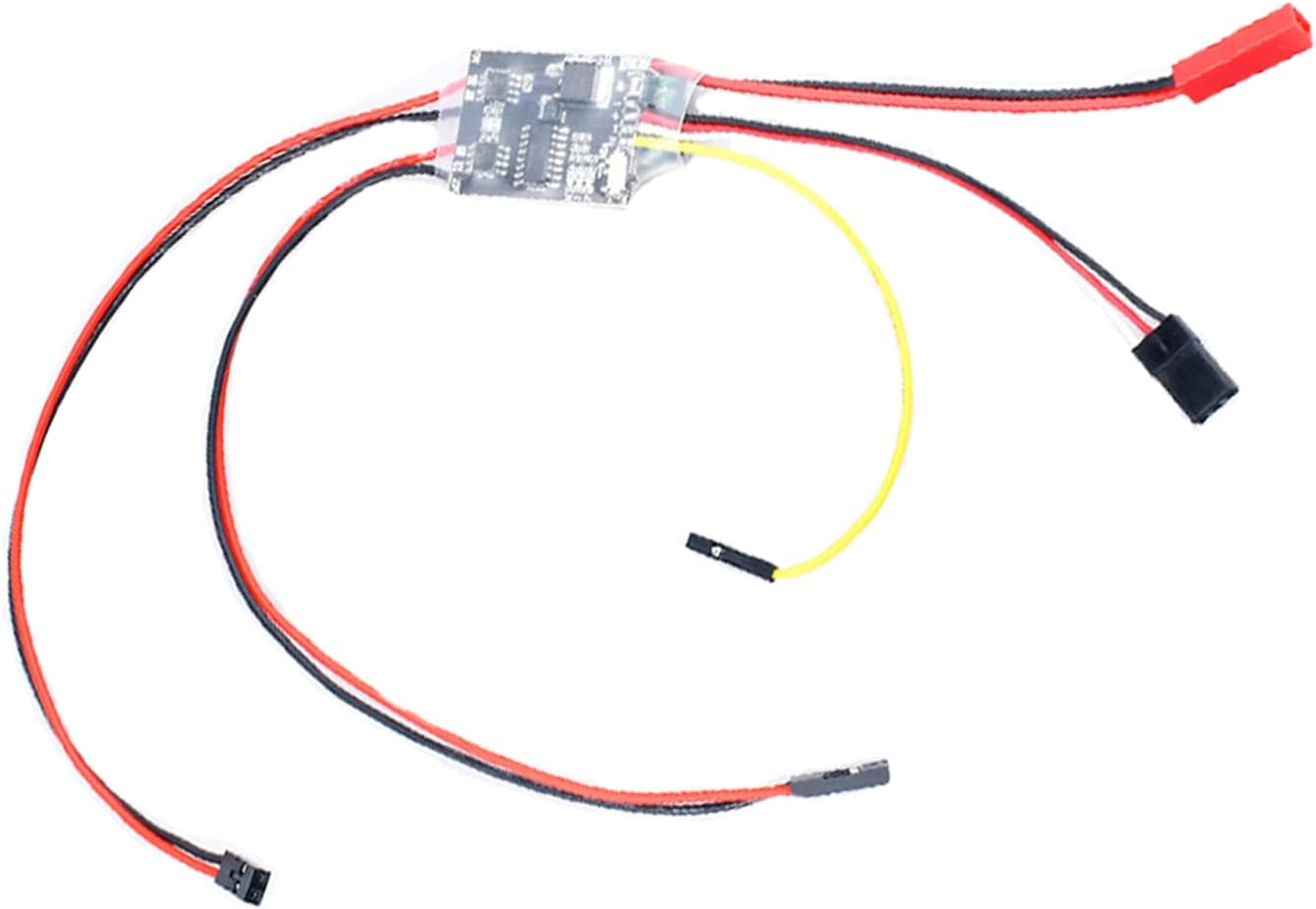
2S-6S 2Ax2 Dual Way Brushed ESC Bidirectional Electric Speed Controller
A bidirectional dual-channel brushed ESC supporting 2S–6S LiPo. Perfect for rover and differential-drive builds requiring forward and reverse motor control.
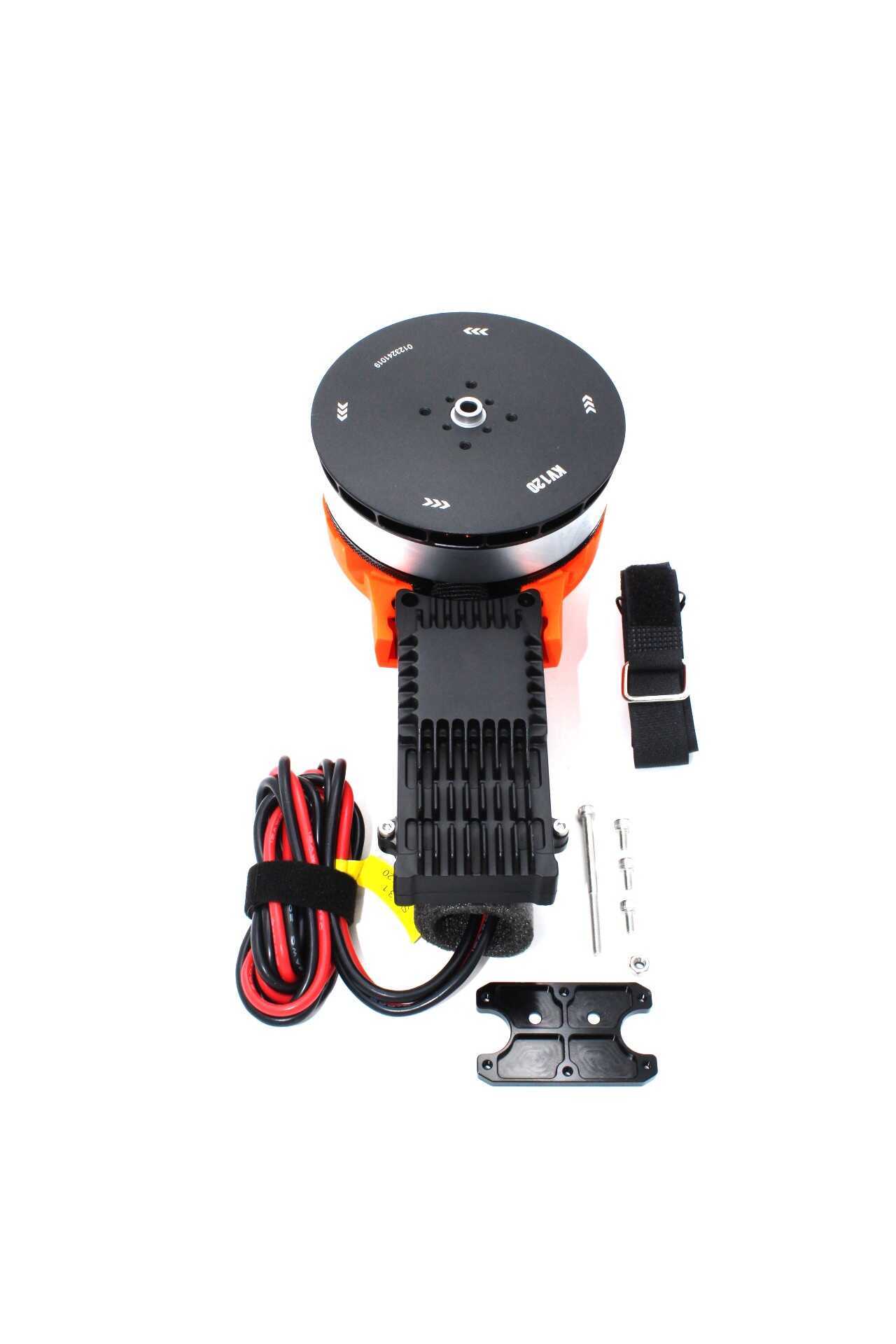
T-Motor A10-KV120 Modular Propulsion System
Premium T-Motor propulsion module delivering consistent torque and RPM — exactly what precise ESC calibration is designed to take advantage of.
Frequently Asked Questions
Do I need to calibrate ESCs if I use DSHOT protocol?
No. DSHOT is a digital protocol that sends an exact numerical value to the ESC, so there is no analogue endpoint ambiguity. You do still need to configure motor directions. If your FC and ESCs support DSHOT600 or higher, switch to DSHOT and skip the traditional calibration procedure.
How often should I recalibrate my ESCs?
Recalibrate after every ESC firmware update, every time you change your transmitter’s throttle endpoints, or whenever you replace an ESC. For casual fliers using DSHOT, recalibration may never be needed after initial setup.
Can I calibrate ESCs without a transmitter?
Yes — if using DSHOT, Betaflight Configurator handles everything over USB. For analog PWM, you technically need a transmitter to set the throttle high/low endpoints, but you can fake it by directly feeding 5V PWM signals from a servo tester or Arduino set to 2000 µs for calibration entry.
Why do my motors beep differently during calibration?
Each beep sequence has a meaning: fast beeps indicate the high endpoint was received, a slower melody confirms low endpoint capture, and a series of tones indicates the cell count of the battery. Different firmware versions may use slightly different beep codes — consult your ESC manufacturer’s documentation.
What happens if I skip ESC calibration on a new build?
Your drone will likely fly, but poorly. You may experience excessive yaw in one direction, difficulty hovering level, unequal motor wear, and PID tuning that never settles. Calibration is the foundation on which everything else is built.
Is ESC calibration the same for agricultural and surveillance drones?
The process is identical, but the stakes are higher. On a large multi-rotor agricultural drone carrying 10–16 litres of liquid, a motor sync failure can cause a crash costing tens of thousands of rupees. Always perform a thorough calibration check and motor direction verification before every spray season.
Ready to Build or Upgrade Your Drone?
Zbotic stocks ESCs, PDBs, motors, and complete drone frames for FPV racing, freestyle, agricultural, and surveillance applications. Whether you are calibrating a first build or upgrading to DSHOT-capable hardware, find everything you need in one place.







Add comment