
The CNC router market in India has exploded over the past few years. What was once equipment exclusive to industrial workshops and large-scale manufacturers is now accessible to hobbyists, small workshops, furniture makers, and electronics engineers. Whether you want to carve wooden signs for your home business, mill your own PCBs without chemicals, or create intricate artistic pieces, there is a CNC router that fits your needs and your budget.
This comprehensive buying guide will walk you through everything you need to know before purchasing a CNC router in India — the types available, specifications that matter, what to avoid, and which use cases each machine type suits best.
What Is a CNC Router and How Does It Work?
CNC stands for Computer Numerical Control. A CNC router is a computer-controlled cutting machine that uses a rotating bit (the router/spindle) to cut, carve, and engrave material by moving along programmed paths in three or more axes. Unlike a laser engraver which burns material away, or a 3D printer which adds material, a CNC router is a subtractive manufacturing tool — it removes material by cutting.
The machine receives instructions as G-code, a programming language that tells the spindle and axes where to move, at what speed, and at what depth. You generate G-code from your design using CAM (Computer-Aided Manufacturing) software, which takes your 2D or 3D model and calculates the toolpaths needed to produce it.
Modern hobbyist CNC routers use open-source controller firmware — most commonly GRBL or Marlin — running on an Arduino or similar microcontroller board, making them affordable and highly customisable. Industrial machines use proprietary controllers from brands like Fanuc, Siemens, or Mach3/Mach4 interfaces.
Types of CNC Routers Available in India
Desktop/Mini CNC Routers
These are compact machines with working areas typically from 200×200mm to 500×500mm. They run on GRBL firmware, often use NEMA 17 stepper motors, and are powered from a standard power outlet. Popular models in this category include the Woodpecker CNC, SainSmart Genmitsu series, and various Chinese-branded kits. Prices in India range from ₹8,000 to ₹35,000.
Desktop CNC routers are ideal for PCB milling, engraving, and small woodwork projects. They’re not suited for high-volume production or cutting hard materials at depth.
Mid-Size Hobby CNC (600×900mm to 1000×1000mm)
These machines bridge the gap between desktop toys and professional equipment. They typically use NEMA 23 stepper motors, 500W–800W spindles, and welded steel frames. Working areas of 600×900mm allow you to work with full panels of material for signs, furniture components, and artistic pieces. Prices range from ₹45,000 to ₹1.5 lakh.
Professional Woodworking CNC Routers
These are the workhorses of furniture workshops and sign companies. Typical sizes are 1300×2500mm (to take a full sheet of plywood). They use servo or high-torque stepper motors, 1.5kW–3kW spindles (often water or air-cooled), and require three-phase power or a VFD (Variable Frequency Drive) for single-phase operation. Prices start from ₹2.5 lakh and go up to ₹15+ lakh for imported brands.
PCB Milling / Engraving Machines
Specialised small CNC machines designed for the precision required in PCB work. They need excellent Z-axis resolution (as fine as 0.01mm), rigid frames to prevent flex that would cause uneven copper trace depths, and probing systems to map the warped surface of PCB blanks. Some desktop CNC routers do double duty as PCB millers with the right configuration and software.
Key Specifications Explained
Working Area
This is the X×Y travel area, often called the cutting bed size. Be aware that the actual usable area may be slightly smaller than advertised due to homing offsets and mechanical limits. Always verify real working travel, not just frame dimensions.
Z-Axis Travel
The vertical cutting depth capacity. For most woodworking, 80–150mm is adequate. For PCB milling, you need very fine Z control rather than large travel. Make sure the Z-axis can accommodate your material thickness plus workholding clearance.
Spindle Power and Speed
Spindle power determines material removal rate and what materials you can cut. A 300W spindle is fine for soft wood and PCBs. A 800W–1500W spindle handles hardwood, aluminium, and demanding routing jobs. Spindle speed (RPM) range matters too — 10,000–30,000 RPM is the useful range for most work.
Stepper vs Servo Motors
Stepper motors are simpler, cheaper, and suitable for most hobby and mid-range machines. They can lose position (steps) under extreme load. Servo motors are closed-loop — they always know their exact position — giving higher accuracy and better performance under load, but cost significantly more. For woodworking and PCB work, quality steppers are perfectly adequate.
Frame Rigidity
Frame flex is the enemy of cut quality. Aluminium extrusion frames are common in budget machines — adequate for light work but will flex under aggressive cuts. Steel tube welded frames are significantly more rigid. Cast iron frames are the gold standard for industrial machines. When evaluating machines, gantry rigidity and Z-axis rigidity are the most critical areas — these are where flex causes the most problems.
Ball Screws vs Lead Screws vs Rack-and-Pinion
Ball screws offer the best combination of precision, backlash-free movement, and efficiency. Lead screws (threaded rod) are cheaper and adequate for light use but develop backlash over time. Rack-and-pinion drives are used on large-format professional machines where long ball screws would be impractical.
CNC Routers for Woodworking
Woodworking is the most common use case for CNC routers in India. From furniture workshops in Rajkot to sign-making businesses in Coimbatore, CNC routers have transformed small-scale production.
What to Look for in a Woodworking CNC
For woodworking, prioritise:
- Spindle power: Minimum 800W for hardwoods; 1.5kW for demanding production work
- Working area: Match to your typical material size; full-sheet capacity (1220×2440mm) if you work with standard plywood
- Dust management: A spindle with vacuum/dust shoe port keeps your work area clean and extends bit life significantly
- Bit collet size: Standard 6mm and 12mm ER11 or ER16 collets; ensure compatibility with available Indian-market router bits
- Software compatibility: Check that the controller works with affordable CAM software like Fusion 360 (free for hobbyists), Aspire/VCarve, or open-source tools like FlatCAM
Common Woodworking Operations
A CNC router can do profile cutting (cutting shapes from sheet material), pocketing (carving recesses), V-carving (decorative lettering and patterns), 3D carving with a ball-end mill, and drilling. For Indian cabinet makers and furniture producers, profile cutting and pocketing of MDF, plywood, and solid wood are the most common tasks.
CNC Routers for PCB Milling
PCB milling is an exciting alternative to the wet chemical etching process traditionally used for making custom circuit boards. Instead of applying resist, UV exposing, and etching with ferric chloride or ammonium persulfate, a CNC mill directly removes copper from a copper-clad board to isolate traces.
Advantages of PCB Milling in India
- No chemicals — ideal for home/office environments where chemical handling is impractical
- Faster iteration — minutes from design to board vs hours with chemical etching
- No need to source etching chemicals, which can be difficult to find in some Indian cities
- Can mill FR4 and aluminium PCBs that are difficult to etch chemically
- Can also drill holes in the same setup
Requirements for PCB Milling
PCB milling requires a different setup than woodworking:
- Spindle speed: 20,000–30,000 RPM for clean copper removal without burring
- Z-axis precision: Must be very fine — copper layer is only 35–70 micrometres thick on standard PCB blanks
- PCB surface probing: Essential — PCB blanks are rarely perfectly flat, so the machine needs to probe a grid of points across the board and compensate for warping in real-time. FlatCAM and other software support this.
- Engraving bits: V-bit engraving tools with 10–20° taper angle give the finest trace isolation
- Workholding: Double-sided tape or vacuum table — screws will penetrate the PCB
Best Desktop CNC Machines for PCB Work
The 3018 CNC series (300×180mm working area) is extremely popular in India for PCB milling — affordable, compact, and with a community of users sharing settings and tips. Upgrading the spindle from the stock 775 motor to a proper 500W+ spindle significantly improves results.
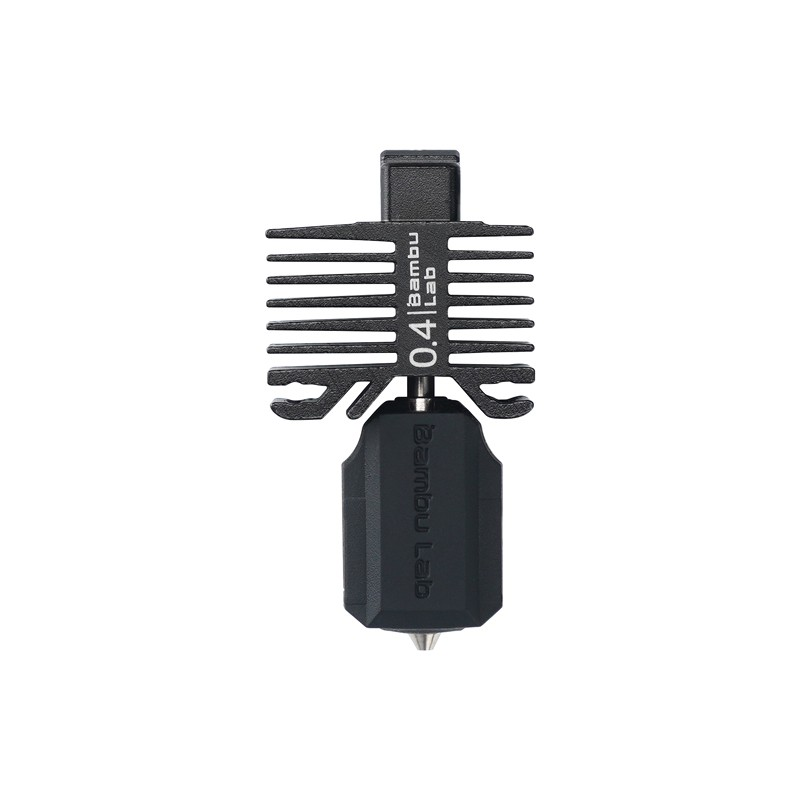
Bambu Lab Hotend with Hardened Steel Nozzle – 0.4mm (P1P/P1S/X1C)
High-precision hardened steel nozzle for Bambu Lab printers — ideal complement to a maker workshop running both 3D printing and CNC operations.
Hobby and Desktop CNC Routers for Indian Makers
For hobbyists, students, and small electronics workshops, desktop CNC routers offer a cost-effective entry point. The Indian maker community has embraced these machines enthusiastically, and there is a growing ecosystem of Indian vendors, local repair support, and community groups.
Popular Entry Points
The Woodpecker CNC, SainSmart Genmitsu 3018, and various similar machines offer a 300×180mm working area for under ₹15,000. They’re excellent for learning G-code, trying PCB milling, and engraving soft materials. Their limitations are real — small work area, underpowered spindles, plastic components — but they’re the right starting point if you’re unsure whether CNC is for you.
Stepping up to the 6040 or similar 600×400mm category (~₹30,000–₹60,000) opens up significantly more capability: real aluminium frame construction, proper ER11 collet spindles, and enough work area for most small-scale production tasks.
3D Printing Integration
Many Indian makers run a CNC router alongside a 3D printer in the same workshop. The combination is powerful — 3D printing for complex geometries and organic shapes, CNC routing for flat work, inlays, PCBs, and any operation requiring the smooth cut quality of a spinning tool. Both tools are complementary, not competing.
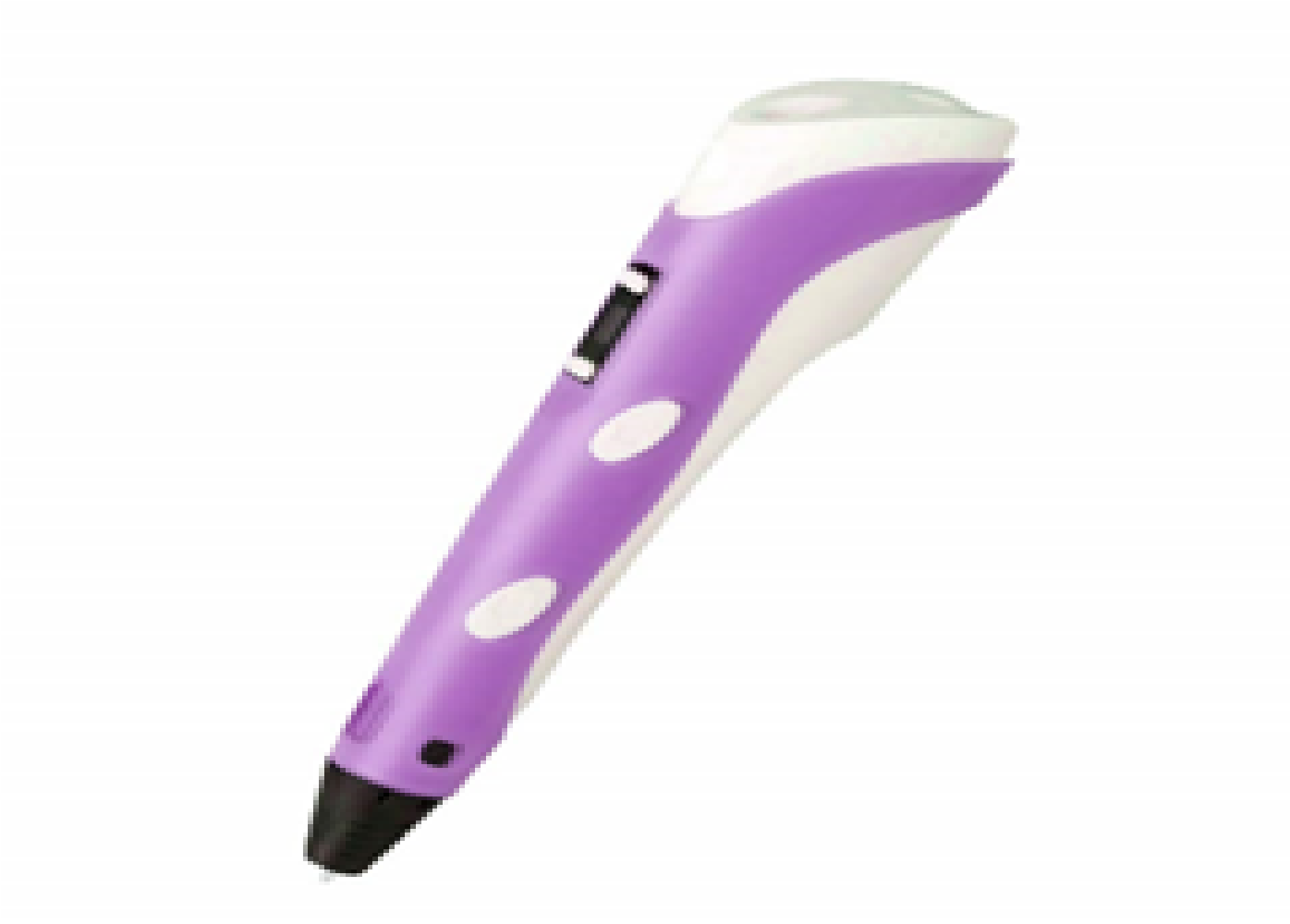
3D Printer Pen with Filament and USB Cable
A great entry-level tool for understanding 3D construction before investing in a full printer or CNC router — perfect for students and beginners.
Budget Guide: What to Expect at Each Price Point
Under ₹15,000 — Learning Machines
Expect small work areas (max 300×300mm), 775-type spindle motors (not true routing spindles), plastic or thin aluminium construction, and significant limitations on cut depth and speed. Fine for PCB milling, engraving, and learning. Not for production work.
₹15,000–₹50,000 — Serious Hobby
Aluminium extrusion or steel tube frames, proper ER11 collet spindles at 300W–800W, 500×500mm or larger work area. Can handle most hobby tasks in wood, plastics, and soft metals. This range covers most Indian hobbyist requirements well.
₹50,000–₹2,00,000 — Professional Hobby / Small Business
Steel welded frames, 800W–2200W spindles, ball screws on all axes, larger format (up to 1000×1000mm). Capable of production-quality work in hardwood, MDF, and aluminium. Many small furniture businesses and sign shops in India operate successfully with machines in this range.
₹2,00,000+ — Professional Production
Full-sheet capacity, servo motors, industrial spindles, automatic tool changers, vacuum tables. This is the domain of commercial furniture factories, large sign companies, and engineering workshops. Often purchased from Indian brands or imported directly from Taiwan or Chinese manufacturers.
Software: CAD, CAM, and Controllers
Free/Affordable Software for India
- Fusion 360 — Autodesk offers a generous free personal-use license. Excellent CAD + CAM in one package, with strong hobbyist community. Best all-rounder for most users.
- FlatCAM — Dedicated PCB CAM software, free and open-source. Handles Gerber files, surface probing, and generates optimised toolpaths for PCB milling.
- Inkscape + Gcodetools — For 2D engraving and profile cutting from vector artwork. Free and powerful for sign-making and artistic work.
- GRBL Panel / Universal G-Code Sender — Free machine controller software for GRBL-based machines.
- Candle (GRBL) — Popular free sender with a clean interface, widely used in the Indian maker community.
Common Mistakes to Avoid When Buying in India
Prioritising Work Area Over Rigidity
A large flimsy machine is worse than a small rigid one. Frame flex translates directly into poor cut quality, chatter, and broken bits. Choose a smaller, more rigid machine over a larger, cheaper one every time.
Ignoring Power Requirements
Many higher-power CNC spindles require VFDs that may need three-phase power or a phase converter. Check your workshop’s electrical supply before buying. In many Indian residential buildings and small workshops, only single-phase 230V supply is available. Ensure your machine is compatible.
Skipping Dust Collection
CNC routing produces significant dust and chips, particularly from wood. In Indian climate conditions, fine wood dust is a serious health hazard and fire risk. Budget for a proper dust collection system from day one, not as an afterthought.
Buying Without Checking Spare Parts Availability
This is a critical India-specific concern. Some imported machines use proprietary components that are difficult or impossible to source in India. Check that replacement spindles, stepper motors, controller boards, and bearings are available from Indian suppliers before purchasing.
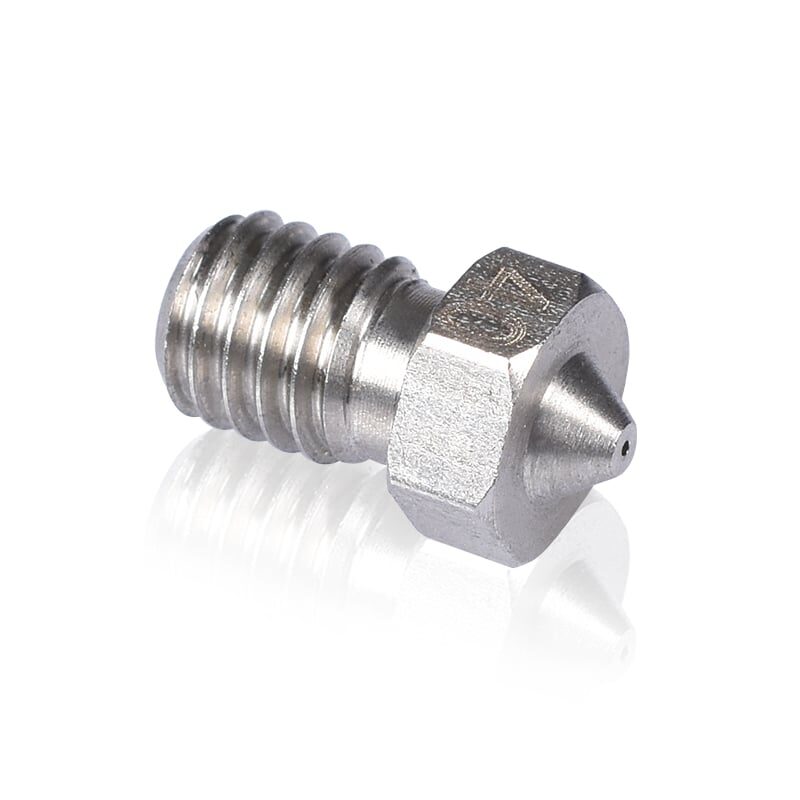
3D Printer Stainless Steel Nozzle 0.4mm
Stainless steel nozzle for 3D printers — a direct parallel to the importance of proper tooling in CNC work. Quality consumables make the difference.
Frequently Asked Questions
Which is the best CNC router for beginners in India?
For absolute beginners, a 3018 CNC kit (₹8,000–₹12,000) is the most accessible starting point. It teaches you G-code fundamentals, CAM workflow, and CNC operation basics with minimal financial risk. If you’re more serious about getting directly into production work, the Woodpecker CNC or a similar 500×500mm GRBL machine (₹25,000–₹40,000) is a better first machine.
Can a CNC router cut aluminium?
Yes, but it requires a rigid machine, proper aluminium cutting bits (two-flute carbide), careful feeds and speeds, and often cutting fluid. Entry-level desktop machines can make shallow engraving passes in aluminium. Cutting through-holes and pockets in aluminium requires a more rigid machine — at minimum a steel-frame 6040 type with an 800W+ spindle.
How do I import a CNC router to India?
CNC routers attract import duties under HS code 8457 or 8465. Basic customs duty plus IGST can add 28–35% to the machine’s CIF value. For machines under ₹50,000 (CIF), the total landed cost including duties can significantly exceed the machine’s purchase price. Buying from Indian distributors or local assemblers often works out cheaper after accounting for duties, shipping, and warranty service.
What’s the difference between a CNC router and a CNC mill?
A CNC router uses a high-speed rotating spindle (10,000–30,000 RPM) and is optimised for wood, plastics, and light aluminium work. A CNC mill uses much lower spindle speeds (typically 500–5,000 RPM) with much higher torque, designed for hard metals. Routers are far more common and affordable for hobbyists; mills are heavier industrial machines.
Is GST input credit available on CNC machine purchases?
Yes. CNC machines are classified as capital goods and GST paid on their purchase (typically 18% or 28% depending on classification) is eligible for input tax credit for registered businesses. Consult your CA for the specific HSN code applicable to your machine.
Explore CNC and 3D Printing Supplies at Zbotic
From 3D printer filaments and hotends to electronics components for your CNC controller — Zbotic has everything the Indian maker needs, with pan-India delivery.







Add comment