
BLE Beacon with ESP32: iBeacon & Eddystone Packet Broadcasting
Building a BLE beacon ESP32 iBeacon Eddystone project opens up a world of proximity-based applications — from indoor navigation systems and asset tracking in warehouses to retail engagement tools and attendance systems. Unlike traditional WiFi beacons, BLE (Bluetooth Low Energy) beacons run on coin cells for months, broadcast their presence without any pairing requirement, and can be detected by virtually every modern smartphone. This tutorial covers both the iBeacon (Apple’s format) and Google’s Eddystone protocols, with complete ESP32 code for broadcasting custom BLE advertisement packets.
What is a BLE Beacon?
A BLE beacon is a small wireless device that continuously broadcasts a radio packet — called an advertisement packet — at regular intervals. Any BLE-capable device in range (smartphones, tablets, other microcontrollers) can listen for these packets without establishing a connection. The broadcasting device never knows who is listening; it simply shouts its identifier into the air.
The key technical parameters of a BLE beacon:
- Advertising interval: How often the beacon broadcasts. Typical: 100ms (frequent, higher power) to 1 second (power-efficient). Default BLE spec allows 20ms–10.24s.
- TX power: Transmission power in dBm. Ranges from −20 dBm (very short range) to +4 dBm (maximum range ~70m in open air).
- RSSI: Received Signal Strength Indicator — the signal strength measured at the receiving device. Used to estimate distance.
- UUID/Major/Minor: iBeacon identifiers. UUID identifies a deployment (e.g., all beacons in your store), Major identifies a zone (floor/department), Minor identifies the individual beacon.
The ESP32 is an ideal BLE beacon platform because it has a built-in BLE radio, runs on 3.3V, can go into deep sleep between advertisements to conserve battery, and costs a fraction of dedicated beacon hardware while offering full programmability.
iBeacon vs Eddystone: Which to Use?
There are two dominant BLE beacon standards, and choosing the right one depends on your platform and use case:
| Feature | iBeacon | Eddystone |
|---|---|---|
| Creator | Apple (2013) | Google (2015) |
| Payload | UUID (16B) + Major (2B) + Minor (2B) | UID, URL, TLM, EID frame types |
| Best for | iOS apps, Apple Wallet, indoor positioning | Android, web, open platforms, URL beacons |
| URL broadcasting | No | Yes (Eddystone-URL) |
| Telemetry data | No | Yes (Eddystone-TLM: battery, temperature) |
| iOS support | Full (background scanning) | Foreground only (Physical Web) |
Recommendation for Indian makers: If you are building an Android-only attendance or asset tracking system, use Eddystone-UID — it is open, well-documented, and Android handles it natively. If you need iOS compatibility (like a museum guide app or retail loyalty app), use iBeacon. For projects broadcasting URLs to Android devices, Eddystone-URL is the cleanest solution.
Setting Up BLE on ESP32 with Arduino IDE
The ESP32 Arduino core includes the ESP32 BLE Arduino library by Neil Kolban, which provides a comprehensive BLE stack. It is automatically included when you install the ESP32 board package via Espressif’s board manager URL.
Prerequisites:
- Arduino IDE 2.x (or 1.8.19+) with ESP32 board package installed
- Board: ESP32 Dev Module (or your specific board)
- Partition scheme: Minimal SPIFFS (1.9MB APP with OTA) or Default 4MB (BLE needs more flash than the standard minimal partition)
Important: BLE and WiFi share the same radio on ESP32. They can coexist using ESP-IDF’s coexistence mode, but for beacon-only applications, disable WiFi to reduce power consumption and avoid radio conflicts:
#include <BLEDevice.h>
#include <BLEAdvertising.h>

void setup() {
  // Disable WiFi to reduce interference and power consumption
  WiFi.mode(WIFI_OFF);
  btStop();  // Stop classic Bluetooth

  BLEDevice::init("ESP32-Beacon");
  // ... beacon setup continues
}
Broadcasting iBeacon Packets
An iBeacon advertisement is a standard BLE advertisement packet with Apple’s company ID (0x004C) and a specific payload structure. Here is a complete iBeacon broadcaster for the ESP32:
#include <BLEDevice.h>
#include <BLEAdvertising.h>

// iBeacon UUID — generate your own at https://www.uuidgenerator.net/
// Format: 8-4-4-4-12 hex digits
#define IBEACON_UUID "12345678-1234-5678-1234-56789abcdef0"
#define IBEACON_MAJOR 1    // Zone identifier (e.g., floor number)
#define IBEACON_MINOR 100  // Individual beacon ID
#define IBEACON_POWER 0xC8 // Measured RSSI at 1 metre (-56 dBm = 0xC8)

void setIBeaconAdvertisement() {
  BLEAdvertising* pAdvertising = BLEDevice::getAdvertising();

  // iBeacon manufacturer data
  uint8_t uuid[16];
  // Parse UUID string into bytes (simplified — use a proper parser in production)
  // Pre-parsed UUID bytes for "12345678-1234-5678-1234-56789abcdef0":
  const uint8_t uuidBytes[16] = {
    0x12, 0x34, 0x56, 0x78, 0x12, 0x34, 0x56, 0x78,
    0x12, 0x34, 0x56, 0x78, 0x9a, 0xbc, 0xde, 0xf0
  };

  uint8_t mfData[25];
  mfData[0] = 0x4C; mfData[1] = 0x00; // Apple company ID (little-endian)
  mfData[2] = 0x02;                    // iBeacon type
  mfData[3] = 0x15;                    // iBeacon length (21 bytes)
  memcpy(&mfData[4], uuidBytes, 16);   // UUID
  mfData[20] = (IBEACON_MAJOR >> 8) & 0xFF; // Major high byte
  mfData[21] = IBEACON_MAJOR & 0xFF;        // Major low byte
  mfData[22] = (IBEACON_MINOR >> 8) & 0xFF; // Minor high byte
  mfData[23] = IBEACON_MINOR & 0xFF;        // Minor low byte
  mfData[24] = IBEACON_POWER;               // Measured power

  BLEAdvertisementData advData;
  advData.setFlags(0x04);  // BR/EDR not supported, LE General Discoverable
  advData.setManufacturerData(std::string((char*)mfData, 25));

  pAdvertising->setAdvertisementData(advData);
  pAdvertising->setScanResponse(false);
  pAdvertising->setMinPreferred(0x00);
}

void setup() {
  Serial.begin(115200);
  BLEDevice::init("");  // Empty name for iBeacon
  BLEDevice::setPower(ESP_PWR_LVL_P4);  // Maximum TX power

  setIBeaconAdvertisement();
  BLEDevice::getAdvertising()->start();

  Serial.println("iBeacon broadcasting started!");
  Serial.printf("UUID: %s | Major: %d | Minor: %dn",
                IBEACON_UUID, IBEACON_MAJOR, IBEACON_MINOR);
}

void loop() {
  // Beacon runs indefinitely
  // Add deep sleep here for battery-powered operation:
  // esp_sleep_enable_timer_wakeup(5000000);  // Wake every 5 seconds
  // esp_deep_sleep_start();
  delay(10000);
}
Test this with the nRF Connect app (Android/iOS) — you will see your beacon listed with the UUID and RSSI value. For iOS apps, use CoreBluetooth or the CLBeaconRegion API to range the beacon by UUID/Major/Minor.
Broadcasting Eddystone-URL and Eddystone-UID
Eddystone packets use BLE Service Data (service UUID 0xFEAA) rather than Manufacturer Data. There are four frame types — UID, URL, TLM (telemetry), and EID (ephemeral ID). Here are the two most useful ones:
Eddystone-URL (broadcasts a shortened URL — great for physical web):
#include <BLEDevice.h>
#include <BLEAdvertising.h>

void broadcastEddystoneURL(const char* url) {
  // URL encoding: prefix 0x03 = "https://"
  // Suffix 0x07 = ".in"
  // Adjust prefixes/suffixes per Eddystone spec

  String urlStr = String(url);
  uint8_t frameData[20];
  int idx = 0;

  frameData[idx++] = 0x10;  // Eddystone-URL frame type
  frameData[idx++] = 0x00;  // TX Power (calibrated)
  frameData[idx++] = 0x03;  // URL scheme: https://

  // URL body (max 17 bytes after scheme)
  // Remove "https://" from the URL string before encoding
  for (int i = 8; i < urlStr.length() && idx < 20; i++) {
    frameData[idx++] = urlStr[i];
  }

  BLEAdvertisementData advData;
  advData.setFlags(0x06);  // LE General Discoverable, BR/EDR not supported

  // Add service UUID 0xFEAA
  uint8_t svcUUID[3] = {0x03, 0xAA, 0xFE};
  advData.addData(std::string((char*)svcUUID, 3));

  // Add service data
  std::string svcData;
  svcData += (char)((idx + 2) & 0xFF);  // Length
  svcData += (char)0x16;                // Type: Service Data
  svcData += (char)0xAA; svcData += (char)0xFE;  // UUID 0xFEAA
  svcData += std::string((char*)frameData, idx);
  advData.addData(svcData);

  BLEDevice::getAdvertising()->setAdvertisementData(advData);
}

void setup() {
  Serial.begin(115200);
  BLEDevice::init("");
  broadcastEddystoneURL("https://zbotic.in");
  BLEDevice::getAdvertising()->start();
  Serial.println("Eddystone-URL beacon started: https://zbotic.in");
}

void loop() { delay(10000); }
Eddystone-UID (broadcasts a namespace + instance ID, like an iBeacon UUID for Android):
The UID frame contains a 10-byte Namespace ID (your application/organisation identifier) and a 6-byte Instance ID (unique per beacon). Generate a namespace ID by taking the first 10 bytes of your SHA-1 hashed domain name (per Google’s specification). This gives globally unique namespaces without registration.
// Eddystone-UID frame structure in frameData:
frameData[0] = 0x00;        // Frame type: UID
frameData[1] = 0x00;        // TX Power
// Bytes 2-11: Namespace (10 bytes) — SHA1("zbotic.in")[:10]
uint8_t ns[10] = {0xA4, 0x2B, 0x7C, 0x3D, 0xE1, 0x09, 0xF5, 0x8A, 0x2C, 0xB6};
memcpy(&frameData[2], ns, 10);
// Bytes 12-17: Instance (6 bytes) — unique per beacon
uint8_t inst[6] = {0x00, 0x00, 0x00, 0x00, 0x00, 0x01};
memcpy(&frameData[12], inst, 6);
frameData[18] = 0x00;       // Reserved
frameData[19] = 0x00;       // Reserved
RSSI-Based Proximity Detection
The RSSI value in received BLE packets decreases with distance following the free-space path loss model. A simple but effective distance estimate:
distance = 10 ^ ((txPower - RSSI) / (10 * n))
Where txPower is the calibrated RSSI at 1 metre (stored in the beacon packet), RSSI is the measured signal strength, and n is the path loss exponent (typically 2 in free space, 3-4 in buildings).
For an attendance system or zone detection (not precise distance), use simple RSSI thresholds:
- RSSI > −60 dBm: Device is very close (<1m, immediate zone)
- RSSI −60 to −80 dBm: Device is in the same room (near zone, 1-5m)
- RSSI < −80 dBm: Device is far (far zone, >5m or through walls)
RSSI is noisy — average 5-10 readings using a sliding window or Kalman filter for stable distance estimates. The ESP32 BLE scanner can log RSSI for each detected beacon:
// In BLE scan callback:
class MyAdvertisedDeviceCallbacks: public BLEAdvertisedDeviceCallbacks {
  void onResult(BLEAdvertisedDevice advertisedDevice) {
    Serial.printf("Device: %s | RSSI: %d dBmn",
                  advertisedDevice.getAddress().toString().c_str(),
                  advertisedDevice.getRSSI());
  }
};
Real-World Use Cases for Indian Makers
BLE beacons with ESP32 have compelling applications for the Indian market:
College/office attendance systems: Deploy ESP32 iBeacon units in classrooms. Students’ phones running an app detect the beacon RSSI and mark attendance automatically when they are within 5 metres. No NFC cards, no biometrics — just proximity. This is being used in several Indian engineering colleges.
Warehouse asset tracking: Attach compact ESP32 BLE beacons to high-value tools, equipment trays, or vehicles. A gateway (Raspberry Pi or ESP32 scanner) reads their RSSI and triangulates position using multiple fixed receivers. Much cheaper than RFID for non-contact tracking.
Retail shelf engagement: Place Eddystone-URL beacons near product displays in stores. When a customer’s phone detects the beacon, an app or browser notification opens the product page on the store’s website — contextual marketing without GPS indoors.
Smart museum guides: iBeacons at each exhibit trigger the museum’s app to load the relevant audio/video content automatically as visitors approach. No QR code scanning required.
Parking guidance systems: One ESP32 per parking bay broadcasts its occupancy status (derived from an IR or ultrasonic sensor). A central ESP32 scanner displays available bays on an LED matrix or web dashboard — a very cost-effective alternative to commercial parking systems for small complexes.
Recommended Hardware from Zbotic
Build your BLE beacon projects with these quality components from Zbotic:

Ai Thinker ESP32-C3-01M Wi-Fi + BLE Module
The ideal beacon hardware — compact ESP32-C3 with both WiFi and BLE 5.0, low power consumption, and small form factor. Perfect for building coin-cell powered BLE beacons.

Ai Thinker ESP32 CAM Development Board WiFi+Bluetooth
Full-featured ESP32 development board for prototyping BLE beacon gateways — combines BLE scanning with WiFi to forward beacon data to MQTT brokers or cloud dashboards.
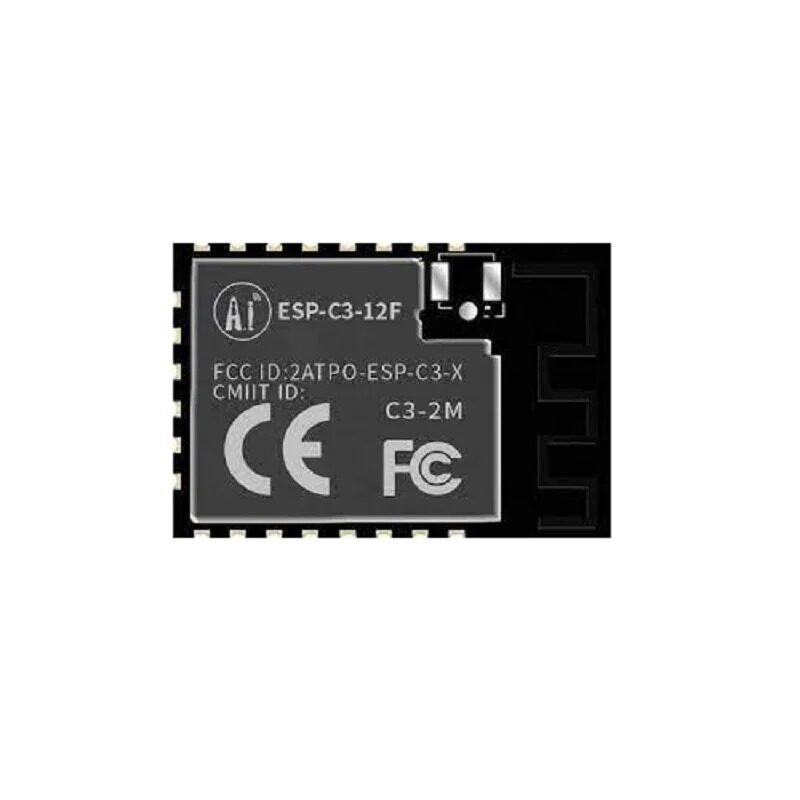
Ai-Thinker ESP32-C3-12F Wi-Fi + BLE Module
A slightly larger ESP32-C3 module with a PCB antenna for improved BLE range. Great for beacons that need to cover larger areas like retail floors or warehouse bays.

0.96 Inch I2C OLED LCD Module White SSD1306
Add a status display to your BLE gateway showing detected beacon count, RSSI values, and connection status. Compact and I2C for easy ESP32 integration.
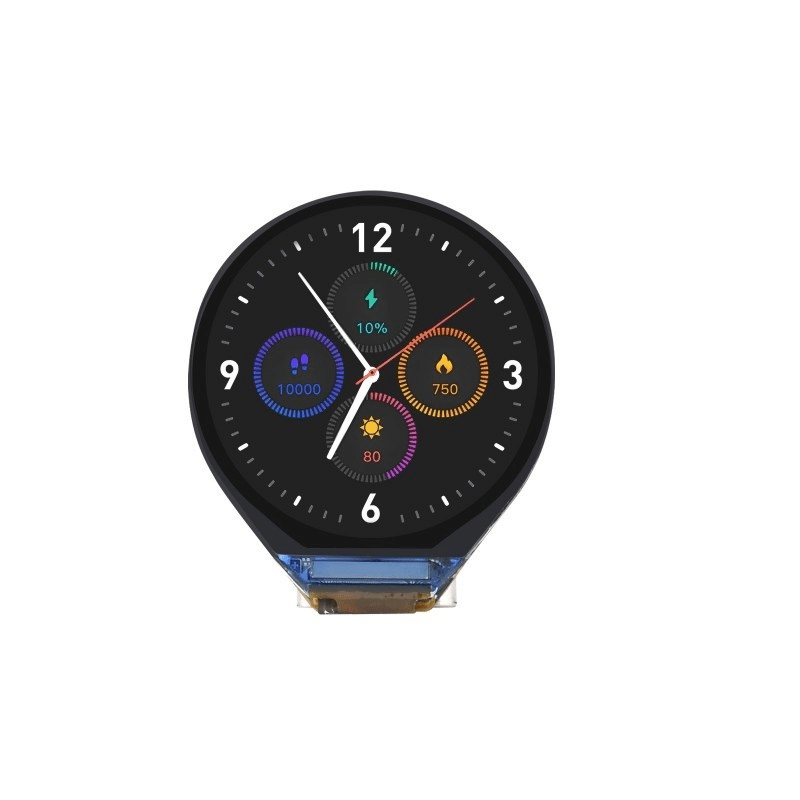
Waveshare ESP32-C3 0.71inch Round Display Development Board
A stunning all-in-one ESP32-C3 with built-in round display — build a stylish BLE beacon scanner dashboard that shows proximity zones and detected device count in real time.
Frequently Asked Questions
Q1: How long can an ESP32 BLE beacon run on a CR2032 coin cell?
A standard CR2032 has about 225mAh capacity. An ESP32-C3 in active BLE advertising mode draws approximately 10-15mA. On a coin cell, that gives only 15-22 hours — not great. The solution is aggressive deep sleep: put the ESP32 to sleep between advertisements. With 100ms advertising bursts every 1 second, duty cycle drops to ~10%, extending battery life to several days. For weeks-long operation, use a 18650 Li-ion cell (2000-3500mAh). Dedicated beacon chips like nRF52832 can run for years on a coin cell, but ESP32 is more practical for hobbyists due to easy programming.
Q2: Can I change the iBeacon UUID dynamically on the ESP32?
Yes. Stop advertising (BLEDevice::getAdvertising()->stop()), rebuild the advertisement data with the new UUID, and restart advertising (BLEDevice::getAdvertising()->start()). This takes about 10-50ms and is useful for rotating UUIDs for security (Eddystone-EID does this automatically with encrypted, time-based ephemeral IDs for privacy-preserving tracking).
Q3: What is the maximum range of an ESP32 BLE beacon?
At maximum TX power (+4 dBm on ESP32) with a good antenna, BLE can reach 70-100m in open air. In typical indoor environments (concrete walls, metal shelving), expect 10-30m per room. For maximum range, use an ESP32 module with an external antenna connector (like the ESP32-WROOM-32U) and attach a directional or high-gain antenna. For indoor use cases like attendance or asset tracking, the typical 5-10m range of standard modules is usually sufficient.
Q4: Can two ESP32s be both beacon and scanner simultaneously?
Yes, with limitations. The ESP32 BLE stack supports concurrent advertising and scanning using the BLE dual role mode. However, the radio must time-share between advertising and scanning, which increases latency for both. In practice: set a short advertising interval (100ms) and a scan window that does not overlap, or use the ESP32’s BLE mesh capabilities for more sophisticated multi-role scenarios. This is useful for creating a chain of BLE relays that extend coverage.
Q5: How do I detect my ESP32 iBeacon in an Android app?
Use the AltBeacon Android library (open source, Apache 2.0 licensed) which supports iBeacon format. Add it to your Android Studio project via Gradle, define a BeaconManager, set the iBeacon layout (m:2-3=0215,i:4-19,i:20-21,i:22-23,p:24-24), and implement RangeNotifier and MonitorNotifier callbacks. Android 12+ requires BLUETOOTH_SCAN and BLUETOOTH_CONNECT permissions in the manifest. Test detection first with the free nRF Connect app before writing your own app.
Shop ESP32 modules, displays, and all wireless components at Zbotic’s Communication & Wireless Modules — India’s favourite store for electronics hobbyists and professionals, with fast pan-India delivery.






Add comment