
Table of Contents
- What is FPV Video Latency and Why Does it Matter?
- The Complete FPV Latency Chain
- Analog vs Digital FPV: The Latency Trade-off
- Camera Latency: The Hidden Bottleneck
- VTX Encoding and Transmission Latency
- Goggles Receiver and Display Latency
- RC Control Latency: Keeping Up with Video
- Practical Optimization Tips for Indian FPV Pilots
- How to Measure Your FPV System Latency
- Recommended Low-Latency FPV Components from Zbotic
- Frequently Asked Questions
Latency is the invisible enemy of FPV flight. It is the gap between what your drone’s camera sees and what you perceive through your goggles — and that gap, measured in milliseconds, directly determines how responsive, natural, and ultimately how safe your FPV experience feels. A 30ms latency system feels like flying in real time. A 100ms system feels like watching TV with a noticeable delay. A 200ms system makes precise flying genuinely dangerous.
Understanding and minimising FPV video latency is one of the most technically nuanced aspects of drone building, yet most guides barely scratch the surface. This comprehensive guide breaks down every component in the FPV latency chain, explains what drives latency in each stage, and gives you concrete, actionable steps to optimise your system — whether you are flying analog or digital FPV in India’s growing hobby scene.
What is FPV Video Latency and Why Does it Matter?
FPV video latency (also called end-to-end latency, glass-to-glass latency, or simply lag) is the total time delay between a photon entering your FPV camera lens and the corresponding pixel appearing on your goggle display. It is measured in milliseconds (ms).
The Perceptual Impact of Different Latency Levels
| Latency | Perception | Practical Impact |
|---|---|---|
| Under 20ms | Imperceptible | Real-time feel; reflexive control |
| 20–35ms | Barely noticeable | Comfortable for all flying styles |
| 35–60ms | Slightly perceptible | Fine for freestyle; slightly off for racing |
| 60–100ms | Clearly perceptible | Reduced precision; not suitable for racing |
| 100–150ms | Distinctly laggy | Risky at high speed; disorienting |
| Over 150ms | Severely delayed | Dangerous at speed; motion sickness likely |
Why Latency Matters More at Higher Speed
At 30 km/h, a 100ms latency means your drone has moved 83 cm since the image you are reacting to was captured. At 100 km/h, the same latency means the drone has moved 2.8 metres. High-speed FPV racing pilots react to visual cues in 100–150ms — if the video adds another 100ms on top, they are effectively flying blind.
Even at moderate speeds for freestyle flying, high latency makes proximity flying near trees, buildings, and obstacles significantly more dangerous. The intuitive, instinctive feel of low-latency FPV is what makes the hobby special — and high latency ruins it entirely.
The Complete FPV Latency Chain
FPV latency is not a single number — it is the sum of delays through every component in the video system. Understanding each stage lets you identify where your system is losing time:
- Scene → Camera sensor: Light enters the lens and hits the image sensor. Physical optics add negligible delay.
- Sensor → Camera processor: The camera’s ISP (Image Signal Processor) processes the raw sensor data. This is where a significant portion of camera latency is added.
- Camera → VTX: Analog video signal travels via coax cable to the video transmitter. In analog systems, this is essentially zero delay (it is a continuous analog signal).
- VTX encoding and RF transmission: Analog VTX adds minimal delay. Digital VTX encodes video frames, adding 1–50ms depending on technology.
- RF propagation: Radio waves travel at the speed of light. At 1 km range, propagation adds 0.003ms — completely negligible.
- Goggles receiver → Decoder: The goggles receive the RF signal and decode it. Analog decoding is near-instant. Digital decoding adds 5–30ms depending on the system.
- Goggles display: LCD and OLED displays add 1–5ms. Older LCD panels in budget goggles can add up to 15ms.
The total end-to-end latency is the sum of all these stages. For a premium analog system, the total is typically 20–30ms. For budget digital systems, it can be 40–80ms. For consumer drone cameras (DJI, GoPro) with video processing, it can be 100–200ms+.
Analog vs Digital FPV: The Latency Trade-off
This is the central question in modern FPV: should you fly analog or digital? From a pure latency perspective, the answer has historically been clear — analog wins. But the gap is narrowing.
Analog FPV Systems
Traditional analog FPV transmits a raw, uncompressed composite video signal (PAL or NTSC) over 5.8GHz radio frequency. Because the signal is analog and uncompressed, there is no encoding/decoding processing delay in the transmission chain.
Total typical end-to-end latency: 20–35ms
- Camera: 15–25ms (the dominant source)
- VTX transmission: ~0ms (analog signal)
- Goggles decode: ~0ms (analog receiver)
- Goggles display: 1–5ms
Trade-off: Low latency but lower image quality. Resolution is limited to 480–576p (standard definition) with noticeable noise and colour limitations. In India’s WiFi-congested urban environments, 5.8GHz interference from home networks can cause video break-up and static.
Digital FPV Systems
Digital FPV compresses and transmits video as a digital stream — similar in principle to streaming video, but at much lower latency than consumer streaming systems. The key systems in 2026 in India:
DJI O3 Air Unit / O4
- Latency: 30–40ms typical
- Resolution: 1080p/60fps
- India cost: ₹15,000–₹30,000 for full system
- Notes: Industry benchmark for digital FPV quality. Excellent penetration through obstacles. Requires DJI goggles.
Walksnail Avatar HD
- Latency: 22–40ms (camera dependent)
- Resolution: 1080p/60fps
- India cost: ₹10,000–₹18,000
- Notes: Strong competitor to DJI, supports third-party goggles. Growing Indian user base.
HDZero
- Latency: 18–22ms (the lowest of any digital system)
- Resolution: 720p/60fps or 540p/90fps
- India cost: ₹8,000–₹14,000
- Notes: Specifically designed for low latency racing FPV. Popular with competitive racers.
Budget Digital Systems (Caddx, RunCam, etc.)
- Latency: 50–120ms
- Resolution: 720p–1080p with significant compression
- India cost: ₹3,000–₹7,000
- Notes: Not suitable for racing or precise flying. Image quality often disappointing despite HD claims.

1/3″ CMOS 700TVL Mini FPV Camera
A low-latency analog FPV camera with 700TVL resolution and PAL/NTSC support — ideal for budget builds where latency matters more than resolution.
Camera Latency: The Hidden Bottleneck
The FPV camera is almost always the largest single source of latency in an analog FPV system — contributing 15–30ms of the total end-to-end delay. Yet most builders focus on VTX power output and goggle features while ignoring camera latency entirely.
What Causes Camera Latency?
- Sensor readout time: The time taken to read pixel values from the sensor array. Rolling shutter sensors read line-by-line; global shutter sensors read all at once (lower latency, higher cost).
- ISP processing: Noise reduction, sharpening, colour correction, and wide dynamic range processing all add processing delay. WDR features typically add 5–15ms.
- Exposure algorithm: Auto exposure algorithms need multiple frames to adjust. Cameras with faster AEC (Auto Exposure Control) loops have lower latency on transitions.
- Frame synchronisation: The camera must synchronise its output signal with the VTX’s expected input timing. Mis-synchronisation causes additional frame buffering.
Low-Latency Camera Choices for India
Cameras known for low latency in the FPV community (in approximate order of latency performance):
- Foxeer Razer / Micro Zero: Among the lowest latency analog cameras available. Popular in competitive racing.
- RunCam Phoenix: Excellent latency and good dynamic range. A favourite for freestyle.
- Caddx Ratel series: Good balance of latency and image quality for the price.
- Foxeer Arrow / Predator series: Mid-tier latency, good overall image quality.
- Generic CMOS cameras: Vary widely. Many have WDR processing enabled by default that adds unnecessary latency for pure performance flying.
Camera Settings to Reduce Latency
- Disable WDR: If you are flying in consistent lighting, turn off Wide Dynamic Range. It adds processing delay and is unnecessary in good light.
- Set to NTSC 60fps: NTSC at 60fps (versus PAL at 50fps) gives you more frames per second, which reduces the time between the latest captured frame and what you see.
- Reduce image sharpening: Some cameras have aggressive sharpening enabled by default. Sharpening adds ISP processing time — reduce it if latency is your priority.
- Disable noise reduction: Temporal noise reduction (averaging frames to reduce noise) fundamentally adds latency because it depends on previous frames. Disable it.
1/3″ CMOS 1500TVL Mini FPV Camera with OSD
A 1500TVL FPV camera with built-in OSD controls for adjusting noise reduction, sharpening, and WDR settings — essential for optimising camera latency in the field.
VTX Encoding and Transmission Latency
For analog FPV systems, the VTX (Video Transmitter) adds essentially zero latency. It takes the analog signal from the camera and modulates it directly onto the 5.8GHz carrier wave — this happens in hardware at the speed of the electronics, not in software.
The key VTX parameters that affect signal quality (and thus perceived latency from break-up and artifact recovery) are:
VTX Power Output
Higher power output improves signal penetration and reduces packet loss. A stronger signal means the goggles receiver can decode it with fewer errors, resulting in a cleaner, more consistent feed. In India, legal outdoor power limits for 5.8GHz FPV are not specifically regulated under DGCA for hobby use at present, but the global community standard for reasonable-range flying is 25–200mW.
- 25mW: Good for indoor micro whoops, range 50–200m outdoors
- 100mW: Standard for 5-inch outdoor flying, range 300–800m
- 200mW: Long-range freestyle, penetration through obstacles. Range 500m–1.5km with directional antennas.
VTX Antenna Quality
Antenna quality directly affects signal strength at a given power level. The stock rubber ducky antennas on budget VTX modules perform poorly. Upgrade to circular polarised antennas (Foxeer Lollipop, ImmersionRC SpiroNet) for dramatically better signal penetration and less multipath interference in urban environments.
In India, replacement 5.8GHz CP antennas are available from Zbotic and domestic RC hobby suppliers for ₹200–₹600 each. The antenna upgrade is one of the best value-for-money improvements for FPV video quality.
Goggles Receiver and Display Latency
The FPV goggles are the final stage in the video chain, and their display technology directly affects how much latency they add.
Analog Goggle Receiver
A quality analog receiver (Rapidfire, TrueRC, or Steadyview modules) demodulates the 5.8GHz signal back into composite video in real time with essentially zero processing delay. The key spec is receiver sensitivity (typically -90 to -95 dBm) — more sensitive receivers maintain clean video at lower signal levels, reducing the range at which you see static and break-up.
Display Panel Latency
- High-quality OLED displays: 1–3ms panel latency. Best for responsiveness.
- High-quality LCD (IPS): 2–5ms. Adequate for most flying.
- Budget LCD panels: 5–15ms. Common in sub-₹5,000 goggles. Contributes noticeably to total system latency.
Diversity Receivers
Most quality goggles use diversity receivers — two or more antennas and receivers that automatically switch to whichever has the stronger signal. Diversity receivers add 5–20ms of switching latency in the moment of switching but provide dramatically more consistent signal overall. For general flying, diversity is a significant quality improvement despite the marginal latency cost.
RC Control Latency: Keeping Up with Video
FPV video latency is only half the picture. Your RC control system also has latency — the delay between your stick input and the drone’s motors responding. For a complete FPV experience, both need to be minimised.
Radio Control Latency by System (2026)
| RC System | End-to-End Latency | India Availability |
|---|---|---|
| ExpressLRS (ELRS) 500Hz | 2–4ms | Widely available, ₹1,500–₹3,000 for receiver |
| Crossfire (TBS) | 5–7ms | Available, ₹4,000–₹8,000 for receiver |
| FrSky ACCESS (2.4GHz) | 5–8ms | Common in India, ₹1,500–₹4,000 |
| FlySky AFHDS | 15–25ms | Budget option, widely available |
| Generic toy RC protocols | 30–100ms | Found in cheap toy drone kits |
ExpressLRS (ELRS) has become the community standard for low-latency RC control in 2026. It is open source, actively maintained, and offers the best latency of any widely available system. For Indian FPV pilots, ELRS at 500Hz or 1000Hz packet rate is the recommended choice for both micro and 5-inch builds.

3DR 100mW Radio Telemetry 915MHz for APM/PX4/Pixhawk
A dedicated telemetry radio module for ArduPilot and PX4 flight controllers — sends real-time flight data (voltage, GPS, attitude) to your ground station for long-range autonomous operations.
Practical Optimization Tips for Indian FPV Pilots
Tip 1: Eliminate the Worst Offenders First
If your FPV system feels laggy, start by identifying the biggest latency contributors. A quick way: temporarily connect your FPV camera directly to your goggles via a video cable (bypassing VTX and radio entirely). If the image is still laggy, your camera is the bottleneck. If it is now responsive, the VTX or goggles receiver is adding delay.
Tip 2: Match Your System to Your Flying Style
- Racing: Lowest possible latency is non-negotiable. Analog FPV with a low-latency camera (Foxeer Razer or similar), quality diversity goggles (Fatshark Recon v3 or DJI Goggles Racing Edition), and ELRS at 500Hz+.
- Freestyle: 30–50ms is fully acceptable. Digital FPV (DJI O3, Walksnail) is popular here because image quality matters as much as latency for cinematic content.
- Long-range cruising: Latency below 80ms is fine for slow, deliberate flight. Digital systems with better penetration (Walksnail) work well at long range.
Tip 3: Deal with India’s 5.8GHz Interference
India’s cities have dense 5.8GHz WiFi networks (apartment buildings with 50+ routers all on 5GHz band). This interference is the single biggest cause of video break-up for Indian FPV pilots flying near residential areas.
Solutions:
- Fly in early morning when router activity is lower
- Use a 5.8GHz channel away from standard WiFi channels (WiFi uses channels 36–165; FPV channels vary). Most FPV gear uses Race Band (R1–R8) which partially overlaps with WiFi — check your goggle for channels with the least interference before flying.
- Use directional antennas on your goggles (Yagi or patch antennas) to improve signal rejection from off-axis interference sources
- Consider switching to a 1.3GHz or 900MHz video system in highly congested urban areas — less penetration but far less interference
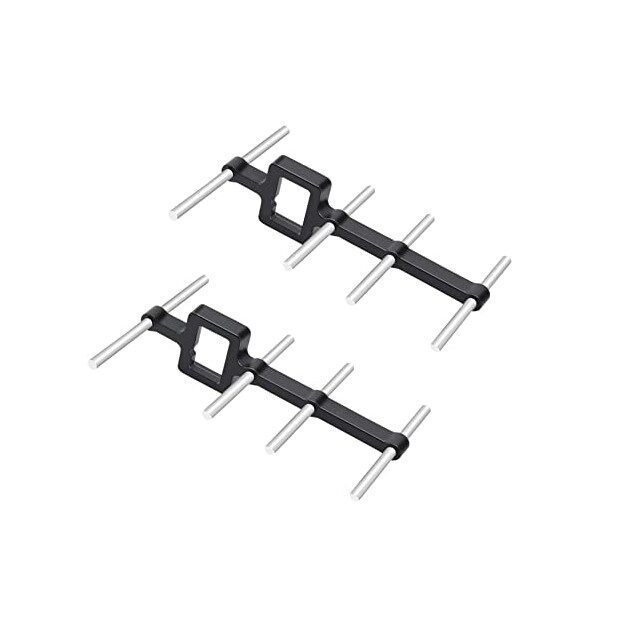
2.4GHz Yagi-UDA Drone Signal Booster
A high-gain directional Yagi antenna for 2.4GHz RC control — dramatically extends RC range and reduces control latency caused by signal break-up in interference-heavy Indian urban environments.
Tip 4: Vibration Isolation for Your FC
While not directly a latency issue, FC vibration affects how quickly your flight controller can respond to control inputs. A vibrating gyroscope reads noisy data, forcing Betaflight’s filters to be more aggressive — which adds filter latency in the control loop. Proper anti-vibration mounting of your FC is essential for both flight smoothness and effective PID responsiveness.
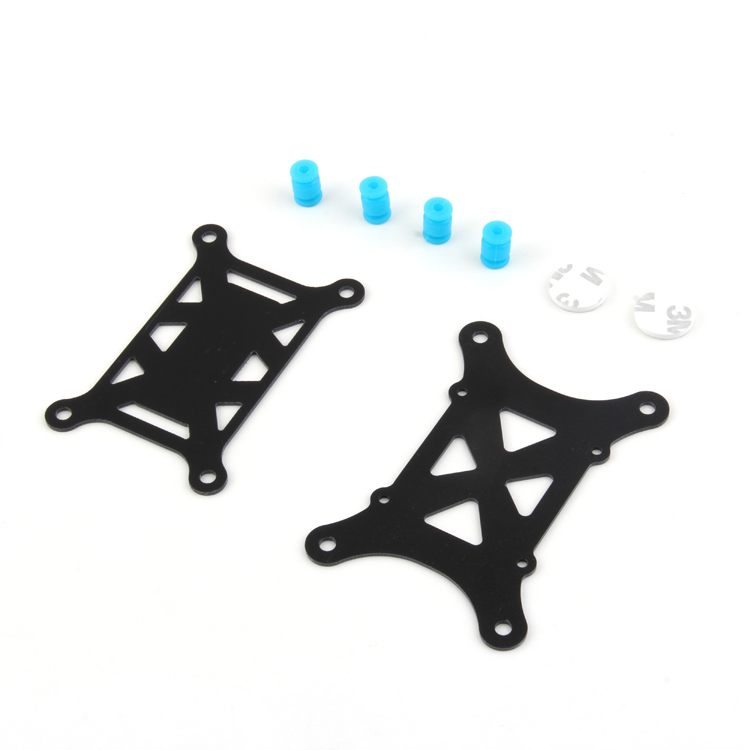
Anti-Vibration Shock Absorber for APM/KK/MWC/PixHawk
Silicone anti-vibration mounts for flight controllers — reduce gyro noise from motor vibration, allowing Betaflight to use less filtering and achieve faster, lower-latency control response.
How to Measure Your FPV System Latency
The most accurate way to measure end-to-end FPV latency is the monitor method:
- Display a millisecond timer on your computer monitor (search online for browser-based millisecond timers).
- Point your FPV camera at the monitor.
- Take a photo or video of both the FPV goggle display (showing the camera feed) and the actual monitor simultaneously using a second camera (your phone).
- Compare the time shown on the actual monitor versus the time shown in the FPV feed — the difference is your end-to-end latency.
This simple test has been used by the FPV community for years and gives accurate real-world latency measurements. Typical results:
- Quality analog system: 25–35ms
- DJI O3/O4: 30–42ms
- Walksnail Avatar: 22–40ms
- HDZero: 18–25ms
- Budget digital systems: 60–120ms
Recommended Low-Latency FPV Components from Zbotic
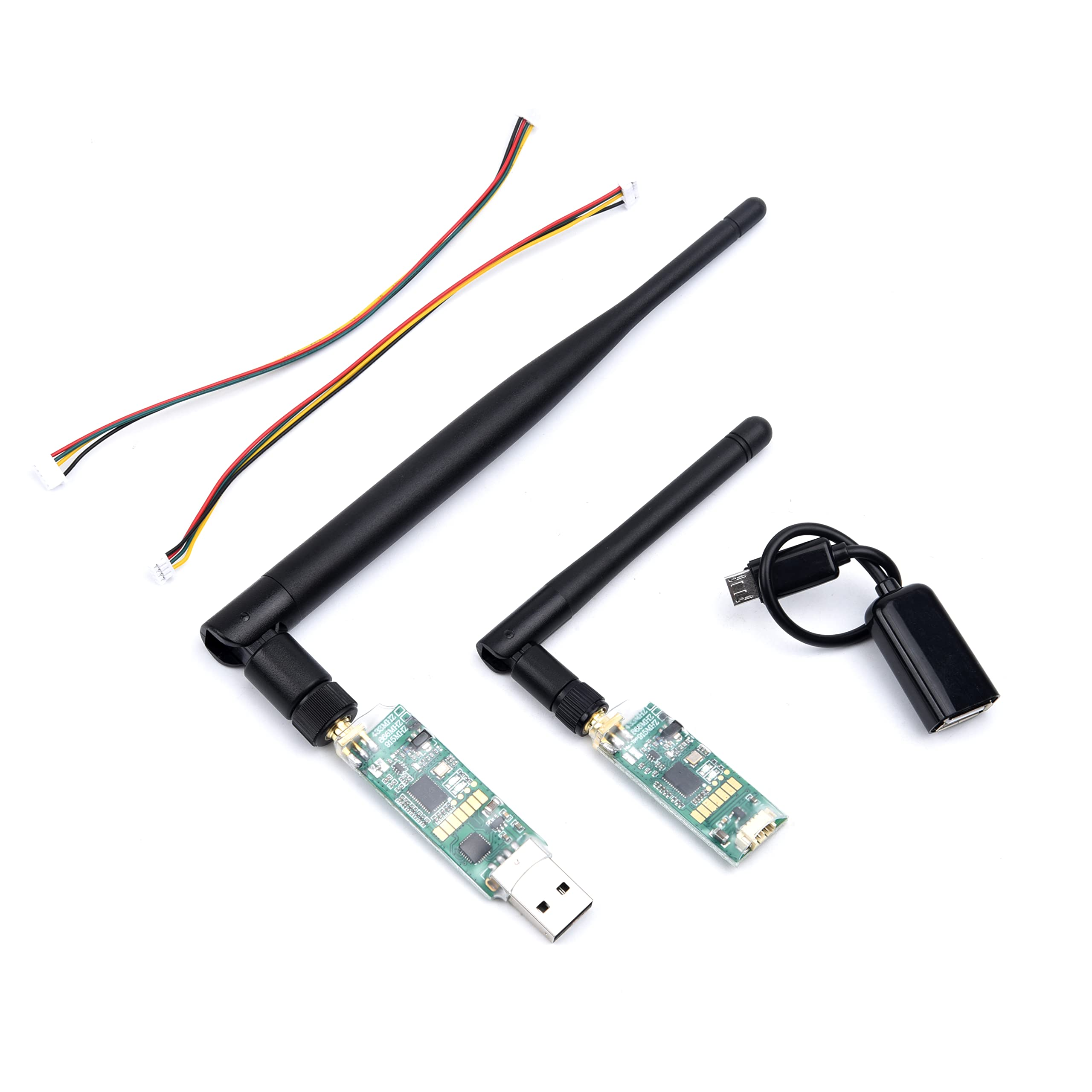
3DR Single TTL MINI Radio Telemetry 433MHz 500mW
A compact 433MHz telemetry module for long-range drone operations — 433MHz has better building penetration than 915MHz, making it useful for urban beyond-line-of-sight telemetry in India.
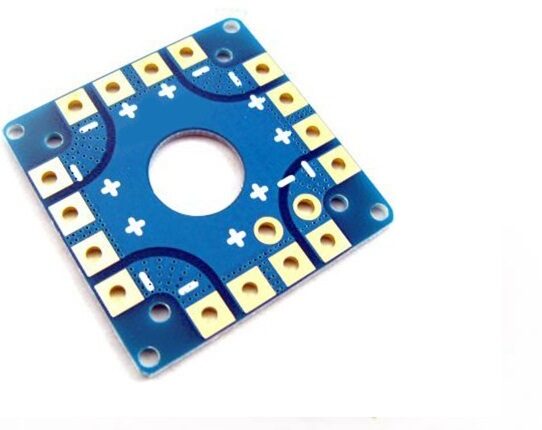
100A Multirotor ESC Power Distribution Board
Clean power delivery is essential for low-latency FPV — a quality PDB with onboard capacitors prevents voltage noise from interfering with your camera and VTX signal chain.
Frequently Asked Questions
What is the minimum acceptable FPV latency for racing?
Competitive FPV racing pilots generally consider anything under 40ms acceptable, with the best systems achieving 22–30ms. Above 60ms, race performance suffers measurably. The best analog setups with premium low-latency cameras and quality goggles achieve 20–28ms total, which is why analog remains dominant in competitive racing despite digital systems offering HD image quality.
Does higher VTX power reduce latency?
Not directly. Higher VTX power improves signal strength and reduces video break-up (noise, static, pixelation), which your brain perceives as smoother and more responsive — but the actual transmission latency is identical regardless of power level. A stronger signal simply gives the decoder in your goggles more signal-to-noise margin, producing fewer decode errors and a cleaner image.
Is digital FPV better than analog for beginners in India?
It depends on budget. For beginners under ₹5,000 for the drone system, analog is the only practical choice. For intermediate builders with ₹10,000–₹15,000 to spend on the full drone system, consider digital FPV (Walksnail or DJI O3) for the significantly better image quality — latency at these price points is low enough (30–40ms) for comfortable freestyle flying. Stick with analog if racing is your goal.
My FPV video is stuttery but low latency — what is wrong?
Stuttery analog video with low apparent latency usually indicates multipath interference (signal reflections from buildings or metal surfaces creating phase cancellation), a borderline signal strength causing burst errors, or a faulty VTX/receiver combination. Try a different 5.8GHz channel, move to a more open flying area, and check all antenna connections. Upgrade to diversity goggles if you are using single-antenna goggles.
How does Betaflight filtering affect latency?
Betaflight’s filtering (gyro low-pass filters, D-term filters, RPM filtering) runs in the flight controller’s control loop and adds latency between your stick input and motor response. Every filter stage adds approximately 1–5ms of delay. Reducing filter aggressiveness (safe only with low-vibration builds and quality motors) gives faster response feel. RPM filtering (bidirectional DSHOT) allows more aggressive filtering reduction while maintaining clean gyro data — highly recommended for low-latency builds.
Can I use a phone as an FPV display to reduce cost?
Yes, but with a significant latency penalty. Phone-based FPV solutions (using WiFi or USB video input) typically add 100–300ms of latency due to Android/iOS video processing pipelines. This is acceptable for slow, stable photography or GPS-assisted autonomous flying, but completely unsuitable for FPV freestyle or racing. Dedicated goggles are non-negotiable for real FPV flying.
Conclusion
FPV latency is a system property — the weakest link in your video chain determines the experience. Start with understanding where your current system’s latency comes from, make targeted improvements to the highest-impact components, and match your system’s latency profile to how you actually fly. For most Indian FPV enthusiasts, a quality analog system with a low-latency camera and diversity goggles delivers the best performance-per-rupee. As digital systems continue to improve and prices fall in the Indian market, the analog-vs-digital choice will become increasingly nuanced — but the fundamental principle remains: the FPV experience is as good as your latency allows it to be.






Add comment