
FPV Freestyle Tricks Tutorial: Rolls, Flips and Split-S
FPV freestyle is one of the most exciting forms of drone flying in the world. Watching a skilled freestyle pilot slice through gaps, execute perfectly timed rolls, link back-to-back manoeuvres with musical precision, and recover from situations that look physically impossible — it is a spectacle that has drawn thousands of young Indians into the hobby in the last few years.
But freestyle skill does not come naturally. It is built through systematic practice of fundamental tricks, progressive difficulty, thousands of repetitions on the simulator, and gradual field application. This tutorial is your roadmap — from your very first roll to advanced combo manoeuvres that will have your friends reaching for their phones to record you.
Whether you are practising on a simulator in your room in Hyderabad or flying at a local open ground in Jaipur, this guide provides a structured learning path to go from beginner to competent freestyle pilot.
1. Before You Start: Simulator First, Field Second
Every serious FPV pilot will tell you the same thing: do your learning on the simulator. An FPV drone at full power is capable of causing serious injury and destroying itself in half a second. The simulator lets you crash hundreds of times, learn the stick inputs for every trick, and develop muscle memory — all without spending a single rupee on replaced props or broken frames.
Recommended Simulators
- Velocidrone: The most realistic physics engine for freestyle. Required for serious learning. Runs well on mid-range gaming PCs.
- Uncrashed: Newer simulator with excellent graphics and realistic feel. Growing popularity in the Indian FPV community.
- Liftoff: Good for beginners, reasonable physics, huge selection of tracks.
- DRL Sim: Free, entry-level, good for absolute beginners to get comfortable with mode 2 controls before investing in a real radio.
Simulator Setup
Use your actual RC transmitter via USB connection to the simulator. Plug a RadioMaster or FrSky transmitter into your PC via USB-C, put it in joystick mode, and configure the simulator to use it as input. This ensures the muscle memory you build in sim translates directly to real-world flying — which does not happen if you train on a keyboard or gamepad.
Spend a minimum of 20 hours on simulator before your first outdoor freestyle session. Many experienced pilots recommend 40–60 hours before flying at a real location.
2. Drone Setup for Freestyle
Freestyle flying demands a drone built for it. You need a machine that responds instantly, survives crashes (because you will crash a lot while learning), and flies predictably.
The Classic 5-Inch Freestyle Quad
The 5-inch 210mm quad is the established standard for freestyle FPV:
- Frame: 5-inch true-X or stretch-X configuration in durable TPU/carbon
- Motors: 2205–2306 stator, 2300–2600KV on 4S or 1800–2100KV on 6S
- Props: 5-inch 3-blade or 4-blade
- AUW: 600–750g including battery
- ESC: 30–45A per motor, bidirectional DSHOT capable

35A V2.1 2-5S 4-in-1 Brushless ESC for RC Drone FPV Racing
A 4-in-1 ESC purpose-built for freestyle and racing. 35A continuous per motor, DSHOT600 support, bidirectional DSHOT for RPM filtering — everything you need for a responsive freestyle machine that handles crash after crash.
View on Zbotic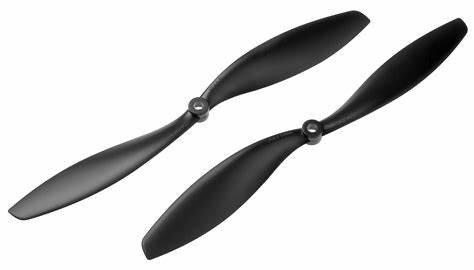
1045 Carbon Fiber Propeller CW&CCW
Stiff carbon fibre propellers for aggressive freestyle flying. Low vibration, high efficiency, and excellent durability for the repeated hard landings and occasional crashes that come with learning freestyle tricks.
View on ZboticFPV Camera for Freestyle
For freestyle, you want a wide-angle FPV camera with excellent WDR (for filming in mixed sun/shade outdoor conditions common in Indian afternoons). Cameras with tilt-able mount are essential — freestyle pilots typically run 20–35° uptilt to keep the horizon visible at high-speed forward flight.

1/3″ CMOS 700TVL Mini FPV Camera 2.1mm Lens PAL/NTSC
Compact, lightweight FPV camera with a wide 2.1mm lens — ideal for freestyle flying where you need maximum situational awareness at high speed. Switchable PAL/NTSC to match your FPV goggles region setting.
View on Zbotic3. Stick Coordination and Body Position
Before learning tricks, master your fundamental stick habits:
Throttle Management
Freestyle flying is built around throttle management. The throttle controls altitude, but during tricks, you need to modulate it to compensate for the drone’s changing orientation. General rule: reduce throttle as you enter an inversion (flip/roll), then increase to recover. This is called “throttle cut” and it is the most important physical technique in all of freestyle flying.
Mode 2 Controls (Standard for India)
Virtually all Indian FPV pilots fly Mode 2:
- Left stick: Throttle (up/down) + Yaw (left/right rotation)
- Right stick: Pitch (forward/back) + Roll (left/right tilt)
ACRO Mode
All freestyle is flown in ACRO (also called RATE) mode — the flight controller makes no attempt to self-level the drone. When you release the sticks, the drone stays in whatever orientation it is in. This is terrifying at first and incredibly liberating once mastered. You cannot truly do freestyle in Angle or Horizon mode.
4. Basic Rolls: Left and Right
The roll is the most fundamental freestyle trick. Here is how to execute a clean roll:
Setup
- Fly forward at moderate speed (40–60% throttle) at a comfortable height (at least 15m when starting outdoors)
- Ensure you are in straight, level flight before initiating
Execution: Left Roll
- Cut throttle slightly (to 30–40%) as you begin the roll — this prevents a sudden climb as the roll disrupts lift
- Full left stick deflection on Roll (right stick, left): keep this held throughout the roll
- Maintain forward pitch slightly (a tiny amount of pitch-forward) to hold trajectory during the roll
- As the drone completes the roll (returns to upright), release roll stick and bring throttle back to hover/cruise level
Common Roll Mistakes
- Throttle spike: Giving too much throttle mid-roll causes a violent climb. Practice the throttle cut timing on simulator until it is instinctive.
- Incomplete roll: Not holding the roll stick long enough results in stopping halfway inverted. If this happens, continue the roll in the same direction rather than reversing — reversing mid-roll causes a violent pitch-over.
- Drifting off-axis: The drone should roll in place, not drift sideways. This is corrected with small counter-yaw inputs during the roll (advanced technique — do not worry about this until rolls are clean).
Practice Target
You should be able to execute 10 consecutive clean rolls left and right before moving to flips. This is achievable in 2–4 sim sessions (1–2 hours total).
5. Basic Flips: Front and Back
Flips rotate the drone around the pitch axis. Front flips pitch forward, back flips pitch backward.
Back Flip
The back flip is typically easier to learn first because it uses the natural pull-back instinct:
- Fly forward at moderate speed
- Cut throttle to 20–30%
- Pull back on pitch stick (right stick backward): full deflection
- Hold through the flip — the drone rotates over its tail
- At 270° (almost complete), restore throttle and release pitch
- The drone should recover level facing the same direction
Front Flip
- Flying forward at moderate speed
- Cut throttle slightly
- Push pitch stick forward: full deflection
- The drone pitches forward, goes inverted, continues rotating
- At approximately 270° rotation, begin throttle restoration
- Release pitch and the drone should recover level
Front Flip vs Back Flip
Most beginners find front flips harder to initiate mentally because it feels counter-intuitive to pitch forward when close to the ground. The front flip is fundamentally used in power loops (see Section 7). Practise both equally — they lead to completely different trick families.
6. The Split-S Manoeuvre
The Split-S is a classic aerobatic manoeuvre borrowed from manned aircraft — it combines a half-roll with a pull through that reverses your direction of travel while descending. In FPV freestyle, it is one of the most essential and versatile intermediate moves.
How the Split-S Works
- Flying forward at speed, cut throttle to 10–20%
- Execute a half-roll (roll to inverted, stop the roll — you are now upside down, flying forward)
- While inverted, pull back on pitch (which now pitches the nose downward since you are inverted)
- The drone pulls through a half-loop — nose goes down, then forward, then up, describing the bottom half of a circle
- At the bottom of the loop, you are upright again, flying in the opposite direction from where you started, having lost some altitude
- Restore throttle smoothly as the nose comes up
Why the Split-S Matters
The Split-S is used to:
- Reverse direction quickly without losing much speed — essential for keeping a subject in frame
- Enter from high altitude and come down aggressively while reversing
- Link back into other tricks — a Split-S landing into a dive starts a power loop sequence
Split-S Safety Note
The Split-S descends during execution — always ensure you have at least 15–20m of altitude when starting one. Executing a Split-S too low results in ground impact at speed. This is among the top causes of beginner crashes outdoors. Practise at high altitude until your altitude judgment is reliable.
7. Dive and Pull: The Freestyle Foundation
Before you can learn power loops and other vertical tricks, master the dive-and-pull:
- At 20–30m altitude, cut throttle completely and point the nose downward (full forward pitch)
- Let the drone accelerate in a vertical or near-vertical dive
- At 5–8m from the ground, pull back hard on pitch (full deflection)
- Simultaneously increase throttle aggressively (70–80%)
- The drone pulls from the dive and arcs upward
This dive-and-pull motion is the building block of the Power Loop, the Juicy Spiral, and dozens of other vertical-plane tricks. It also trains your throttle and pitch coordination, which transfers directly to better overall control.
8. Juicy Moves: Power Loop, Matty Flip, Reverse Split-S
The Power Loop
The power loop is the signature FPV freestyle trick — a full 360° vertical loop where the throttle input changes throughout to maintain speed and altitude.
- Fly forward at full or near-full throttle toward a reference point (a tree, building, or landmark)
- As you approach the reference, pitch nose forward aggressively — this initiates the loop
- Continue the pitch through vertical-down (full forward pitch, drone diving)
- Add throttle aggressively as you pull through the bottom of the loop
- The drone arcs through the bottom and begins climbing
- Maintain pitch-forward as you go inverted at the top, throttle reducing
- Continue through the top of the loop and back to forward flight
The key to a perfect power loop is symmetry — entering and exiting at the same altitude with the same speed. This requires precise throttle timing. Expect 50–100 simulator repetitions before your power loops are clean.
The Matty Flip
Created by Canadian FPV pilot Matt Sherwood (“Mattysflips”), the Matty Flip is a back flip combined with a yaw-spin, making the drone flip and rotate simultaneously:
- Approach at speed
- Cut throttle, pull back on pitch (initiate back flip)
- Simultaneously apply full yaw in one direction
- The drone rotates on both pitch and yaw axes simultaneously — it looks like a tumbling motion
- Time the throttle restoration to recover at a low altitude, just before the combo completes
The Matty Flip is an intermediate trick that should only be attempted after clean back flips and clean yaw spins are mastered separately.
The Reverse Split-S (Immelmann)
The reverse of the Split-S — instead of going inverted and pulling through, you climb vertically and roll out at the top:
- Flying forward at speed
- Pull back on pitch aggressively — drone climbs vertically (or near-vertical)
- At the top of the climb (speed reducing), execute a half-roll
- The drone is now upright again, facing the opposite direction, at higher altitude than where it started
- Begin forward flight in the new direction
9. Linking Combos: Making It Flow
Individual tricks are impressive. Smooth, linked combos are what separate intermediate pilots from advanced freestyle fliers. The goal is to flow from one trick directly into the next without stopping or losing momentum.
Basic Combo: Roll Into Split-S
- Execute a right roll
- As you complete the roll and recover, immediately initiate a left roll
- After the left roll recovery, initiate a Split-S
The key: each trick ends at a specific speed and altitude that you pre-position for the next trick during the previous one. Think two tricks ahead, always.
Advanced Combo: Power Loop → Split-S → Roll
- Enter a power loop from a dive
- Exit the power loop with speed and at altitude
- Use that speed to enter a Split-S, reversing direction
- Exit the Split-S descending, with speed — add a roll to level out into the next approach
Flowing With Music
Professional freestyle pilots choreograph their flying to music in the video. This means pre-planning which tricks execute on which beats, how long each sequence lasts, and how the camera angle at each moment creates the best visual story. This is an art form that takes years to develop — but even as a beginner, listen to your favourite song while practising in sim and try to time your tricks to the rhythm. It will unconsciously improve the smoothness of your flying.
10. Betaflight Settings for Freestyle
Unlike cinematic flying which needs smooth, damped response, freestyle wants snappy, locked-in control that responds instantly to your inputs:
Rates
- Roll/Pitch max rate: 550–700°/s (allows full 360° rolls in under 600ms)
- Yaw max rate: 400–500°/s
- Centre expo: 0.65–0.75 (soft centre for precision, snappy extremes for tricks)
PID Tuning for Freestyle
- Higher P gains: 50–60 on Roll/Pitch for locked-in feel
- Moderate D: 25–35 to dampen oscillation without sluggishness
- Feed Forward (FF): 100–120 for responsive trick initiation
- D-term LPF cutoff: 100–120Hz for freestyle (higher than cinema)
Motor Idle Throttle
Set your idle throttle to 5.5–6% for freestyle. Lower idle causes motor de-sync on throttle cuts (dangerous during inverted tricks). Higher idle makes the drone climb on every throttle cut. This setting significantly impacts how tricks feel — tune it carefully with short test flights.
Anti-Gravity
Enable Anti-Gravity in Betaflight (AG gain 3.5–5 for freestyle). This temporarily boosts I-gain during rapid throttle changes, preventing the nose pitch-back that ruins the entry into vertical tricks like power loops.
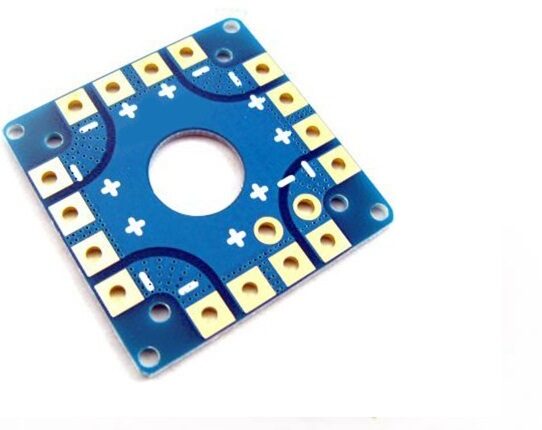
100A Multirotor ESC Power Distribution Battery Board
A robust power distribution board for your freestyle quad build. High current capacity handles the aggressive throttle punches and sudden power demands that define freestyle flying.
View on Zbotic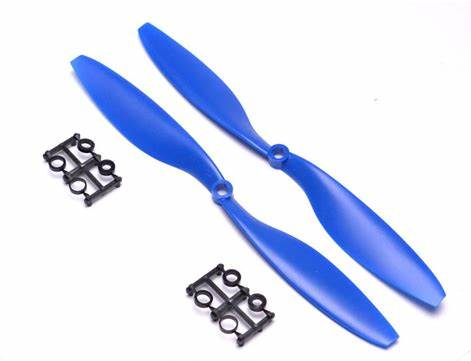
1045 2 Blades Propeller CW&CCW (Blue)
Durable two-blade propellers in a visible blue colour — practical for outdoor freestyle flying where you need to spot orientation quickly. Stock a handful of spares because freestyle learning involves prop strikes.
View on Zbotic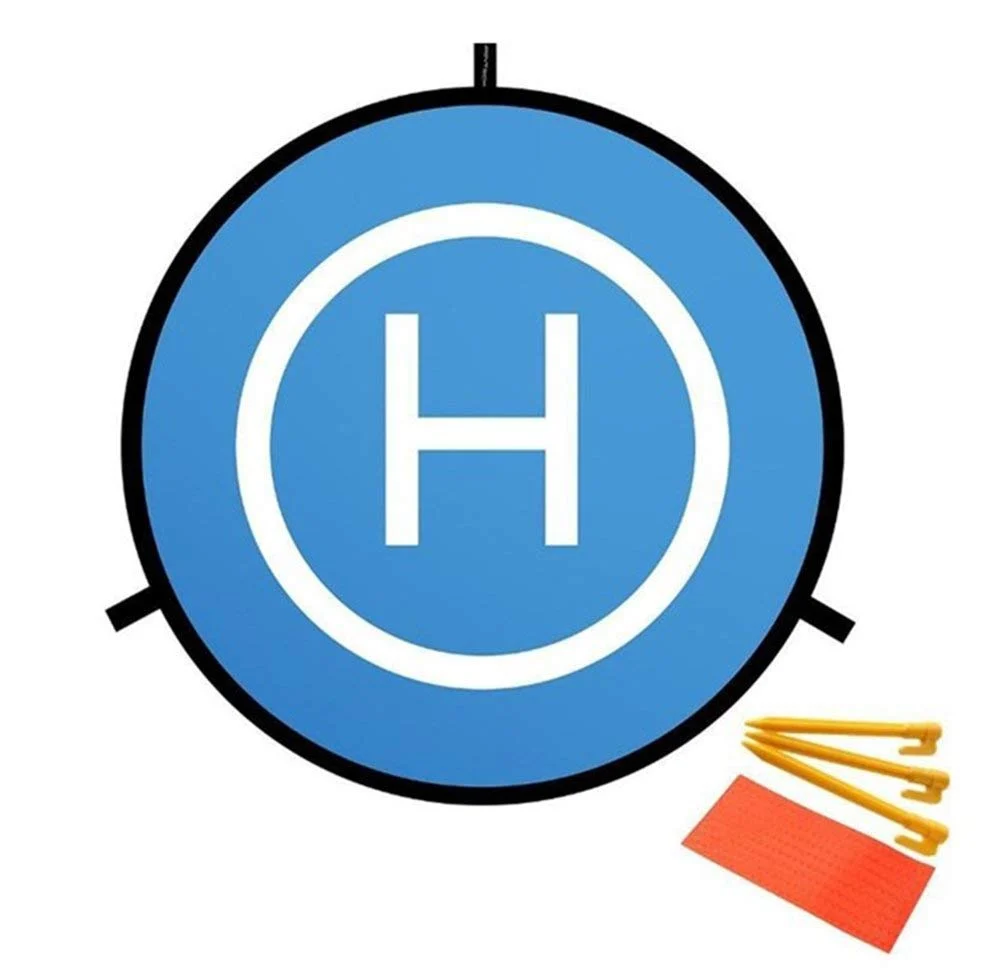
110cm Diameter Fast-fold Landing Pad / Helipad for RC Drone
A large, bright landing pad that protects your drone from dirt, grass, and gravel on takeoff and landing. Essential kit for field sessions — keeps your motors and electronics clean, and gives you a visible safe landing zone on any terrain.
View on Zbotic11. Safety, Flying Sites, and DGCA Rules in India
Where to Fly Freestyle in India
Finding safe, legal freestyle spots is a real challenge in India’s densely populated urban areas. Best options:
- Agricultural fields: With landowner permission, empty agricultural plots (especially post-harvest) offer ideal open space. Many Indian FPV pilots have arrangements with village panchayat or individual farmers.
- Sports grounds: Many cities have large sports grounds or maidan areas where drone flying is tolerated in off-hours. Always check local bylaws.
- FPV clubs: India now has active FPV clubs in Hyderabad, Bengaluru, Mumbai, Delhi, Jaipur, and Pune. Club members share information on approved flying sites and organise group sessions. Search Facebook groups for your city.
- Indoor venues: Warehouses and large indoor sports halls can host indoor freestyle on 3-inch or smaller drones.
DGCA Rules for Freestyle Flying
- Always stay within Visual Line of Sight (VLOS)
- Maximum altitude: 120m AGL for Green zone operations without explicit permission
- No flying within 5km of airports, helipads, or permanent airfields without ATC permission
- For hobby/recreation flying, a Nano category drone (sub-250g) has the most relaxed rules — no RPC required
- Always check the Airspace Map on the DigitalSky portal before flying at any new location
Basic Safety Rules
- Never fly over or near people who have not consented to be there
- Always have a spotter when flying in areas with any bystander risk
- Carry and use a LiPo-safe bag for battery transport and storage
- Inspect props and frame for cracks before every flight — a cracked arm on a full-power drone can cause catastrophic failure mid-trick
- Set a meaningful failsafe: the drone should cut throttle (not return-to-home) on signal loss during freestyle, to prevent a powered drone flying into people if you lose link
Build Your Freestyle FPV Drone with Zbotic
Zbotic stocks the ESCs, propellers, power boards, FPV cameras, and accessories you need to build and maintain your freestyle quad. Fast shipping across India, GST invoices available.
Shop Drone Parts at ZboticFrequently Asked Questions
How long does it take to learn FPV freestyle?
Most beginners can execute clean rolls and flips within 5–10 hours of simulator practice. Basic power loops typically require 15–20 hours of combined sim and field time. Linking smooth combos that look impressive on video takes 50–100+ hours of total practice. Consistent daily simulator sessions (30–60 minutes) are far more effective than occasional long sessions — muscle memory builds through repetition over time.
What is the best FPV simulator for beginners in India?
For absolute beginners, the DRL Simulator (free on Steam) is a good starting point. Once you are committed to the hobby, Velocidrone (paid, approximately ₹1,200 one-time) has the most realistic physics and is used by professional pilots worldwide. Uncrashed is also excellent for more visual and immersive practice. All three support real RC transmitters via USB for authentic control feel.
What is the difference between a roll and a flip in FPV?
A roll rotates the drone around its front-to-back axis (the Roll axis) — the drone tips sideways, goes completely upside down, then rights itself. A flip rotates around the left-to-right axis (the Pitch axis) — the drone tips forward or backward, goes completely inverted nose-up or nose-down, then returns to level. Both are 360° full rotations but around different axes.
Do I need to fly in Acro mode for freestyle?
Yes, absolutely. Acro mode (also called Rate or Manual mode) is required for all freestyle tricks because the flight controller does not auto-level the drone. In Angle or Horizon mode, the drone automatically returns to level, making full rolls and flips impossible. Acro mode gives you complete control over the drone’s attitude — which is what makes freestyle possible and, once learned, much more intuitive for dynamic flying.
What is the Split-S manoeuvre and when do you use it?
The Split-S is a combination of a half-roll (going inverted) followed by a pull-through (half-loop), which reverses your direction of flight and descends altitude in the process. It is used in freestyle to quickly reverse direction, descend aggressively while maintaining speed, and as a linking move between other tricks. It is also useful when you need to quickly change direction in a tight flying space without losing too much energy.
Is FPV freestyle legal in India?
FPV freestyle flying is legal in India for recreational purposes subject to DGCA Drone Rules 2021. You must fly within visual line of sight, below 120m altitude in Green zones, away from airports and no-fly zones, and not over or near uninvolved people. Drones under 250g (Nano category) have the most relaxed requirements. Always check the current Airspace Map on the DigitalSky portal before flying at any new location in India.





Add comment