
One of the biggest challenges in deploying IoT devices in the field — whether it is a smart meter in a factory in Pune or an agricultural sensor node in rural Maharashtra — is ensuring the device recovers automatically when firmware crashes or hangs. The ESP32 watchdog timer recovery mechanism is your most powerful tool for building fault-tolerant IoT firmware. This guide covers everything from basic WDT concepts to advanced multi-level watchdog configuration that keeps your devices running 24/7.
What Is a Watchdog Timer and Why Do You Need It?
A watchdog timer (WDT) is a hardware timer that continuously counts down from a preset value. Your firmware must periodically reset (“feed” or “kick”) this timer before it reaches zero. If the firmware fails to feed the watchdog — because it is stuck in an infinite loop, blocked by a network timeout, or has crashed — the watchdog timer expires and forces a system reset, rebooting the device into a known good state.
This is especially critical for IoT deployments in India where devices are often:
- Installed in remote locations without easy physical access
- Running 24/7 for months or years between maintenance visits
- Exposed to power fluctuations that can corrupt RAM and cause unpredictable hangs
- Connected to unreliable networks that can cause infinite blocking waits
- Running complex firmware with multiple tasks and potential deadlocks
Without watchdog timer recovery, a single firmware hang requires manual intervention — someone physically pressing the reset button or power cycling the device. With watchdog timers properly configured, the device automatically recovers in seconds.
ESP32 Watchdog Timer Types Explained
The ESP32 has multiple independent watchdog timers, each serving a different purpose:
1. Task Watchdog Timer (TWDT)
The Task WDT monitors individual FreeRTOS tasks. Each task can register itself with the TWDT and must periodically call esp_task_wdt_reset(). If any registered task fails to feed the watchdog within the timeout period, the TWDT triggers. By default in Arduino framework, the main loop() task is monitored.
2. Interrupt Watchdog Timer (IWDT)
The Interrupt WDT ensures that interrupt service routines (ISRs) do not run indefinitely. It uses Timer Group 1 and is designed to catch runaway ISRs. The timeout is typically 300ms and triggers a panic + reset if any ISR takes too long.
3. RTC Watchdog (RTCWDT)
The RTC WDT is the deepest hardware watchdog, running from the RTC oscillator. It survives power domain switches and monitors the entire boot process. It is primarily used during boot to ensure the bootloader and app startup complete within a reasonable time.
| WDT Type | Default Timeout | Monitors | Action on Trigger |
|---|---|---|---|
| Task WDT (TWDT) | 5 seconds | FreeRTOS tasks | Panic → Reset |
| Interrupt WDT (IWDT) | 300ms | ISR handlers | Panic → Reset |
| RTC WDT | Variable | Boot sequence | System Reset |
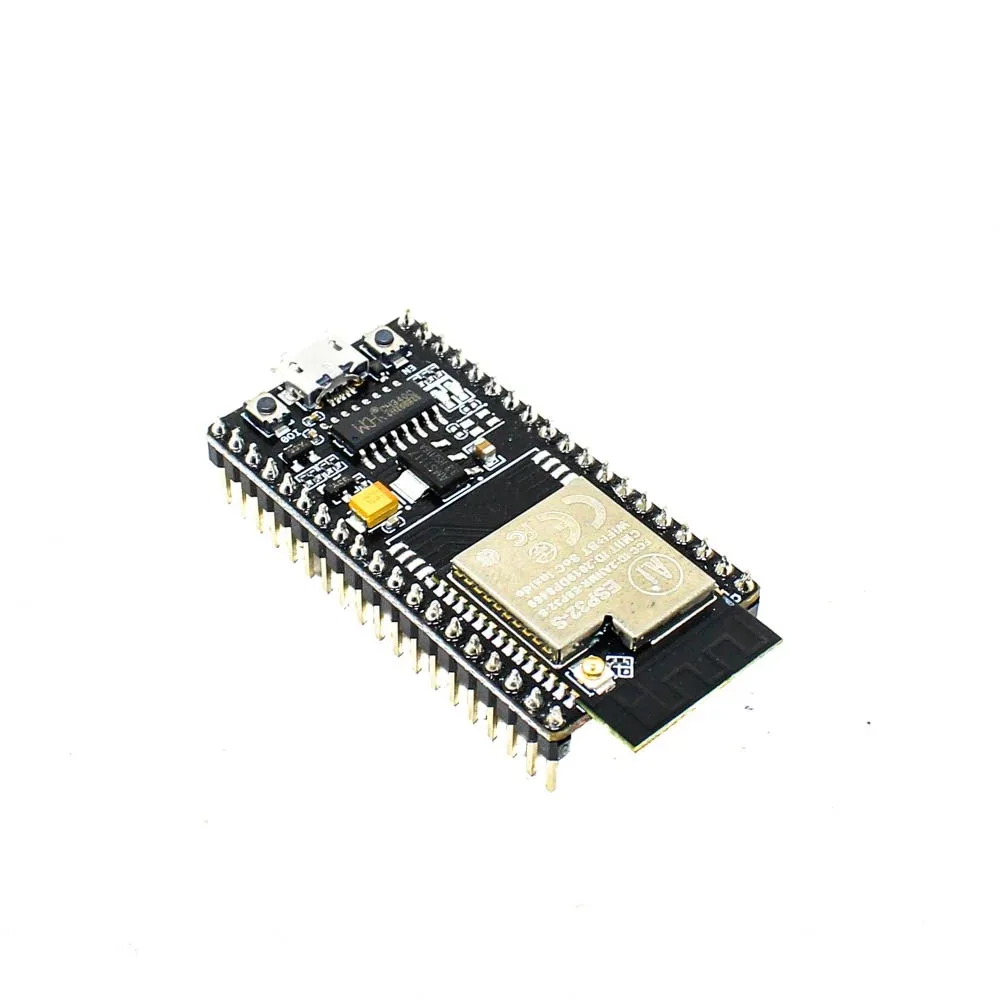
Ai Thinker NodeMCU-32S ESP32 Development Board – IPEX Version
A solid dual-core ESP32 development board for building robust IoT firmware with watchdog timers, FreeRTOS task management, and WiFi connectivity — ideal for production IoT deployments.
Configuring Watchdog in Arduino Framework
The Arduino framework for ESP32 wraps the underlying FreeRTOS and ESP-IDF watchdog APIs into more accessible functions. Here is how to work with them effectively:
Basic Task Watchdog Setup
#include <esp_task_wdt.h>

#define WDT_TIMEOUT_SECONDS 30  // Reset if not fed within 30 seconds

void setup() {
  Serial.begin(115200);

  // Initialize Task WDT with 30-second timeout
  esp_task_wdt_config_t wdt_config = {
    .timeout_ms = WDT_TIMEOUT_SECONDS * 1000,
    .idle_core_mask = 0,  // Don't watch idle tasks
    .trigger_panic = true  // Trigger panic (prints backtrace) before reset
  };
  esp_task_wdt_reconfigure(&wdt_config);

  // Add current task to watchdog monitoring
  esp_task_wdt_add(NULL);  // NULL = current task

  Serial.println("Watchdog initialized with 30s timeout");
}

void loop() {
  // Feed the watchdog at the start of each loop iteration
  esp_task_wdt_reset();

  // Your code here — if this takes >30 seconds, WDT triggers
  doSensorReading();
  sendDataToMQTT();
  handleWebRequests();

  delay(1000);
}
Watchdog with Long-Running Operations
If you have operations that legitimately take a long time (like a firmware OTA update), you need to feed the watchdog within those operations:
void downloadFirmwareOTA(const char* url) {
  HTTPClient http;
  http.begin(url);

  int httpCode = http.GET();
  if (httpCode == HTTP_CODE_OK) {
    WiFiClient* stream = http.getStreamPtr();
    size_t bytesDownloaded = 0;
    uint8_t buf[1024];

    while (stream->available() > 0) {
      // Feed watchdog during long download
      esp_task_wdt_reset();

      size_t read = stream->readBytes(buf, sizeof(buf));
      // Process chunk...
      bytesDownloaded += read;

      if (bytesDownloaded % (10 * 1024) == 0) {
        Serial.printf("Downloaded %d KBn", bytesDownloaded / 1024);
      }
    }
  }
  http.end();
}
Using the Older esp_task_wdt_init() API (Arduino ESP32 pre-3.x)
// For older Arduino ESP32 core (< 3.0.0):
#include <esp_task_wdt.h>

void setup() {
  // Initialize with 30s timeout, panic mode enabled
  esp_task_wdt_init(30, true);
  esp_task_wdt_add(NULL);
}

void loop() {
  esp_task_wdt_reset();  // Must call at least once every 30s
  // ... rest of code
}
Advanced WDT in ESP-IDF
For production IoT devices, using ESP-IDF directly gives you much finer control over watchdog behavior. Here is a robust multi-task watchdog setup:
#include "esp_task_wdt.h"
#include "freertos/FreeRTOS.h"
#include "freertos/task.h"

// Sensor reading task
void sensorTask(void* param) {
  // Register this task with TWDT
  esp_task_wdt_add(NULL);

  while (true) {
    // Feed watchdog before each cycle
    esp_task_wdt_reset();

    // Read sensor
    float temp = readDHT22Temperature();
    float hum = readDHT22Humidity();

    // Post to queue (non-blocking with timeout)
    SensorData data = {temp, hum, millis()};
    if (xQueueSend(sensorQueue, &data, pdMS_TO_TICKS(1000)) != pdTRUE) {
      Serial.println("Warning: Sensor queue full!");
    }

    vTaskDelay(pdMS_TO_TICKS(5000));  // 5 second interval
  }
}

// Network transmission task
void networkTask(void* param) {
  esp_task_wdt_add(NULL);

  while (true) {
    esp_task_wdt_reset();

    SensorData data;
    if (xQueueReceive(sensorQueue, &data, pdMS_TO_TICKS(10000)) == pdTRUE) {
      publishToMQTT(data);
    }
  }
}

void app_main() {
  // Configure TWDT
  esp_task_wdt_config_t wdt_cfg = {
    .timeout_ms = 20000,      // 20 second timeout
    .idle_core_mask = 0,
    .trigger_panic = true,
  };
  esp_task_wdt_reconfigure(&wdt_cfg);

  // Create tasks on specific cores
  xTaskCreatePinnedToCore(sensorTask, "sensor", 4096, NULL, 2, NULL, 1);
  xTaskCreatePinnedToCore(networkTask, "network", 8192, NULL, 1, NULL, 0);
}
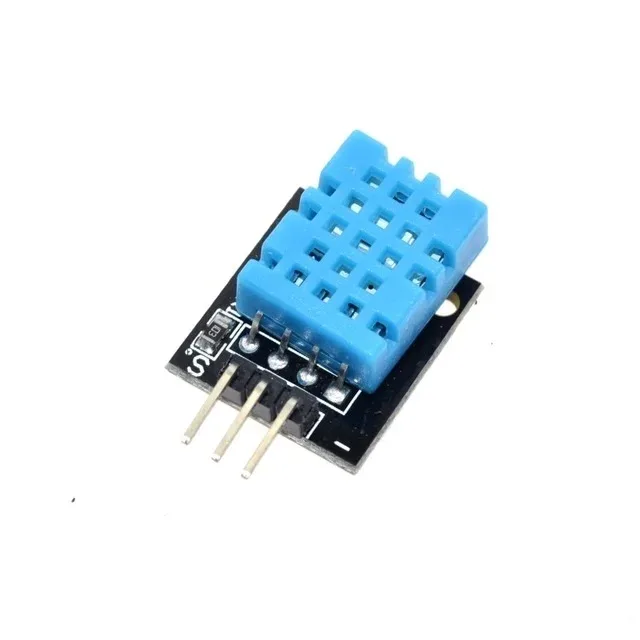
DHT11 Digital Relative Humidity and Temperature Sensor Module
A reliable sensor for IoT data collection tasks running under watchdog timer supervision. Perfect for building robust 24/7 environmental monitoring systems on ESP32.
Detecting and Logging Reset Reasons
A critical part of robust IoT firmware is knowing WHY the device reset. The ESP32 stores the reset reason in RTC memory that survives resets (but not power cycles). You should log this to persistent storage or send it to your backend:
#include <esp_system.h>
#include <rom/rtc.h>

const char* getResetReasonString(esp_reset_reason_t reason) {
  switch (reason) {
    case ESP_RST_POWERON:   return "Power-on reset";
    case ESP_RST_EXT:       return "External reset (reset pin)";
    case ESP_RST_SW:        return "Software reset (esp_restart)";
    case ESP_RST_PANIC:     return "PANIC - Core dump available";
    case ESP_RST_INT_WDT:   return "WATCHDOG - Interrupt WDT timeout";
    case ESP_RST_TASK_WDT:  return "WATCHDOG - Task WDT timeout";
    case ESP_RST_WDT:       return "WATCHDOG - Other WDT timeout";
    case ESP_RST_DEEPSLEEP: return "Wake from deep sleep";
    case ESP_RST_BROWNOUT:  return "Brownout reset (low voltage!)";
    case ESP_RST_SDIO:      return "SDIO reset";
    default:                return "Unknown reset reason";
  }
}

void setup() {
  Serial.begin(115200);
  delay(1000);

  esp_reset_reason_t reason = esp_reset_reason();
  const char* reasonStr = getResetReasonString(reason);

  Serial.printf("[BOOT] Reset reason: %sn", reasonStr);

  // If watchdog triggered, log it and send alert
  if (reason == ESP_RST_TASK_WDT || reason == ESP_RST_INT_WDT || reason == ESP_RST_WDT) {
    Serial.println("[ALERT] Watchdog triggered reset! Sending alert...");
    logResetToNVS(reason);  // Save to persistent NVS storage
    // ... optionally send MQTT alert after WiFi connects
  }

  // If panic (crash), the core dump is in flash — retrieve if needed
  if (reason == ESP_RST_PANIC) {
    Serial.println("[ALERT] Panic reset detected! Check core dump.");
  }
}
Storing Reset History in NVS
#include <Preferences.h>

Preferences prefs;

void logResetToNVS(esp_reset_reason_t reason) {
  prefs.begin("boot-log", false);

  int wdt_count = prefs.getInt("wdt_count", 0);
  int total_resets = prefs.getInt("total_resets", 0);

  prefs.putInt("total_resets", total_resets + 1);

  if (reason == ESP_RST_TASK_WDT || reason == ESP_RST_INT_WDT) {
    prefs.putInt("wdt_count", wdt_count + 1);
    prefs.putULong("last_wdt_time", millis());
  }

  prefs.end();
}
Best Practices for Production IoT Devices
Building IoT devices that run reliably for years in the Indian field conditions requires combining watchdog timers with other resilience strategies:
1. Tiered Watchdog Strategy
Use multiple watchdog timers at different granularities. The hardware WDT catches complete system hangs, while a software-level watchdog can catch application-level issues like MQTT disconnections or sensor read failures:
// Software watchdog for application logic
unsigned long lastSuccessfulUpload = 0;
const unsigned long MAX_UPLOAD_SILENCE_MS = 5 * 60 * 1000; // 5 minutes

void checkSoftwareWatchdog() {
  if (millis() - lastSuccessfulUpload > MAX_UPLOAD_SILENCE_MS) {
    Serial.println("Software WDT: No successful upload in 5 minutes. Restarting!");
    ESP.restart();
  }
}

void onSuccessfulMQTTPublish() {
  lastSuccessfulUpload = millis(); // Feed software WDT
}
2. Safe Network Timeouts
Never use blocking network calls without timeouts. Always use WiFiClient.setTimeout() and HTTP client timeouts:
httpClient.setTimeout(10000); // 10 second HTTP timeout
wifiClient.setTimeout(5);     // 5 second TCP timeout
mqttClient.setSocketTimeout(10); // 10 second MQTT socket timeout
3. Core Dump for Post-Mortem Analysis
Enable core dumps to flash to diagnose watchdog resets in the field. Configure in menuconfig (idf.py menuconfig → Component config → ESP System Settings → Core dump).
4. Exponential Backoff for Reconnections
Do not hammer a failed network or server with rapid retries — this can itself cause WDT timeouts if the reconnect loop runs forever. Use exponential backoff with a maximum cap.

2 x 18650 Lithium Battery Shield for Arduino, ESP32, ESP8266
Power your always-on IoT devices reliably. Brownout-induced resets are a common cause of field failures — a stable Li-ion power source eliminates low-voltage WDT triggers in remote deployments.
Frequently Asked Questions
Q: My ESP32 keeps restarting with “Task watchdog got triggered” — what is causing it?
This means a task registered with the TWDT failed to call esp_task_wdt_reset() within the timeout period. Common causes: a blocking network call (HTTP GET with no timeout on a slow server), a long delay() in the main loop, or a FreeRTOS task blocked on a semaphore or queue that never gets released. Check for any operation that could block indefinitely and add timeouts or periodic watchdog feeds.
Q: How do I temporarily disable the watchdog during a long operation?
You can remove the current task from watchdog monitoring with esp_task_wdt_delete(NULL) and re-add it afterward with esp_task_wdt_add(NULL). However, a better approach is to keep the watchdog enabled and feed it within the long operation using periodic esp_task_wdt_reset() calls, or run the long operation in a separate task with its own watchdog subscription.
Q: What is the difference between panic and reset in watchdog behavior?
When trigger_panic = true in the WDT config, the watchdog first triggers a panic. During panic, the ESP32 prints a full backtrace to Serial (showing exactly which code was running), optionally dumps core to flash, and then resets. When trigger_panic = false, it immediately resets without any diagnostic output. Always enable panic in development; you can disable it in final production builds if flash space for core dump is a concern.
Q: Can I catch the watchdog reset and run cleanup code before reboot?
In ESP-IDF, you can register a panic handler with esp_panic_handler_set() that gets called during WDT panic before reset. However, you have very limited time (a few hundred milliseconds) and cannot use most ESP-IDF APIs (WiFi, BLE, filesystem) since they may be in a corrupt state. Limit cleanup to writing a flag to RTC memory using esp_rtc_mem_write() that you can check on next boot.
Q: Should I use Arduino’s esp_task_wdt_init() or the ESP-IDF version?
For Arduino ESP32 core 3.0.0 and newer, use esp_task_wdt_reconfigure() with the config struct. For older versions, use esp_task_wdt_init(timeout_s, panic_mode). If you are using pure ESP-IDF, use the full esp_task_wdt_config_t API for maximum control over per-task, per-core configuration.
From ESP32 development boards to sensors and power modules, find everything you need to build production-ready IoT systems at Zbotic’s IoT category. We ship across India with fast delivery to all major cities.


Add comment