
One of the most powerful yet underused features of the ESP32 is its ability to store files directly in its onboard flash memory. The ESP32 SPIFFS and LittleFS filesystem support allows you to persist configuration files, HTML pages, certificate data, images, and more — all without an SD card. This tutorial dives deep into both filesystems, helping you choose the right one and use it effectively in your projects.
SPIFFS vs LittleFS: An Overview
The ESP32 typically comes with 4MB of flash memory, of which 1-3MB can be allocated for a filesystem partition (depending on your partition table). Two main filesystem options are available:
SPIFFS (SPI Flash File System)
SPIFFS is Espressif’s original flash filesystem for ESP8266 and ESP32. It is a flat filesystem — no directory support — and stores files as key-value pairs in a log-structured format. SPIFFS is mature and well-documented, but it has known limitations:
- No real directory support (simulated via path prefixes like
/dir/file.txt) - Poor performance with many small files
- Wear levelling is not as efficient as LittleFS
- Officially deprecated in ESP-IDF 5.x for new projects
LittleFS
LittleFS is a newer filesystem designed specifically for microcontrollers with limited RAM. It supports true directories, is significantly faster than SPIFFS for most operations, handles power-loss scenarios more gracefully, and has better wear levelling. As of 2026, LittleFS is the recommended choice for all new ESP32 projects.
| Feature | SPIFFS | LittleFS |
|---|---|---|
| Directory Support | No (simulated) | Yes (real) |
| Write Speed | Slower | Faster |
| Power-Loss Safety | Basic | Excellent |
| RAM Usage | Higher | Lower |
| ESP-IDF Status | Deprecated | Active |
| Max Filename Length | 32 chars | 255 chars |
Understanding the Flash Partition Table
Before using any filesystem, you need to allocate a flash partition for it. The partition table is a small data structure at a fixed offset in flash that describes how the 4MB (or larger) flash is divided.
Arduino IDE with ESP32 board support includes several pre-defined partition schemes accessible from Tools > Partition Scheme:
- Default (4MB with SPIFFS): ~1.5MB for app, ~1.5MB SPIFFS — the historical default
- Default (4MB with LittleFS): ~1.5MB for app, ~1.5MB LittleFS — use this for new projects
- Huge App (3MB + 1MB SPIFFS): More code space, less filesystem — for large sketches
- No OTA (2MB App + 2MB SPIFFS): Maximum filesystem space, no OTA update partition
For most IoT projects hosting a web dashboard with HTML/CSS/JS files, the Default 4MB with LittleFS scheme provides a good balance. If you’re hosting more files (certificate bundles, audio files, etc.), consider the No OTA scheme.

Ai Thinker NodeMCU-32S-ESP32 Development Board – IPEX Version
A full-featured ESP32 dev board with 4MB flash — ideal for experimenting with SPIFFS and LittleFS filesystems and web server hosting.
Using SPIFFS with Arduino IDE
Even though SPIFFS is deprecated, many existing tutorials and libraries use it. Here’s how to work with it if you’re maintaining a legacy project:
Installing the SPIFFS Upload Tool
Download the ESP32 Sketch Data Upload plugin for Arduino IDE 1.8.x. For Arduino IDE 2.x, use the arduino-littlefs-upload extension (it supports both SPIFFS and LittleFS). Place your files in a data/ folder inside your sketch directory.
Basic SPIFFS Operations
#include "SPIFFS.h"

void setup() {
  Serial.begin(115200);

  if (!SPIFFS.begin(true)) {  // true = format if mount fails
    Serial.println("SPIFFS mount failed!");
    return;
  }

  // Write a file
  File f = SPIFFS.open("/config.txt", FILE_WRITE);
  if (f) {
    f.println("mqtt_host=192.168.1.100");
    f.println("mqtt_port=1883");
    f.close();
  }

  // Read the file
  f = SPIFFS.open("/config.txt", FILE_READ);
  if (f) {
    while (f.available()) {
      Serial.println(f.readStringUntil('n'));
    }
    f.close();
  }

  // List all files
  File root = SPIFFS.open("/");
  File file = root.openNextFile();
  while (file) {
    Serial.printf("FILE: %s  SIZE: %d bytesn",
                   file.name(), file.size());
    file = root.openNextFile();
  }

  Serial.printf("Total: %d KB  Used: %d KBn",
    SPIFFS.totalBytes() / 1024,
    SPIFFS.usedBytes() / 1024);
}
Using LittleFS with Arduino IDE
LittleFS is the recommended filesystem for all new ESP32 projects. The API is almost identical to SPIFFS, making migration straightforward.
Installing the LittleFS Upload Tool
For Arduino IDE 2.x, install the arduino-littlefs-upload VS Code / Arduino extension. After installation, you’ll have a new menu option under Sketch > Upload LittleFS to ESP32. Place all files to upload in the data/ subdirectory of your sketch.
LittleFS Basic Operations
#include "LittleFS.h"

void setup() {
  Serial.begin(115200);

  if (!LittleFS.begin(true)) {
    Serial.println("LittleFS mount failed!");
    return;
  }

  // Create a directory
  LittleFS.mkdir("/config");

  // Write JSON config
  File f = LittleFS.open("/config/settings.json", FILE_WRITE);
  f.print("{"ssid":"","mqtt":"192.168.1.100"}");
  f.close();

  // Read and parse
  f = LittleFS.open("/config/settings.json");
  String json = f.readString();
  f.close();
  Serial.println(json);

  // Check if file exists
  if (LittleFS.exists("/config/settings.json")) {
    Serial.println("Config file found!");
  }

  // Delete a file
  LittleFS.remove("/config/old.json");

  // Rename
  LittleFS.rename("/config/settings.json",
                   "/config/settings.bak");
}
Reading Configuration Files Line by Line
// Parse a key=value config file
void parseConfig() {
  File f = LittleFS.open("/config.ini");
  while (f.available()) {
    String line = f.readStringUntil('n');
    line.trim();
    if (line.startsWith("#") || line.isEmpty()) continue;

    int eqPos = line.indexOf('=');
    if (eqPos > 0) {
      String key = line.substring(0, eqPos);
      String val = line.substring(eqPos + 1);
      Serial.printf("%s = %sn", key.c_str(), val.c_str());
    }
  }
  f.close();
}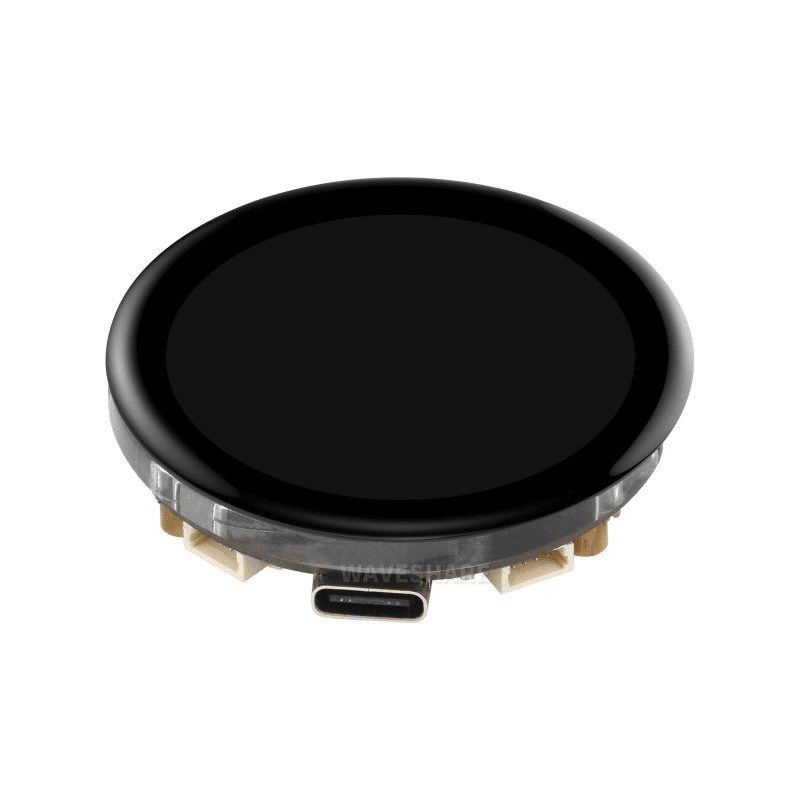
Waveshare ESP32-S3 1.43inch AMOLED Display Development Board
The ESP32-S3 variant with larger flash and PSRAM is ideal for LittleFS projects that store images and UI assets for the onboard display.
Serving Web Files from Flash
The most common use case for filesystem storage on the ESP32 is hosting a web dashboard. Instead of embedding HTML as C strings in your sketch, store proper HTML/CSS/JS files in LittleFS and serve them with ESPAsyncWebServer.
Project Structure
my_dashboard/
  my_dashboard.ino
  data/
    index.html
    style.css
    app.js
    config/
      default.json
Web Server with LittleFS
#include <WiFi.h>
#include <ESPAsyncWebServer.h>
#include "LittleFS.h"

AsyncWebServer server(80);

void setup() {
  LittleFS.begin(true);
  WiFi.begin("MySSID", "MyPassword");
  while (WiFi.status() != WL_CONNECTED) delay(500);

  // Serve static files from LittleFS
  server.serveStatic("/", LittleFS, "/")
        .setDefaultFile("index.html")
        .setCacheControl("max-age=3600");

  // Dynamic API endpoint
  server.on("/api/data", HTTP_GET, [](AsyncWebServerRequest* req) {
    float temp = 28.5;  // Read from sensor
    String json = "{"temperature":" + String(temp) + "}";
    req->send(200, "application/json", json);
  });

  server.begin();
  Serial.println("Server ready at http://" + WiFi.localIP().toString());
}

void loop() { delay(10); }
With serveStatic(), ESPAsyncWebServer handles MIME type detection, ETag generation for browser caching, and gzip compression detection automatically. Your HTML, CSS, and JavaScript files are served directly from LittleFS.

Ai Thinker ESP32-C3-01M Wi-Fi + BLE Module
Compact and affordable WiFi + BLE module that supports LittleFS — perfect for space-constrained embedded web server projects.
Migrating from SPIFFS to LittleFS
If you have an existing SPIFFS project, migration is straightforward since the APIs are nearly identical:
- Replace the include: Change
#include "SPIFFS.h"to#include "LittleFS.h" - Replace the object: Change all
SPIFFS.calls toLittleFS. - Update partition scheme: In Arduino IDE, change to Default 4MB with LittleFS
- Re-upload data: Use the LittleFS upload tool to reflash your
data/folder - Test directory operations: LittleFS directories work properly — reorganise your flat SPIFFS structure if needed
One important difference: LittleFS will not automatically format a partition previously formatted as SPIFFS. Call LittleFS.format() manually or pass true to LittleFS.begin() to auto-format on mount failure.
Frequently Asked Questions
How much flash space is available for SPIFFS/LittleFS on a 4MB ESP32?
With the default partition scheme, approximately 1.5MB is available for the filesystem. With the “No OTA” scheme (sacrificing OTA update capability), you get closer to 2MB. You can also use a custom partition table CSV file for exact control. Check available space at runtime with LittleFS.totalBytes() and LittleFS.usedBytes().
Can I update files on LittleFS over-the-air (OTA)?
Yes. ESP-IDF 5.x supports OTA updates of the data partition using a separate OTA data partition. In Arduino, you can implement manual OTA for filesystem files by downloading them over WiFi/HTTPS and writing directly to LittleFS — this is separate from the sketch OTA update mechanism.
Why does my LittleFS file get corrupted after a power cut?
LittleFS is designed to be power-loss safe — incomplete writes are rolled back automatically. However, if you’re experiencing corruption, check that you’re always calling file.close() after writing. Use RAII patterns (or flush explicitly with file.flush()) to ensure data is committed before power can be lost.
Can I use SPIFFS/LittleFS with ESP-IDF (not Arduino)?
Yes. Both are supported in ESP-IDF as native components. Use the esp_spiffs_register() or esp_vfs_littlefs_register() functions to mount the filesystem under a VFS path (e.g., /littlefs), then use standard POSIX file I/O (fopen, fwrite, fclose).
What’s the maximum file size I can store?
The maximum file size is limited only by the total partition size (up to ~2MB with standard partition schemes). There’s no per-file size limit beyond that. For large files, consider chunked writes to avoid RAM exhaustion since you’re reading/writing byte by byte.
Build Your Next ESP32 Project with Zbotic
From development boards to sensors and expansion shields, Zbotic stocks everything you need for your ESP32 IoT project. Fast shipping across India.






Add comment