
Table of Contents
- What Is the VNH5019 Motor Driver Shield?
- Key Specifications and Features
- Hardware Setup and Wiring
- Installing the Pololu Library
- Basic Arduino Code Examples
- Current Sensing and Overcurrent Protection
- PWM Speed Control Explained
- Dual Motor Applications
- Troubleshooting Common Issues
- Recommended Products from Zbotic
- Frequently Asked Questions
What Is the VNH5019 Motor Driver Shield?
If you are building a robot, an automated guided vehicle (AGV), or any project that demands serious motor driving capability, the VNH5019 motor driver shield deserves a place at the top of your shortlist. Originally designed by Pololu and now widely adopted by the maker community in India and globally, this shield plugs directly onto an Arduino Uno or Mega and delivers up to 12 A continuous current per channel, with peak bursts reaching 30 A.
Unlike the popular L298N, which tops out around 2 A and wastes a significant portion of input voltage as heat, the VNH5019 uses a full H-bridge topology with internal current sensing, thermal shutdown, undervoltage lockout, and back-EMF protection. The result is a driver that is efficient, self-protecting, and straightforward to program from the Arduino IDE.
This guide walks you through everything — from unboxing and wiring the shield, to installing the official Pololu library, writing motion code, reading current feedback, and diagnosing faults. Whether you are a hobbyist experimenting with a 12 V gear motor or an engineering student building a competition robot, this reference will get you moving in the right direction.
Key Specifications and Features
Before connecting any motor, take a moment to understand what the VNH5019 can and cannot do. The specifications below apply to the standard Pololu dual-channel shield (MD03A):
- Motor supply voltage: 5.5 V to 24 V (logic operates from Arduino’s 5 V rail)
- Continuous output current: 12 A per channel (with adequate heatsinking)
- Peak current (short duration): up to 30 A per channel
- PWM frequency: up to 20 kHz (Arduino PWM typically 490 Hz or 980 Hz by default)
- Current sensing output: analog voltage proportional to load current (~140 mV/A)
- Protection features: thermal shutdown, undervoltage lockout, overvoltage clamp, overcurrent protection
- Interface pins (default, Uno-compatible): INA1/INB1, INA2/INB2, PWM1/PWM2, CS1/CS2, EN1DIAG1/EN2DIAG2
- Form factor: Arduino shield (stacks directly on Uno or Mega)
One feature that sets this chip apart is the current sense (CS) output. Each channel outputs an analog voltage that scales linearly with motor current. You can read this on an Arduino analog pin and implement software-level overcurrent shutdown, torque limiting, or stall detection — all without any external current transformer.
The DIAG pins go low when a fault condition (thermal overload or short circuit) is detected, giving your firmware an immediate warning before damage occurs. This level of built-in protection is uncommon in budget motor driver ICs and is one of the primary reasons engineers choose the VNH5019 for demanding applications.
Hardware Setup and Wiring
Setting up the VNH5019 shield physically is straightforward because it is a plug-in shield — no soldering required for basic use. However, there are a few important points to understand before powering your motors.
Step 1: Stack the Shield
Align the shield’s header pins over your Arduino Uno or Mega and press firmly until it seats completely. The shield uses nearly all of the Arduino’s digital and analog headers, so do not plan to add other shields on top without checking for pin conflicts.
Step 2: Connect the Motor Power Supply
The shield has a dedicated VMOT terminal and a GND terminal. Connect your motor power supply here — this is completely separate from the Arduino’s 5 V logic supply. Use a supply rated for your motor’s voltage (typically 12 V for most DC gear motors) and capable of delivering at least the stall current of your motor.
Important: Add a large electrolytic capacitor (at least 470 µF, ideally 1000 µF or more) across the VMOT and GND terminals. Motors generate voltage spikes during commutation and braking that can destroy the driver IC without this decoupling capacitor.
Step 3: Connect Motors
Each channel has two output terminals labelled M1A / M1B (channel 1) and M2A / M2B (channel 2). Connect the two motor leads to these terminals. The direction the motor spins is determined by firmware logic, so do not worry about polarity at this stage.
Step 4: Optional Pin Remapping
The default pin assignments work perfectly with Arduino Uno. If you are using an Arduino Mega or want to free up certain pins, the shield has solder jumpers that allow you to remap PWM, direction, and current sense pins. Refer to Pololu’s schematic for your specific revision before modifying jumpers.
Default Pin Mapping (Uno)
| Function | Channel 1 Pin | Channel 2 Pin |
|---|---|---|
| INA (direction) | D2 | D7 |
| INB (direction) | D4 | D8 |
| PWM (speed) | D9 | D10 |
| CS (current sense) | A0 | A1 |
| EN/DIAG (fault) | D6 | D12 |
Installing the Pololu Library
Pololu provides an official Arduino library that abstracts all the low-level pin manipulation into clean, readable function calls. Here is how to install it:
- Open the Arduino IDE and go to Sketch → Include Library → Manage Libraries.
- Search for VNH5019 in the search box.
- Find the library by Pololu and click Install.
- Alternatively, download the ZIP from Pololu’s GitHub repository and import it via Sketch → Include Library → Add .ZIP Library.
Once installed, navigate to File → Examples → DualVNH5019MotorShield to find ready-to-run example sketches, including the essential Demo sketch that ramps both motors through their full speed range.
Basic Arduino Code Examples
The Pololu library makes writing motor control code remarkably straightforward. Let us look at the core API calls and build up from simple spinning to more sophisticated patterns.
Example 1: Simple Forward and Reverse
#include <DualVNH5019MotorShield.h>

DualVNH5019MotorShield md;

void setup() {
  Serial.begin(115200);
  md.init();
}

void loop() {
  // Run motor 1 forward at half speed
  md.setM1Speed(200);   // range: -400 to +400
  delay(2000);

  // Brake
  md.setM1Brake(400);
  delay(500);

  // Run motor 1 reverse at full speed
  md.setM1Speed(-400);
  delay(2000);

  md.setM1Brake(400);
  delay(500);
}
The speed parameter ranges from -400 (full reverse) to +400 (full forward), with 0 representing coast. The brake parameter (0–400) controls braking force: 400 applies maximum regenerative braking, while 0 coasts to a stop.
Example 2: Smooth Speed Ramp
void loop() {
  // Ramp up from 0 to full speed
  for (int speed = 0; speed <= 400; speed += 5) {
    md.setM1Speed(speed);
    delay(20);
  }
  // Ramp down
  for (int speed = 400; speed >= 0; speed -= 5) {
    md.setM1Speed(speed);
    delay(20);
  }
}
Smooth ramping is essential for heavy motors. Instantaneous speed jumps cause large current spikes that can trip the overcurrent protection or stress mechanical components.
Current Sensing and Overcurrent Protection
One of the most powerful features of the VNH5019 shield is its built-in current sensing. Each channel’s CS pin outputs approximately 0.14 V per Ampere of motor current. With a 10-bit Arduino ADC (0–1023 for 0–5 V), this translates to roughly 0.29 A per ADC count.
Reading Current in Code
unsigned int readCurrentM1() {
  // Returns current in mA
  return md.getM1CurrentMilliamps();
}

void loop() {
  md.setM1Speed(300);
  unsigned int current = md.getM1CurrentMilliamps();
  Serial.print("M1 Current: ");
  Serial.print(current);
  Serial.println(" mA");

  // Detect stall (e.g., > 8000 mA = 8 A)
  if (current > 8000) {
    Serial.println("Motor stalled! Stopping.");
    md.setM1Brake(400);
    delay(1000);
  }
  delay(100);
}
Stall detection is particularly useful in robotics when a wheel hits an obstacle. By monitoring current and cutting power before the thermal shutdown trips, you protect both the driver and the motor windings.
Fault Detection
void stopIfFault() {
  if (md.getM1Fault()) {
    Serial.println("M1 Fault detected!");
    md.setM1Speed(0);
    while (1); // Halt
  }
}
Call stopIfFault() inside your main loop to catch thermal or overcurrent faults before they cascade into permanent damage.
PWM Speed Control Explained
Speed control on the VNH5019 is achieved through Pulse Width Modulation (PWM). The IC’s EN (enable) pin is toggled at high frequency, and the ratio of on-time to off-time — the duty cycle — determines the average voltage delivered to the motor.
The VNH5019 IC itself supports PWM frequencies up to 20 kHz, well above human hearing, which eliminates motor whine. However, the Arduino Uno’s timer-based PWM defaults to either 490 Hz or 980 Hz depending on the pin. At these frequencies you may hear a faint buzz from some motors. To raise the PWM frequency on pins 9 and 10 (Timer 1), add the following to your setup():
// Set Timer 1 to phase-correct PWM at ~31.4 kHz (above audible range)
TCCR1A = _BV(COM1A1) | _BV(COM1B1) | _BV(WGM10);
TCCR1B = _BV(CS10);
Caution: Modifying timer registers also affects the millis() and delay() functions since they depend on Timer 0, not Timer 1. Adjusting Timer 1 only affects pins 9 and 10 and should be safe in most use cases.
For applications where silence matters — indoor robots, automated warehousing equipment, camera sliders — boosting the PWM frequency above 20 kHz is highly recommended.
Dual Motor Applications
The shield’s two independent channels make it ideal for differential drive robots — the most common wheel configuration for autonomous ground vehicles. In a differential drive, the robot turns by running the two motors at different speeds or in opposite directions.
Basic Differential Drive Example
void driveForward(int speed) {
  md.setM1Speed(speed);
  md.setM2Speed(speed);
}

void turnLeft(int speed) {
  md.setM1Speed(-speed);  // Left wheel reverse
  md.setM2Speed(speed);   // Right wheel forward
}

void turnRight(int speed) {
  md.setM1Speed(speed);   // Left wheel forward
  md.setM2Speed(-speed);  // Right wheel reverse
}

void stopBoth() {
  md.setM1Brake(400);
  md.setM2Brake(400);
}
In real robots, you will add sensor feedback — encoders, ultrasonic sensors, or a camera — to make these basic motion primitives useful. The VNH5019’s current sensing can help detect obstacles by watching for unexpected current spikes when wheels are blocked.
Running Both Channels at Maximum
At full load on both channels simultaneously, the shield can dissipate significant heat. The VNH5019 IC has a thermal shutdown at approximately 170°C, but you should not rely on it as your primary protection. For sustained high-current operation, attach a small heatsink to the IC package and ensure adequate airflow around the shield.
Troubleshooting Common Issues
Motor Does Not Move
- Check that VMOT is powered and the motor supply voltage is within 5.5–24 V.
- Verify the EN/DIAG pin is not being pulled low by a fault condition.
- Confirm the PWM pin is actually outputting a PWM signal (use a multimeter in DC mode — you should see a voltage between 0 and 5 V depending on duty cycle).
- Call
md.init()in setup — without it, the enable pins are not configured correctly.
Motor Stutters at Low Speed
- This is normal at very low PWM duty cycles due to motor cogging. Most brushed DC motors need at least 15–20% duty cycle before they start rotating reliably.
- Try raising the PWM frequency as described in the PWM section above.
Shield Gets Very Hot
- The VNH5019 dissipates heat proportional to load current squared. If you are running near the 12 A continuous limit, a heatsink is mandatory.
- Check your motor is not stalled or overloaded.
Current Readings Are Inaccurate
- The current sense output has a quiescent offset (~10 mA). The Pololu library accounts for this, but at very low currents (<200 mA) the reading is less reliable.
- Average multiple ADC readings to reduce noise:
analogRead()on a switching PWM line picks up significant electrical noise.
Recommended Products from Zbotic
Pairing the VNH5019 shield with the right motors and controllers makes all the difference. Here are some top picks available at Zbotic:
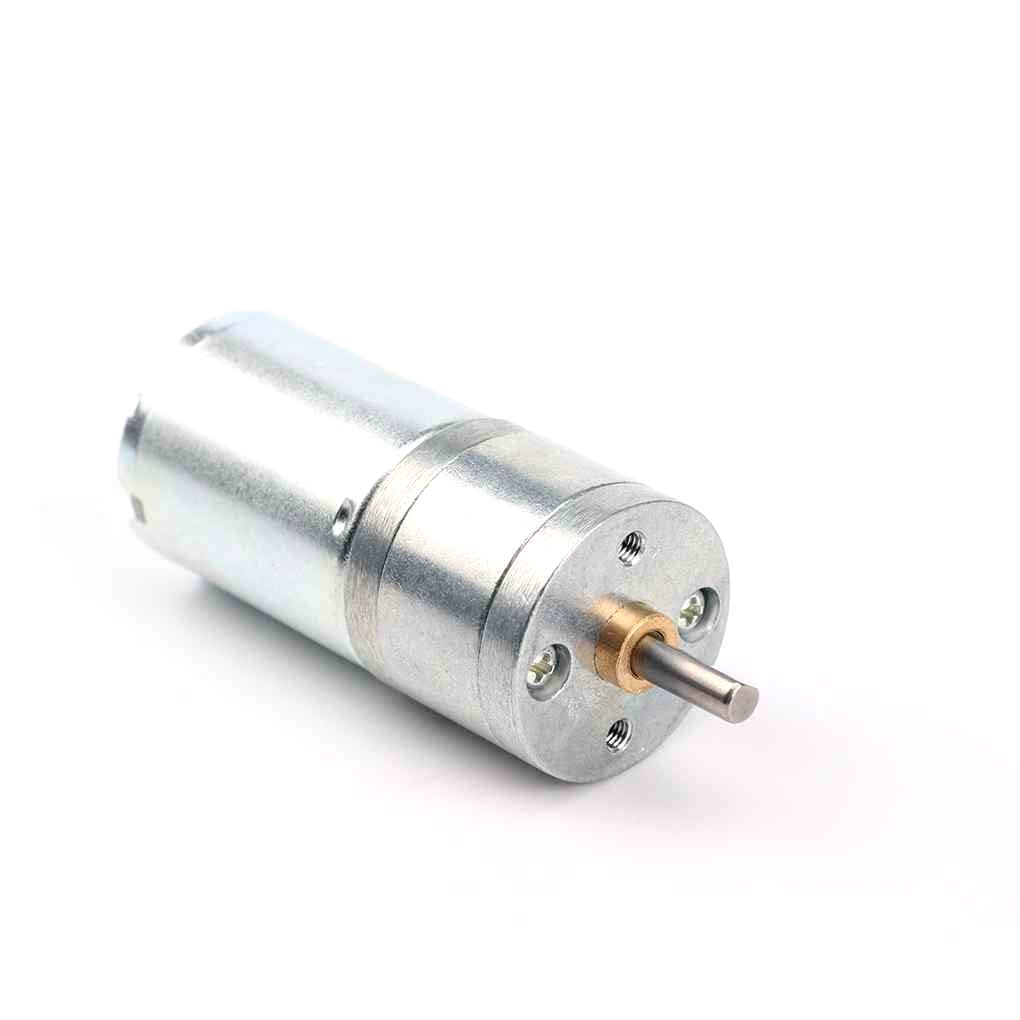
25GA-370 12V 12RPM DC Reducer Gear Motor
A compact, high-torque geared DC motor ideal for VNH5019 testing and small robot drive trains. Rated 12 V for direct compatibility with common motor power supplies.
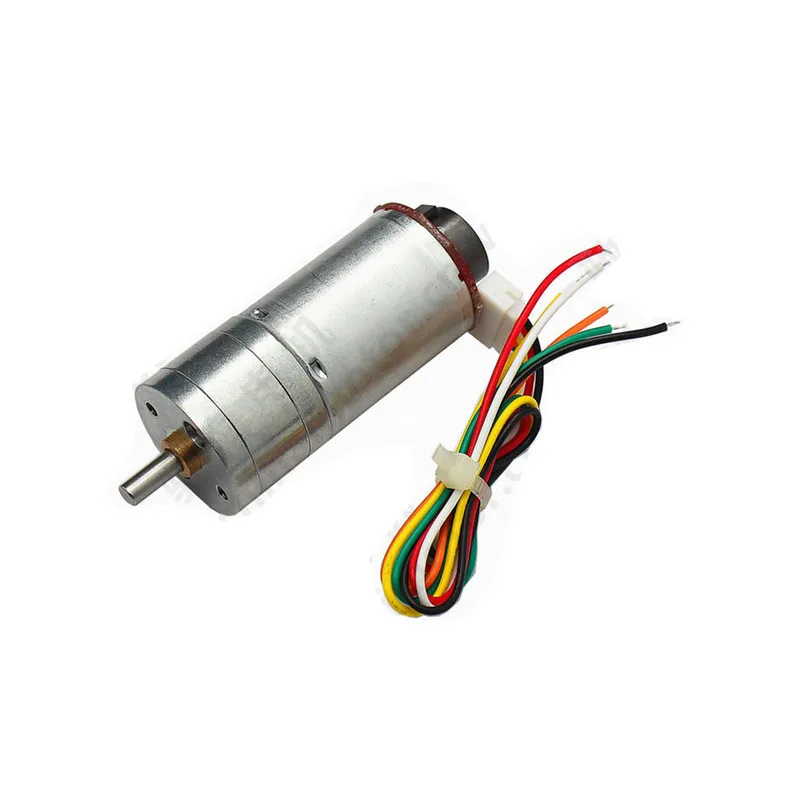
25GA-370 12V DC Reducer Gear Motor with Encoder
Same reliable 25GA-370 but with a built-in quadrature encoder — perfect for closed-loop PID control when paired with the VNH5019 shield’s current sensing feedback.
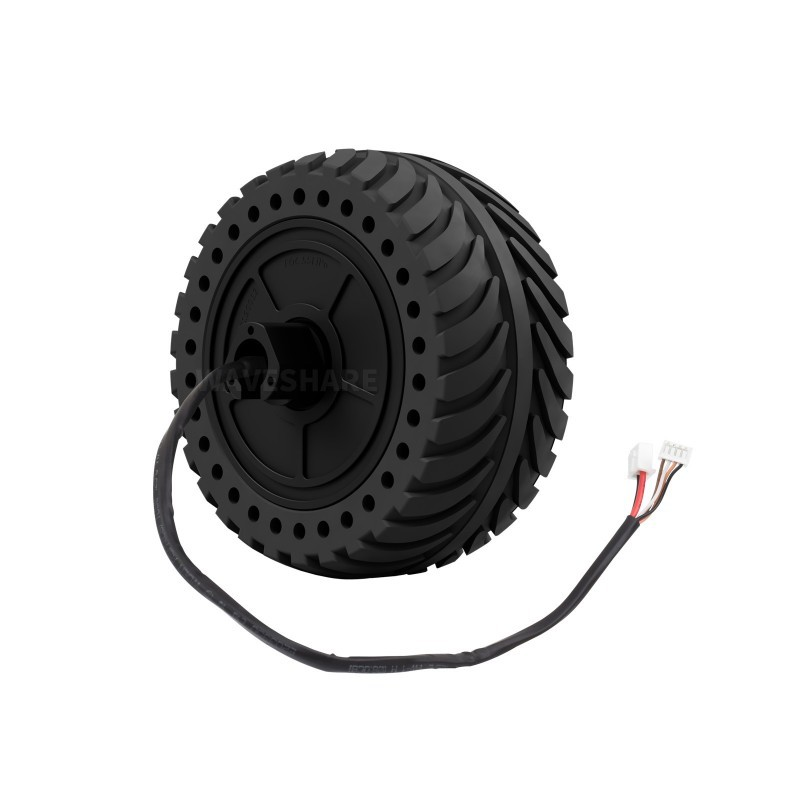
Waveshare DDSM115 Direct Drive Hub Motor
A high-torque, low-noise hub motor for advanced ground robots and UGV platforms. Complements the VNH5019’s high-current capability for demanding drive systems.
Frequently Asked Questions
Can I use the VNH5019 shield with a 3.3 V Arduino like the Arduino Zero?
The VNH5019 IC’s logic inputs are 5 V-tolerant but also accept 3.3 V signals in most cases. However, the Pololu dual-motor shield was specifically designed for 5 V Arduinos. Using it with a 3.3 V board may require a logic-level shifter on the direction and PWM pins to ensure reliable switching. Check the datasheet’s logic threshold specifications for your supply voltage before proceeding.
What is the maximum motor voltage I can use?
The VNH5019 IC is rated for a maximum motor supply of 24 V. Exceeding this will damage the internal MOSFETs and void any warranty. For 24 V operation, ensure all your motors, wiring, and connectors are rated appropriately.
Can both channels run simultaneously at full current (12 A each)?
Theoretically yes, but thermally this is challenging. At 24 A total load the IC will heat up rapidly. Use a substantial heatsink, forced-air cooling, and monitor the temperature-sensitive DIAG pins in your firmware to catch thermal shutdown events before they occur.
How do I reverse the motor direction without changing wiring?
Simply pass a negative value to setM1Speed(). The library handles the INA/INB pin logic automatically. Positive values → forward, negative values → reverse, zero → coast.
Why is my current reading always showing about 10 mA even with no motor connected?
The VNH5019 CS output has a small quiescent offset current (approximately 10 mA equivalent). The Pololu library subtracts this offset. If you are reading the analog pin directly, subtract this offset in your calculation.
Is the VNH5019 shield compatible with the Arduino Mega?
Yes. The shield stacks on the Mega’s headers. Some pins may conflict with Mega-specific features; refer to Pololu’s Mega pin mapping table in their documentation to remap the shield’s solder jumpers if needed.
Ready to Build Your High-Current Motor Project?
The VNH5019 motor driver shield is one of the most capable shields available for Arduino enthusiasts in India. Whether you are driving a heavy robot chassis or building an automated CNC axis, this driver can handle the load. Browse Zbotic’s full range of motors, drivers, and actuators to complete your build.






Add comment