
India’s National Education Policy 2020 explicitly calls for STEM education and computational thinking from Grade 6 onward. STEM robotics education kits are now flooding Indian school labs — but not all kits are created equal. This buying guide helps educators, school administrators, and parents choose the right robotics kit for India schools at each learning level, from Class 5 beginners to engineering college advanced labs.
Why Robotics for STEM Education?
Robotics sits at the intersection of all four STEM disciplines simultaneously:
- Science: Physics of motion, electromagnetics in motors, optics in sensors.
- Technology: Programming microcontrollers, using sensors, understanding electronics.
- Engineering: Mechanical design, structural assembly, problem-solving under constraints.
- Mathematics: Geometry for navigation, algebra for PID controllers, trigonometry for inverse kinematics.
Unlike textbook STEM, robotics provides immediate, tangible feedback: the robot either works or it doesn’t. This dramatically increases student engagement. Studies from MIT’s Media Lab show that hands-on robotics projects improve problem-solving scores by 23% more than equivalent classroom instruction alone.
For Indian schools specifically, robotics education aligns with CBSE’s “Artificial Intelligence” and “Coding & Computational Thinking” electives added in 2020, and serves as preparation for IIT JEE’s growing emphasis on applied engineering questions.
Matching Kits to Learning Levels
The biggest mistake schools make is buying a single kit for all grades. A kit appropriate for Class 11 students will frustrate and discourage Class 6 beginners; a kit appropriate for Class 6 will bore and under-challenge Class 11 students. Use this framework:
- Beginner (Classes 5–8): Block-based programming (Scratch/MakeCode), snap-fit mechanical assembly, no soldering. Focus: computational thinking, basic electronics.
- Intermediate (Classes 9–12): Text-based programming (Arduino C++, MicroPython), breadboard circuits, sensor integration. Focus: electronics, algorithms, engineering design process.
- Advanced (College, competition teams): Full-stack robotics — ROS, machine vision, motor control theory, custom PCB. Focus: research-level skills, competition performance.
Best Beginner Kits (Classes 5–8)
At the beginner level, ease of assembly and visual programming are paramount. Students should see the robot move within the first 30 minutes of the first class — otherwise motivation collapses.
Key features to look for:
- Snap or screw assembly (no soldering)
- Block-based programming environment (free, browser-based)
- Durable plastic or metal chassis (survives classroom handling)
- Onboard charging (USB or built-in charger)
- Curriculum or lesson plans included
The ACEBOTT ESP32 Basic Starter Kit is an excellent entry point — it comes with an ESP32 board, multiple sensors, LEDs, and a structured project guide. Students can progress from blinking an LED to building a line-following robot within 6–8 lessons, all without soldering.
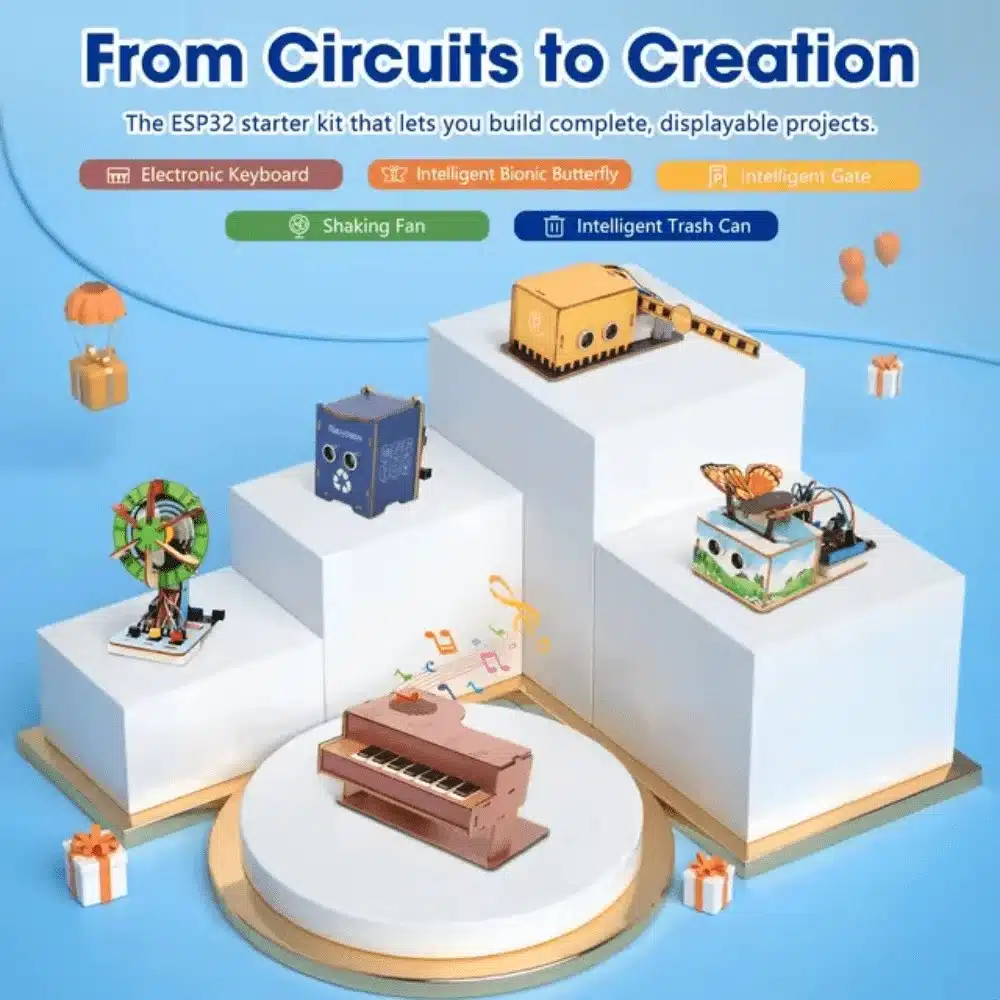
ACEBOTT ESP32 Basic Starter Kit (Project Expansion Pack) – QE201
Complete ESP32 starter kit with 20+ components and project guides — ideal for Class 6–8 STEM labs. No soldering required.

2WD Mini Smart Robot Car Chassis DIY Kit
Beginner-friendly 2WD chassis kit — perfect for school robotics projects, line-following bots, and obstacle avoidance demos.
Best Intermediate Kits (Classes 9–12)
At the intermediate level, students should be introduced to real programming languages (C++/Python), sensor data interpretation, and mechanical design principles. Kits should allow customisation — students who only snap together pre-designed parts don’t develop engineering thinking.
Recommended intermediate capabilities:
- Arduino or ESP32 microcontroller (programmable in Arduino IDE)
- Multiple sensor types: ultrasonic, IR, temperature, accelerometer
- Motor control with PWM (not just on/off)
- Serial communication and data logging
- Open chassis design students can modify and add to
A robot car with ESP32 — supporting both line-following and obstacle-avoidance modes — covers the entire CBSE Class 9–10 AI curriculum in a single platform. The same hardware can be reprogrammed for different projects throughout the year, delivering better cost-per-lesson value than single-purpose kits.
For Class 11–12 physics labs, robot arms introduce concepts of moment of inertia, torque, and kinematics in a hands-on way that textbook problems cannot match.
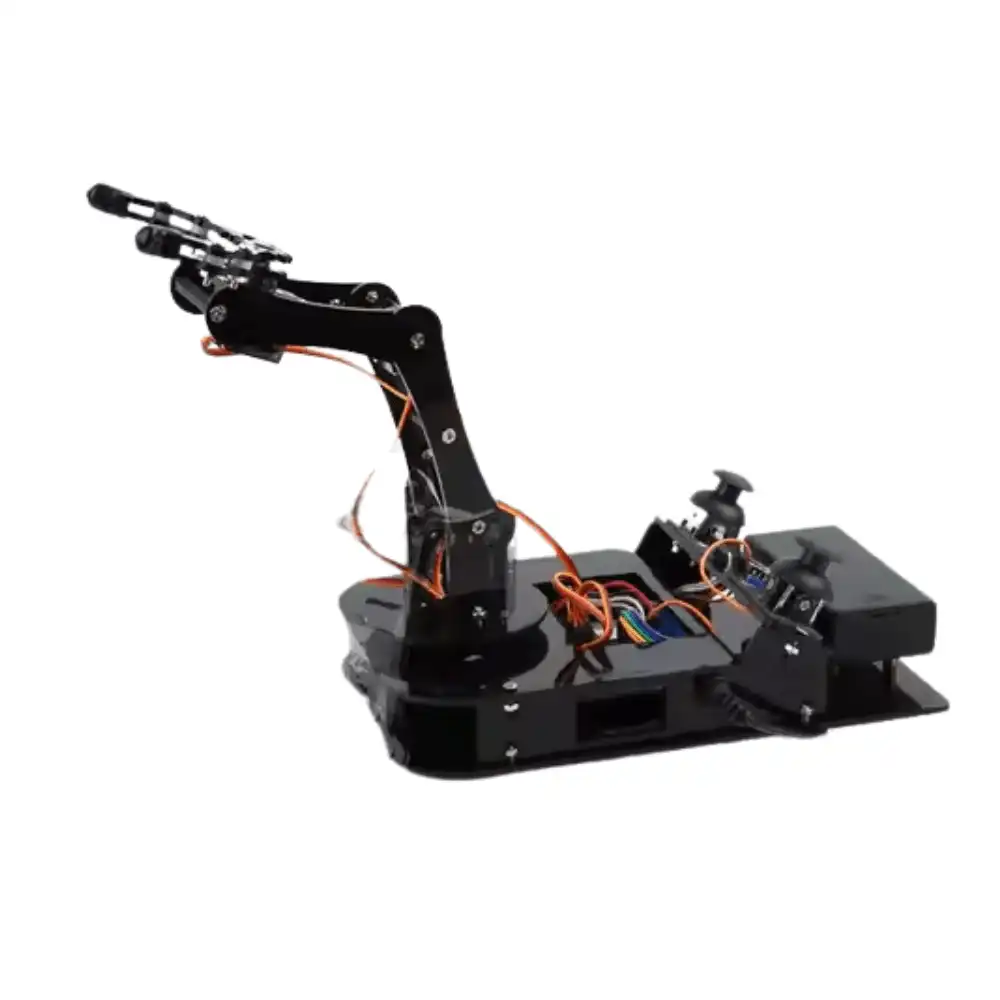
ACEBOTT ESP32 Programmable Robot Arm Kit – QD022
6-axis programmable robot arm for teens — teaches servo control, inverse kinematics, and mechatronics for Class 10–12 students.
Best Advanced Kits (College and Competitions)
Engineering college students and competition teams need platforms that can be deeply customised, support advanced sensors, and are used in real robotics research. Key requirements:
- High-torque metal-gear motors with encoders
- ROS-compatible microcontroller or SBC (Raspberry Pi / Jetson Nano)
- Modular expansion for additional sensors and actuators
- Multi-DOF robot arms or biped/humanoid platforms
- LIDAR, depth cameras, or IMU support
For WRO (World Robot Olympiad) and ABU Robocon participants, a programmable biped robot introduces dynamic balance control, gait generation, and servo coordination — skills directly tested in competition scenarios. The ACEBOTT Biped Robot Kit QD021 covers all these areas with its 17-servo architecture and ESP32 brain.
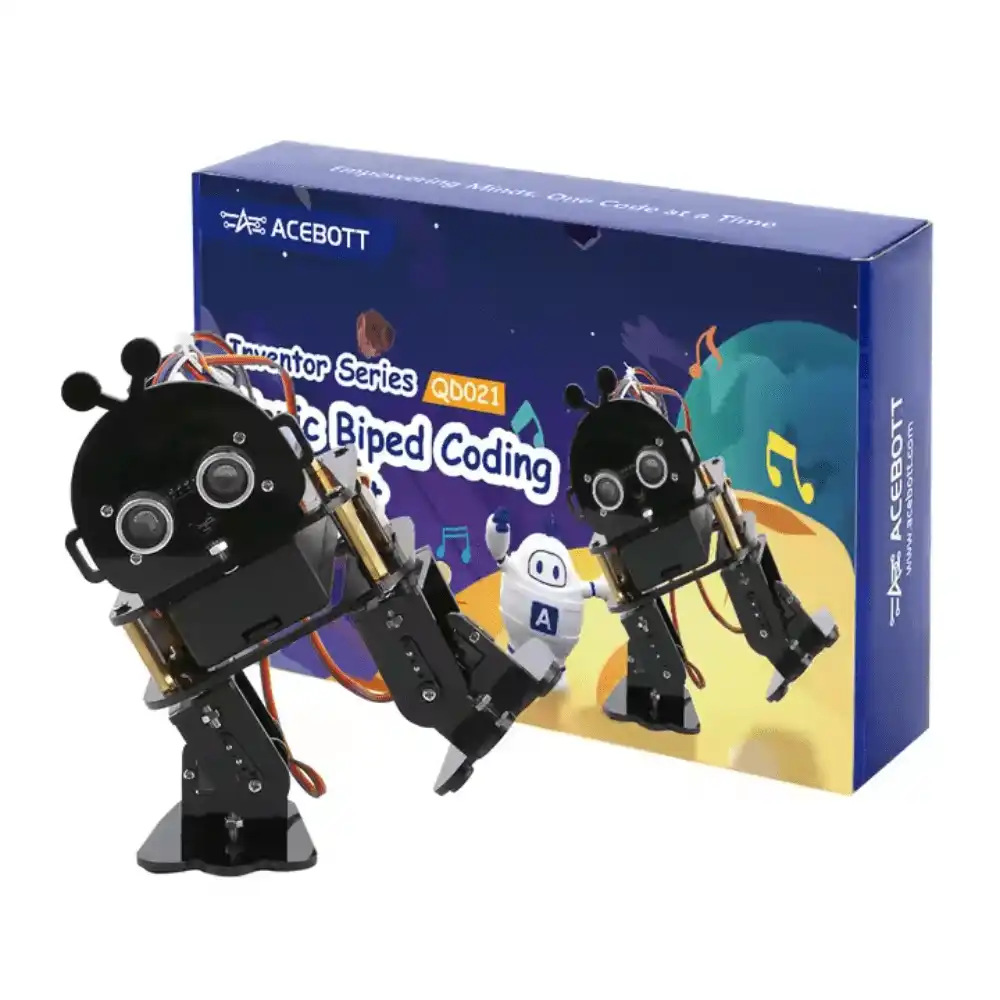
ACEBOTT Biped Robot Kit – QD021
Advanced humanoid biped robot with ESP32 control — ideal for college robotics clubs, WRO teams, and research projects.
Setting Up a School Robotics Lab
Beyond the kits themselves, a successful school robotics lab requires thoughtful infrastructure. Recommendations for Indian schools:
Room setup:
- Minimum 30 sq. ft. per student for comfortable building and testing.
- Work benches at elbow height with non-slip mats (robots fall off smooth tables frequently).
- Dark-coloured table surface for line-following robot testing (white tape line is highly visible).
- Dedicated power strips with individual switches — power-related accidents are the most common in student labs.
- A smooth floor area (3×3 m minimum) for robot driving tests.
Tooling:
- Soldering stations (for intermediate/advanced): minimum 1 per 3 students.
- Small screwdriver sets (Phillips #0, #1, flathead 2mm).
- Digital multimeters: 1 per 2 students for continuity testing.
- Needle-nose pliers, wire strippers, flush cutters.
Software:
- Arduino IDE (free, cross-platform) — install on all lab computers.
- Thonny IDE for MicroPython (free) — simpler for beginner Python users.
- Fritzing for circuit diagramming (free for students).
- Tinkercad Circuits (browser-based simulation) — excellent for dry runs before physical assembly.
Robotics Competitions in India
Competitions are the most powerful motivators for student robotics programs. Major events to target:
- WRO India (World Robot Olympiad): Annual, state-level qualifiers lead to national and world finals. Uses LEGO-based platforms at school level; open category allows custom builds.
- ABU Robocon: Asia-Pacific college competition held at IITs. India’s DD Robocon qualifier is extremely competitive. Requires serious mechanical and electronics depth.
- Smart India Hackathon (SIH): Government-backed hackathon with robotics tracks; ₹1 lakh prizes for winning teams.
- Techfest IIT Bombay: Numerous robotics events including maze solving, line following, and autonomous navigation challenges.
- E-Yantra IIT Bombay: Six-month embedded systems competition for engineering students — one of the most rigorous robotics programs available.
Buying Tips and Budget Guidance
Budget allocation for a 30-student school robotics program (one kit per 2–3 students):
- Beginner level (Classes 5–8): ₹3,000–₹6,000 per kit × 12 kits = ₹36,000–₹72,000 total.
- Intermediate level (Classes 9–12): ₹6,000–₹15,000 per kit × 10 kits = ₹60,000–₹1,50,000 total.
- Advanced/college lab: ₹15,000–₹50,000 per kit × 5–8 kits = ₹75,000–₹4,00,000 total.
Key buying advice:
- Buy spare parts (motors, sensors, cables) at 30% of kit quantity — students WILL break components.
- Choose kits with Indian distributor support. Imported kits from Aliexpress have no warranty support and 3–6 week shipping for replacements.
- Verify Arduino IDE compatibility before purchasing. Proprietary ecosystems lock you into one supplier.
- Request a demo or video from the supplier showing a working project with the kit.
- Factor in tool costs (₹5,000–₹15,000 for a well-equipped 30-student lab).
Frequently Asked Questions
- What age is appropriate to start robotics education?
- Block-based robotics (like Scratch-controlled robots) is appropriate from age 8–9 (Class 3–4). Hardware assembly with adult supervision can start at age 10. Soldering and complex electronics from age 13–14 onward.
- Is Arduino or Raspberry Pi better for school robotics?
- Arduino is better for beginners (simpler, lower cost, real-time motor control). Raspberry Pi is better for advanced students who need computer vision, ROS, or complex data processing. Many advanced projects use both together.
- Does CBSE have a specific robotics curriculum?
- CBSE offers “Artificial Intelligence” (Classes 8–12) and “Information Technology” which include coding and robotics modules. Additionally, CBSE’s “Atal Tinkering Lab” scheme provides ₹20 lakh grants to schools for STEM labs including robotics equipment.
- How do I justify robotics lab investment to school management?
- Frame it as career preparation: India’s Industry 4.0 and automation sectors are projected to create 22 million jobs by 2030. Schools with robotics programs show higher engineering college admission rates and are increasingly preferred by parents choosing schools.
- Can students participate in WRO without LEGO kits?
- WRO has an “Open Category” that allows any hardware. School/Junior/Senior categories use WeDo 2.0 or SPIKE Prime. College Open Category allows fully custom robots — where Arduino/ESP32 kits shine.


Add comment