
SIM800L GPRS Data Logging: Upload Sensor Data to Server
The SIM800L GPRS data logging server combination is a powerful solution for remote IoT deployments where Wi-Fi is unavailable — think agricultural fields, highway monitoring stations, remote weather sensors, and rural industrial sites across India. The SIM800L is a compact GSM/GPRS module that connects to any 2G/GPRS-enabled SIM card, allowing your Arduino or ESP32 project to upload sensor data to a web server over the cellular network. In this complete tutorial, you will learn how to wire the SIM800L, configure GPRS, and reliably push sensor readings to a remote server.
SIM800L Module Overview
The SIM800L is a miniature quad-band GSM/GPRS module made by SIMCom. Despite its tiny footprint (24mm × 24mm), it packs impressive features:
- Quad-band GSM: 850/900/1800/1900 MHz — works on every major Indian operator (Airtel, Jio, Vi, BSNL 2G)
- GPRS Class 10: 85.6 kbps downlink, 42.8 kbps uplink — sufficient for sensor data
- TCP/IP stack: Built-in stack enables direct HTTP GET/POST via AT commands
- SMS: Send alerts when readings exceed thresholds
- Voice calls: Can make/receive audio calls
- RTC: Real-time clock for timestamped logging
- Supply voltage: 3.4–4.4V (critical: does NOT run on 3.3V or 5V directly)
Important note for India: Jio does not support 2G/GPRS — use Airtel, Vi, or BSNL SIMs. Airtel’s 2G network is the most reliable for SIM800L projects in India as of 2026.
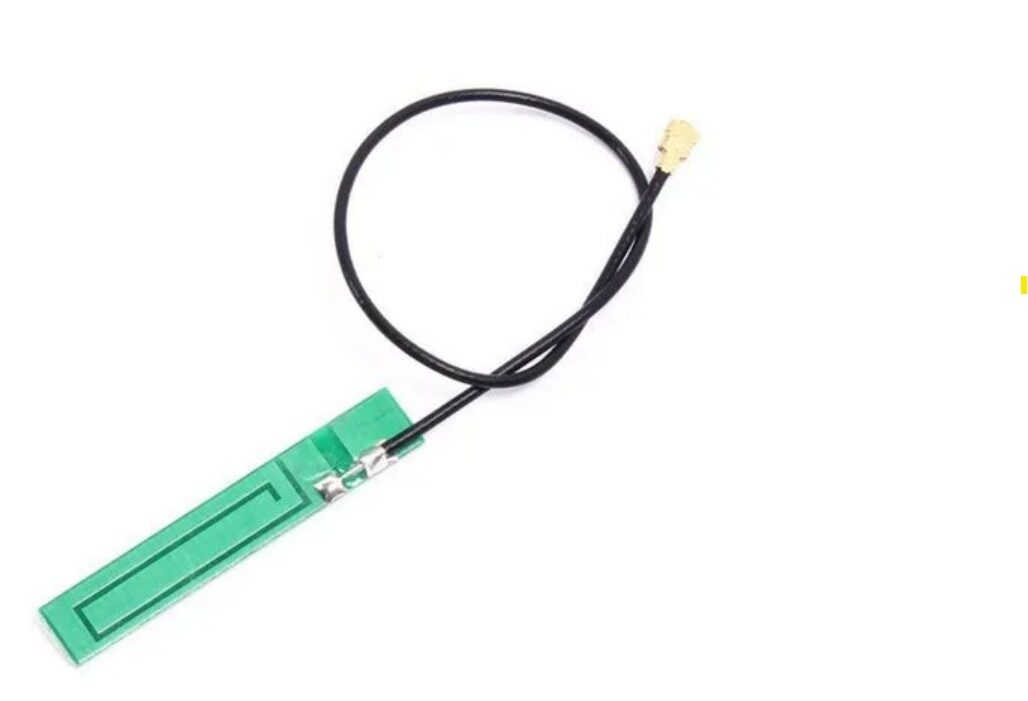
15cm 3dBi GSM/GPRS/3G PCB Antenna with IPEX Connector
Upgrade your SIM800L’s signal with this 3dBi PCB antenna. The IPEX connector fits directly onto the SIM800L module for improved cellular reception — essential in rural and fringe coverage areas.
Hardware Setup and Wiring
The SIM800L’s most critical requirement is its power supply. It draws up to 2A peak during GPRS transmission bursts, which can cause voltage drop and reset loops if underpowered. Here is the correct power setup:
Power supply requirements:
- Supply voltage: 3.7–4.2V (a 18650 LiPo cell is ideal)
- Peak current: up to 2A during GPRS burst — use a dedicated LiPo or a high-current buck converter
- Add a 1000 µF electrolytic capacitor across the SIM800L VCC and GND pins
- Do NOT power from Arduino 3.3V or 5V pins directly
SIM800L to Arduino Uno pin connections:
| SIM800L Pin | Arduino Uno | Notes |
|---|---|---|
| VCC | Dedicated 3.7–4.2V supply | NOT from Arduino |
| GND | GND (shared with Arduino) | Common ground essential |
| TXD | D2 (via voltage divider) | SIM800L TX → Arduino RX |
| RXD | D3 (via voltage divider) | Arduino TX → SIM800L RX (3.3V level!) |
| RST | D4 (optional) | Software reset pin |
Voltage divider for RXD: The SIM800L’s serial input is 3.3V logic. Arduino outputs 5V. Use a simple resistor divider: 1 kΩ from Arduino TX to SIM800L RXD, and 2 kΩ from SIM800L RXD to GND. This brings 5V down to ~3.33V safely.
We use SoftwareSerial (pins D2 and D3) for SIM800L communication to keep the hardware Serial (D0/D1) free for debugging.
SIM Card and Network Registration
Insert a nano-SIM (SIM800L uses nano-SIM; many breakout boards use micro-SIM — check your specific board). The SIM card must have active GPRS data enabled. For Airtel prepaid SIMs, GPRS is enabled by default; for BSNL, you may need to send an SMS to activate data. Jio SIMs will NOT work — Jio is 4G/VoLTE only with no 2G fallback.
When the SIM800L registers on a network, its LED blinks at different rates:
- Fast blink (600ms): Searching for network
- Slow blink (3000ms): Network registered successfully
- Two fast blinks (300ms): GPRS data connection active
Key AT Commands for GPRS
The SIM800L is controlled via AT commands over serial. Here are the essential commands for GPRS data logging:
| Command | Purpose | Expected Response |
|---|---|---|
AT |
Check module alive | OK |
AT+CSQ |
Signal quality (0-31) | +CSQ: 18,0 |
AT+CREG? |
Network registration | +CREG: 0,1 |
AT+SAPBR=3,1,"APN","airtelgprs.com" |
Set APN (Airtel) | OK |
AT+SAPBR=1,1 |
Open GPRS bearer | OK |
AT+HTTPINIT |
Initialise HTTP stack | OK |
AT+HTTPPARA="URL","http://..." |
Set request URL | OK |
AT+HTTPACTION=1 |
Execute HTTP POST | +HTTPACTION: 1,200,xx |
AT+HTTPTERM |
Terminate HTTP session | OK |
AT+SAPBR=0,1 |
Close GPRS bearer | OK |
Common APN settings for India: Airtel → airtelgprs.com, Vodafone/Vi → www, BSNL → bsnlnet.
Arduino Code: HTTP POST to Server
#include <SoftwareSerial.h>

SoftwareSerial gsm(2, 3); // RX, TX (SIM800L TXD, RXD)

void sendAT(String cmd, int timeout = 2000, bool debug = true) {
  gsm.println(cmd);
  unsigned long t = millis();
  while (millis() - t < timeout) {
    if (gsm.available()) {
      String resp = gsm.readString();
      if (debug) Serial.print(resp);
    }
  }
}

bool initGPRS(const char* apn) {
  sendAT("AT");
  sendAT("AT+CPIN?");    // Check SIM
  sendAT("AT+CSQ");      // Signal quality
  sendAT("AT+CREG?");    // Network registration

  // Set APN
  sendAT(String("AT+SAPBR=3,1,"APN","") + apn + """);
  sendAT("AT+SAPBR=3,1,"USER",""");
  sendAT("AT+SAPBR=3,1,"PWD",""");

  // Open GPRS bearer
  sendAT("AT+SAPBR=1,1", 5000);
  sendAT("AT+SAPBR=2,1"); // Get IP address
  return true;
}

bool httpPost(const char* url, const char* data) {
  sendAT("AT+HTTPINIT");
  sendAT("AT+HTTPPARA="CID",1");
  sendAT(String("AT+HTTPPARA="URL","") + url + """);
  sendAT("AT+HTTPPARA="CONTENT","application/x-www-form-urlencoded"");

  // Set POST data length
  int dataLen = strlen(data);
  sendAT(String("AT+HTTPDATA=") + dataLen + ",5000", 5000);
  gsm.println(data);
  delay(1000);

  // Execute POST
  sendAT("AT+HTTPACTION=1", 10000);
  sendAT("AT+HTTPREAD");  // Read server response
  sendAT("AT+HTTPTERM");
  return true;
}

void setup() {
  Serial.begin(9600);
  gsm.begin(9600);
  delay(3000); // Wait for SIM800L to register

  Serial.println("Initialising GPRS...");
  initGPRS("airtelgprs.com"); // Change to your operator APN
  Serial.println("GPRS ready!");
}

void loop() {
  // Simulate sensor readings (replace with real DHT/BMP280 readings)
  float temperature = 32.5;
  float humidity    = 68.2;

  // Build POST data string
  String postData = "api_key=YOUR_API_KEY";
  postData += "&field1=" + String(temperature);
  postData += "&field2=" + String(humidity);

  Serial.println("Uploading to server...");
  httpPost("http://api.thingspeak.com/update", postData.c_str());
  Serial.println("Done. Waiting 60 seconds...");
  delay(60000); // ThingSpeak free tier: min 15 second interval
}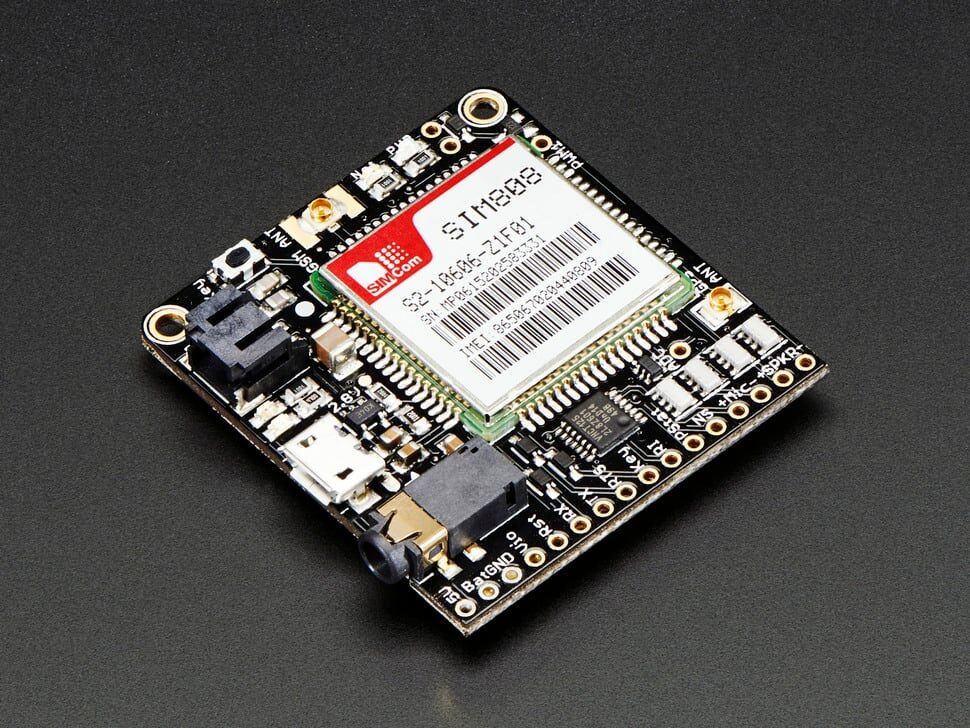
Adafruit FONA 808 — Mini Cellular GSM + GPS Breakout
Combine GSM data logging with GPS location tracking in one board. The FONA 808 is perfect for asset tracking and remote environmental monitoring systems that need both cellular upload and position data.
Complete Data Logging Example
For a production-ready data logging system, you should handle connection failures, retry logic, and timestamping. Here is an improved structure:
// Key improvements for reliable data logging:

// 1. Retry logic for failed transmissions
const int MAX_RETRIES = 3;
bool uploadWithRetry(const char* url, const char* data) {
  for (int attempt = 1; attempt <= MAX_RETRIES; attempt++) {
    Serial.print("Upload attempt "); Serial.println(attempt);
    if (httpPost(url, data)) return true;
    delay(5000 * attempt); // Exponential backoff
  }
  return false;
}

// 2. Check network registration before each upload
bool isRegistered() {
  gsm.println("AT+CREG?");
  delay(500);
  String resp = gsm.readString();
  return resp.indexOf("+CREG: 0,1") != -1 || resp.indexOf("+CREG: 0,5") != -1;
}

// 3. Hardware watchdog reset if stuck (use AVR WDT)
// wdt_enable(WDTO_8S); in setup()
// wdt_reset(); after each successful loop iteration

// 4. Buffer failed readings for later upload
// Store up to 10 readings in EEPROM when GPRS fails
// Flush EEPROM buffer on next successful connection
For long-term deployments, save failed readings to EEPROM (Arduino has 1KB) or an SD card and flush them when GPRS reconnects. This ensures no data is lost during temporary network outages — common in rural India where 2G coverage can be intermittent.
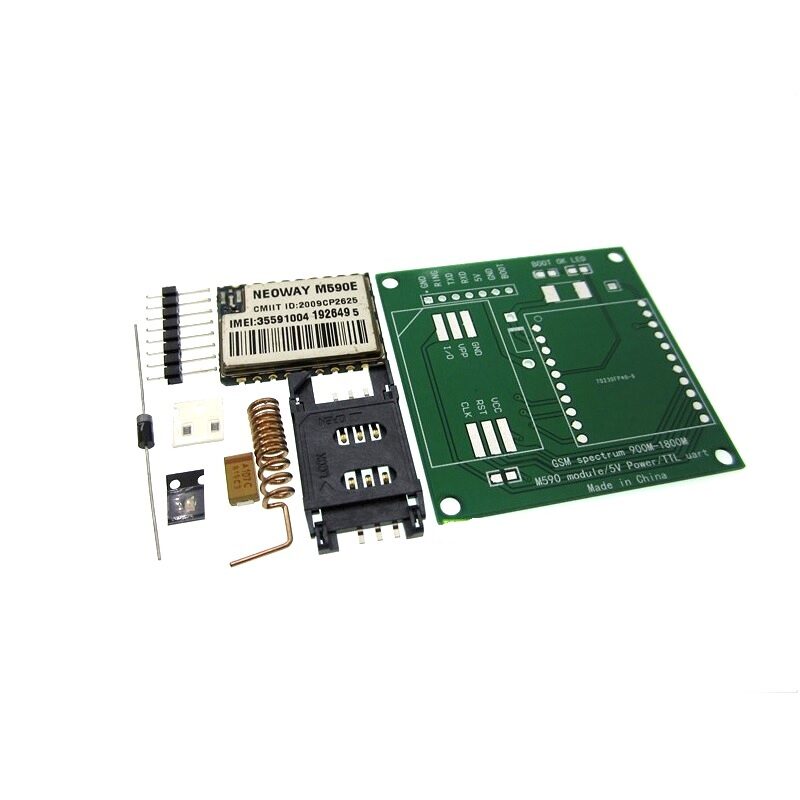
DIY GSM/GPRS M590E Module Kit
An alternative to the SIM800L, the M590E is a cost-effective GSM/GPRS module perfect for SMS-based alerts and basic data logging projects. Solder-it-yourself kit format for hobbyists.
Troubleshooting SIM800L Issues
Module resets or won’t stay on: Power supply issue. The SIM800L needs up to 2A during GPRS bursts. Use a dedicated LiPo battery or a DC-DC buck converter rated for at least 2A. Add a 1000 µF capacitor across VCC and GND on the module.
Module not responding to AT commands: Check baud rate — SIM800L defaults to auto-baud (tries 1200 to 115200). Start with 9600 baud. If using SoftwareSerial, ensure it can handle 9600 reliably. Also check your voltage divider on the RXD pin.
Network not registering (AT+CREG returns 0,2 or 0,3): Check antenna connection — the SIM800L MUST have an antenna attached. Without antenna, it cannot register on any network. Also verify the SIM card is active and the operator supports 2G (Jio does not).
GPRS connects but HTTP POST returns error: Verify the APN string for your operator. Common errors: wrong APN, server returning non-200 status, or data format mismatch. Test with a simple GET request to http://httpbin.org/get first.
Works on desk but fails in the field: Weak signal in the deployment location. Check AT+CSQ — values below 10 indicate poor signal. Upgrade to a longer external antenna (helical or whip) and ensure the antenna cable is routed away from the SIM800L power supply lines.
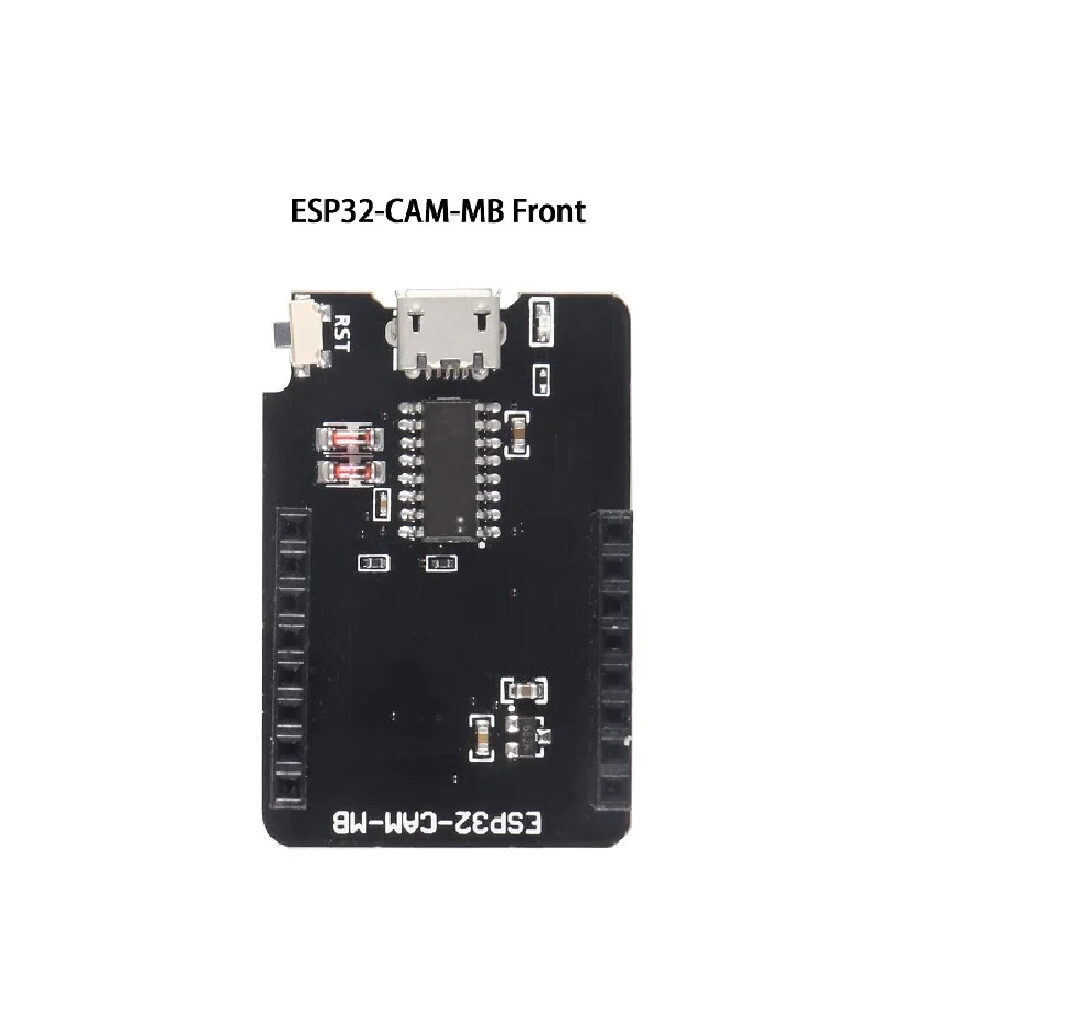
ESP32-CAM-MB Micro USB Download Module
Build a hybrid data logging system: ESP32 CAM for local Wi-Fi dashboard + SIM800L for cellular backup upload. When Wi-Fi is unavailable, the SIM800L automatically uploads over GPRS.
Frequently Asked Questions
Which SIM card works with SIM800L in India?
Airtel prepaid SIMs are the most reliable choice for SIM800L in India in 2026. BSNL 2G also works but coverage is limited. Vodafone-Idea (Vi) prepaid SIMs work in most areas. Jio does NOT work with SIM800L as Jio shut down its 2G network — SIM800L is 2G only. If you need 4G LTE for higher data rates, consider the SIM7600 or SIM7070G modules instead.
How much data does GPRS data logging consume?
A typical sensor reading uploaded as a URL-encoded POST request is 100–300 bytes. Uploading every 60 seconds = ~15–26 KB/hour = 360–630 KB/day. Even the cheapest Airtel 2G data pack (28 days validity) provides more than enough. If uploading every 15 minutes, monthly data consumption drops to around 15–30 MB — negligible cost.
Can SIM800L send data to ThingSpeak, Blynk, or a custom server?
Yes. ThingSpeak uses a simple HTTP GET/POST API — just replace the URL and API key. Blynk’s HTTP API also works with SIM800L. For a custom server, any standard HTTP endpoint (Flask, Node.js, PHP) accepts SIM800L HTTP POST requests. The server must use HTTP (not HTTPS) unless your SIM800L firmware supports SSL — the standard SIM800L firmware does NOT support SSL/TLS, only HTTP.
How do I use HTTPS with SIM800L?
The standard SIM800L firmware does not support SSL/TLS. Options: (1) Use a server with HTTP-only endpoint — create a separate HTTP endpoint on your server that proxies to HTTPS internally. (2) Update to SIM800L firmware version R14.18 which includes basic SSL support via AT+HTTPSSL=1. (3) Use a proxy like AWS API Gateway with HTTP trigger. (4) Switch to SIM7080G or SIM7600 which have full TLS support.
What is the battery life of a SIM800L GPRS data logger?
Power consumption during GPRS transmission peaks at 1–2A for 1–2 seconds per upload. Idle (registered on network) draws around 15–20 mA. In a typical duty cycle of one upload per minute with the rest in sleep, average current is ~25–40 mA. A 3000 mAh LiPo provides approximately 75–120 hours (3–5 days) of operation. For longer life, use deep sleep between uploads and power off the SIM800L module when not needed using a MOSFET switch controlled by the Arduino.
Get Your GPRS Data Logger Components from Zbotic
Zbotic stocks GSM/GPRS modules, GPS modules, antennas, and all the components for your remote data logging project. With fast shipping across India and expert support, start your SIM800L project today. Browse our communication modules collection.







Add comment