
Getting stable, drift-free orientation data from an IMU (Inertial Measurement Unit) is one of the most challenging — and rewarding — skills in robotics. Raw accelerometer data is noisy; raw gyroscope data drifts. IMU sensor fusion with a Kalman filter combines both to produce accurate, stable orientation estimates essential for self-balancing robots, drones, and mobile platforms. This guide covers the theory and practical implementation with Arduino and Python code you can use today.
Why Sensor Fusion is Necessary
Every robotics project that needs to know “which way am I tilted?” faces the same fundamental problem: no single sensor gives a perfect answer.
- Accelerometers measure the direction of gravity accurately when the robot is still, but vibration and linear acceleration create noise that makes them unreliable during motion.
- Gyroscopes measure angular velocity very accurately in the short term, but integrating angular velocity over time introduces cumulative error (drift) — the robot’s perceived orientation slowly wanders even when it’s stationary.
Sensor fusion solves this by mathematically combining both sensors: the gyroscope provides fast, accurate short-term tracking, while the accelerometer periodically corrects long-term drift. The Kalman filter is the gold standard algorithm for this fusion.

ACEBOTT ESP32 Basic Starter Kit (QE201)
Complete ESP32 starter kit — ideal for IMU sensor fusion experiments. Includes ESP32 board, sensors, and expansion modules for rapid prototyping.
IMU Basics: Accelerometer vs Gyroscope
The MPU6050 is the most popular 6-axis IMU for hobbyist robotics — it combines a 3-axis accelerometer and a 3-axis gyroscope in a single chip with an I²C interface. The MPU9250 adds a magnetometer for full 9-axis fusion (pitch, roll, and yaw without drift).
Reading Raw Data
Connect the MPU6050 to Arduino: SDA → A4, SCL → A5, VCC → 3.3V, GND → GND. Install the MPU6050 library by Electronic Cats in the Arduino IDE Library Manager.
#include <MPU6050.h>
MPU6050 mpu;
int16_t ax, ay, az, gx, gy, gz;
void setup() {
  Wire.begin(); mpu.initialize();
  Serial.begin(115200);
}
void loop() {
  mpu.getMotion6(&ax,&ay,&az,&gx,&gy,&gz);
  Serial.print("AccX:"); Serial.print(ax/16384.0);
  Serial.print(" GyrX:"); Serial.println(gx/131.0);
  delay(10);
}
The raw accelerometer values are in units of g (±2g range = 16384 LSB/g). Raw gyroscope values are in degrees/second (±250°/s = 131 LSB/°/s).
Kalman Filter Theory (Simplified)
The Kalman filter is an optimal recursive estimator. It maintains a state estimate (e.g., roll angle) and the uncertainty (covariance) of that estimate. At each time step it performs two phases:
- Predict: Use the gyroscope (process model) to predict the new angle and increase uncertainty slightly (process noise Q).
- Update: Use the accelerometer (measurement model) to correct the prediction. The Kalman Gain K determines how much to trust the accelerometer vs the prediction. High measurement noise R → low K → trust the prediction more.
The key equations for a simplified 1D Kalman filter for roll angle θ:
// State: [theta, gyro_bias]
// Predict
theta_pred = theta + dt * (gyro_rate - bias)
P_pred = P + Q

// Update
K = P_pred / (P_pred + R)
theta = theta_pred + K * (accel_angle - theta_pred)
P = (1 - K) * P_pred
Typical starting values: Q (process noise) = 0.001, R (measurement noise) = 0.03. Tune these based on your specific IMU and mechanical setup.
Complementary Filter: Quick Alternative
Before implementing the full Kalman filter, many makers use the complementary filter as a stepping stone. It’s simpler and often good enough for lower-precision applications:
float alpha = 0.98; // trust gyroscope 98%
float dt = 0.01;   // 10ms loop time

float accel_angle = atan2(ay, az) * 180.0 / PI;
float gyro_rate = gx / 131.0; // degrees/sec

angle = alpha * (angle + gyro_rate * dt) + (1.0 - alpha) * accel_angle;
The complementary filter is a one-liner compared to Kalman, uses virtually no RAM, and runs well even on an 8-bit ATmega328. Its weakness: the alpha value is a fixed trade-off and doesn’t adapt to changing noise conditions the way Kalman does.
Arduino Implementation with MPU6050
Here’s a complete Kalman filter class for Arduino. Save it as KalmanFilter.h in your project:
class KalmanFilter {
public:
  float Q_angle = 0.001f, Q_bias = 0.003f, R_measure = 0.03f;
  float angle = 0.0f, bias = 0.0f;
  float P[2][2] = {{0,0},{0,0}};

  float update(float newAngle, float newRate, float dt) {
    // Predict
    float rate = newRate - bias;
    angle += dt * rate;
    P[0][0] += dt*(dt*P[1][1]-P[0][1]-P[1][0]+Q_angle);
    P[0][1] -= dt * P[1][1];
    P[1][0] -= dt * P[1][1];
    P[1][1] += Q_bias * dt;
    // Update
    float S = P[0][0] + R_measure;
    float K[2] = {P[0][0]/S, P[1][0]/S};
    float y = newAngle - angle;
    angle += K[0] * y;
    bias  += K[1] * y;
    P[0][0] -= K[0] * P[0][0];
    P[0][1] -= K[0] * P[0][1];
    P[1][0] -= K[1] * P[0][0];
    P[1][1] -= K[1] * P[0][1];
    return angle;
  }
};
In your main sketch, call kalman.update(accel_angle, gyro_rate, dt) every loop iteration with a consistent dt (use micros() for accurate timing).

2WD Mini Round Double-Deck Smart Robot Car Chassis DIY Kit
Two-wheel drive robot chassis — ideal for building a self-balancing robot where Kalman filter IMU fusion is essential for stability control.
Python Implementation for Advanced Robots
On Raspberry Pi or Jetson Nano, Python with NumPy gives you more flexibility for 6-DOF or 9-DOF Kalman filters using the full state-space formulation:
import numpy as np

class KalmanFilter6DOF:
    def __init__(self):
        self.x = np.zeros((4, 1))  # [roll, pitch, roll_bias, pitch_bias]
        self.P = np.eye(4) * 0.1
        self.Q = np.diag([0.001, 0.001, 0.003, 0.003])
        self.R = np.eye(2) * 0.03
        self.H = np.array([[1,0,0,0],[0,1,0,0]])

    def predict(self, gyro, dt):
        roll_rate = gyro[0] - self.x[2,0]
        pitch_rate = gyro[1] - self.x[3,0]
        F = np.eye(4)
        F[0,2] = -dt; F[1,3] = -dt
        self.x[0,0] += roll_rate * dt
        self.x[1,0] += pitch_rate * dt
        self.P = F @ self.P @ F.T + self.Q * dt

    def update(self, accel_angles):
        z = np.array(accel_angles).reshape(2,1)
        y = z - self.H @ self.x
        S = self.H @ self.P @ self.H.T + self.R
        K = self.P @ self.H.T @ np.linalg.inv(S)
        self.x = self.x + K @ y
        self.P = (np.eye(4) - K @ self.H) @ self.P
        return self.x[0,0], self.x[1,0]  # roll, pitch
Tuning the Kalman Filter
Getting the Q and R values right is more art than science — here’s a systematic approach:
Step 1: Characterise Your Sensors
Log 1000 samples with the robot perfectly still. Calculate the variance of the accelerometer angles and the gyroscope rates. Set R equal to the accelerometer variance, and Q_bias equal to the gyroscope variance scaled by dt².
Step 2: Dynamic Testing
Rotate the robot at known speeds using a turntable or by hand-counting rotations. Compare the Kalman output to the ground truth. If the output lags, decrease R (trust accelerometer more). If it’s jittery, increase R.
Step 3: Application-Specific Tuning
- Self-balancing robots: Prioritise low latency — use slightly lower R values even if output is noisier.
- Navigation/SLAM: Prioritise accuracy over latency — higher R smooths noise at the cost of slight lag.
- Drones: Use the flight controller’s dedicated Kalman (Betaflight/ArduPilot) rather than your own.
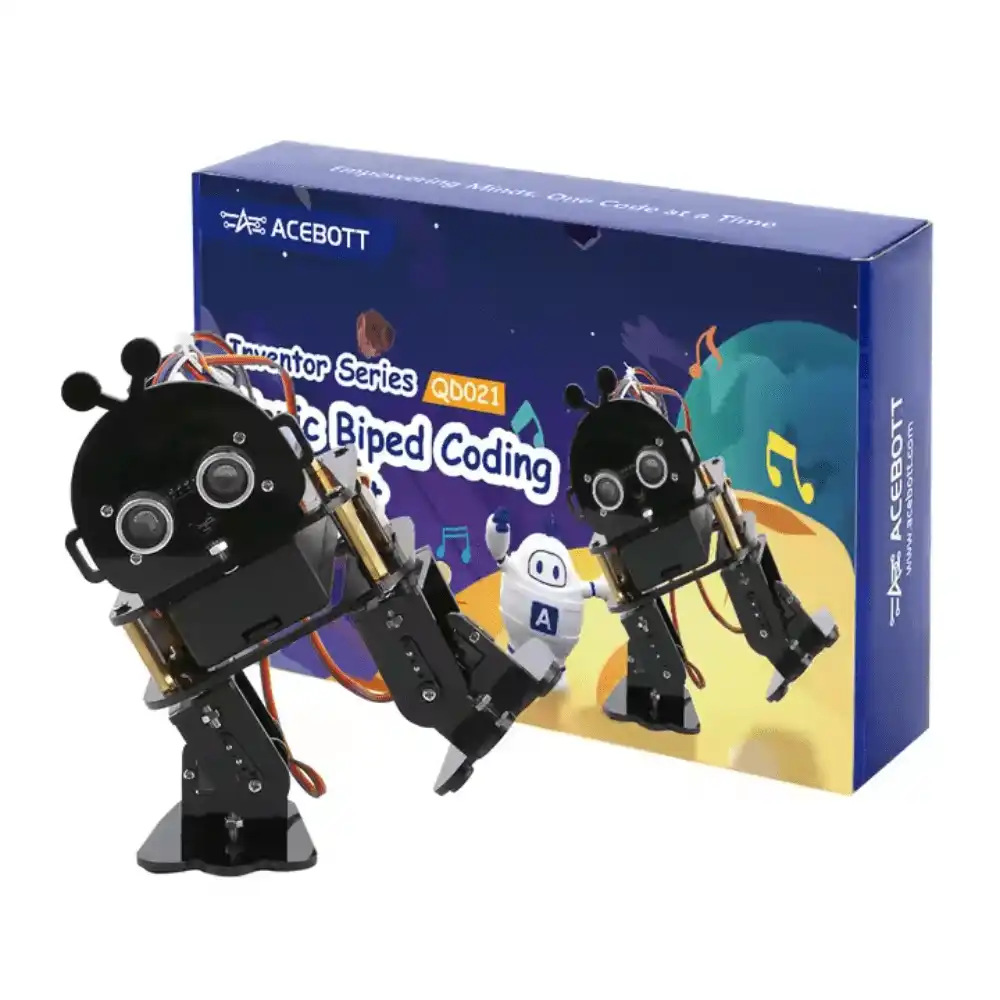
ACEBOTT Biped Robot Kit – QD021
Biped walking robot kit — a perfect platform to apply IMU Kalman filter fusion for balance control and dynamic gait stabilisation.
Real-World Robot Applications
Self-Balancing Robot
The Kalman-filtered roll angle feeds directly into a PID controller that drives the motors to keep the robot upright. Even a 5ms latency improvement in orientation measurement translates to noticeably smoother balancing.
Quadruped / Biped Walking
Six-legged and biped robots use Kalman-fused pitch and roll to dynamically adjust step height and leg position during uneven terrain traversal. Without accurate IMU fusion, foot placement errors accumulate and the robot falls.
Autonomous Ground Vehicles
IMU fusion combined with wheel encoder odometry (EKF — Extended Kalman Filter) provides dead-reckoning navigation between GPS updates. This is the backbone of most ROS (Robot Operating System) navigation stacks.
Drone Attitude Control
Flight controllers like those running ArduPilot or Betaflight use EKF2 — a 24-state Kalman filter — for attitude and velocity estimation. Understanding the fundamentals here directly translates to understanding how professional flight controllers work.
Frequently Asked Questions
Q: What is the difference between Kalman filter and Madgwick filter?
The Madgwick filter is a computationally cheaper orientation filter that uses gradient descent to fuse accelerometer, gyroscope, and optionally magnetometer data. It’s more efficient on microcontrollers but slightly less accurate than the full Kalman. For most hobby robots, both give excellent results.
Q: Can I use the Kalman filter with a BNO055 (which has onboard fusion)?
Yes, but there’s no need — the BNO055 runs its own fusion algorithm internally and outputs quaternions directly. Use the BNO055 when you want to save development time, and use a raw MPU6050 + Kalman when you need to understand or customise the fusion algorithm.
Q: Why does my angle drift to 90° and lock there?
This is gimbal lock — a problem with Euler angle representation when pitch approaches ±90°. Switch to quaternion representation for 3D rotation to avoid this. The Python implementation above can be extended to quaternion states.
Q: How fast does the Kalman loop need to run?
Minimum 100Hz (10ms loop) for most robots. Self-balancing robots need 200–500Hz. Drones need 1000Hz+. The MPU6050 can output at up to 1kHz; match your Kalman loop rate to your motor control loop rate.
Q: Is the Kalman filter the same as EKF?
The standard Kalman filter assumes a linear system. Most robot dynamics are non-linear, so the Extended Kalman Filter (EKF) linearises the system at each step using Jacobian matrices. For simple angle estimation, the standard Kalman filter is sufficient.
Get ESP32 kits, robot chassis, and sensor modules at Zbotic — fast delivery across India. Shop Robotics & DIY at Zbotic and start experimenting with sensor fusion.


Add comment