
Choosing the right VPN solution for your Raspberry Pi VPN project can be confusing — especially when you encounter terms like PiVPN, WireGuard, and OpenVPN all in the same conversation. These are not all the same type of thing: WireGuard and OpenVPN are VPN protocols, while PiVPN is an installer/management tool that can deploy either. In this detailed comparison, we break down the differences, performance benchmarks, ease of setup, and security considerations to help you pick the right approach for your home network or personal privacy setup in India.
Table of Contents
- Understanding PiVPN, WireGuard, and OpenVPN
- Performance Comparison on Raspberry Pi
- Ease of Setup and Configuration
- Security and Encryption Comparison
- Which Option Suits Your Use Case?
- Our Recommendation for Indian Users
- Frequently Asked Questions
Understanding PiVPN, WireGuard, and OpenVPN
Before comparing, it is important to understand what each term means:
WireGuard is a modern, open-source VPN protocol created by Jason Donenfeld and merged into the Linux kernel in version 5.6. It uses state-of-the-art cryptography (ChaCha20, Poly1305, Curve25519, BLAKE2s) and has a codebase of approximately 4,000 lines. It is designed to be simpler, faster, and more secure than older protocols.
OpenVPN is a battle-tested, open-source VPN protocol that has been the industry standard since 2001. It uses the OpenSSL library for encryption and supports a wide range of cipher suites. It is extremely mature, widely compatible, and has been audited extensively. Its codebase is much larger (~100,000 lines), which means a larger attack surface but also more flexibility.
PiVPN is neither a protocol nor a standalone VPN solution. It is an automated installer script specifically designed for Raspberry Pi that can deploy either WireGuard or OpenVPN. It handles key generation, server configuration, firewall rules, and provides a friendly CLI for managing clients (pivpn add, pivpn remove, pivpn -qr). Think of PiVPN as the delivery vehicle and WireGuard/OpenVPN as the engine inside.

Raspberry Pi 5 Model 4GB RAM
The Pi 5 4GB is the sweet spot for a home VPN server — fast enough to saturate most Indian broadband connections with WireGuard or OpenVPN.
Performance Comparison on Raspberry Pi
Performance is often the deciding factor for Raspberry Pi users. Here is a detailed breakdown based on benchmarks run on a Raspberry Pi 4 (Pi 5 results are proportionally better for both):
| Metric | WireGuard | OpenVPN (UDP) | OpenVPN (TCP) |
|---|---|---|---|
| Max throughput (Pi 4) | ~400 Mbps | ~100 Mbps | ~60 Mbps |
| CPU usage (100 Mbps transfer) | ~25% | ~90% | ~95% |
| Connection establishment | ~100ms | ~2-5 sec | ~3-8 sec |
| Idle battery impact (mobile) | Minimal | Moderate | Moderate-High |
| Roaming support | Excellent | Good | Good |
WireGuard’s performance advantage comes from its in-kernel implementation and use of ChaCha20, which is extremely efficient on ARM processors (unlike AES, which benefits from dedicated hardware AES-NI instructions found in x86 CPUs but not in older ARM chips). This is particularly important for Raspberry Pi.
Ease of Setup and Configuration
WireGuard (Manual): Intermediate difficulty. You need to manually generate keys, create config files, set up IP forwarding, and configure firewall rules. Documentation is good but assumes Linux familiarity. Initial setup takes 20-30 minutes for an experienced user.
OpenVPN (Manual): More complex. OpenVPN has a PKI (Public Key Infrastructure) with a Certificate Authority (CA), server certificate, client certificates, and Diffie-Hellman parameters. The EasyRSA tool simplifies this, but there are many more moving parts. Expect 45-60 minutes for a first-time setup.
PiVPN with WireGuard: Easiest option. The interactive installer handles everything in 5-10 minutes. Adding clients is a single command. QR code generation for mobile devices makes client onboarding trivial. This is the recommended approach for most users.
PiVPN with OpenVPN: Much easier than manual OpenVPN but still slightly more involved than PiVPN + WireGuard due to certificate management. Suitable if you have specific reasons to use OpenVPN.

Raspberry Pi 5 Model 16GB RAM
Running multiple services on your Pi alongside your VPN? The 16GB model handles simultaneous workloads without breaking a sweat.
Security and Encryption Comparison
WireGuard Security: WireGuard uses a fixed, opinionated set of modern cryptographic primitives: ChaCha20 for symmetric encryption, Poly1305 for authentication, Curve25519 for key exchange, BLAKE2s for hashing, and SipHash24 for hashtable keys. There are no cipher negotiation options — this is intentional. The protocol is “secure by default” and immune to cipher downgrade attacks. Its small codebase (4,000 lines) has been thoroughly audited.
OpenVPN Security: OpenVPN uses OpenSSL, supporting a vast range of cipher suites including AES-256-GCM, ChaCha20-Poly1305, and others. This flexibility is both a strength and a weakness — misconfiguration can lead to weak cipher choices. However, in experienced hands, OpenVPN can be configured very securely. It has decades of real-world deployment and extensive audit history.
Anonymity Note: WireGuard has one notable privacy consideration: server-side, it requires storing the client’s IP address to maintain state. This is fine for a personal home VPN where you own the server. Commercial VPN providers sometimes add additional layers (like double-NAT) to address this.
Firewall Traversal: OpenVPN on TCP port 443 (HTTPS port) can bypass restrictive firewalls that block unusual ports — useful in corporate environments or countries with heavy internet filtering. WireGuard only runs over UDP, which some strict firewalls may block.
Which Option Suits Your Use Case?
Here is a quick decision guide based on common Indian user scenarios:
- Personal privacy on public WiFi (cafes, airports, hotels): WireGuard via PiVPN — fastest, easiest to reconnect when switching networks
- Accessing home NAS or cameras while travelling: WireGuard via PiVPN — excellent roaming support, low latency
- Bypassing office/corporate firewalls: OpenVPN on TCP/443 — better firewall traversal capability
- Sharing VPN with family (5+ devices): WireGuard — lower CPU overhead means the Pi handles more concurrent connections
- Maximum compatibility with older devices: OpenVPN — wider client support across older Android, iOS, and router firmware
- Running on Pi Zero or Pi 3: WireGuard — much lower CPU usage is critical on slower hardware
Our Recommendation for Indian Users
For the vast majority of Indian users setting up a home VPN server on Raspberry Pi, PiVPN with WireGuard is the clear winner. The reasons are compelling:
- Speed: Most Jio Fiber and Airtel Xstream plans offer 100-200 Mbps speeds. WireGuard on a Pi 4/5 can saturate these connections without bottlenecking. OpenVPN would be a limiting factor.
- Mobile battery life: WireGuard’s efficient design means significantly less battery drain on your phone when the VPN is active all day.
- Reconnection: When switching between 4G data and WiFi, WireGuard reconnects instantly. OpenVPN takes several seconds to re-establish, causing noticeable connection drops.
- Simplicity: PiVPN makes client management trivially easy — show a QR code to a family member and they are connected in seconds.
The only reason to choose OpenVPN over WireGuard is if you need to bypass extremely restrictive firewalls (e.g., in some office environments or during international travel to countries with heavy censorship). In all other cases, WireGuard + PiVPN is the superior choice.
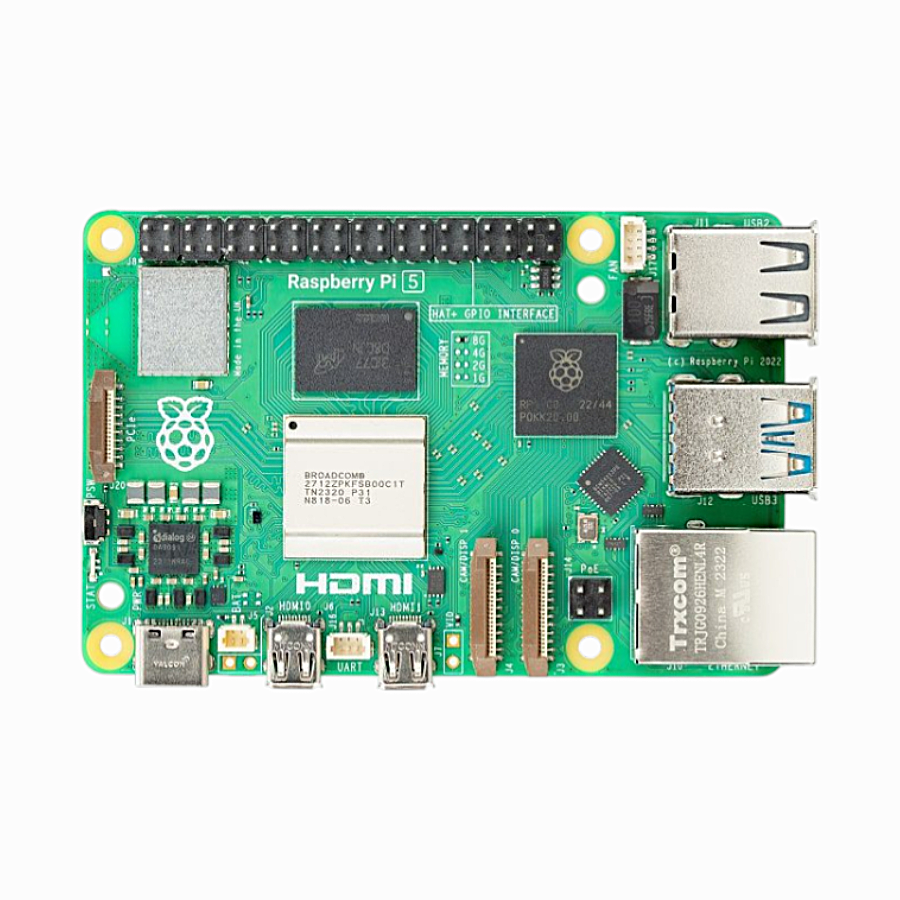
Raspberry Pi 5 Model 2GB RAM
A budget-friendly entry into Pi VPN hosting — the 2GB Pi 5 runs WireGuard smoothly for personal or small family use.
Frequently Asked Questions
Can PiVPN use both WireGuard and OpenVPN on the same Pi?
No, PiVPN installs one VPN protocol per instance. However, you can run both WireGuard and OpenVPN on the same Raspberry Pi by installing WireGuard manually alongside a PiVPN-managed OpenVPN installation, using different ports for each. This is an advanced configuration that most users do not need.
Does WireGuard work on all Raspberry Pi models?
WireGuard works on Raspberry Pi 4 and Pi 5 running 64-bit Raspberry Pi OS with the mainline kernel. On Pi 3 and earlier, WireGuard requires a kernel module compilation step as older kernels predate WireGuard’s inclusion in the mainline kernel. PiVPN handles this automatically but the process is slower on older hardware.
Is PiVPN regularly maintained and safe to use?
PiVPN is an actively maintained open-source project on GitHub. It is widely used and recommended by the Raspberry Pi community. However, as with any server software, you should keep both PiVPN and your Raspberry Pi OS updated regularly for security patches.
What port should I use for WireGuard — can I change from the default 51820?
You can use any available UDP port. Some users change from 51820 to a less obvious port (like 57200 or 63400) as a form of security through obscurity. Others use port 53 (DNS) or 443 to bypass firewall restrictions, though 443 is typically TCP and may not work for WireGuard. The default 51820 is perfectly fine for home use.
Which is more suitable for a Raspberry Pi Zero W — WireGuard or OpenVPN?
WireGuard is significantly better suited to a Pi Zero W due to its lower CPU overhead. However, the Pi Zero W is generally not recommended for a VPN server due to its single-core 1GHz CPU and 512MB RAM. Expect throughput of 10-20 Mbps at most, with high CPU utilisation even with WireGuard. Consider upgrading to a Pi 4 or Pi 5 for a proper VPN server.
Start Your Raspberry Pi VPN Project Today
Whether you choose WireGuard or OpenVPN, you need the right Raspberry Pi hardware. Browse the full range of Pi 4 and Pi 5 boards, cases, and accessories at Zbotic, with fast shipping across India.







Add comment