
Overheating is a serious Raspberry Pi troubleshooting concern, especially in India where ambient temperatures frequently exceed 35–40°C during summer. A Raspberry Pi 5 running at full load in a closed case without cooling can reach 85°C — triggering thermal throttling that reduces CPU clock speed to protect the chip. The result is sluggish performance, random freezes, and in extreme cases, permanent hardware damage. This guide covers everything from detecting throttling to implementing the right cooling solution for your use case.
Symptoms of Raspberry Pi Overheating
Before diving into fixes, it is important to recognise the tell-tale signs of thermal throttling and overheating. Many users mistake overheating symptoms for software problems or hardware failure:
- Thermometer icon in the desktop taskbar — appears when CPU temp exceeds 80°C on Pi 4/5
- Lightning bolt icon — under-voltage, often worsened by high current draw from fans or USB devices at high temps
- Sudden slowdowns under load — video playback stutters, compilation hangs, web browsing lags
- Random reboots or spontaneous shutdowns without apparent reason
- SSH becoming unresponsive during heavy computation (throttling reduces clock speed dramatically)
- High-pitched electronic noise from the board (capacitor stress under thermal strain)
The Raspberry Pi 5 throttles at 85°C (soft limit) and shuts down at 90°C. For Pi 4, the throttle temperature is also 80–85°C. Indian summers with 42°C ambient temperatures in northern India make passive cooling inadequate for sustained CPU loads.
Monitoring CPU Temperature
Always start your Raspberry Pi troubleshooting session with accurate temperature readings. There are several methods:
Method 1: vcgencmd (Built-in)
# One-shot reading:
vcgencmd measure_temp
# Output: temp=54.2'C

# Continuous monitoring every 2 seconds:
watch -n 2 vcgencmd measure_temp
Method 2: /sys Filesystem
cat /sys/class/thermal/thermal_zone0/temp
# Output: 54200 (divide by 1000 to get Celsius = 54.2°C)
Method 3: Python Temperature Logger
import subprocess
import time

def get_cpu_temp():
    result = subprocess.run(['vcgencmd', 'measure_temp'],
                           capture_output=True, text=True)
    temp = result.stdout.replace('temp=', '').replace("'Cn", '')
    return float(temp)

while True:
    temp = get_cpu_temp()
    status = "OK" if temp < 70 else ("WARM" if temp < 80 else "HOT!")
    print(f"CPU Temp: {temp:.1f}°C [{status}]")
    time.sleep(5)
Method 4: Check Throttle Status
vcgencmd get_throttled

# Decode the hex value:
# Bit 0 (0x1):   Under-voltage detected
# Bit 1 (0x2):   Arm frequency capped
# Bit 2 (0x4):   Currently throttled
# Bit 3 (0x8):   Soft temperature limit active
# Bits 16-19:    Historical flags (same as 0-3, since last boot)
If get_throttled returns 0x0, you have no throttling issues. Any non-zero value indicates a problem that needs addressing.
Understanding Throttle Levels
Raspberry Pi uses a tiered thermal management system. Here is what happens at each temperature level on Pi 5:
| Temperature | Action | Impact |
|---|---|---|
| Below 80°C | Normal operation | Full clock speed (3.0 GHz on Pi 5) |
| 80–85°C | Soft thermal limit | Clock reduced to maintain temp |
| 85°C | Hard throttle | Clock severely reduced |
| 90°C | Emergency shutdown | System powers off |
The practical effect: a Pi 5 throttled at 85°C may drop from 3.0 GHz to 1.5 GHz or less — halving performance. For a compile job or ML inference task, this can make a 30-minute job take over an hour.

Raspberry Pi 5 Model 4GB RAM
The Raspberry Pi 5 4GB runs hotter than previous models due to its higher-performance CPU. Proper cooling is not optional on this board — especially in India’s climate. Always pair it with adequate thermal management.
Cooling Solutions Compared
There are four levels of cooling for Raspberry Pi, each progressively more effective:
Level 1: Passive Heatsinks
Stick-on aluminium or copper heatsinks on the SoC, RAM, and PMIC chips. For Pi 5, the SoC generates significant heat — a quality heatsink reduces idle temp by 5–10°C and load temp by 8–15°C.
Best for: Light workloads, Pi Zero, Pi Pico, or as a supplement to other cooling.
Not sufficient for: Raspberry Pi 5 at full sustained CPU load in Indian summer.
Level 2: Heatsink + Small Fan
Adding a 5V or 3.3V fan to a heatsink improves airflow dramatically. The official Raspberry Pi Active Cooler for Pi 5 uses this combination with a controlled fan that runs only when needed, keeping the Pi at under 50°C under load.
Best for: Pi 4 and Pi 5 at moderate to heavy loads.
Level 3: Active Cooling Case
An acrylic or metal case with integrated fan mounts provides structured airflow. Acrylic cases allow you to see the board while providing structural protection. They work well for desktop Pi setups.
Best for: Desktop workstation use, media centres, development machines.
Level 4: PWM Fan with Temperature Control
Connect a 5V PWM fan to GPIO pins and control speed based on CPU temperature programmatically:
import RPi.GPIO as GPIO
import subprocess
import time

FAN_PIN = 18  # PWM-capable pin
GPIO.setmode(GPIO.BCM)
GPIO.setup(FAN_PIN, GPIO.OUT)

fan = GPIO.PWM(FAN_PIN, 25000)  # 25 kHz PWM for silent operation
fan.start(0)

def get_temp():
    output = subprocess.check_output(['vcgencmd', 'measure_temp'])
    return float(output.decode().replace('temp=', '').replace("'Cn", ''))

def get_fan_speed(temp):
    if temp < 40: return 0       # Fan off below 40°C
    if temp < 50: return 30      # 30% speed 40-50°C
    if temp < 60: return 50      # 50% speed 50-60°C
    if temp < 70: return 75      # 75% speed 60-70°C
    return 100                   # Full speed above 70°C

try:
    while True:
        temp = get_temp()
        speed = get_fan_speed(temp)
        fan.ChangeDutyCycle(speed)
        print(f"Temp: {temp}°C | Fan: {speed}%")
        time.sleep(5)
except KeyboardInterrupt:
    fan.stop()
    GPIO.cleanup()
Best for: Pi 5 at full load, video processing, machine learning inference.
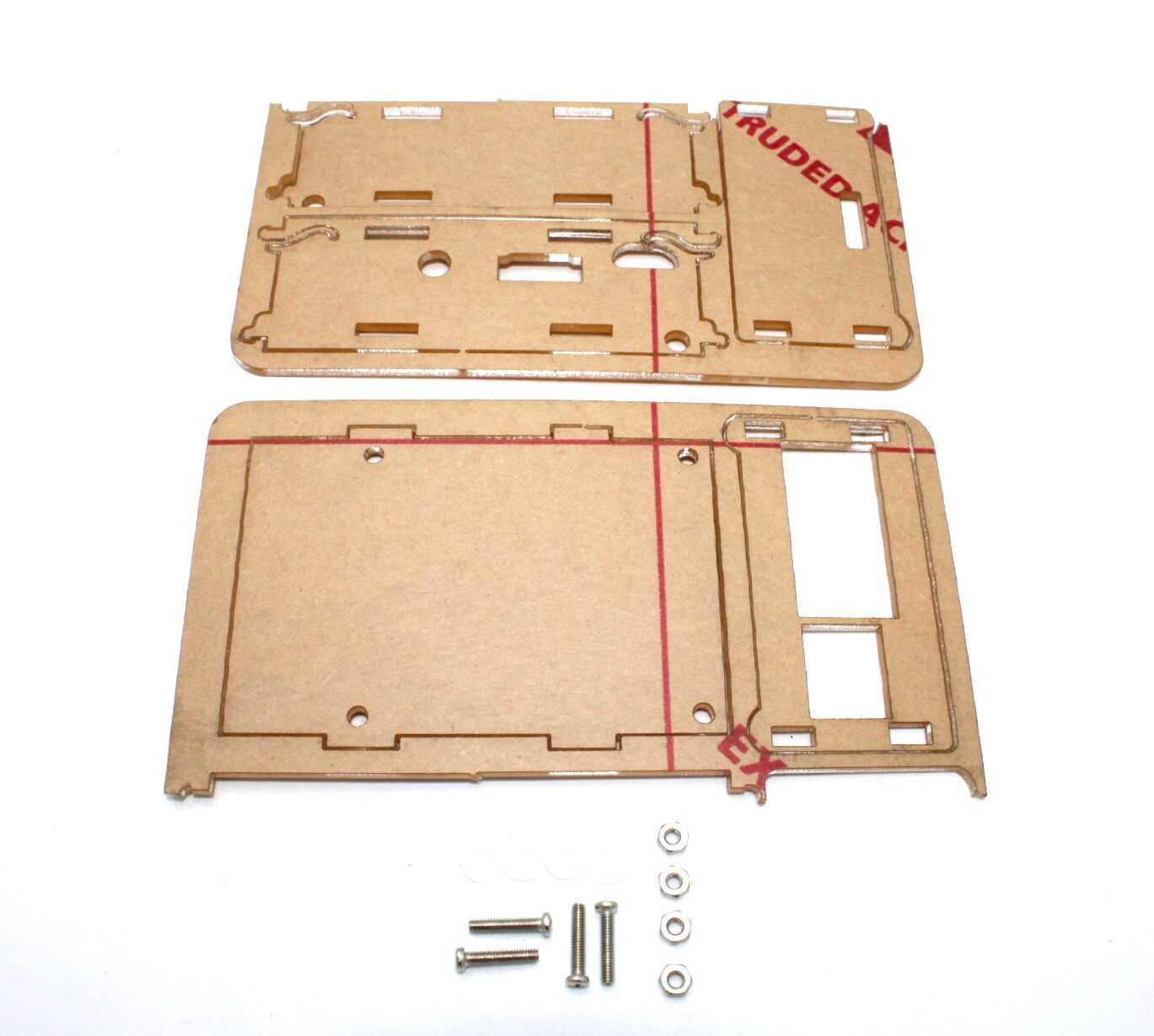
Acrylic Case Suitable for Raspberry Pi 4 and 3.5 inch LCD
A well-ventilated acrylic case with GPIO access and display support. The open-slot design allows natural airflow and easy fan mounting — a practical cooling upgrade over a closed plastic case for Raspberry Pi 4 builds.
Choosing the Right Case for Indian Climate
Case selection is critical for thermal management in India. Here is what to look for:
- Avoid sealed plastic cases with no ventilation — these act as ovens in 40°C ambient temperatures
- Prefer open-frame or acrylic cases with ventilation slots or fan mounts
- Metal cases (aluminium) act as passive heatsinks themselves but need ventilation holes
- Tower coolers with tall heatsink fins work best for Pi 5 in hot environments
- Fan direction matters: ensure air flows over the SoC, not just around it
Software Fixes and Power Management
Reduce Max CPU Clock Speed
If you do not need maximum performance, capping the clock speed reduces heat generation significantly:
# In /boot/config.txt:
arm_freq=1800  # Cap at 1.8 GHz instead of 3.0 GHz (Pi 5)
# Or for Pi 4:
arm_freq=1500
CPU Governor / Frequency Scaling
# Check current governor:
cat /sys/devices/system/cpu/cpu0/cpufreq/scaling_governor

# Available governors:
cat /sys/devices/system/cpu/cpu0/cpufreq/scaling_available_governors
# ondemand performance powersave conservative schedutil

# Set powersave (reduces clock when idle - less heat):
echo powersave | sudo tee /sys/devices/system/cpu/cpu*/cpufreq/scaling_governor

# Set performance (maximum speed but more heat):
echo performance | sudo tee /sys/devices/system/cpu/cpu*/cpufreq/scaling_governor
Disable Unused Hardware
Bluetooth, WiFi, USB 3.0, and camera interfaces all generate heat. Disable what you do not need:
# In /boot/config.txt:
dtoverlay=disable-bt   # Disable Bluetooth
dtoverlay=disable-wifi  # Disable WiFi (Pi 4)

# Reduce GPU memory allocation (lowers temp slightly):
gpu_mem=16  # Minimum for headless setups
Specific Tips for Indian Climate
India’s climate presents unique Raspberry Pi thermal challenges that are not covered in most western guides:
Summer (April–June): 35–47°C ambient
- Passive cooling is completely insufficient for Pi 5 during this period
- Place the Pi near an AC vent if possible, or in an air-conditioned room
- Use a temperature-controlled fan (PWM script above) that ramps up aggressively above 65°C
- Consider a small USB desk fan blowing on the open Pi case
Monsoon (June–September): High Humidity
- High humidity can cause condensation on cold PCB surfaces — avoid sudden temperature transitions
- Silica gel desiccants inside enclosed cases help absorb excess moisture
- Monitor for corrosion on GPIO header pins in coastal cities (Mumbai, Chennai)
Dust Management
- Indian environments (especially near construction sites) have high particulate matter
- Dust accumulation on heatsink fins reduces thermal efficiency by up to 40%
- Clean heatsink fins monthly with compressed air
- Use a filtered fan enclosure in dusty workshop environments
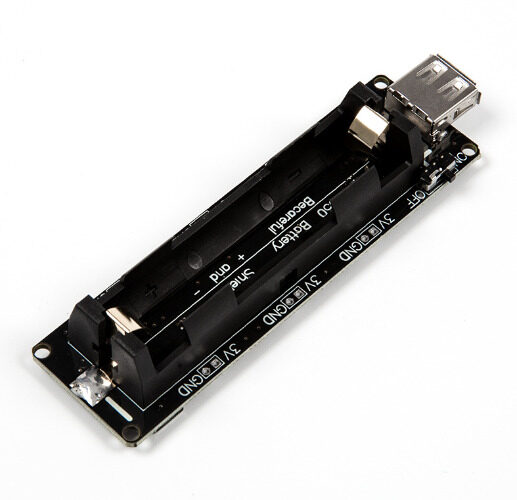
18650 Battery Holder Development Board V3 for Raspberry Pi
This battery backup board keeps your Raspberry Pi running during power cuts — common in India — and prevents the sudden shutdowns that corrupt SD cards and cause boot failures related to thermal events.
Frequently Asked Questions
What temperature is too hot for Raspberry Pi 5?
The Raspberry Pi 5 starts soft throttling at 80°C and hard throttles at 85°C. For sustained operation in India, aim to keep the CPU below 70°C under load. Idle temperatures should be under 45°C with good passive cooling. Emergency thermal shutdown occurs at 90°C.
Is overclocking safe on Raspberry Pi in Indian summers?
No. Overclocking a Raspberry Pi 5 to 3.2–3.3 GHz in a 35°C+ ambient environment without active cooling is a recipe for thermal throttling that negates any overclocking benefit. If you want to overclock, pair it with the official Active Cooler and ensure good ambient airflow.
Can I use the DS18B20 temperature sensor to monitor Raspberry Pi SoC temperature?
The DS18B20 is an external temperature sensor for measuring ambient air or liquid temperature — it is not attached to the SoC die. For accurate Pi CPU temperature, always use vcgencmd measure_temp which reads the on-chip thermal sensor directly.
My Raspberry Pi fan is noisy. Can I reduce fan speed?
Yes. Use the PWM fan control script described above to run the fan at 30–50% speed below 60°C. A 25 kHz PWM frequency is above the audible range and produces a smoother, quieter output than low-frequency PWM. Alternatively, invest in a quality fan — cheap fans are significantly louder.
Does thermal throttling cause permanent damage?
Throttling itself is a protection mechanism and does not cause permanent damage — it prevents damage. However, repeated thermal cycling (heating and cooling) over time can stress solder joints. If your Pi frequently reaches throttling temperatures, improve cooling to reduce thermal stress on components.
Keep Your Raspberry Pi Cool This Summer
Don’t let Indian summer temperatures throttle your Raspberry Pi projects. Browse Zbotic’s range of Raspberry Pi boards, cases, sensors, and accessories — all designed to help you build projects that run reliably year-round.







Add comment