
When deploying an ESP32 in a commercial product or a sensitive IoT installation, protecting your firmware becomes critical. ESP32 secure boot and flash encryption are two hardware-level security features built into the ESP32 chip that together prevent firmware tampering, reverse engineering, and unauthorised code execution. In this guide, we’ll explain how both mechanisms work, how to enable them, and the important precautions to take before you do — because these features are largely irreversible once enabled.
Why Security Matters for ESP32 Products
The ESP32 is one of the world’s most popular IoT microcontrollers, and that popularity makes it a target. Consider these threat scenarios:
- Firmware theft: A competitor or hacker reads your flash memory over UART and reverse-engineers your product’s logic, Wi-Fi credentials, or API keys embedded in the binary.
- Firmware tampering: Someone replaces your legitimate firmware with malicious code that exfiltrates data or disables safety features.
- Cloning: Your hardware design is cloned with pirated firmware and sold as a counterfeit product.
- Credential exposure: Hard-coded AWS IoT certificates, Blynk tokens, or private API keys stored in flash are extracted and misused.
For hobbyist projects and prototypes, these risks are low. But the moment you ship a product to end customers — even a small batch of 50 units for a local business — firmware protection becomes essential. The ESP32’s built-in security features are among the best available at this price point.
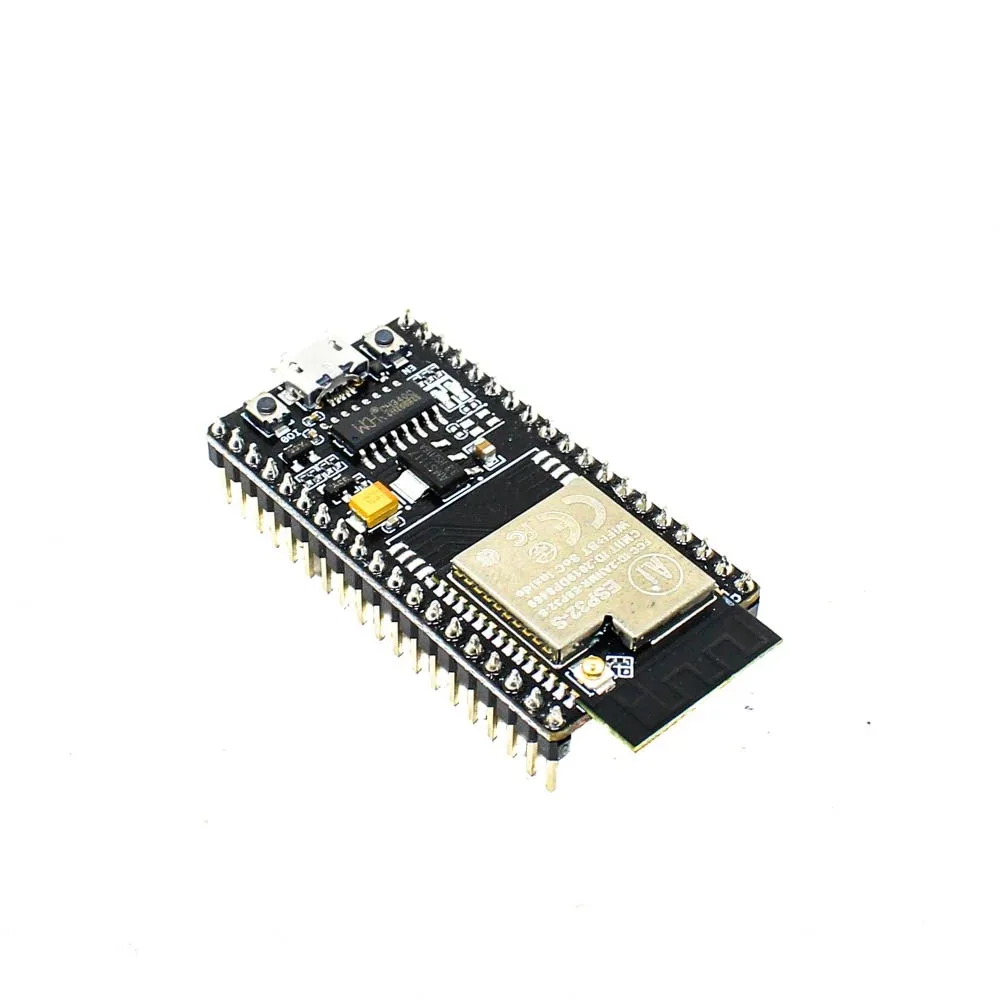
Ai Thinker NodeMCU-32S ESP32 Development Board
A widely available ESP32 dev board for testing security features. Note: always test secure boot and flash encryption on a dedicated unit before production.
Understanding ESP32 Secure Boot
Secure Boot (also called Verified Boot) ensures that only firmware signed with a trusted private key will run on the ESP32. Here’s the chain of trust:
- The ESP32’s First Stage Bootloader (burned in ROM, immutable) verifies the Second Stage Bootloader stored in flash.
- The Second Stage Bootloader verifies the application firmware.
- If any signature check fails, the device refuses to boot.
ESP32 supports two versions of Secure Boot:
- Secure Boot v1 (RSA-3072): Available on original ESP32 and ESP32-S2. The public key hash is burned into eFuse BLOCK2.
- Secure Boot v2 (RSA-3072 or ECDSA): Available on ESP32-S3, ESP32-C3, ESP32-C6, and newer chips. Supports up to 3 signing keys for key rotation, which is critical for production OTA updates.
The signing key (private key) must be kept secret and backed up securely. If you lose it, you cannot update the firmware via normal means. This is not a recoverable situation in a production device.
Understanding ESP32 Flash Encryption
Flash encryption protects the content of the flash memory at rest. When enabled:
- The ESP32 hardware generates a random 256-bit AES key and burns it into eFuse (unreadable after that — even by you).
- All flash reads and writes go through a hardware AES engine transparently.
- If someone physically removes the flash chip and reads it with an external programmer, they only see encrypted data.
- UART download mode can be disabled (or restricted to encrypted flashing only).
Flash encryption operates in two modes:
- Development mode: UART download remains enabled; encrypted flashing is allowed. You can reflash the device, but data is still encrypted at rest. Limited to a few flash count increments.
- Release mode: UART download is completely disabled. The device can only be updated via OTA. This is what you want for production.
A critical point: Flash encryption and Secure Boot are independent features, but Espressif strongly recommends enabling both together. Flash encryption alone doesn’t prevent running malicious code (just reading it), while Secure Boot alone doesn’t prevent reading credentials from flash.
How to Enable Secure Boot (Step by Step)
We’ll use ESP-IDF (the official Espressif framework) for this — Arduino IDE does not have full support for all security configuration options.
Prerequisites
- ESP-IDF v4.4 or later installed
- Python 3.7+ and esptool.py
- A dedicated ESP32 unit for testing (not your only board!)
Step 1: Generate the Signing Key
espsecure.py generate_signing_key --version 2 secure_boot_signing_key.pemCritical: Back up secure_boot_signing_key.pem immediately. Store it in multiple offline locations. Losing this key means you can never update the firmware on devices with Secure Boot enabled.
Step 2: Configure via menuconfig
Run idf.py menuconfig and navigate to Security features:
- Enable “Enable hardware Secure Boot in bootloader”
- Select “Secure Boot Version 2”
- Set the signing key path to your
secure_boot_signing_key.pem - Choose “Require signed app images”
Step 3: Build and Flash
idf.py build
idf.py flash
During the first flash, the bootloader reads your public key, hashes it, and permanently burns that hash into the ESP32’s eFuse. From this point on, only firmware signed with the matching private key will run.
Step 4: Verify
After flashing, reset the device. Monitor the serial output — you should see lines like secure_boot_v2: Verifying with RSA-PSS... and secure_boot_v2: Signature verified successfully.
How to Enable Flash Encryption
Flash encryption is configured in menuconfig under Security features → Enable flash encryption on boot.
Development Mode (Recommended for Testing)
Set the mode to Development. Build and flash normally. On first boot, the ESP32 hardware generates a random key, burns it into eFuse, and then re-encrypts the flash. This takes about 30 seconds — the device will restart a couple of times during this process. Do not power off during this phase.
Verifying Encryption
After encryption is active, try reading the flash with esptool:
esptool.py --port /dev/ttyUSB0 read_flash 0 0x400000 flash_backup.binOpen the binary in a hex editor — you should see completely random-looking data with no readable strings.
Switching to Release Mode
For production, run:
espefuse.py --port /dev/ttyUSB0 burn_efuse DIS_DOWNLOAD_MODEThis permanently disables UART download mode. The device can only receive updates via OTA from this point.

Ai Thinker ESP32-C3-01M Wi-Fi + BLE Module
The ESP32-C3 supports Secure Boot v2 with ECDSA — ideal for production IoT products that need both security features and a compact footprint.
Common Pitfalls and What NOT to Do
- Never enable Release Mode on a test board without a working OTA mechanism. You will permanently brick your ability to reflash via USB.
- Never lose your signing key. There is no recovery. The device is permanently locked to that key.
- Don’t use the same signing key for dev and production. Use separate keys for development (testing), staging, and production.
- Test OTA updates thoroughly before enabling Release Mode. Set up, test, and verify OTA at least 5 times in Development mode before burning the Release fuse.
- Always generate keys on an air-gapped machine or at minimum an offline environment. Keys generated on internet-connected machines are at risk.
- ESP32 DevKit modules are NOT designed for production security. For commercial products, use bare ESP32 modules (like the ESP-WROOM-32) on your own PCB — this way you control the entire hardware chain.
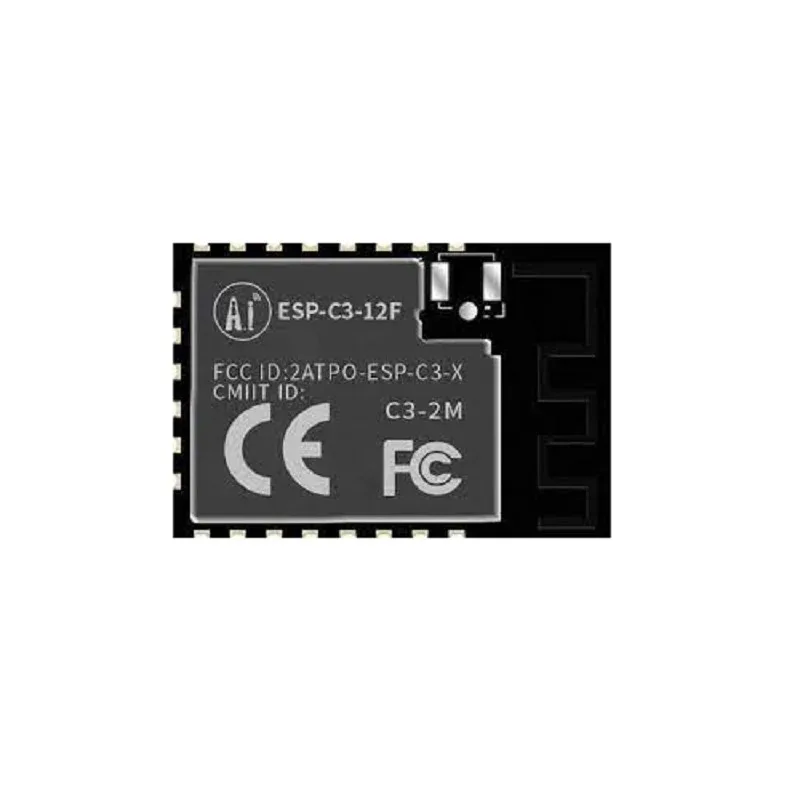
Ai-Thinker ESP32-C3-12F Wi-Fi + BLE Module
A compact, stamp-hole ESP32-C3 module designed for PCB integration — suitable for commercial IoT products where firmware security is mandatory.
Frequently Asked Questions
Can I enable Secure Boot with the Arduino IDE?
Partially. The Arduino IDE with the esp32 core does support a few security settings via board options, but for full control over Secure Boot v2 and flash encryption modes, you should use ESP-IDF or at least use the IDF component manager within PlatformIO. Critical production deployments should always use ESP-IDF directly.
What happens if the flash encryption key is lost?
In Release mode, the device cannot be reflashed at all without the encryption key, and since the key is burned into eFuse (unreadable), it’s effectively bricked from a software perspective. In Development mode, there are limited reflash attempts. This is why backing up your signing key is non-negotiable.
Does flash encryption slow down the ESP32?
The AES encryption/decryption is handled entirely in hardware (the ESP32 has a dedicated hardware AES accelerator), so the performance impact on code execution is negligible — typically less than 5% overhead on flash read speed.
Does ESP32 secure boot work with OTA updates?
Yes, but you must sign your OTA firmware binaries with the same private key (or one of the approved keys in Secure Boot v2 with multiple keys). The OTA partition is verified before being activated. This means you need to build a signing step into your OTA update pipeline.
Which is more important — Secure Boot or Flash Encryption?
Both serve different purposes and should ideally be used together. If you can only enable one: Flash Encryption prevents credential theft, while Secure Boot prevents unauthorised code execution. For most IoT products handling user data, Flash Encryption is the higher priority. For products with safety-critical behaviour, Secure Boot is essential.
Build Secure IoT Products with ESP32
Find genuine ESP32 modules and development boards at Zbotic.in. We stock Ai-Thinker ESP32 modules, ESP32-C3, ESP32-S3 and more — all sourced from authorised distributors with fast pan-India delivery.


Add comment