
If you have ever built a circuit that behaves strangely — microcontrollers resetting randomly, ADC readings jumping around, digital logic glitching — the culprit is very often a missing or incorrectly placed decoupling capacitor. These tiny components are perhaps the most overlooked, underestimated parts in electronics. Experienced engineers place them almost automatically; beginners wonder why their breadboard projects are unreliable.
In this complete guide we will explain exactly what decoupling capacitors do, why every digital and mixed-signal circuit absolutely requires them, and how to pick and place them correctly every single time.
What Are Decoupling Capacitors?
A decoupling capacitor (also called a bypass capacitor) is a capacitor placed between a power supply rail (VCC) and ground (GND), physically as close as possible to an IC’s power pin. Its job is to act as a tiny, local energy reservoir that supplies instantaneous current to the IC when the chip’s internal logic switches states — faster than the power supply or long PCB traces can respond.
Think of the decoupling capacitor as a small rechargeable tank right next to a thirsty IC. When the IC suddenly needs a burst of current, the capacitor discharges in nanoseconds to fill the demand, preventing a voltage dip on the supply rail. The power supply then slowly recharges the capacitor.
Why Does Every Circuit Need Them?
The Problem: Switching Noise
Modern digital ICs switch millions or billions of times per second. Each switching event — a logic gate changing from 0 to 1 — requires a brief but intense surge of current. This current must travel through the power supply traces and wires, which have parasitic inductance (even a 1 cm wire has ~10 nH of inductance). By Lenz’s law (V = L × dI/dt), any rapid change in current through an inductor produces a voltage spike.
The result: every time your Arduino changes a digital output, the 5 V rail briefly dips or spikes. These transients are called switching noise or supply bounce. Without decoupling capacitors:
- Other ICs sharing the same rail see the noise and may misinterpret their supply voltage
- ADC readings become noisy and inaccurate
- Microcontrollers can reset or execute random instructions (brown-out)
- RF interference is generated (EMC failure in commercial products)
- Oscillators and PLLs jitter, causing clock instability
The Solution: Decoupling Capacitors
A capacitor placed close to the power pin provides a low-impedance path for high-frequency current. Instead of travelling all the way back to the power supply, the switching current loops locally between the capacitor and the IC — the loop is tiny, the inductance is tiny, and the resulting voltage disturbance is tiny.
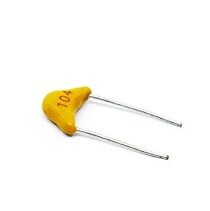
0.1/100nF Multilayer Ceramic Capacitor (Pack of 50)
The gold standard decoupling capacitor — 100nF ceramic caps belong on every VCC pin in your circuit.
How Decoupling Capacitors Work
Impedance vs Frequency
A capacitor’s impedance decreases as frequency increases: Z = 1 / (2π × f × C). A 100 nF capacitor has:
- At 1 kHz: Z = 1590 Ω (too high to help)
- At 1 MHz: Z = 1.59 Ω (good)
- At 100 MHz: Z = 0.016 Ω (excellent bypass)
This is exactly what we want — the capacitor is essentially a short circuit for high-frequency switching noise, diverting it straight to ground instead of allowing it to propagate through the supply rail.
The Role of ESR and ESL
No real capacitor is ideal. Every capacitor has:
- ESR (Equivalent Series Resistance): Resistance in series with the capacitance. Lower is better for decoupling.
- ESL (Equivalent Series Inductance): Parasitic inductance from the capacitor’s leads and body. This limits performance at very high frequencies — above the self-resonant frequency (SRF), the capacitor starts behaving as an inductor!
Multilayer ceramic capacitors (MLCC) have very low ESR and ESL, which is why they dominate in decoupling applications. Electrolytic capacitors have high ESR and ESL — they are used for bulk decoupling at lower frequencies, not high-frequency bypass.
Bypass vs Decoupling: Is There a Difference?
In practice, the two terms are used interchangeably. Technically:
- Bypass capacitor emphasises diverting (bypassing) high-frequency noise from the supply to ground.
- Decoupling capacitor emphasises isolating (decoupling) one section of a circuit from another, preventing noise from propagating between them.
Both functions are achieved by the same physical component placed the same way. You will see both terms in datasheets — don’t let it confuse you.
Choosing the Right Capacitor Value
The Classic Two-Capacitor Strategy
Professional PCB designers use two capacitors in parallel for each IC power pin:
- 100 nF (0.1 µF) ceramic: Handles high-frequency noise (1–500 MHz). This is the main decoupling capacitor.
- 10 µF ceramic or tantalum: Handles lower-frequency transients and bulk energy storage. Compensates for the 100 nF capacitor’s self-resonant dip.
Using both in parallel creates a broader frequency response with no impedance peak, giving effective decoupling across a wide range.
Value Guidelines by Application
| Application | Local Bypass | Bulk Decoupling |
|---|---|---|
| Microcontroller (Arduino/ESP32) | 100 nF | 10–47 µF |
| ADC / precision analog IC | 100 nF + 10 nF | 10 µF |
| High-speed logic (FPGA, DSP) | 100 nF (multiple per power pin) | 100 µF |
| Motor driver IC | 100 nF | 100–470 µF electrolytic |
AVCC / Analog Power Pins
ICs with separate analog power pins (like the ATmega328P’s AVCC for ADC) require extra attention. Add 100 nF + 10 µF right at the AVCC pin, and optionally feed AVCC through a small ferrite bead (600 Ω @ 100 MHz) to further isolate it from the noisy digital VCC.
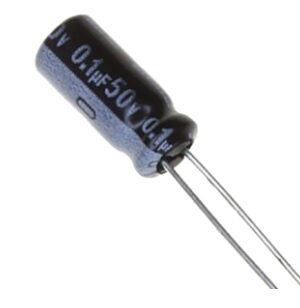
0.1µF 50V Capacitor (Pack of 50)
High-quality 50V rated 100nF capacitors — ideal for decoupling across a range of supply voltages including 5V and 12V circuits.
Which Capacitor Type to Use
Multilayer Ceramic Capacitors (MLCC) — First Choice
Available from 1 pF to 100 µF. Very low ESR, very low ESL, stable temperature coefficient (use X5R or X7R dielectric for decoupling — avoid Y5V which degrades badly with temperature and voltage). Ideal for all local decoupling from 1 nF to 10 µF.
Tantalum Capacitors — Bulk Decoupling
Low ESR for their capacitance, available up to hundreds of µF. Useful for bulk decoupling. However: they fail catastrophically (catch fire) if reverse-biased or subjected to voltage spikes above their rating. Always derate voltage rating by 50% and never use near inductive loads without a protection diode.
Aluminium Electrolytic — Large Bulk Reservoirs
Cheap, high capacitance (up to thousands of µF), but high ESR and ESL, polarity-sensitive, and limited life (electrolyte dries out over time). Use for large bulk decoupling at the power supply entry point, not for local IC bypass. Not suitable above a few hundred kHz.
PCB Placement Rules
Placement is as important as the value. Even a perfect 100 nF capacitor placed 5 cm from the IC provides negligible benefit at 100 MHz because the connecting traces add inductance.
Rule 1: Place decoupling capacitors as close as physically possible to the power pin
The goal is a current loop from the capacitor to the IC power pin that is as small and short as possible. On SMD boards, the capacitor should be within 1–2 mm of the power pin. On through-hole boards, aim for under 1 cm.
Rule 2: Use short, wide traces
The trace from the capacitor to the power pin should be as short and as wide as possible to minimise inductance. Long, thin traces defeat the purpose entirely.
Rule 3: Connect to the ground plane directly
Use a via straight to the ground plane for the capacitor’s GND pin. Avoid sharing a via with other components — every shared connection adds inductance.
Rule 4: Place the capacitor between the supply and the IC, not after it
The supply trace should run to the capacitor first, and then to the IC power pin — not bypass the capacitor on a tap-off spur. This ensures the capacitor is in the direct current path.
Rule 5: Use multiple capacitors per IC for high-speed parts
High-speed FPGAs and DSPs often have 20+ power pins. Each one needs its own 100 nF capacitor, plus shared bulk capacitance.
Decoupling on a Breadboard
Breadboards have significant parasitic inductance and poor ground connections. Follow these tips:
- Place a 100 nF ceramic capacitor across the power rails directly at the power entry point.
- Add another 100 nF right next to every IC, connecting VCC and GND rails as close as possible to the IC.
- Add a 10–47 µF electrolytic across the main power rails for bulk energy storage.
- Use short jumper wires — long wires act as antennas and add inductance.
- Keep analog and digital sections physically separated on the breadboard.
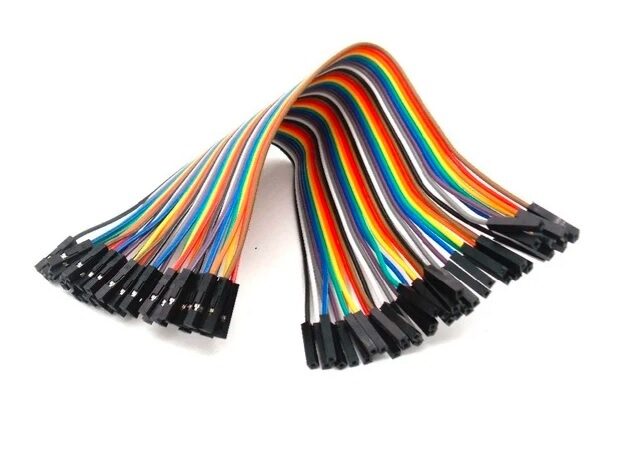
10CM Female to Female Breadboard Jumper Wires (40Pcs)
Keep your breadboard wiring short and neat — shorter wires mean less parasitic inductance and better decoupling effectiveness.
Real-World Examples
Arduino Uno Without Decoupling
Connect an Arduino to a potentiometer on A0 and analogRead() rapidly while toggling a digital pin at 500 kHz. Without decoupling capacitors on the 5 V rail near the ATmega328P, the ADC readings will show noise spikes 30–50 counts wide. Add 100 nF + 10 µF near AVCC and the noise drops to 1–2 counts.
L298N Motor Driver Glitching
Motor drivers draw huge, pulsed currents when driving inductive loads. Without a large bulk capacitor (100–470 µF) across the motor supply pins, the voltage sag from the motor current demand can reset the microcontroller or corrupt communication buses. Adding the capacitor eliminates this.
OLED Display I2C Errors
A common problem: I2C OLED display works initially but starts showing garbled characters or communication errors. Adding 100 nF on the OLED module’s VCC pin often resolves this completely.
Common Mistakes to Avoid
- Placing caps too far from the IC: Even 2–3 cm is too far for high-frequency bypass. Distance = inductance = wasted capacitor.
- Using only one value: Using only 100 nF without bulk capacitance leaves low-frequency transients unaddressed.
- Skipping analog power pins: AVCC, DVCC, VDD pins on ADCs and DACs absolutely need their own decoupling — often more carefully than digital pins.
- Forgetting the ground connection: The GND side of the decoupling cap must go directly to the ground plane, not through a long shared trace.
- Using electrolytic caps for high-frequency bypass: Electrolytics are too slow. Always use ceramic for local bypass.
Frequently Asked Questions
Do I need decoupling capacitors on a breadboard?
Yes, absolutely. Breadboards are actually worse than PCBs for noise because they have higher parasitic inductance. Always add at least one 100 nF ceramic capacitor near every IC, plus bulk capacitance at the power rails.
What happens if I don’t use decoupling capacitors?
Your circuit may work fine initially but fail intermittently or under different loads. You’ll see microcontroller resets, ADC noise, I2C/SPI communication errors, RF interference, and unpredictable logic behaviour. In commercial products, missing decoupling capacitors can cause EMC (electromagnetic compatibility) test failures.
Can I use one big capacitor instead of many small ones?
No. One large capacitor placed away from an IC does not replace multiple small capacitors placed close to each IC. The self-resonant frequency of a large capacitor is lower, and the critical issue is placement (loop inductance), not just total capacitance.
What value should I use: 100 nF or 10 nF?
Use 100 nF as your standard local bypass capacitor. Use an additional 10 nF for very high-frequency ICs (above 500 MHz clock) where 100 nF’s SRF becomes a limitation. For most microcontroller and sensor projects, 100 nF alone is sufficient.
Should decoupling capacitors be before or after the IC power pin?
They should be between the power supply trace and the IC power pin — the power trace should go cap-first, then IC. This ensures switching current from the IC flows through the cap and back to the IC, not out to the power supply.
Are decoupling capacitors needed on 3.3 V and 1.8 V rails too?
Yes. Every power rail, regardless of voltage, needs decoupling. Lower voltage rails are often even more sensitive because the noise margins are smaller.
Stock up on decoupling capacitors today. Zbotic.in carries 100nF and 0.1µF ceramic capacitors in convenient packs — perfect for breadboard prototypes and PCB designs. Browse zbotic.in and get all your components delivered fast across India.







Add comment