
The ADXL345 is one of the most versatile and affordable 3-axis digital accelerometers available to makers, students, and engineers. Unlike simpler tilt sensors that only give you a digital HIGH/LOW, the ADXL345 delivers 13-bit resolution acceleration data on all three axes, supports hardware-detected events (tap, double-tap, free-fall, activity, inactivity), and communicates over either I2C or SPI. If you are building a self-balancing robot, a motion-activated alarm, a gesture-controlled device, or an inclinometer, the ADXL345 is a supremely capable choice. This step-by-step guide covers everything from basic wiring to advanced interrupt-driven motion detection on Arduino.
1. ADXL345 Overview: Key Features and Specs
The ADXL345 from Analog Devices is a small, thin, low-power, 3-axis MEMS accelerometer with 13-bit resolution. Here are its headline specifications:
| Parameter | Specification |
|---|---|
| Measurement range | ±2g, ±4g, ±8g, ±16g (software selectable) |
| Resolution | 13-bit (10-bit at 2g range, up to 13-bit at 16g) |
| Sensitivity | 3.9 mg/LSB (at ±2g full resolution) |
| Output data rate | 0.1 Hz to 3200 Hz |
| Supply voltage | 2.0–3.6 V (I/O pins: 1.7–3.6 V or tolerant with level shifter) |
| Current consumption | 40 µA at 100 Hz; 0.1 µA standby |
| Interface | I2C (up to 400 kHz) or SPI (up to 5 MHz) |
| FIFO buffer | 32-level FIFO for burst reading |
| Interrupts | 2 programmable interrupt outputs (INT1, INT2) |
The GY-ADXL345 breakout module (widely available in India) includes a 3.3 V LDO regulator and level-shifting resistors, making it safe to use directly with 5 V Arduino boards without an additional level shifter.
2. I2C Wiring to Arduino
I2C mode is selected by connecting the CS pin to VCC (logic high). The SDO/ALT ADDRESS pin sets the I2C address:
- SDO → GND: address = 0x53
- SDO → VCC: address = 0x1D
GY-ADXL345 → Arduino Uno
VCC  → 3.3 V
GND  → GND
SDA  → A4 (SDA)
SCL  → A5 (SCL)
CS   → 3.3 V (enables I2C mode)
SDO  → GND (I2C address 0x53)
INT1 → D2 (optional, for interrupts)
INT2 → D3 (optional)
Note: The Arduino Uno’s A4/A5 I2C lines already have 10 kΩ pull-up resistors on most GY modules. If using a bare ADXL345 chip, add 4.7 kΩ pull-ups from SDA and SCL to 3.3 V.
3. SPI Wiring to Arduino
SPI mode is faster (up to 5 MHz vs 400 kHz for I2C) and is preferred when you need high data rates (above 800 Hz output rate, I2C cannot keep up).
GY-ADXL345 → Arduino Uno
VCC  → 3.3 V
GND  → GND
SDA  → D11 (MOSI)
SDL  → D13 (SCK)
SDO  → D12 (MISO)
CS   → D10 (SS, active LOW)
In SPI mode, the CS pin selects the device (active LOW). You can connect multiple ADXL345s to the same SPI bus using separate CS pins on the Arduino.
4. Basic Readings: Acceleration in g
Install the Adafruit ADXL345 library via the Library Manager (it requires Adafruit Unified Sensor as a dependency). Then use this sketch:
#include <Wire.h>
#include <Adafruit_ADXL345_U.h>

Adafruit_ADXL345_Unified accel = Adafruit_ADXL345_Unified(12345);

void setup() {
  Serial.begin(115200);
  if (!accel.begin()) {
    Serial.println("ADXL345 not found. Check wiring!");
    while (1);
  }
  accel.setRange(ADXL345_RANGE_2_G);  // ±2g, highest resolution
  Serial.println("ADXL345 ready.");
}

void loop() {
  sensors_event_t event;
  accel.getEvent(&event);
  Serial.print("X: "); Serial.print(event.acceleration.x); Serial.print(" m/s²  ");
  Serial.print("Y: "); Serial.print(event.acceleration.y); Serial.print(" m/s²  ");
  Serial.print("Z: "); Serial.print(event.acceleration.z); Serial.println(" m/s²");
  delay(100);
}
The library returns acceleration in m/s² (divide by 9.81 to get g). When the sensor is lying flat, Z should read approximately 9.81 m/s² (1g from gravity), X and Y should read near 0.
5. Tilt Detection: Roll and Pitch Angles
To compute roll (rotation around the X axis) and pitch (rotation around the Y axis) from the accelerometer readings, use inverse trigonometry. This works reliably for static or slowly moving applications — for dynamic tilt under vibration, fuse with a gyroscope (see MPU6050/MPU9250).
#include <math.h>

void computeTilt(float ax, float ay, float az,
                 float &roll, float &pitch) {
  // ax, ay, az in g (divide m/s² reading by 9.81)
  roll  = atan2(ay, az) * 180.0 / PI;
  pitch = atan2(-ax, sqrt(ay*ay + az*az)) * 180.0 / PI;
}

void loop() {
  sensors_event_t event;
  accel.getEvent(&event);
  float ax = event.acceleration.x / 9.81;
  float ay = event.acceleration.y / 9.81;
  float az = event.acceleration.z / 9.81;
  float roll, pitch;
  computeTilt(ax, ay, az, roll, pitch);
  Serial.print("Roll: ");  Serial.print(roll,  1); Serial.print("°  ");
  Serial.print("Pitch: "); Serial.print(pitch, 1); Serial.println("°");
  delay(200);
}
Roll and pitch are both returned in degrees, ranging from -180° to +180°. Note that yaw (rotation around the vertical axis) cannot be determined from accelerometer data alone — you need a magnetometer for that.
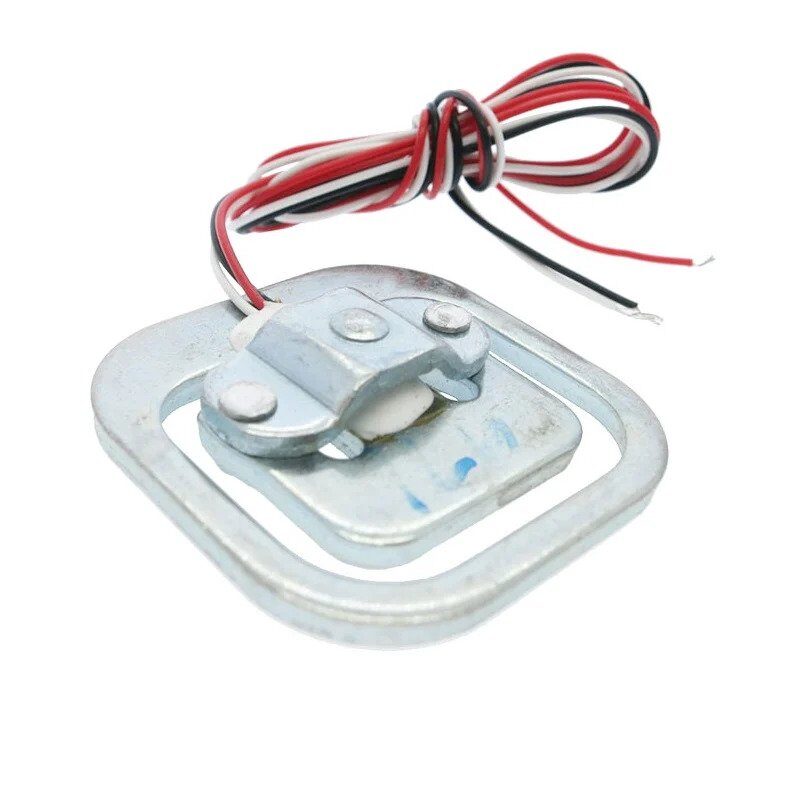
BMP280 Barometric Pressure and Altitude Sensor
Combine BMP280 altitude data with ADXL345 tilt readings for comprehensive motion-aware altitude tracking in drone or weather station projects.
6. Tap and Double-Tap Detection
The ADXL345 has a hardware tap detection engine that monitors the acceleration magnitude and flags single or double taps using onboard logic. This frees the Arduino from constant polling.
void setupTapDetection() {
  // Configure tap threshold (62.5 mg/LSB)
  accel.writeRegister(ADXL345_REG_THRESH_TAP, 50); // 50 × 62.5 mg = 3.125 g
  // Duration of tap event (625 µs/LSB)
  accel.writeRegister(ADXL345_REG_DUR,         20); // 20 × 625 µs = 12.5 ms
  // Latency between tap and window (1.25 ms/LSB)
  accel.writeRegister(ADXL345_REG_LATENT,      80); // 100 ms
  // Double-tap window (1.25 ms/LSB)
  accel.writeRegister(ADXL345_REG_WINDOW,     200); // 250 ms
  // Enable tap on all axes
  accel.writeRegister(ADXL345_REG_TAP_AXES, 0x07);
  // Enable single and double tap interrupts on INT1
  accel.writeRegister(ADXL345_REG_INT_ENABLE, 0x60);
  // Map both to INT1 pin (0 = INT1, 1 = INT2)
  accel.writeRegister(ADXL345_REG_INT_MAP, 0x00);
}

void handleInterrupt() {
  uint8_t intSource = accel.readRegister(ADXL345_REG_INT_SOURCE);
  if (intSource & 0x40) Serial.println("Single tap detected!");
  if (intSource & 0x20) Serial.println("Double tap detected!");
}
Tap detection is ideal for wake-on-tap applications (knocking on a device to wake it up), gesture-controlled menus (single tap = select, double tap = back), and equipment tamper alerts.
7. Free-Fall Detection
Free-fall detection triggers when the acceleration magnitude on all axes simultaneously drops below a threshold for a minimum duration. This is a classic application for drop protection in hard drives and fragile electronics.
void setupFreeFall() {
  // Threshold: 62.5 mg/LSB — use 9 = 562.5 mg
  // Too low → false triggers; too high → misses falls
  accel.writeRegister(ADXL345_REG_THRESH_FF, 9);
  // Min duration: 5 ms/LSB — use 20 = 100 ms
  accel.writeRegister(ADXL345_REG_TIME_FF,  20);
  // Enable free-fall interrupt
  accel.writeRegister(ADXL345_REG_INT_ENABLE, 0x04);
  accel.writeRegister(ADXL345_REG_INT_MAP,    0x00); // route to INT1
}
// In the ISR: check INT_SOURCE bit 2 for free-fall flag
When a free-fall interrupt fires, you typically have 100–200 ms to take protective action (park a hard drive head, trigger an airbag, sound an alarm) before the device hits the ground.
8. Activity and Inactivity Monitoring
The activity interrupt fires when acceleration on any enabled axis exceeds the activity threshold. The inactivity interrupt fires when acceleration stays below the inactivity threshold for a sustained period. Together, they enable low-power auto-sleep:
void setupActivityMonitor() {
  // Activity threshold: 62.5 mg/LSB
  accel.writeRegister(ADXL345_REG_THRESH_ACT,    20); // 1.25 g
  accel.writeRegister(ADXL345_REG_THRESH_INACT,   8); // 0.5 g
  accel.writeRegister(ADXL345_REG_TIME_INACT,     5); // 5 seconds
  // AC-coupled (detect change, not absolute gravity) on all axes
  accel.writeRegister(ADXL345_REG_ACT_INACT_CTL, 0xFF);
  // Enable both interrupts
  accel.writeRegister(ADXL345_REG_INT_ENABLE, 0x18);
  accel.writeRegister(ADXL345_REG_INT_MAP,    0x00);
}
// In ISR: Activity interrupt → wake up, set 100 Hz ODR
//         Inactivity interrupt → sleep, set 1 Hz ODR
Using AC-coupled mode (bit 7 of ACT_INACT_CTL = 1) means the activity threshold is compared against the change in acceleration rather than its absolute value. This means the sensor correctly detects motion even when tilted at an angle where one axis reads 1g (gravity).
9. Low-Power Modes and Data Rates
The ADXL345 offers exceptional flexibility in power vs data rate trade-offs:
| Mode | ODR | Current | Use Case |
|---|---|---|---|
| Normal | 3200 Hz | 140 µA | High-speed vibration analysis |
| Normal | 100 Hz | 40 µA | Most motion applications |
| Low power | 100 Hz | 35 µA | Battery-powered wearables |
| Low power | 12.5 Hz | 12 µA | Step counters, orientation sensing |
| Standby | — | 0.1 µA | Deep sleep (wake on interrupt) |
Set the ODR using the BW_RATE register (address 0x2C). Enable low-power mode by setting bit 4 of BW_RATE. For a pedometer application running on a coin cell, use 12.5 Hz low-power mode with activity interrupt wake-up — this extends battery life from days to months.
10. Project Ideas: Pedometer, Alarm, Self-Balancing Robot
Step Counter (Pedometer)
Set ODR to 25 Hz. Apply a high-pass filter to remove gravity (subtract a slow moving average). Count zero-crossings of the vertical axis acceleration — each full cycle represents one step. Calibrate by counting actual steps during a test walk. Typical threshold: magnitude peak > 0.3g above baseline.
Motion-Activated Alarm
Configure the inactivity interrupt to detect tamper events. When the sensor is installed in a package or case, any movement after the system is armed triggers the INT1 pin, waking an Arduino from sleep to sound a buzzer or send an SMS via a GSM module.
Self-Balancing Robot
Measure pitch angle from the ADXL345. Feed into a PID controller to drive two DC motors via L298N. Since the accelerometer is noisy under vibration, complement-filter the accelerometer pitch with gyroscope rate data from an MPU6050 for smooth, stable balance control:
// Complementary filter
float alpha = 0.98;
float dt    = 0.01; // 100 Hz loop
float angle = 0;

void updateAngle(float gyroRate, float accAngle) {
  angle = alpha * (angle + gyroRate * dt) + (1 - alpha) * accAngle;
}
BMP280 Barometric Pressure & Altitude Sensor
Add altitude awareness to your ADXL345 motion projects. BMP280 on I2C can share the bus with the ADXL345 for a compact dual-sensor setup.
FAQ
What is the difference between ADXL345 and ADXL335?
The ADXL335 is a 3-axis analog accelerometer that outputs three analog voltages proportional to acceleration. The ADXL345 is a digital accelerometer with I2C/SPI output, built-in FIFO, interrupt engine, and configurable range — far more capable for Arduino projects. Use the ADXL335 only when you need simple analog integration; choose the ADXL345 for everything else.
Why does my ADXL345 read 0 on all axes?
The most common cause is the CS pin being left floating. In I2C mode, CS must be tied to VCC (not left floating). In SPI mode, verify your chip-select pin and SPI mode (ADXL345 uses SPI Mode 3 or Mode 0). Also check that SDO/ALT ADDRESS matches your code’s address (0x53 if SDO = GND, 0x1D if SDO = VCC).
Can the ADXL345 detect yaw (compass heading)?
No. Yaw cannot be determined from a 3-axis accelerometer alone. You need a magnetometer (compass) such as the HMC5883L or QMC5883L to determine heading, or an IMU with built-in magnetometer like the MPU9250.
How do I mount the ADXL345 for correct axis orientation?
The ADXL345 datasheet defines the axes relative to the chip package. When the chip is mounted flat with the label facing up, X points to the right, Y points away from you, and Z points up. When the board is lying flat and level, the Z axis reads +1g. Adjust your tilt calculation formulas based on how the module is physically mounted in your project.
What is the FIFO buffer and when should I use it?
The ADXL345’s 32-level FIFO stores up to 32 acceleration samples onboard. Instead of reading one sample at a time, the Arduino can wake up periodically, read 32 samples in a burst, process them, then sleep again. This reduces I2C bus overhead significantly at high data rates and allows the MCU to sleep between bursts — important for battery-powered designs at 200 Hz+.
Build Your Motion Detection Project
Find ADXL345 modules, Arduino boards, and all the supporting components you need at Zbotic. Fast shipping across India with expert support for your electronics projects.






Add comment