
A smart home robotic system for automated curtains and lights is one of the most practical DIY projects you can build in India. With ESP32 as the brain, servo motors for curtain control, and relay modules for lights, you can replicate ₹50,000+ commercial smart home features for under ₹3,000. In this complete guide, we cover the hardware, wiring, firmware, and smartphone app integration for a fully functional smart home automation system.
System Overview and Architecture
The smart home system described in this guide consists of three subsystems working together:
- Curtain Robot: A servo or DC motor on a curtain rod track that opens/closes curtains on command or schedule.
- Smart Light Control: A relay module (or TRIAC dimmer for dimmable lights) wired to existing light switches, controlled by ESP32.
- Control Hub: An ESP32 running a web server + MQTT client. It connects to your home WiFi and can be controlled via smartphone browser, custom app, or voice assistant.
All three components report status to an MQTT broker (you can run Mosquitto on a Raspberry Pi or use free cloud MQTT like HiveMQ). Home Assistant (free, open-source) or the Blynk app ties everything together into a single dashboard accessible anywhere via the internet.
Components Required
| Component | Notes | Approx. Cost (India) |
|---|---|---|
| ESP32 Development Board | ESP32-WROOM-32 (38-pin) | ₹350-400 |
| Servo Motor (for curtains) | MG996R for heavy curtains, SG90 for light ones | ₹120-250 |
| 5V Relay Module (2-channel) | For lights and fan control | ₹80-120 |
| 12V DC Bluetooth Relay | Alternative for single-room use | ₹180-220 |
| Power Supply | 5V 2A for ESP32+servo; 12V if using 12V relays | ₹150-200 |
| Curtain Track | Ceiling-mounted aluminum track with string/belt drive | ₹200-500 |
| Limit Switches (×2) | Detect fully open / fully closed positions | ₹40 |
| Misc (wires, PCB, enclosure) | — | ₹200 |
Total estimated cost: ₹1,320 – ₹1,930 for a single room, curtains + 2-channel light control.
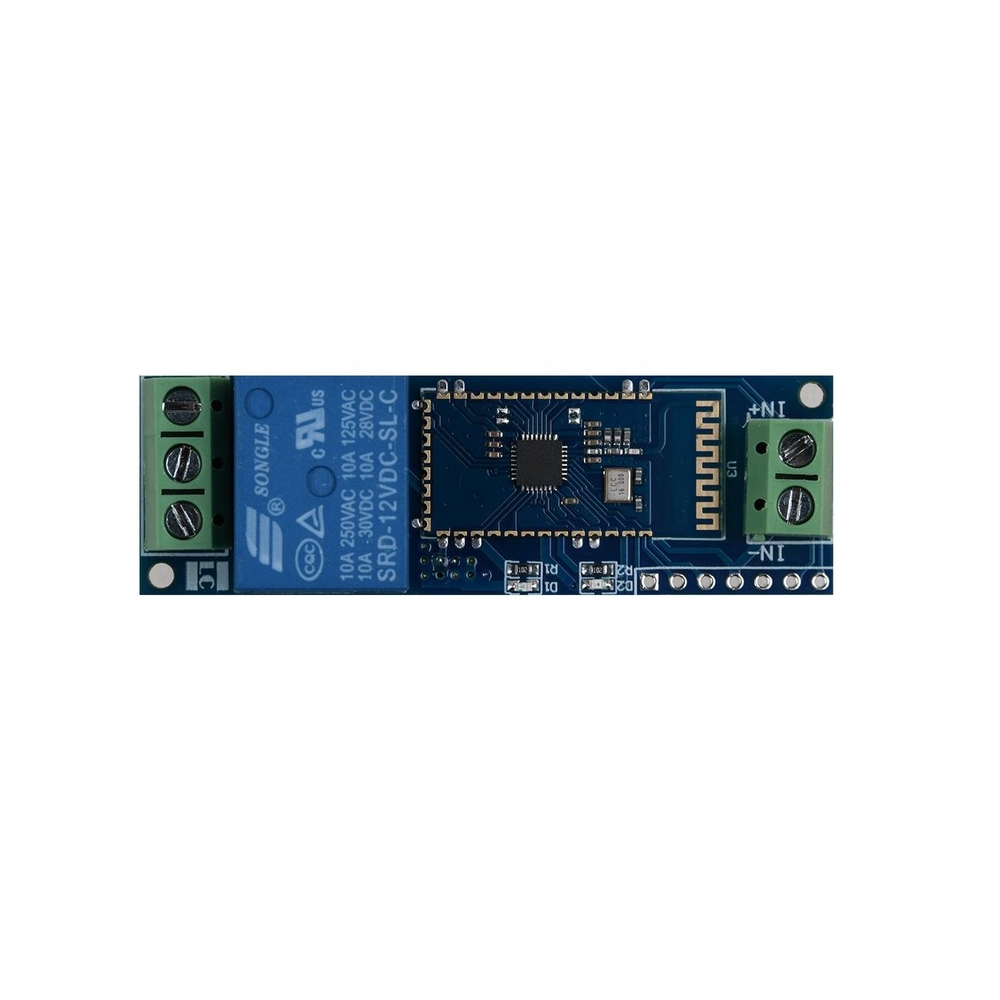
12V 1 Channel Bluetooth Relay Module Smart Home Remote Control Switch
Dedicated smart home relay module with Bluetooth connectivity — control lights, fans, or any appliance wirelessly from your phone.
Automated Curtain Mechanism Design
There are two main approaches to motorising curtains:
Approach 1: String/Cord Drive (Recommended)
Attach a spool to the servo/motor shaft. The existing curtain pull-cord winds around the spool. When the motor spins one way, the curtain opens; the other way, it closes. This is non-invasive and works with existing curtain tracks.
- Use a continuous rotation servo or a small DC gear motor with encoder
- Add end-stop limit switches to prevent the motor from straining at full open/closed
- A 3D-printed or hand-drilled wooden spool (3-5 cm diameter) provides enough torque with a standard servo
Approach 2: Belt/Chain Drive on Ceiling Track
Replace the curtain track with a motorised track that has a built-in toothed belt. The motor sits at one end of the track. This gives the most reliable operation for heavy or wide curtains (>2 m). Commercial curtain tracks with motor mounts are available on Amazon India or can be fabricated from aluminium U-channel.
For the servo approach, mount the servo with a bracket near the existing curtain pull mechanism. Use a TowerPro MG996R for curtains weighing more than 500g — the extra torque prevents motor stall.

TowerPro SG90 180 Degree Rotation Servo Motor
Entry-level servo for lightweight curtain automation. Works well for sheer curtains and small window blinds.
Smart Light Control with Relay Module
The relay module acts as a remote-controlled switch inserted in series with your existing light switch wiring. Important safety notes for Indian 230V AC mains:
- Always work with mains power OFF at the breaker before touching any wiring.
- Use relays rated for 10A/250V AC minimum (most standard 5V relay modules are rated this way).
- Keep high-voltage AC wiring and low-voltage DC control wiring physically separated.
- Use a quality metal enclosure for the relay board — never leave mains-connected PCBs exposed.
- For rented homes or if you’re not comfortable with AC wiring, use smart plug modules that fit into the existing socket instead.
Connect relay module signal pin to ESP32 GPIO pin. Most relay modules are active-LOW (relay energises when pin = LOW). The NO (Normally Open) contact goes in series with the line (L) wire to the light fixture.
ESP32 Firmware with WiFi Control
Here is a complete ESP32 Arduino sketch that hosts a web server for curtain and light control:
#include <WiFi.h>
#include <WebServer.h>
#include <ESP32Servo.h>

const char* ssid     = "YourWiFi";
const char* password = "YourPassword";

WebServer server(80);
Servo curtainServo;

const int RELAY_PIN = 26;    // Light relay
const int SERVO_PIN = 18;    // Curtain servo
bool lightOn = false;
int curtainPos = 0;          // 0=closed, 180=open

void handleRoot() {
  String html = "<html><body style='font-family:sans-serif;text-align:center'>"
    "<h2>Smart Home Control</h2>"
    "<p><a href='/light/on'><button>Light ON</button></a> "
    "<a href='/light/off'><button>Light OFF</button></a></p>"
    "<p><a href='/curtain/open'><button>Open Curtain</button></a> "
    "<a href='/curtain/close'><button>Close Curtain</button></a></p>"
    "</body></html>";
  server.send(200, "text/html", html);
}

void setup() {
  pinMode(RELAY_PIN, OUTPUT);
  digitalWrite(RELAY_PIN, HIGH);  // relay OFF (active LOW)
  curtainServo.attach(SERVO_PIN);
  curtainServo.write(0);

  WiFi.begin(ssid, password);
  while (WiFi.status() != WL_CONNECTED) delay(500);

  server.on("/", handleRoot);
  server.on("/light/on",  []() { digitalWrite(RELAY_PIN, LOW);  lightOn=true;  server.sendHeader("Location","/"); server.send(302); });
  server.on("/light/off", []() { digitalWrite(RELAY_PIN, HIGH); lightOn=false; server.sendHeader("Location","/"); server.send(302); });
  server.on("/curtain/open",  []() { curtainServo.write(180); curtainPos=180; server.sendHeader("Location","/"); server.send(302); });
  server.on("/curtain/close", []() { curtainServo.write(0);   curtainPos=0;   server.sendHeader("Location","/"); server.send(302); });
  server.begin();
}

void loop() { server.handleClient(); }
Open your browser and navigate to the ESP32’s IP address (shown on Serial Monitor) to access the control panel from any device on your home network.
Voice Control via Google Assistant
To add Google Assistant voice control without a paid cloud service, use the free SinricPro or Alexa Emulation approach:
- Register a free account at sinric.pro.
- Create devices: “Living Room Light” (Switch type) and “Curtain” (Switch type).
- Add the SinricPro ESP32 library to Arduino IDE.
- Map the SinricPro callbacks to your relay and servo control functions.
- Link SinricPro to Google Home app → Add Device → Works with Google → SinricPro.
Now you can say “Hey Google, turn on the living room light” or “Hey Google, open the curtain”. SinricPro’s free tier supports up to 3 devices, which is enough for a room.
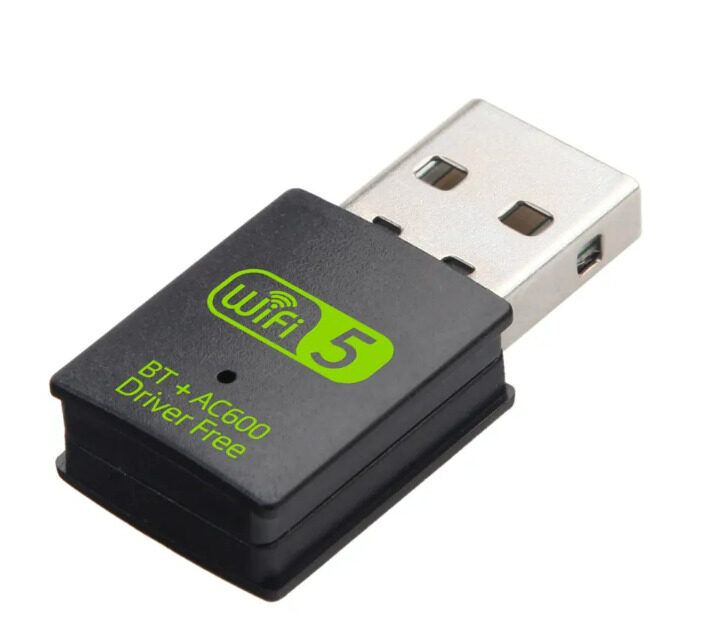
2 in 1 USB Bluetooth WiFi Adapter 600Mbps Dual Band
Add WiFi and Bluetooth to any computer for smart home hub setup. Dual-band 5.8GHz + BT5.0 in a single adapter.
Scheduling and Automation Rules
Add time-based automation using the ESP32’s RTC (Real-Time Clock) or an NTP sync over WiFi:
#include <time.h>

void syncTime() {
  configTime(19800, 0, "pool.ntp.org"); // IST = UTC+5:30 = 19800s
  struct tm t;
  while (!getLocalTime(&t)) delay(500);
}

void checkSchedule() {
  struct tm t;
  if (!getLocalTime(&t)) return;
  int hour = t.tm_hour;
  int min  = t.tm_min;

  if (hour == 7 && min == 0)  curtainServo.write(180);  // Open at 7:00 AM
  if (hour == 20 && min == 0) curtainServo.write(0);    // Close at 8:00 PM
  if (hour == 18 && min == 30) digitalWrite(RELAY_PIN, LOW);  // Lights on at sunset
  if (hour == 23 && min == 0)  digitalWrite(RELAY_PIN, HIGH); // Lights off at 11 PM
}
Call checkSchedule() once per minute from the main loop. This gives you completely autonomous operation even without internet after the initial time sync.
India-Specific Installation Tips
- Voltage fluctuations: India’s mains supply can fluctuate ±10%. Use a TVS diode across the relay coil and a proper 5V regulated supply (not just a phone charger) for reliable operation.
- Humidity: In coastal cities (Mumbai, Chennai, Kochi), condensation can cause relay contacts to oxidise. Use sealed relay modules or apply conformal coat to the PCB.
- WiFi deadspots: If the ESP32 is installed in a wall box or behind thick concrete, signal can be weak. An external WiFi antenna or a mesh network extender solves this.
- Load shedding: Program the ESP32 to restore the last known state after power returns (save state to EEPROM/SPIFFS before any planned shutdown).
- Electrician guidance: For permanent mains wiring changes, always engage a licensed electrician. DIY mains wiring without qualification violates Indian Electricity Rules 1956 and can void home insurance.

Servo Mount Holder Bracket for SG90/MG90 (Pack of 2)
Secure servo mounting brackets for attaching the curtain drive servo to your window frame or curtain track housing.
Frequently Asked Questions
Can I control this system when I’m away from home?
Yes. With SinricPro, Blynk, or MQTT + Home Assistant cloud integration, you can control devices from anywhere with an internet connection. The ESP32 connects to your home WiFi, and the cloud service forwards commands.
Will this work with heavy block-out curtains?
Standard SG90 servos (1.8 kg·cm torque) can only handle very light curtains up to ~300g. For heavy curtains, use MG996R (10 kg·cm) or a 12V DC gear motor with a motor driver. The code structure remains the same.
How do I prevent the system from running when the curtains are fully open?
Add physical limit switches at both end positions of the curtain track. Wire them to digital inputs on the ESP32. Read them before sending motor commands and stop the motor when a limit is reached.
Is there a risk of electrical fire with DIY relay wiring?
Risk is low if you follow good practices: use properly rated relays (10A/250V AC), use appropriate wire gauges, connect neutral correctly, and house everything in a non-flammable enclosure. Never daisy-chain relays across multiple high-load circuits without individual fusing.
Can I use this with Alexa instead of Google Assistant?
Yes. SinricPro works with both Google Home and Amazon Alexa. You can link the same account to both assistants and control your smart home with either voice assistant.
Build Your Smart Home Today
Zbotic.in stocks ESP32 boards, relay modules, servo motors, and all the components you need to automate your home — shipped fast across India. Stop paying for expensive commercial smart home systems when DIY gives you more control at a fraction of the cost.







Add comment