
Color sensing is one of the most fascinating capabilities you can add to an Arduino project. Whether you are building a sorting machine, a paint color matcher, a product quality inspector, or a line-following robot with color landmarks, the TCS3200 color sensor is a powerful and affordable choice. This comprehensive tutorial covers everything you need to know about TCS3200 color sensor object detection with Arduino — from the physics of color sensing to wiring, calibration, RGB reading, and real-world applications.
The TCS3200 (or its successor TCS230) is a programmable light-to-frequency converter that uses an 8×8 array of photodiodes with different color filters to detect the intensity of red, green, and blue light reflected from an object. By comparing these RGB intensities, your Arduino can identify colors with surprising accuracy — even distinguishing similar shades with proper calibration.
1. How the TCS3200 Color Sensor Works
The TCS3200 contains an 8×8 array of 64 photodiodes. These photodiodes are divided into four groups of 16:
- 16 photodiodes with red filters
- 16 photodiodes with green filters
- 16 photodiodes with blue filters
- 16 photodiodes with no filter (clear/broadband)
Two control pins (S2 and S3) select which group of photodiodes is active at any given time. The selected photodiodes generate a current proportional to the light intensity of the corresponding color hitting them. This current drives an onboard current-to-frequency converter, which outputs a square wave — the frequency of this square wave is proportional to the light intensity.
Your Arduino measures the frequency using the pulseIn() function or a timer interrupt, converts it to an RGB value through calibration, and uses those values to identify colors. The output frequency can also be scaled by control pins S0 and S1 to match your Arduino measurement speed — 100%, 20%, or 2% of full-scale output, or powered down.
The module (TCS3200-DB) also includes four white LEDs that illuminate the target object, ensuring consistent lighting regardless of ambient conditions. This built-in illumination is one of the sensor’s biggest advantages for reliable color detection.
2. Specifications and Module Pinout
| Parameter | Value |
|---|---|
| Supply Voltage | 2.7V to 5.5V |
| Output Type | Frequency (square wave) |
| Output Frequency Range | Up to 600 kHz (full scale, 100% output) |
| Wavelength Range | 320 nm to 700 nm |
| Operating Temperature | –40°C to +70°C |
| Communication | Frequency output (no I2C/SPI) |
| Package | SOIC-8 on breakout PCB with LEDs |
Module Pins:
- VCC: 3.3V or 5V power supply
- GND: Ground
- S0, S1: Output frequency scaling (00=power down, 01=2%, 10=20%, 11=100%)
- S2, S3: Photodiode type selection (00=red, 01=blue, 10=clear, 11=green)
- OUT: Frequency output signal to Arduino
- OE: Output enable (active LOW — tie to GND for always-on)
- LED: Controls onboard white LEDs (HIGH = ON, LOW = OFF) — some modules lack this pin and LEDs are always on
S0/S1 Frequency Scaling:
| S0 | S1 | Output Frequency |
|---|---|---|
| LOW | LOW | Power down |
| LOW | HIGH | 2% scaling |
| HIGH | LOW | 20% scaling |
| HIGH | HIGH | 100% (full) scaling |
For Arduino, use 20% scaling (S0=HIGH, S1=LOW) — this gives manageable frequencies in the 10–100 kHz range that pulseIn() can accurately measure.

Capacitive Soil Moisture Sensor
Build a multi-parameter plant monitor — combine the TCS3200 for leaf color health analysis with a capacitive soil moisture sensor for watering automation.
3. Wiring TCS3200 to Arduino
| TCS3200 Pin | Arduino Uno Pin |
|---|---|
| VCC | 5V |
| GND | GND |
| S0 | D4 |
| S1 | D5 |
| S2 | D6 |
| S3 | D7 |
| OUT | D8 |
| OE | GND (always enabled) |
Keep the sensor 5–10mm from the target surface for optimal readings. The onboard white LEDs illuminate the target uniformly at this distance. Shield the sensor from strong ambient light sources — direct sunlight or bright room lights will significantly affect readings.
4. Basic Arduino Code for RGB Reading
// TCS3200 Color Sensor - Basic RGB Reading
#define S0 4
#define S1 5
#define S2 6
#define S3 7
#define sensorOut 8

int redFrequency = 0;
int greenFrequency = 0;
int blueFrequency = 0;

void setup() {
  pinMode(S0, OUTPUT); pinMode(S1, OUTPUT);
  pinMode(S2, OUTPUT); pinMode(S3, OUTPUT);
  pinMode(sensorOut, INPUT);
  // Set frequency scaling to 20%
  digitalWrite(S0, HIGH); digitalWrite(S1, LOW);
  Serial.begin(9600);
}

void loop() {
  // RED filter
  digitalWrite(S2, LOW); digitalWrite(S3, LOW);
  redFrequency = pulseIn(sensorOut, LOW);
  // GREEN filter
  digitalWrite(S2, HIGH); digitalWrite(S3, HIGH);
  greenFrequency = pulseIn(sensorOut, LOW);
  // BLUE filter
  digitalWrite(S2, LOW); digitalWrite(S3, HIGH);
  blueFrequency = pulseIn(sensorOut, LOW);

  Serial.print("R= "); Serial.print(redFrequency);
  Serial.print(" G= "); Serial.print(greenFrequency);
  Serial.print(" B= "); Serial.println(blueFrequency);
  delay(300);
}
When you run this, you will see raw frequency values — not 0–255 RGB values yet. Lower frequency means higher light intensity for that color. To get standard RGB values, you need to calibrate the sensor against white and black surfaces (described next).
5. Calibrating the Sensor for Accuracy
Calibration is the most important step for accurate color detection. The sensor raw frequency output must be mapped to the 0–255 RGB scale using white (maximum reflection) and black (minimum reflection) reference values:
#define S0 4
#define S1 5
#define S2 6
#define S3 7
#define sensorOut 8

// Calibration values -- run calibration sketch first to find these
int redMin = 14, redMax = 72;
int greenMin = 20, greenMax = 80;
int blueMin = 16, blueMax = 66;

int redFrequency, greenFrequency, blueFrequency;
int redValue, greenValue, blueValue;

int readFrequency(int s2state, int s3state) {
  digitalWrite(S2, s2state);
  digitalWrite(S3, s3state);
  delay(100);
  return pulseIn(sensorOut, LOW);
}

void setup() {
  pinMode(S0, OUTPUT); pinMode(S1, OUTPUT);
  pinMode(S2, OUTPUT); pinMode(S3, OUTPUT);
  pinMode(sensorOut, INPUT);
  digitalWrite(S0, HIGH); digitalWrite(S1, LOW);
  Serial.begin(9600);
}

void loop() {
  redFrequency   = readFrequency(LOW,  LOW);
  greenFrequency = readFrequency(HIGH, HIGH);
  blueFrequency  = readFrequency(LOW,  HIGH);

  redValue   = map(redFrequency,   redMax,   redMin,   0, 255);
  greenValue = map(greenFrequency, greenMax, greenMin, 0, 255);
  blueValue  = map(blueFrequency,  blueMax,  blueMin,  0, 255);

  redValue   = constrain(redValue,   0, 255);
  greenValue = constrain(greenValue, 0, 255);
  blueValue  = constrain(blueValue,  0, 255);

  Serial.print("RGB: (");
  Serial.print(redValue); Serial.print(", ");
  Serial.print(greenValue); Serial.print(", ");
  Serial.print(blueValue); Serial.println(")");
  delay(500);
}
Calibration procedure:
- Place a pure white paper under the sensor (5–10mm away, LEDs on). Record red, green, blue frequencies — these are your minimums (Min values). White reflects all colors strongly = lowest frequencies.
- Place a black cardboard under the sensor. Record frequencies — these are your maximums (Max values). Black absorbs all colors = highest frequencies.
- Enter these Min/Max values in the calibration variables in your code.
- Re-calibrate when you change the distance or the lighting conditions.
6. Color Matching and Classification
Once you have calibrated RGB values (0–255 per channel), you can classify colors using a lookup table or Euclidean distance matching:
// Color classification using nearest-neighbor matching
struct Color { int r, g, b; const char* name; };

Color colorTable[] = {
  {255, 0,   0,   "RED"},
  {0,   255, 0,   "GREEN"},
  {0,   0,   255, "BLUE"},
  {255, 255, 0,   "YELLOW"},
  {255, 165, 0,   "ORANGE"},
  {128, 0,   128, "PURPLE"},
  {255, 255, 255, "WHITE"},
  {0,   0,   0,   "BLACK"}
};

const char* classifyColor(int r, int g, int b) {
  int minDistance = 1000000, bestMatch = 0;
  for (int i = 0; i < 8; i++) {
    int dr = r - colorTable[i].r;
    int dg = g - colorTable[i].g;
    int db = b - colorTable[i].b;
    int distance = dr*dr + dg*dg + db*db;
    if (distance < minDistance) { minDistance = distance; bestMatch = i; }
  }
  return colorTable[bestMatch].name;
}

// In loop():
// const char* colorName = classifyColor(redValue, greenValue, blueValue);
// Serial.println(colorName);
The Euclidean distance method compares the measured RGB triplet to each known color in your table and picks the closest match. For better accuracy, populate the color table with actual readings from your specific sensor and colored objects, not theoretical RGB values.

MQ-135 Air Quality/Gas Detector Sensor Module For Arduino
Expand your quality inspection station with gas sensing — ideal for detecting fumes from painting or chemical processes alongside color inspection.
7. Controlling Ambient Lighting Conditions
Ambient light is the biggest enemy of reliable color detection. Here are strategies to manage it:
Use a Light Shield
3D print or craft a small tunnel/tube that surrounds the sensor and sits flush on the target object surface. This blocks all external light, ensuring only the sensor’s own white LEDs illuminate the target. This single step dramatically improves repeatability.
LED On/Off Subtraction
Read the color with LEDs on, then immediately read with LEDs off (if your module supports LED control). Subtract the ambient reading from the illuminated reading to get a pure reflected color value, free from ambient light contribution.
Consistent Distance
Mount the sensor at a fixed distance using a mechanical standoff. Even 1–2mm of variation in sensing distance changes the reflected light intensity and shifts your calibrated values significantly.
Multiple Readings and Averaging
Take 5–10 readings per color channel and average them. This reduces noise from power supply fluctuations and minor ambient light variations:
int avgFrequency(int s2, int s3, int samples=5) {
  long total = 0;
  digitalWrite(S2, s2); digitalWrite(S3, s3);
  delay(50);
  for(int i=0; i<samples; i++) {
    total += pulseIn(sensorOut, LOW);
    delay(10);
  }
  return total / samples;
}
8. Project Ideas and Applications
Colour Sorting Machine
Place an M&M, LEGO brick, or coloured ball on a conveyor. The TCS3200 reads its colour, and a servo motor or solenoid deflects it into the appropriate bin. This is one of the most satisfying and demonstrable projects for exhibitions and robotics competitions.
PCB Quality Inspection
Detect the colour of solder mask, check if components (resistors, capacitors) are correctly placed by their colour coding, or verify PCB marking ink. Industrial colour sensors are expensive — the TCS3200 is an affordable educational alternative for low-throughput inspection.
Paint Colour Matching
Build a handheld colour matcher that reads a paint sample and displays its closest match from a stored library of paint colour codes. Add a small OLED display and battery for a portable tool.
Line Following Robot with Colour Landmarks
Standard line followers detect only black/white contrast. Add TCS3200 sensors to read coloured tape landmarks — green for turn left, red for stop, blue for speed up — creating a smarter, more capable autonomous robot.
Fruit Ripeness Detector
Measure the colour shift of fruit (bananas yellowing, tomatoes reddening, grapes darkening) to assess ripeness levels. This can be extended into an agricultural IoT application with data logging to an SD card or cloud platform.
Flame Colour Analysis
In chemistry education, metal salts produce characteristic flame colours (sodium = yellow, copper = green, potassium = violet). A TCS3200 setup can quantify these colour shifts, turning a qualitative test into a measurable experiment.
9. Troubleshooting Common Problems
All Readings Are Zero or Maximum
Check the OUT pin connection — if disconnected, pulseIn() will time out (return 0) or return the timeout value. Also verify S0, S1, S2, S3 connections. If S0/S1 are both LOW, the sensor is powered down and outputs nothing.
Colours Not Matching Expected Values
Almost always a calibration issue. Re-run calibration with fresh white and black references. Ensure the object is 5–10mm from the sensor face. Check that you are not reading the sensor in bright sunlight (shield it). Also note that highly glossy surfaces create specular reflections that confuse the sensor — matte surfaces work better.
Reading is Extremely Slow
pulseIn() with a LOW pulse at 2% frequency scaling can have very long periods (tens of milliseconds each). Switch to 20% scaling (S0=HIGH, S1=LOW) — this gives 10x shorter pulse periods and much faster readings. If you still need speed, consider an interrupt-based frequency counter approach.
Inconsistent Results Between Reads
Add a 100ms settling delay after switching S2/S3 before calling pulseIn(). The photodiodes need time to stabilize after changing filter selection. Also average multiple readings per channel as described above.
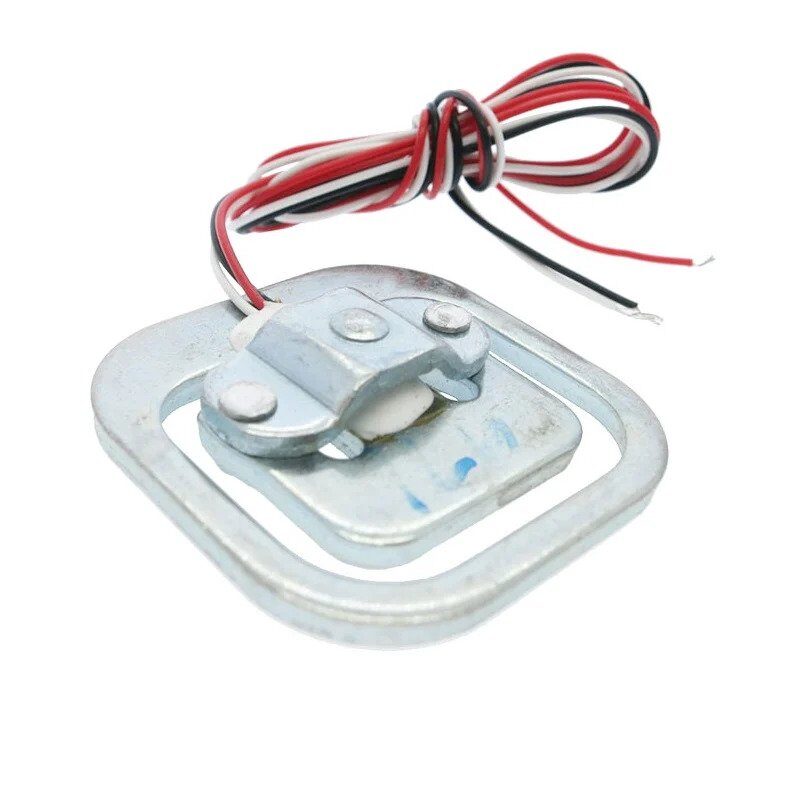
50kg Half-bridge Experiments Body Scale Load Cell Sensor
Build a complete quality control station — add a load cell for weight measurement alongside the TCS3200 for colour inspection of products on a conveyor.
10. Frequently Asked Questions
What is the difference between TCS3200 and TCS34725?
The TCS3200 outputs a frequency signal proportional to light intensity and requires multiple digital reads per colour channel. The TCS34725 (from ams AG) is a newer digital RGB sensor that communicates over I2C and outputs 16-bit digital values directly for all four channels simultaneously. The TCS34725 is generally more accurate, easier to interface, and includes an IR blocking filter for more accurate colour readings. However, it is more expensive and less commonly available on Indian breakout boards. The TCS3200 is more beginner-friendly for learning the concepts, while TCS34725 is preferred for professional applications.
Can the TCS3200 detect transparent or translucent objects?
Not effectively in reflectance mode (the standard setup). Transparent objects allow light to pass through rather than reflecting it back to the sensor. For transparent object colour detection, you would need a transmittance setup where the light source is on one side of the object and the sensor on the other. For typical applications with opaque coloured objects, the standard reflectance setup works perfectly well.
How many distinct colours can the TCS3200 reliably distinguish?
With proper calibration and consistent lighting, the TCS3200 can reliably distinguish 8–12 clearly different colours (primary and secondary colours plus white and black). Distinguishing very similar shades (e.g., light blue vs sky blue) is much harder and depends heavily on calibration quality and ambient light control. For industrial applications requiring fine colour differentiation, use a spectrometer-based sensor. For most maker projects — sorting primary colours, detecting coloured markers — the TCS3200 is very capable.
Why does my TCS3200 give different readings under different lights?
This is normal behaviour — the sensor measures total reflected light including ambient sources. Incandescent bulbs are warm (orange-red heavy), fluorescent lights are cool (blue-heavy), and sunlight varies with time of day. To achieve consistent readings: (1) Use the sensor in a light-shielded enclosure, (2) Rely only on the onboard white LEDs for illumination, (3) Re-calibrate your white/black references in the actual operating environment. The sensor is most accurate when ambient light is eliminated entirely.
Can I use TCS3200 with ESP32 or Raspberry Pi?
Yes. On ESP32, use any GPIO pins for S0–S3 and OUT, with pulseIn() available in the Arduino-ESP32 framework. On Raspberry Pi, use the GPIO library with RPi.GPIO or pigpio to measure pulse widths. Since the output is a frequency (not I2C/SPI), any platform capable of timing pulse widths can read the TCS3200. Python examples for Raspberry Pi are widely available online using the pigpio library pulse timing capabilities for best accuracy at high frequencies.
Conclusion
The TCS3200 is a remarkably capable colour sensor for its price, and understanding how to use it correctly transforms it from a frustrating noisy sensor into a reliable colour detection tool. The key lessons: calibration is everything, control your lighting environment with a physical shield, use 20% frequency scaling for Arduino, average multiple readings per channel, and populate your colour classification table with actual sensor readings rather than theoretical RGB values.
With these techniques mastered, you can build sorting machines, quality inspection stations, line-following robots with colour landmarks, and a host of other colour-aware projects. The TCS3200 colour sensor paired with Arduino is an excellent learning platform for understanding optical sensing principles that scale up to professional machine vision systems.






Add comment