
Zigbee2MQTT: Control Zigbee Devices with Home Assistant India
India’s smart home scene is rapidly shifting from cloud-dependent devices to local, privacy-first automation. Zigbee2MQTT with Home Assistant is the ultimate combination for Indian hobbyists who want reliable, fast, and fully local control of Zigbee smart devices — without depending on Chinese or American cloud servers. This guide covers everything from picking the right Zigbee coordinator USB dongle to pairing devices, setting up MQTT, and building automations in Home Assistant, all tested and optimised for real Indian conditions.
Why Zigbee2MQTT Over Native Integrations?
Most affordable Zigbee devices sold in India — including Tuya-based smart plugs, Aqara sensors, and IKEA bulbs — come with proprietary apps that require cloud connectivity. This creates multiple problems for Indian users: latency (your light switch command travels to a server in China and back), privacy concerns, and devices going offline when the app is discontinued.
Zigbee2MQTT solves this by acting as a bridge between your Zigbee devices and an MQTT broker running entirely on your local network. Home Assistant then reads all device states and sends commands over MQTT — no cloud, no app, sub-100ms response times. The Zigbee2MQTT project supports over 3,000 devices from more than 350 brands, and the list includes virtually every Zigbee device available in Indian markets.
Choosing Your Zigbee Coordinator
The Zigbee coordinator is the heart of your network — a USB dongle that plugs into your server and acts as the Zigbee radio. The most popular and affordable options available in India are:
- CC2531 (budget, widely available): Texas Instruments 2.4 GHz Zigbee chip, must be flashed with coordinator firmware. Supports 15–20 devices directly.
- CC2652R/CC2652P (recommended): Newer TI chip, supports 50+ devices, no external flash programmer needed. Available as Sonoff Zigbee 3.0 USB dongle or from AliExpress.
- XBee ZB3 (professional): DigiKey’s Zigbee 3.0 module, more expensive but enterprise-grade mesh.
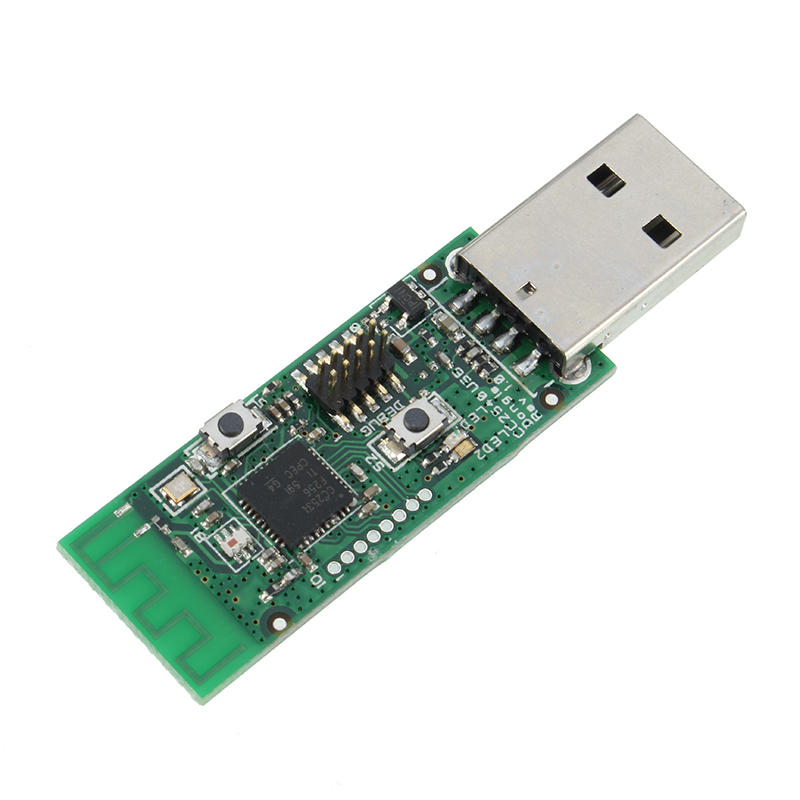
Wireless Zigbee CC2531 Sniffer Bare Board
The classic CC2531 board — flash with Zigbee2MQTT coordinator firmware to build your own affordable Zigbee hub for Home Assistant.
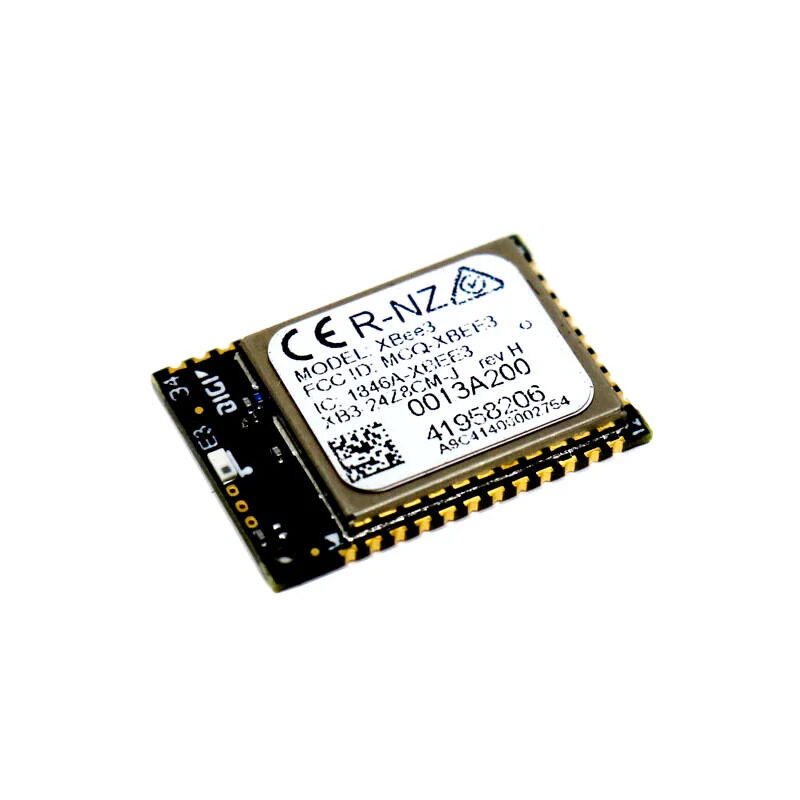
DigiKey Zigbee 3.0 Module XB3-24Z8CM-J
Professional-grade Zigbee 3.0 XBee module for robust mesh networking — ideal for larger Indian homes or small commercial smart building projects.
Flashing the CC2531 as a Coordinator
The CC2531 ships with sniffer firmware — you must flash it with the Zigbee2MQTT coordinator firmware before use. You need a CC Debugger or a cheap CCLoader circuit (a Raspberry Pi with 4 jumper wires works too).
Using a Raspberry Pi as a flash programmer:
# Install required tools
sudo apt install git gcc make
git clone https://github.com/jmichault/flash_cc2531.git
cd flash_cc2531

# Wire connections:
# CC2531 GND   → RPi Pin 39 (GND)
# CC2531 VCC   → RPi Pin 1  (3.3V)
# CC2531 RST   → RPi Pin 35 (GPIO19)
# CC2531 DD    → RPi Pin 36 (GPIO16)
# CC2531 DC    → RPi Pin 38 (GPIO20)

# Test connection
sudo ./cc_chipid
# Should output: ID = b524 (CC2531)

# Download coordinator firmware
wget https://github.com/Koenkk/Z-Stack-firmware/raw/master/coordinator/Z-Stack_Home_1.2/bin/CC2531_DEFAULT_20211115.zip
unzip CC2531_DEFAULT_20211115.zip

# Flash firmware (takes ~10 minutes)
sudo ./cc_erase
sudo ./cc_write CC2531ZNP-Prod.hex
After flashing, plug the CC2531 into your Home Assistant server’s USB port. Check it appears as a serial device: ls /dev/ttyACM* should show /dev/ttyACM0.
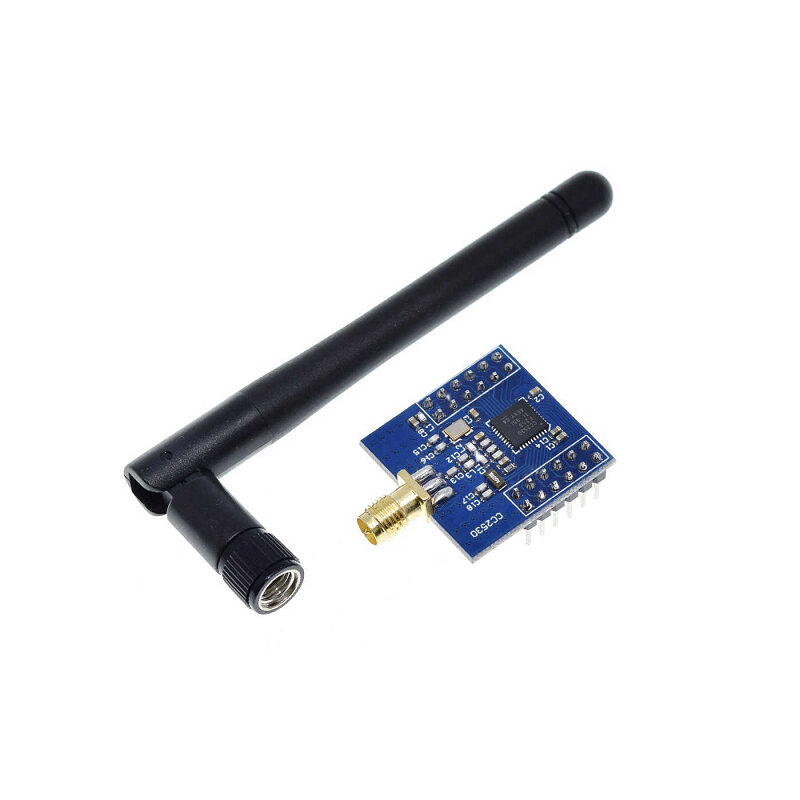
CC2530F256 Zigbee UART Wireless Core Development Board with Serial Port
CC2530 Zigbee development board with UART interface — useful for custom Zigbee end-node projects and network protocol experimentation.
Installing Zigbee2MQTT
The recommended installation is as a Home Assistant add-on (if running Home Assistant OS or Supervised) or as a standalone Docker container. For Home Assistant OS:
- Go to Settings → Add-ons → Add-on Store.
- Add the Z2M repository:
https://github.com/zigbee2mqtt/hassio-zigbee2mqtt - Install the Zigbee2MQTT add-on.
- Configure it via the add-on configuration tab — the minimal config is:
serial:
  port: /dev/ttyACM0   # your CC2531 port
  adapter: zstack       # for CC2531/CC2652
mqtt:
  base_topic: zigbee2mqtt
  server: mqtt://localhost
  user: your_mqtt_user
  password: your_mqtt_password
homeassistant: true    # auto-discovery enabled
permit_join: true      # allow new devices to join (disable after setup)
For Docker installations, mount the USB device into the container with --device=/dev/ttyACM0. The Zigbee2MQTT frontend runs on port 8080 by default — enable it in config with frontend: true for a web UI to manage devices without needing CLI access.
Connecting to Home Assistant via MQTT
You need an MQTT broker. The Mosquitto MQTT broker add-on is the easiest option in Home Assistant OS:
- Install Mosquitto broker from the official add-on store.
- Create a dedicated MQTT user in Home Assistant (Settings → People → Users — enable Advanced Mode first to see the option, or use the Mosquitto add-on’s credentials section).
- Once Mosquitto is running, go to Settings → Devices & Services → Add Integration → MQTT.
- Enter broker address
localhost, port1883, and your credentials.
With homeassistant: true in Zigbee2MQTT config, all paired devices will auto-discover in Home Assistant as proper entities — lights, sensors, switches, and binary sensors appear automatically with correct device classes.
Pairing Zigbee Devices
Pairing (joining) a new device is simple when permit_join: true is set. Open the Zigbee2MQTT frontend (http://your-ha-ip:8099), click Permit Join (All), then put your device into pairing mode (usually by holding the reset button 5–10 seconds or turning power on/off 3 times rapidly).
The Z2M frontend shows the device appearing with its IEEE address, model ID, and auto-detected name. Common Indian market devices that work out of the box:
- Tuya TS0001, TS0002 smart switches (used by dozens of Indian brands)
- Aqara temperature/humidity sensors (WSDCGQ11LM)
- IKEA TRADFRI bulbs and dimmers
- Sonoff ZBMINI relay modules
- Tuya smart plugs (TS011F)
After pairing, disable join mode to prevent unauthorised devices from joining your network: set permit_join: false in configuration and restart Z2M.
Building Automations for Indian Use Cases
Here are practical automations tuned for Indian homes:
1. Auto-on at sunset (for security lights):
alias: "Outdoor light on at sunset"
trigger:
  platform: sun
  event: sunset
  offset: "-00:15:00"
action:
  service: light.turn_on
  target:
    entity_id: light.outdoor_zigbee_bulb
  data:
    brightness: 255
2. Inverter load shedding automation (India-specific): When a Zigbee power meter on your main MCB detects voltage drop below 210V (indicating a power cut), automatically dim non-essential lights to extend inverter battery life:
alias: "Dim lights on power cut"
trigger:
  platform: numeric_state
  entity_id: sensor.zigbee_power_meter_voltage
  below: 210
action:
  service: light.turn_on
  target:
    area_id: living_room
  data:
    brightness_pct: 40
3. Geyser timer: Turn on the hot water geyser (via a Zigbee smart plug) 30 minutes before your usual shower time and auto-off after 45 minutes — saves electricity compared to leaving it on all morning:
alias: "Geyser morning timer"
trigger:
  platform: time
  at: "06:00:00"
action:
  - service: switch.turn_on
    target:
      entity_id: switch.geyser_zigbee_plug
  - delay: "00:45:00"
  - service: switch.turn_off
    target:
      entity_id: switch.geyser_zigbee_plug
Frequently Asked Questions
Does Zigbee interfere with WiFi in India?
Zigbee uses 2.4 GHz, the same band as WiFi. Zigbee channels 15, 20, 25, and 26 have minimal overlap with common WiFi channels 1, 6, and 11. In Zigbee2MQTT, set your channel to 25 or 26 to avoid interference with your WiFi router. India’s dense apartment buildings can have significant 2.4 GHz congestion — running your WiFi on 5 GHz helps enormously.
How many Zigbee devices can I have on one network?
Zigbee networks can theoretically support 65,000 devices per coordinator. In practice, the CC2531 handles 20–50 devices reliably. The CC2652P handles 200+ devices. Zigbee forms a mesh — routers (mains-powered devices like smart plugs) extend the network range, so more plugs = better coverage across large Indian homes.
Can I use Zigbee devices bought from Amazon India?
Yes, if they use Zigbee protocol. Check the device listing carefully — many cheap Indian smart home devices use WiFi (Tuya WiFi), not Zigbee. Look for the Zigbee logo or descriptions mentioning “Zigbee 3.0” or “ZHA”. Brands reliably available in India with Zigbee support: Aqara, IKEA TRADFRI, Philips Hue, Sonoff Zigbee, and some Tuya products explicitly labelled Zigbee.
Will Zigbee2MQTT work during an internet outage?
Yes — that is one of its biggest advantages. Since everything runs locally (Zigbee radio → Z2M → MQTT → Home Assistant), your automations, voice commands via a local voice assistant, and app control all work without internet. This makes it much more reliable than cloud-based alternatives during Indian ISP outages.
What is the range of Zigbee in a typical Indian apartment?
Direct range from coordinator to end device is typically 10–30 metres in open air, but 5–15 metres through concrete walls common in Indian construction. The mesh capability of Zigbee is crucial here: every mains-powered device (smart plug, smart switch) acts as a router, extending the mesh. Add a Zigbee smart plug in your kitchen to bridge sensors in distant bedrooms.
Build Your Local Smart Home Today
Get Zigbee modules, coordinators, and ESP32 boards from Zbotic — India’s trusted electronics store for makers with fast pan-India delivery.







Add comment