
One of the most common causes of failed motor driver boards is heat. The A4988 overheats and cuts out mid-print. The L298N starts burning at elevated ambient temperatures. The ESC thermal-throttles during a long drone flight. These failures share a common root cause: inadequate thermal management.
This guide covers everything you need to know about adding cooling to motor drivers and motors — from understanding why heat is generated, to calculating whether your setup actually needs a heatsink, to the best thermal management solutions for different driver types and project environments.
Why Motor Drivers Generate Heat
Motor driver ICs and modules dissipate power as heat through two primary mechanisms:
Conduction Losses (I²R)
Every transistor (MOSFET or BJT) inside the H-bridge or stepper driver has an on-resistance (Rds_on for MOSFETs). When current flows through the transistor, power is dissipated: P = I² × Rds_on. Double the current and heat output quadruples. This is why high-current motor drives are so challenging to cool.
Example: An A4988 stepper driver with Rds_on of ~200mΩ carrying 1A per coil: P = 1² × 0.2 = 0.2W per transistor. With 4 transistors in the H-bridge: 0.8W. Not huge, but in the tiny die area of the A4988 chip, that generates significant temperature rise.
Switching Losses
Every time the transistors switch between on and off states, a brief period occurs when both voltage and current are simultaneously high — dissipating additional power. Higher PWM frequency increases switching losses. An ESC running at 32kHz switching frequency has significantly higher switching losses than one running at 8kHz.
Diode Losses (Brushed Driver Freewheeling)
In brushed DC motor drivers, freewheeling diodes conduct the inductive back-EMF from the motor coil when the transistor switches off. These diodes have a forward voltage drop (typically 0.6–1V) that dissipates power proportional to the current. Schottky diodes (lower Vf ≈ 0.3V) reduce this loss compared to standard silicon diodes.
Thermal Basics: Junction Temperature and Thermal Resistance
The IC datasheet specifies a maximum junction temperature (Tj_max) — typically 125°C or 150°C for motor driver ICs. Exceeding this destroys the device. The thermal path from junction to ambient air determines how much power can be dissipated before reaching Tj_max:
Tj = Ta + P × (Rth_jc + Rth_cs + Rth_sa)
Where:
- Tj = junction temperature
- Ta = ambient temperature
- P = power dissipated in IC (watts)
- Rth_jc = junction-to-case thermal resistance (from datasheet)
- Rth_cs = case-to-heatsink thermal resistance (depends on thermal interface material)
- Rth_sa = heatsink-to-ambient thermal resistance (depends on heatsink size and airflow)
The smaller the total thermal resistance, the more power can be dissipated safely. A heatsink dramatically reduces Rth_sa, enabling much higher power dissipation before Tj_max is reached.
When Do You Actually Need a Heat Sink?
Not every motor driver needs a heatsink. Here is a practical decision framework:
You DO Need a Heatsink If:
- The driver IC becomes too hot to touch after 10–15 minutes of operation (above ~55°C on the case)
- You are running stepper motors at more than 70% of the driver’s maximum current rating
- The driver triggers thermal shutdown (motor stops unexpectedly, resets after cooling)
- Ambient temperature regularly exceeds 35°C (common in India, especially in summer)
- The driver is mounted inside an enclosure without ventilation
- You are running the driver continuously rather than in short bursts
- You are pushing the motor to near its stall torque
You Probably Don’t Need a Heatsink If:
- Motor runs intermittently (less than 50% duty cycle) on light loads
- Driver current is set to under 50% of its maximum rating
- The driver board is in open air with natural convection
- You are only testing or prototyping with short run times
A simple test: run your system under typical load for 15 minutes. If the driver IC case temperature reaches more than 60°C, add a heatsink. If it reaches 80°C, add a heatsink immediately and reduce current or add active cooling.
Driver-Specific Thermal Limits and Tips
A4988 Stepper Driver
The A4988 is notoriously prone to overheating. Its maximum continuous current is 1A per phase without a heatsink, 2A with adequate cooling. At 1/16 microstepping with 1.5A current, most A4988 boards will thermal-shutdown within minutes without cooling.
Critical tip: The A4988’s tiny surface-mount package (QFN) has very poor thermal resistance to the PCB. The exposed thermal pad on the bottom of the IC must be well-soldered to the PCB copper for adequate heat transfer. Many cheap clone boards have poor pad soldering — a major cause of premature thermal failure.
Recommended cooling: The small 9×9mm aluminium heatsinks (self-adhesive, commonly sold as “A4988 heatsink”) reduce case temperature by 15–25°C at typical currents. Essential for any sustained printing or CNC operation.
L298N
The L298N is an older bipolar transistor H-bridge with high on-resistance (~2Ω per transistor). Even at moderate currents (1A), it dissipates 2W+ as heat. The large tab on the package and the dedicated heatsink hole on most L298N modules are there for a reason — use them. A standard TO-220 heatsink bolted to the chip is highly recommended for any load above 500mA.
Important: The L298N has a significant 2–3V voltage drop from supply to motor, which both reduces motor performance and represents wasted power dissipated as heat in the IC. For anything above 1A, consider upgrading to MOSFET-based drivers (L293D replacement with MOSFETs, or BTS7960).
BTS7960 (IBT-2 Module)
The BTS7960 chips themselves are very efficient MOSFETs with low Rds_on (~17mΩ). At 10A, they dissipate approximately 1.7W each — manageable. However, the IBT-2 module’s PCB copper area acts as the primary heatsink. At currents above 20A, adding external heatsinking to the TO-263 packages or improving PCB airflow is recommended.
30A BLDC ESC
Most drone/RC ESCs above 20A have MOSFETs rated for the current but rely on airflow from the propeller wash for cooling. Static bench testing at full throttle without prop wash is the fastest way to overheat an ESC. Always test high-load scenarios with the propeller attached or with a fan directed at the ESC.
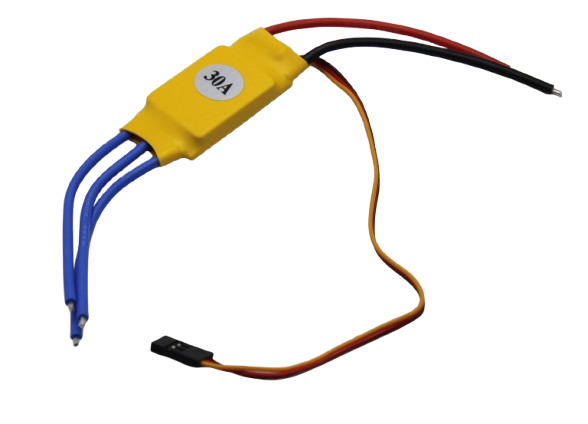
30A BLDC ESC Brushless Electronic Speed Controller
30A continuous brushless ESC for drones and RC aircraft — ensure adequate airflow or prop wash cooling during high-load operation.
Types of Heat Sinks for Motor Drivers
Small Aluminium Stick-On Heatsinks
The most common solution for small driver ICs like A4988, DRV8825, and TMC2208. Typically 9×9mm or 14×14mm with self-adhesive thermal tape. Easy to apply, no hardware required. Reduce case temperature by 10–30°C depending on ambient airflow. Available for under ₹20 each from electronics shops.
TO-220 / TO-218 Heatsinks
For larger driver chips in TO-220 packages (L298N, various MOSFETs). Aluminium extrusion fins with a bolt hole. Require thermal paste or pad between chip and heatsink. Available in black anodised finish for better thermal radiation. Add 30–50°C of effective temperature drop under typical currents.
PCB Copper Area (Thermal Spreading)
On MOSFET-based driver boards (IBT-2, various high-current boards), the PCB copper itself serves as the primary heatsink. Adding a copper heatsink block or thick copper tape to the exposed copper area improves thermal spreading significantly at low cost.
Custom Machined Aluminium Blocks
For custom motor controller PCBs or high-power applications, machining an aluminium block that presses against driver ICs or MOSFETs provides the best thermal performance. Often used in professional motor controllers and industrial drives.
Thermal Interface Materials
The thermal interface material (TIM) between a chip case and heatsink significantly affects heat transfer. A microscopic air gap between two flat metal surfaces has very high thermal resistance. TIM fills these gaps:
- Thermal paste (silicone-based, e.g., Arctic MX-4): Best performance, ~0.7°C-cm²/W. Requires careful application (thin uniform layer). Used in CPUs and high-performance electronics.
- Thermal pads: Pre-cut silicone foam pads with thermally conductive filler. Easier to apply than paste, but 2–4× higher thermal resistance. Acceptable for most motor driver applications. Many stick-on heatsinks for driver ICs come with thermal tape pre-applied.
- Thermal adhesive: Permanently bonds heatsink to component. Use only when vibration would dislodge a non-bonded heatsink. Cannot be removed without risk of component damage.
For A4988 drivers with stick-on heatsinks, the included thermal tape is usually adequate. For L298N or power MOSFET modules where you are bolting on a heatsink, use thermal paste for best results.
Active Cooling: Fans and Liquid
Small 5V / 12V Fans
Adding a small 40mm or 50mm fan directed at your motor driver board dramatically improves cooling. Even a gentle airflow of 1–2 m/s can reduce heatsink thermal resistance from ~15°C/W (natural convection) to ~4°C/W (forced convection) — nearly 4× improvement. This allows running the driver at much higher currents without thermal shutdown.
Placement tip: Mount the fan so air flows across the heatsink fins (not through the motor). The fan should create airflow along the fin channels, not perpendicular to them.
CPU Heatsink + Fan (High-Power Builds)
For very high-power motor controllers (multi-kilowatt drives), CPU tower coolers or water-cooling blocks provide industrial-grade thermal management. This is common in high-performance servo drives and industrial VFDs.
Liquid Cooling
Rare in hobbyist motor control applications but used in high-end electric vehicle motor controllers. A water-cooled aluminium cold plate attached to power MOSFETs allows sustained multi-kW operation in a compact package. Generally overkill for all but the most demanding DIY builds.
Cooling the Motor Itself
Motor drivers are not the only components that need cooling — the motors themselves generate significant heat, especially when operated near stall torque or at high duty cycles.
Signs Your Motor Is Overheating
- Motor case too hot to hold (above 60°C)
- Burning smell from motor (insulation varnish degrading)
- Performance degradation over time (winding resistance increases with heat)
- Visible discoloration on motor windings through ventilation slots
Motor Cooling Techniques
- Reduce load: The most effective solution — if the motor is running hot, it is either undersized or overloaded. Use a higher-rated motor or reduce the mechanical load.
- Reduce duty cycle: Allow cooling periods between high-load phases.
- External fan: Small axial fans directing airflow along the motor body are very effective, especially on large DC or stepper motors in enclosures.
- Motor mounting: Mount the motor to a large metal frame or chassis that acts as a heatsink. Aluminium extrusion frames (common in CNC machines) are excellent thermal spreaders.
- Reduce stepper holding current: Enable automatic current reduction in your driver firmware when the motor is stationary. Most stepper motors generate more heat when holding position than when moving.
Enclosure Design and Airflow
Placing electronics in a sealed enclosure without ventilation is one of the most common thermal mistakes in DIY projects. All the heat generated inside the box has nowhere to go except slowly raising the internal temperature until something fails.
Key enclosure design principles for thermal management:
- Ventilation slots: Cut slots in the bottom and top of the enclosure. Hot air rises naturally — bottom inlet, top exhaust — creating passive convection.
- Fan placement: For forced cooling, mount a fan drawing air in at the bottom and another exhausting at the top. Keep fan filters clean.
- Component spacing: Leave at least 10mm air gap around hot components. Cramming components together traps heat.
- Thermal stratification: Place heat-sensitive components (capacitors, MCU) low where incoming air is coolest. Place heat-generating components (drivers, power supply) high near the exhaust.
- IP rating vs thermal: Sealed (IP65+) enclosures for outdoor/dusty environments trap heat aggressively. Consider active cooling via sealed Peltier cooler or over-spec the components significantly.
Thermal Challenges in India’s Climate
India’s climate creates unique challenges for motor driver thermal management. In summer months, ambient temperatures in many parts of the country regularly exceed 40–45°C. This leaves dramatically less headroom before junction temperature limits are hit.
Example: An A4988 driver at 1A per phase dissipates ~1.5W. Without a heatsink, junction temperature rise above ambient is approximately 60°C. At 25°C ambient (mild day), Tj = 85°C — safe (Tj_max is 150°C). At 45°C ambient (hot Indian summer), Tj = 105°C — still safe, but barely. A brief current spike to 1.5A raises Tj to above 150°C — thermal shutdown or permanent damage.
The lesson: always add a heatsink for any outdoor or non-air-conditioned installation in India. Size your thermal solution assuming 50°C ambient temperature as a safety baseline, not the 25°C typically assumed in European or American datasheets.
Additional India-specific considerations:
- Monsoon humidity accelerates electrolytic capacitor degradation — coat driver PCBs with conformal coating
- Dust from dry climates clogs heatsink fins — clean periodically and consider dustproof enclosures
- Voltage fluctuations from the grid can cause unexpected current spikes — TVS diodes on motor driver inputs protect against this
Motor Drivers and Related Products at Zbotic

A4988 Stepper Motor Driver Controller Board – RED
Popular stepper driver with adjustable current limit — always add a heatsink for sustained operation above 0.8A. Supports up to 1/16 microstepping.
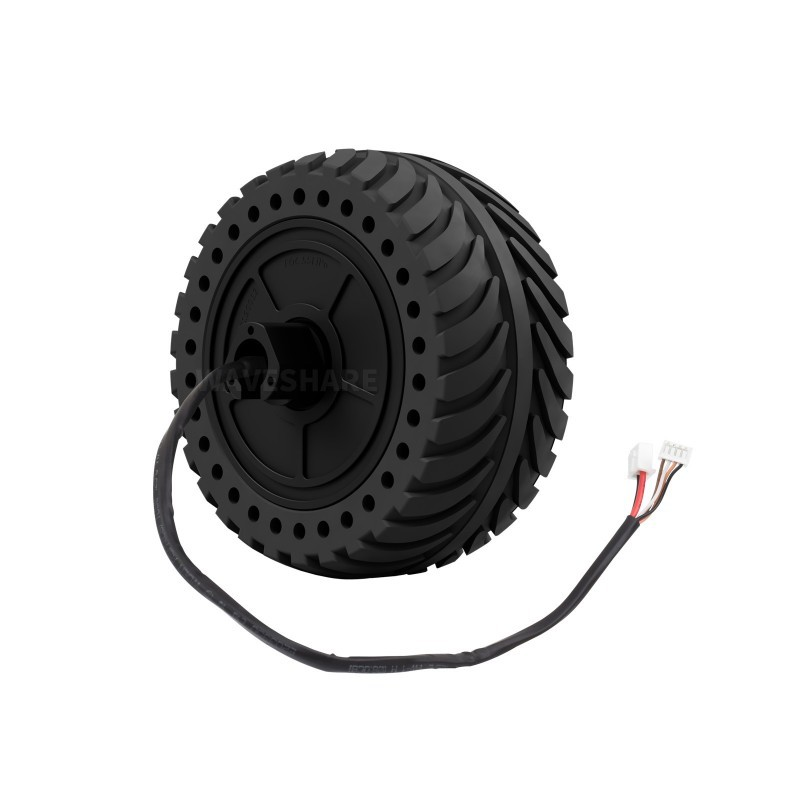
Waveshare DDSM115 Direct Drive Servo Motor – Hub Motor
Low-speed, high-torque hub motor with integrated driver — engineered for thermal efficiency and quiet operation in UGV and robotics platforms.
Frequently Asked Questions
How do I know if my A4988 needs a heatsink?
Touch the chip case carefully after running for 10 minutes at your target current. If it is too hot to hold (above ~55°C), add a heatsink. If it is merely warm (below 45°C), you are probably fine without one. Always add a heatsink if running above 1A per phase or in a warm environment.
Can I use a CPU heatsink on a motor driver board?
Yes, if the chip package is large enough (TO-220) and you use appropriate thermal interface material. For small SMD driver ICs like the A4988, use dedicated small heatsinks that match the chip size.
Why does my stepper motor get hot even when not moving?
When a stepper motor is holding position, current flows continuously in both coils to maintain the magnetic field. This generates I²R heat in the windings even at zero RPM. Enable the current reduction feature in your driver (via SLEEP or dedicated idle-current setting) to reduce holding current to 50% when stationary.
Does adding a heatsink void the warranty on driver boards?
Adding a heatsink to a driver board is a standard practice and does not void any warranty. It actually extends the life of the driver. The only risk is if you use electrically conductive heatsink adhesive that accidentally shorts PCB pads — always use non-conductive thermal tape.
What is thermal shutdown and is it safe?
Thermal shutdown is a built-in protection feature in most modern driver ICs. When junction temperature exceeds a threshold (usually 150°C), the IC shuts off all outputs to prevent damage. The IC automatically recovers once cooled. It is a safety feature, not a normal operating mode — repeated thermal shutdowns indicate inadequate cooling and eventually degrade the IC.
How much does a heatsink reduce temperature?
For a small stick-on 9×9mm aluminium heatsink on an A4988 running at 1A, case temperature reduction is typically 15–25°C compared to no heatsink. Adding a small fan can reduce temperature by a further 20–30°C. Total improvement with heatsink + fan can be 40–50°C — allowing the same driver to run reliably in conditions that would cause thermal shutdown without cooling.
Conclusion
Thermal management is not an afterthought — it is a core part of designing reliable motor control systems. A ₹20 stick-on heatsink can be the difference between a 3D printer that runs all day and one that fails mid-print. An enclosure with proper ventilation can double the lifespan of your motor driver boards in India’s hot climate.
The rule of thumb is simple: if any component is uncomfortable to touch after 10–15 minutes of operation, add cooling. Size your thermal solution for the worst-case ambient temperature you will encounter — in India, that often means 45–50°C in summer. Use heatsinks on A4988 and L298N drivers as a standard practice, not an exception. Your components will last years longer for it.
Zbotic stocks a full range of motor drivers and brushless motors with integrated thermal management — from A4988 stepper drivers to high-efficiency hub motors designed for sustained operation.







Add comment