
Printing in a single colour gets old fast. Multi-material 3D printing lets you create objects with multiple filament colours or materials in a single print — no post-print painting, no gluing separate parts. In 2026, three systems dominate the conversation: Bambu Lab AMS, Prusa MMU3, and Mosaic Palette 3. Each works differently, and choosing the wrong one for your workflow is an expensive mistake.
This guide explains how each system works, their strengths and weaknesses, how much waste they generate, and which Indian makers should choose which system.
How Multi-Material Printing Works
All multi-material FDM systems share the same basic challenge: you have one nozzle (or one hotend at a time) and multiple filaments. The machine must swap filaments mid-print without mixing colours in the nozzle.
This is solved in two ways:
- Filament splice / join outside the machine (Palette): Segments of different filaments are fused together before entering the printer, so the printer thinks it’s running a single continuous filament.
- Load/unload switching inside the machine (AMS, MMU): The machine actively retracts the current filament back to the hub and loads the next one mid-print.
Bambu Lab AMS (Automatic Material System)
The AMS is Bambu Lab’s proprietary multi-material add-on, designed specifically for their X1 Carbon, P1S, P1P, and A1 printers. It sits beside the printer and holds 4 spools simultaneously. An AMS Hub can daisy-chain up to 4 AMS units — giving you 16 filaments total.
How the AMS Works
- The AMS feeds filament through a PTFE buffer into the printer’s toolhead.
- When a colour change is needed, the toolhead retracts the current filament all the way back into the AMS lane.
- The AMS drives the next filament forward into the toolhead.
- A purge block on the side of the bed burns off residual colour from the previous filament.
AMS Strengths
- Ease of use: Setup is genuinely plug-and-play. Bambu Studio handles all colour assignment automatically.
- RFID filament detection: Bambu-brand filaments have RFID chips the AMS reads automatically — sets temperature and material type without manual input.
- Dry box functionality: The AMS has desiccant slots and silica gel holders; some users run it with sealed inserts for humidity-sensitive materials.
- Speed: Filament swaps take 15–25 seconds — faster than MMU3 on average.
- Reliable on Bambu hardware: Because the AMS and printer are co-designed, failures are rare compared to third-party systems.
AMS Weaknesses
- Only works with Bambu printers — cannot be used on Ender, Prusa, or any other brand.
- Flexible filaments (TPU) are problematic — the AMS buffer struggles with TPU, though Bambu has improved compatibility in newer AMS Lite versions.
- Carbon fibre filaments cannot run through the AMS — the abrasive particles wear the PTFE tubing.
- Significant purge waste — typical multi-colour prints use 5–10 grams of purge per colour change.
Prusa MMU3
The Prusa Multi Material Upgrade 3 (MMU3) is Prusa Research’s third-generation multi-material unit, designed for the MK4 and MINI+ printers. It holds 5 filaments and uses a different approach to filament management than the AMS.
How MMU3 Works
The MMU3 sits on top of the printer’s frame. It has 5 drive gears, one per filament channel. During a swap:
- The current filament is cut by a blade (on some configurations) or retracted.
- The new filament is pushed forward by the MMU3’s drive system.
- A filament sensor confirms the new filament has loaded correctly.
MMU3 Strengths
- Open-source and repairable: All MMU3 components are available separately. If a gear strip or sensor fails, you replace just that part — not the whole unit.
- Works with flexible filaments better than AMS (with the filament cutter mod).
- 5 materials per unit vs AMS’s 4.
- Prusa community support is exceptional — detailed troubleshooting guides, active forum, regular firmware fixes.
MMU3 Weaknesses
- Steeper learning curve: Successful MMU3 printing requires careful calibration of filament sensor positions, load distances, and purge volumes.
- Higher failure rate on first setup than AMS — largely resolved once dialled in, but the initial learning period is frustrating.
- Slower swaps: Each filament change can take 30–60 seconds depending on retraction distances.
- Only works with Prusa MK4/MINI+.
Mosaic Palette 3
The Mosaic Palette 3 is unique: it is printer-agnostic. It works by splicing segments of different filaments together before they enter any FDM printer. The resulting single strand contains colour-coded segments in the right order to produce a multi-colour print.
How Palette 3 Works
- You load up to 4 filament spools into the Palette 3 unit.
- The Palette 3 cuts and splices segments according to the colour sequence from a special Canvas slicer.
- The spliced filament feeds into your existing 3D printer as if it were a normal single filament.
- Your printer needs no modification — the Palette handles all material management externally.
Palette 3 Strengths
- Printer-agnostic — works with virtually any FDM printer that accepts 1.75mm filament: Ender 3, Creality K-series, Voron, AnyCubic, and more.
- No need to buy a new printer — upgrade your existing machine for multi-material.
- Canvas software is very good — texture-painting workflow is intuitive for multi-colour design.
Palette 3 Weaknesses
- Huge purge waste: Splice zones need to be purged through the nozzle, often requiring large purge towers or objects.
- Requires tight filament diameter consistency — inconsistent filament (common with cheap Chinese brands) causes splice failures.
- Expensive for what it offers: ~$650 USD, making it pricier than upgrading to a Bambu P1P with AMS.
- Splices can fail mid-print if not perfectly calibrated, and debugging requires experience.
Side-by-Side Comparison
| Feature | Bambu AMS | Prusa MMU3 | Mosaic Palette 3 |
|---|---|---|---|
| Materials per unit | 4 (16 with hub) | 5 | 4 |
| Printer compatibility | Bambu only | Prusa MK4/MINI+ | Any FDM printer |
| Ease of setup | Very Easy | Moderate | Moderate–Hard |
| Swap time | 15–25 sec | 30–60 sec | Varies (splice-based) |
| Open source | Partial | Yes | No |
| TPU support | Limited | Good | Good |
| India pricing (approx) | ₹18,000–₹22,000 | ₹20,000–₹25,000 | ₹55,000+ |
Purge Towers and Filament Waste
Multi-material printing wastes filament. Every colour change requires purging the previous colour from the nozzle — that purge material is printed into a “wipe tower” or “purge block” that you discard after the print.
How Much Filament is Wasted?
- Bambu AMS: ~3–8g per colour change (purge block on bed side). Optimised purge volumes can reduce this.
- Prusa MMU3: ~5–15g per colour change (purge tower, usually printed on-object as wipe tower).
- Mosaic Palette 3: Largest waste — purge towers of 20–50g per print are common.
Minimising Waste Tips
- Order your colours from light to dark where possible — purging light-to-dark is faster.
- Reduce purge volume in slicer settings — but test carefully or you’ll get colour bleeding.
- Use a filament recycler (like the Polyalchemy Elixir or a DIY filament extruder) to recycle purge blocks back into usable filament.
- Print a useful object that “absorbs” the purge, like a multi-colour side piece that gets glued on later.
Slicing for Multi-Material
Each system has an associated slicer that makes multi-material work easier:
- Bambu Studio: Right-click any mesh → Paint with brush to assign extruder colours. Very intuitive. Supports split meshes or painted assignments.
- PrusaSlicer: Supports MMU through the MMU segmentation tool. Multi-part STL imports can assign colour per part.
- Canvas (Mosaic): Proprietary slicer with texture-painting workflow. More complex but powerful.
- OrcaSlicer: Community favourite for Bambu/non-Bambu — supports multi-colour with Bambu AMS compatibility mode.
Multi-Material 3D Printing in India: Practical Realities
- Bambu printers ship to India via authorised dealers; AMS is sold as an add-on. Avoid grey-market imports — warranty is tied to region.
- Prusa ships to India from Prague; import duty is typically 20–28% making the MMU3 significantly more expensive than its US/EU price.
- Mosaic Palette is difficult to source in India — mostly grey imports with no local support.
- Filament quality matters more with multi-material: Use reputable brands (Bambu, eSun, Polymaker) — cheap filament with inconsistent diameter causes jams and failed splices.
Recommended Filaments from Zbotic
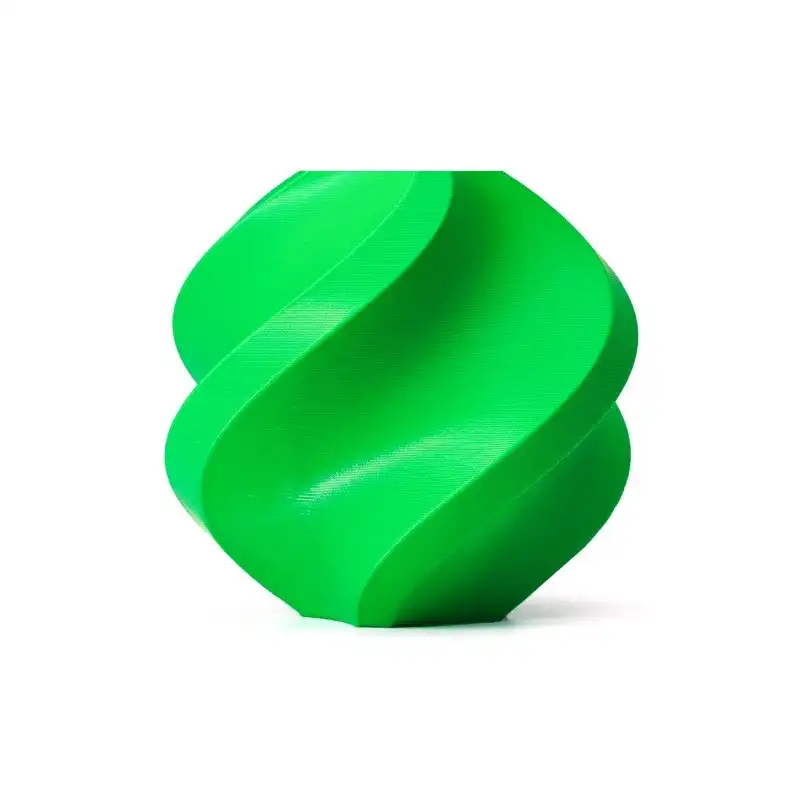
Bambu Lab ABS Filament – Bambu Green 1.75mm
Genuine Bambu Lab ABS with RFID chip — auto-detected by AMS for perfectly optimised temperature and retraction settings. Excellent for functional multi-material parts.

Bambu Lab ABS Filament – Black 1.75mm
Black ABS pairs perfectly with lighter colours in multi-material prints for strong contrast. RFID-enabled for seamless AMS integration.

eSUN PETG 1.75mm Filament 1kg – Clear
Clear PETG can be used as a support interface material or decorative transparent element in multi-material prints — eSUN’s consistent diameter ensures smooth MMU3 loading.

ABS/PLA/PETG Filament Filter & Dust Cleaner
Multi-material printing involves frequent filament swaps — keep all filaments dust-free with this inline filter to prevent clogs and failed splices.
Frequently Asked Questions
Can I add multi-material to my Ender 3?
Yes — through the Mosaic Palette 3 (expensive, complex) or by installing a dual-drive BMG extruder and a custom IDEX setup. Community mods like the MMU2 adaptation also exist. However, for a new buyer, a Bambu A1 with AMS Lite is more cost-effective.
Is multi-material printing worth the filament waste?
For decorative and functional prints where painting would be tedious or impossible (internal colour changes, embedded text, multi-material support interfaces), yes absolutely. For simple dual-colour objects, painting post-print may be more practical.
Can AMS print PETG and PLA in the same print?
Yes. AMS supports mixing different material types (PLA, PETG, ABS) in the same print. Bambu Studio will flag if temperatures are incompatible and warn you.
What is soluble support filament and how is it used in multi-material?
BVOH (for PLA) and HIPS (for ABS) dissolve in water or limonene respectively. Load soluble filament in one AMS slot and use it for supports — the supports dissolve away leaving a clean overhanging surface with no support marks.
How many colours can I print simultaneously?
Single-nozzle systems like AMS and MMU3 can only have one colour in the nozzle at a time, but can use up to 4–16 colours across the print by swapping. True simultaneous multi-colour requires a multi-nozzle/multi-head printer (like an IDEX machine).
Stock Up on Quality Filaments for Multi-Material Printing
Zbotic carries genuine Bambu Lab and eSUN filaments — the brands that work reliably with AMS and MMU3 systems. Shop now and get consistent diameter filament every time.


Add comment