
3D Printing Tolerances: Designing Gaps for Press Fits, Threads, and Snap Fits
One of the most frustrating experiences for any 3D printing beginner is designing two parts that are supposed to fit together, printing them, and finding that they either do not fit at all or fall apart loosely. Tolerances — the intentional gaps and offsets built into a design to account for manufacturing variation — are the solution, and getting them right in 3D printing requires a different approach from machining or injection moulding.
This guide provides practical, tested tolerance values for common fitting types, explains why FDM printers behave the way they do dimensionally, and gives you the design rules needed to produce parts that fit correctly the first time — or very close to it.
Why 3D Printing Needs Special Tolerance Considerations
Traditional CNC machining can hold tolerances of ±0.01mm or tighter. Injection moulding, once the tool is made, produces very consistent parts with tolerances of ±0.05–0.1mm. FDM 3D printing is in a different league entirely — a well-tuned FDM printer typically achieves ±0.1–0.3mm dimensional accuracy, and some consumer machines are worse.
Several factors contribute to FDM dimensional variation:
- Filament swell: When molten plastic exits the nozzle, it expands slightly beyond the nozzle diameter
- Layer over-extrusion: Each layer may spread slightly outward, making outer dimensions slightly larger than designed
- Thermal contraction: Plastic shrinks as it cools, causing some materials (especially ABS) to shrink significantly inward
- Elephant’s foot: The first layer, being pressed onto the heated bed, often spreads outward, creating a flared base
- Z-axis overextrusion: The first few layers may be slightly compressed, altering the effective Z dimensions
- Ringing and ghosting: At high speeds, vibration creates dimensional errors at transitions and holes
The net effect is that holes come out smaller than designed (because extrusion lines curve inward) and outer dimensions come out larger than designed. You must compensate in your CAD model.
Understanding FDM Dimensional Accuracy
Systematic vs. Random Errors
FDM dimensional errors are partly systematic (predictable, same direction every time on the same printer) and partly random (variation from print to print). Systematic errors can be calibrated out. Random errors define your true achievable tolerance floor.
Typical Accuracy Benchmarks
- Budget FDM (Ender 3, similar): ±0.2–0.5mm
- Mid-range FDM (Bambu Lab A1, Prusa MK4): ±0.1–0.2mm
- High-end FDM (Bambu Lab X1C with ASC): ±0.05–0.1mm
- SLA/resin printers: ±0.025–0.05mm (much better, but different material properties)
XY vs. Z Accuracy
X and Y accuracy depends on motion system precision and extrusion control. Z accuracy depends on layer height and bed levelling. Most FDM printers have better Z accuracy than XY accuracy for absolute dimensions — Z error is typically ±0.1mm once bed levelling is correct.
Press Fit Tolerances
A press fit (interference fit) is when two parts have dimensions such that one must be forced into the other. The interference creates friction that holds them together without fasteners.
Starting Tolerance Values
| Application | Interference (shaft larger than hole by) |
|---|---|
| Light press fit (hand-press) | 0.1–0.2mm |
| Medium press fit (mallet needed) | 0.2–0.4mm |
| Tight press fit (vice needed) | 0.4–0.6mm |
| Bearing press into housing | 0.1–0.2mm (light, bearing must not be strained) |
| Metal pin into printed hole | 0.1–0.3mm |
Important: These are starting values. Your specific printer, filament, and print settings will require calibration. Print a test fit gauge before committing to a final design.
Press Fit Design Tips
- Add a 45° chamfer or 0.5mm radius lead-in to the hole and the shaft — this guides alignment during assembly and reduces the risk of cracking the printed part
- Print holes vertically (hole axis parallel to print direction) for best roundness. Horizontal holes deform into a D-shape due to sag on the upper arc.
- For bearing press fits, print the housing bore at 100% infill around the hole with extra walls to prevent the press fit from cracking the housing
- Warm fit (heat the housing in hot water before pressing) — thermal expansion allows easier assembly before the part cools and contracts
Clearance Fit Tolerances (Sliding and Loose Fits)
Clearance fits are used when two parts need to move relative to each other (sliding) or simply fit together without force (assembly fit).
| Fit Type | Gap (hole larger than shaft by) |
|---|---|
| Loose assembly (snap together) | 0.2–0.3mm |
| Free sliding fit | 0.3–0.5mm |
| Loose sliding (some play) | 0.5–0.8mm |
| Very loose (rattle fit) | 1.0mm+ |
Remember: holes in FDM prints come out smaller than designed. A 10mm diameter hole in your CAD model may print as 9.7mm. For a free-sliding fit on a 10mm shaft, you might need to design your hole as 10.5mm to achieve the 0.4mm clearance after the 0.3mm printing under-size.
Threaded Connections: Printed Threads and Inserts
Printed Threads
3D printed threads work but require careful design. Standard ISO metric thread profiles are too fine for good FDM quality at M3 or M4 sizes — the thread flanks do not print cleanly. Recommendations:
- Minimum practical thread size: M5 or larger for reliable printed threads
- Use coarser pitch than standard: Instead of M6 1.0mm pitch, use M6 2.0mm pitch if you are modelling custom threads
- Add 0.1–0.2mm clearance to the thread profile compared to standard nominal dimensions to ensure mating
- Use thread inserts (best practice): For M3, M4, M5 threads, use brass heat-set inserts pressed into the print. They provide metal threads that are far more reliable and can be tightened and loosened many times
Printed Nuts and Hex Pockets
Embedding standard hex nuts in printed parts is a reliable way to create strong threaded connections. Design hex pockets with 0.2mm clearance on each flat and 0.3mm extra clearance on depth to account for over-extrusion on the bottom face. The nut should drop in with light pressure — it will be held by the geometry above it.
Thread Profile Tolerance Table
| Connection Type | Recommended Approach |
|---|---|
| M3 thread | Heat-set insert (do not print M3 threads) |
| M4 thread | Heat-set insert or embedded nut pocket |
| M5 thread | Printed thread (add 0.2mm to hole diameter) or heat-set |
| M6 and larger | Printed threads work well; add 0.2–0.3mm clearance |
| NPT/BSP pipe threads | Printed, then seal with PTFE tape — not reliable for pressure |
Snap Fit Design and Tolerances
Snap fits are features that flex during assembly and lock into place. They are excellent for lids, covers, battery compartments, and any panel that needs to be opened and closed repeatedly.
Snap Fit Geometry
A snap fit cantilever arm needs three key dimensions:
- Arm length: Longer arms flex more easily but have less holding force. For a hand-actuated snap, design arm length 5–15mm.
- Arm thickness: Controls stiffness. Thinner = easier to snap, lower retention force. For PETG, 1.5–2.5mm thickness for hand snap.
- Undercut depth: How far the catch engages. 0.5–1.5mm for most applications. Deeper = stronger hold, harder to release.
Snap Fit Tolerances
- Add 0.2–0.3mm clearance around the snap arm to allow it to flex without rubbing the housing
- The catch groove should have 0.1–0.2mm clearance beyond the undercut depth to ensure positive engagement
- Round all corners on the snap arm with 0.5mm radius minimum — sharp corners crack at the base
- Print snap arms perpendicular to layer lines (arm lying flat on print bed) for maximum flex strength without delamination
Material Considerations for Snap Fits
- PLA: Poor — brittle, snaps break after a few cycles
- PETG: Good — flexible, durable, resists cyclic fatigue well
- TPU: Excellent — highly flexible, nearly unbreakable snaps, but lower holding force due to softness
- ABS: Good — better than PLA, usable for moderate duty snap fits
Pins and Holes
For pivot pins, alignment pins, and dowel-style connections:
- Printed pin into printed hole (same print): Not possible — they fuse. Must print separately or use pausing and insertion.
- Printed pin into printed hole (separately printed): Design hole 0.3–0.4mm larger than pin diameter for free rotation, 0.1–0.2mm for snug fit
- Metal pin (smooth rod) into printed hole: Design hole 0.2mm larger than rod for free sliding, or 0.1mm smaller for light press fit
- Hole axis orientation: Print holes with axis vertical (hole opens at top) for best roundness. Horizontal holes sag and become 0.1–0.3mm elongated vertically.
The Horizontal Hole Compensation
If your holes must be printed horizontally (axis parallel to print bed), add a horizontal expansion compensation in your slicer (Cura: “Hole Horizontal Expansion”, PrusaSlicer: similar setting). Typically set to +0.1 to +0.2mm to counteract the inward-sag effect on horizontal holes.
Gear Mesh Tolerances
Gear mesh clearance (backlash) is critical for smooth operation. Too little and gears bind; too much and you get excessive play and noise.
- Module 1 gears (small): Add 0.2mm to centre distance beyond nominal to account for tooth over-extrusion
- Module 2 gears (medium): Add 0.15–0.2mm to centre distance
- Module 3+ gears (large): Standard nominal centre distance usually works; add 0.1mm if binding occurs
- Always print gears flat on the bed (tooth profile in Z) for maximum tooth strength
- Use 100% infill for all gear bodies regardless of size
Calibrating Your Specific Printer
The tolerance values in this guide are starting points. Your specific printer, filament, and settings will have systematic offsets you need to measure and incorporate. Here is a simple calibration workflow:
Step 1: Print a Calibration Block
Print a 20×20×20mm cube with 2 walls, 4 top/bottom layers, 20% infill. Measure all three dimensions with a digital vernier caliper (available from any Indian hardware store or online). Note the deviation from 20mm on each axis.
Step 2: Print a Tolerance Test
Print a pin and hole gauge set with holes from 9.8mm to 10.4mm diameter (in 0.1mm steps) and a 10mm pin. Find which hole the pin fits best — this reveals your systematic hole under-sizing.
Step 3: Apply Compensation
Use your measured offsets in your CAD model. If your printer consistently prints holes 0.3mm undersized, add 0.3mm to all hole diameters in CAD. If outer dimensions are 0.2mm oversized, subtract 0.2mm from all outer wall positions.
Step 4: Retest After Any Major Change
Calibration is not permanent. Changing filament brands, nozzle diameters, printing temperature, or extrusion multiplier all affect tolerances. Recalibrate whenever you make a significant change.
How Different Filaments Affect Tolerances
| Filament | Shrinkage | Tolerance Notes |
|---|---|---|
| PLA | Low (0.2–0.4%) | Most predictable, easiest to calibrate |
| PETG | Low–Medium (0.3–0.5%) | Slightly more shrinkage than PLA; prone to stringing into holes |
| ABS | High (0.5–0.8%) | Significant shrinkage — holes often print 0.4–0.6mm undersize |
| TPU (flexible) | Very Low | High elasticity means dimensional specs are less critical |
| Nylon (PA) | Medium–High (0.5–1.5%) | Variable; also absorbs moisture and changes dimensions post-print |
Practical Design Tips
- Design mating parts in the same CAD file: Use the actual surfaces of one part as references for the other. This naturally incorporates any design intent tolerance between them.
- Use parametric models: Define tolerance as a variable (e.g., “clearance = 0.3mm”) so you can adjust and reprint quickly if the first try is wrong.
- Always chamfer or fillet mating edges: A 0.5mm chamfer on both a hole and a pin make assembly dramatically easier and allow slightly tighter tolerances.
- Print test fits before the full part: If your main part takes 8 hours to print, print a 5-minute test of just the mating feature first.
- Consider print orientation for holes: Vertical holes (axis perpendicular to bed) are always rounder than horizontal holes. Design assemblies so critical holes print vertically.
- Temperature compensation: In India’s climate, PLA parts used in a 40°C environment will be slightly softer and dimensions may drift. For tight-tolerance functional parts in hot environments, use PETG or ABS.
Essential Printer Accessories for Accurate Prints
Accurate prints start with a well-maintained printer. A clean nozzle, consistent extrusion, and proper bed adhesion are prerequisites for achieving repeatable tolerances.
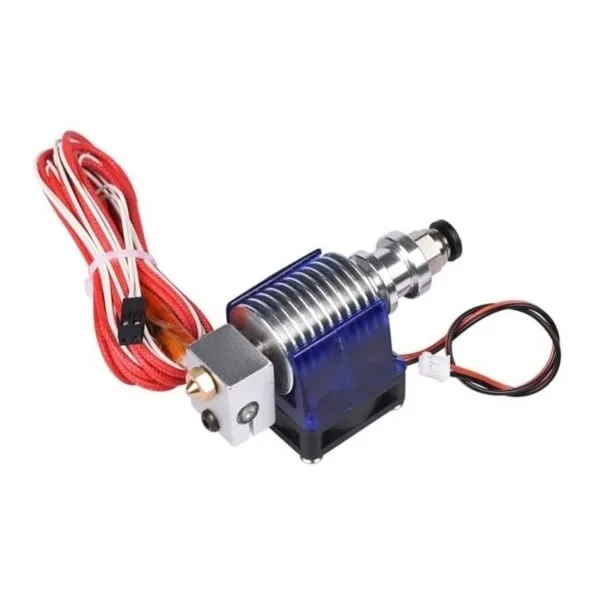
Complete Bowden V6 Hotend with Fan Cable – 0.2mm Nozzle
A complete V6 hotend assembly with a 0.2mm nozzle for high-precision, fine-detail prints where tolerance accuracy matters most. 30cm cable length, compatible with most Bowden setups.
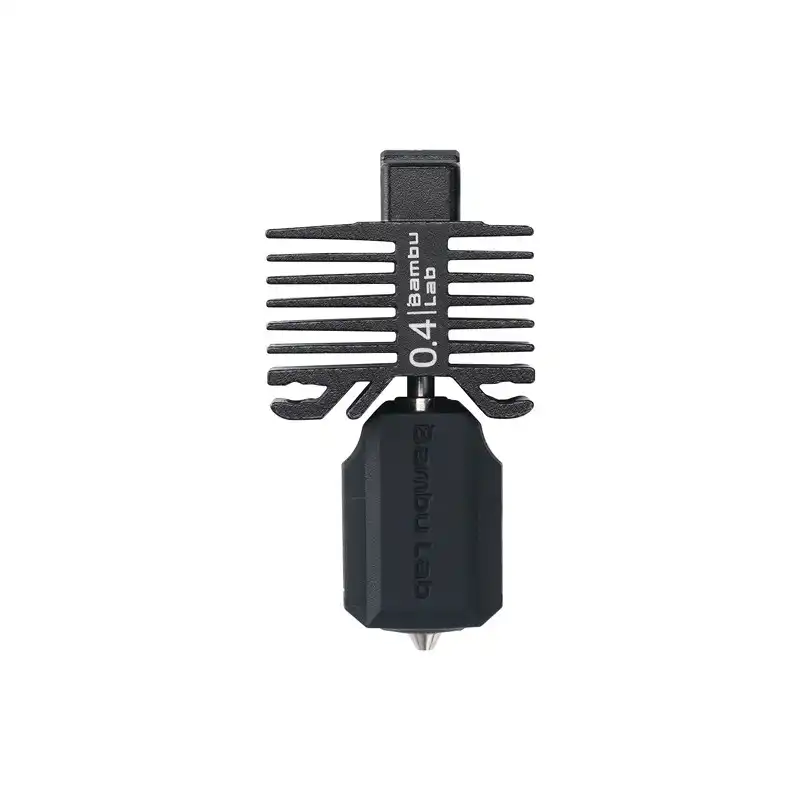
Bambu Lab Hotend with Hardened Steel Nozzle 0.4mm – for P1P, P1S, X1C
Official Bambu Lab replacement hotend for P1P, P1S, and X1C printers. Ensures consistent extrusion for repeatable tolerances across multiple prints. Hardened steel handles abrasive specialty filaments.

B Type Aluminium Heat Sink for MK7 MK8 Extruder
Proper thermal management in the cold zone prevents heat creep, which causes clogs and inconsistent extrusion — directly affecting dimensional accuracy. Essential spare for Ender 3 and MK8 hotends.

Left Side MK8 Extruder Aluminum 3D Printer Block
Replacement aluminium heater block for MK8 extruders. A warped or damaged heater block causes temperature fluctuations and inconsistent extrusion — replace it to restore dimensional accuracy.
Frequently Asked Questions
What tolerance should I use for a 10mm shaft in a 3D printed bearing housing?
For a smooth metal shaft rotating freely, design the printed hole at 10.3–10.4mm (0.3–0.4mm clearance). For a press fit (shaft held fixed), design the hole at 9.8–9.9mm. Always print and test a small sample first.
Why do my 3D printed M3 threads always strip?
Printed M3 threads are too fine for reliable FDM output. The thread flanks under-extrude and are weak. Use M3 heat-set brass inserts instead — they take 30 seconds to install and provide metal threads that last hundreds of assembly cycles.
My printed holes are always smaller than designed. How do I fix this?
This is normal for FDM. Solutions: (1) Add 0.2–0.4mm to all hole diameters in your CAD file. (2) Use the “Horizontal Expansion” compensation in your slicer for holes. (3) Drill printed holes to exact size with a hand drill — this is the most reliable approach for precision holes.
Does changing filament brands affect my tolerances?
Yes, significantly. Different brands (and even different colours of the same brand) have slightly different diameters, shrinkage rates, and viscosity. Recalibrate your tolerance offsets whenever you switch filament brands for tolerance-critical parts.
Can I achieve 0.05mm tolerances on a budget FDM printer?
Not reliably. Budget FDM printers like the Ender 3 have practical dimensional accuracy of ±0.2mm. For 0.05mm tolerances, you need either a premium FDM printer (Bambu Lab X1C with ASC), a resin printer, or post-machining of the printed part.
What is the best way to improve my printer’s dimensional accuracy?
In order of impact: (1) Calibrate E-steps and flow rate. (2) Ensure bed is correctly levelled. (3) Use quality filament with tight diameter tolerance (±0.03mm). (4) Print at optimal temperature for your filament. (5) Reduce print speed for precision parts. (6) Replace worn nozzle.
Conclusion
Mastering 3D printing tolerances is one of the skills that separates beginner makers from experienced ones. The dimensional quirks of FDM printing — holes that come out small, outer dimensions that are slightly large, and material-specific shrinkage — are consistent and predictable once you understand them.
The tolerance values provided in this guide are practical starting points calibrated against real-world FDM printing experience. Use them as your starting point, print small test pieces to validate your specific printer and filament combination, and build a library of offset values you can apply reliably to future projects.
With well-calibrated tolerances, your printed assemblies will click, slide, press, and thread together exactly as designed — no filing, no force-fitting, no reprinting the same part three times. That is the difference between frustrating 3D printing and genuinely useful maker fabrication.
For quality filaments, nozzles, hotend spares, and all your 3D printing accessories, visit Zbotic.in — India’s trusted electronics and maker components store.


Add comment