
UART (Universal Asynchronous Receiver-Transmitter) is the oldest and most ubiquitous serial communication protocol in embedded electronics. It is how your Arduino talks to your PC over USB, how GPS modules send location data, how Bluetooth modules receive AT commands, and how microcontrollers have communicated with each other for decades. In this guide, we will explain exactly how UART communication works — TX/RX lines, baud rate, data frames, and practical Arduino examples.
What Is UART?
UART stands for Universal Asynchronous Receiver-Transmitter. It is a hardware communication protocol that enables serial data exchange between two devices using just two data wires (TX and RX) and a shared ground. The key word is asynchronous — unlike SPI and I2C, there is no shared clock signal. Instead, both sender and receiver must independently know the communication speed (baud rate) and agree on the data format before communication begins.
UART was originally implemented as a standalone IC (e.g., the Intel 8250 from 1977) and is now built into virtually every microcontroller as a hardware peripheral. The Arduino Uno has one UART (used for USB Serial), while the Arduino Mega has four.
Key UART Characteristics
- Asynchronous: No clock signal — both ends pre-configured to the same baud rate
- Full duplex: TX and RX are separate lines — simultaneous send and receive
- Point-to-point: Typically connects exactly two devices (no multi-slave bus)
- Simple wiring: Only TX, RX, and GND required at minimum
- Universal: Works across virtually all microcontrollers, computers, and communication modules
TX and RX Lines: How They Connect
UART communication uses two data lines:
TX — Transmit
TX is the output line. The device drives this pin to send serial data. Bits are sent one at a time, with the least significant bit (LSB) first in standard UART.
RX — Receive
RX is the input line. The device monitors this pin to receive incoming serial data.
The Cross-Connection Rule
This is where beginners often get confused: TX of device A connects to RX of device B, and RX of device A connects to TX of device B. Each device’s transmit line feeds the other device’s receive line. Think of it as two people speaking — person A’s mouth (TX) connects to person B’s ear (RX), and vice versa.
Device A              Device B
  TX  ────────────►  RX
  RX  ◄────────────  TX
  GND ──────────────  GND
Common mistake: Connecting TX to TX and RX to RX — this does not work. Both devices would be transmitting on the same wire and listening on the other same wire, resulting in no communication (or worse, damaging the outputs if both drive simultaneously).
Baud Rate: The Language Speed
Baud rate is the number of signal changes (symbols) per second. For UART, where each symbol is one bit, baud rate equals bits per second (bps). Both communicating devices MUST be configured to the same baud rate — if they differ, the receiver will misinterpret bits and you will see garbage data.
Standard UART Baud Rates
| Baud Rate | Bits per Second | Common Use |
|---|---|---|
| 9600 | 9,600 | Default Arduino Serial, GPS, most AT-command modules |
| 115200 | 115,200 | Faster Arduino debug, bootloaders, ESP8266/ESP32 |
| 57600 | 57,600 | Bluetooth modules, some GPS |
| 4800 | 4,800 | Legacy RS-232 devices, slow sensors |
| 1000000 | 1,000,000 | Dynamixel servos, high-speed data logging |
How Baud Rate Tolerance Works
UART can tolerate a baud rate mismatch of up to approximately ±2–3%. Beyond this, the receiver’s sampling point drifts enough within a frame that it begins sampling the wrong bit. A 10-bit frame sampled at 3% wrong speed drifts 0.3 bits by the last bit — still within the ±0.5 bit tolerance. At 5% mismatch, errors start appearing.
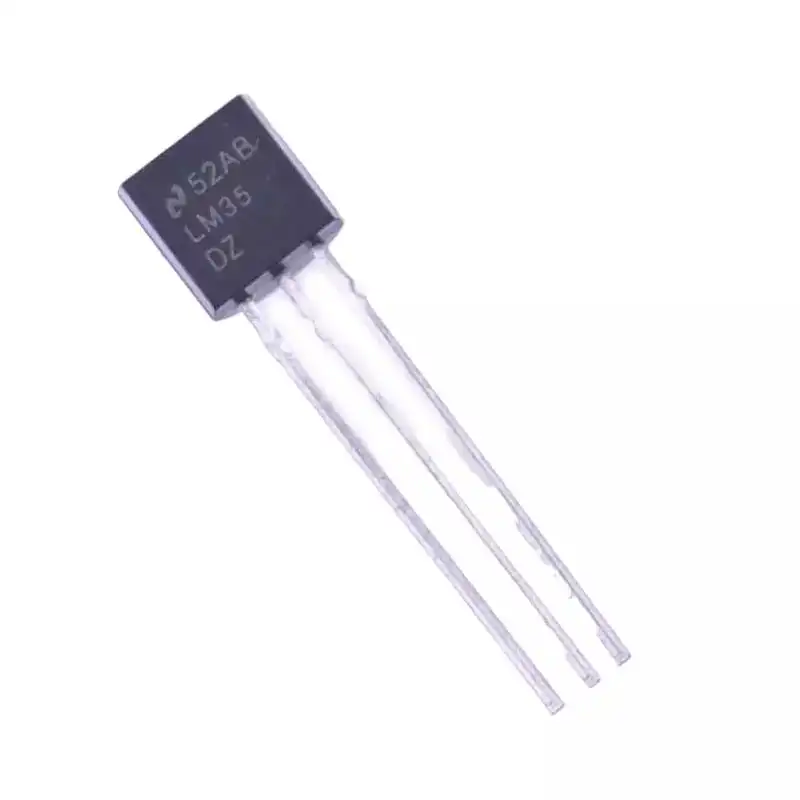
LM35 Temperature Sensor
Build a UART data logger: read LM35 temperature and transmit values over serial to your PC or another microcontroller at any baud rate.
UART Frame Format: Start, Data, Parity, Stop
Because UART is asynchronous (no clock), the receiver needs a way to synchronise with each byte. This is achieved through a defined frame structure that wraps every byte of data.
The UART Frame
IDLE   START  D0  D1  D2  D3  D4  D5  D6  D7  PARITY  STOP
HIGH │  LOW  │ bit-by-bit data (LSB first) │  opt  │ HIGH │
Start Bit
The idle UART line sits at logic HIGH. The transmitter signals the beginning of a frame by pulling the TX line LOW for exactly one bit period. The receiver detects this HIGH-to-LOW transition and starts its internal sampling clock, centred at the middle of the bit period.
Data Bits
The actual data follows the start bit, sent LSB-first (least significant bit first) in standard UART. Most systems use 8 data bits (one byte), but 5, 6, 7, or 9 bits are possible. Each bit holds for exactly one bit period (1/baud rate seconds).
Parity Bit (Optional)
An optional parity bit follows the data bits. Parity adds basic error detection:
- Even parity: Parity bit set so the total number of 1s (data + parity) is even
- Odd parity: Total number of 1s is odd
- No parity (N): The most common setting — skips the parity bit entirely
Parity catches single-bit errors but not multi-bit errors. It is rarely used in modern embedded systems where higher-level protocols provide error checking.
Stop Bit(s)
One or two stop bits follow the data (and optional parity). The TX line returns HIGH for this duration, signalling the end of the frame. The receiver uses stop bits to re-synchronise and prepare for the next start bit. Most modern systems use 1 stop bit; 2 stop bits were common with older, slower hardware.
UART Configuration Notation
UART settings are typically written as: baud rate, data bits, parity, stop bits. For example:
- 9600, 8N1: 9600 baud, 8 data bits, No parity, 1 stop bit — most common Arduino setting
- 115200, 8E2: 115200 baud, 8 data bits, Even parity, 2 stop bits
Why Asynchronous Timing Works
You might wonder: if there is no shared clock, how does the receiver know exactly when to sample each bit? The answer is careful timing based on the known baud rate.
When the receiver detects the falling edge of the start bit, it waits 1.5 bit periods to sample the first data bit (D0) at its centre. It then samples at 1-bit-period intervals for each subsequent bit. As long as the receiver’s internal clock is accurate enough (within ~3%), the sampling point stays near the centre of each bit for the entire 10-bit frame.
This is why crystal oscillators and precise clock sources matter in UART systems. Arduino uses a 16MHz crystal, which generates baud rates with very low error (typically under 0.5% for standard baud rates).
Hardware and Software Flow Control
When the receiver cannot process incoming data fast enough, a buffer overflow can occur — received bytes are lost before they are read. Flow control prevents this.
Hardware Flow Control (RTS/CTS)
Uses two additional lines:
- RTS (Request To Send): The sender asserts RTS LOW to say “I have data to send”
- CTS (Clear To Send): The receiver asserts CTS LOW to say “I am ready to receive”
The sender only transmits when CTS is LOW (receiver ready). This is reliable but requires 4 wires total.
Software Flow Control (XON/XOFF)
Uses special control characters within the data stream. The receiver sends an XOFF character (0x13, Ctrl+S) to pause the sender and XON (0x11, Ctrl+Q) to resume. Simple but cannot be used in binary data streams where 0x13 might appear as regular data.
Most embedded UART applications use neither form of flow control — instead, the firmware processes data fast enough or uses DMA to keep up. Arduino’s Serial library uses a 64-byte receive buffer, which overflows if data arrives faster than it is read.
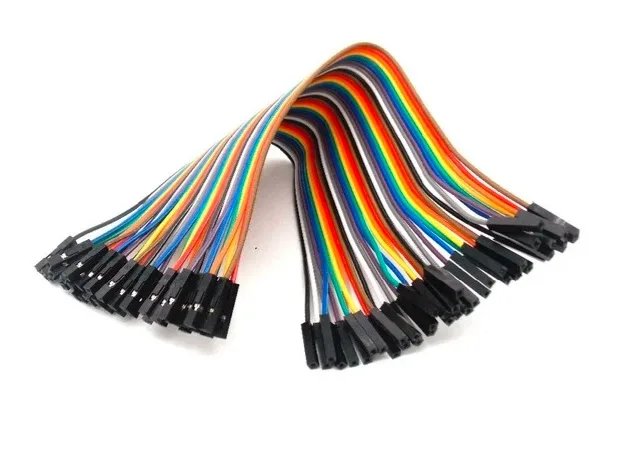
10CM Female To Female Breadboard Jumper Wires – 40Pcs
Connect UART modules (GPS, Bluetooth) with female connectors to your Arduino headers cleanly using these jumper wires.
UART Voltage Levels and Logic Families
Different systems operate at different logic voltages. Connecting them without level shifting can damage components:
| System | Logic HIGH | Logic LOW | Example Devices |
|---|---|---|---|
| TTL (5V) | 5V | 0V | Arduino Uno, ATmega |
| CMOS (3.3V) | 3.3V | 0V | ESP8266, ESP32, STM32, RPi |
| RS-232 | -3V to -25V | +3V to +25V | PC COM ports, industrial equipment |
| RS-485 | Differential | Differential | Industrial networks, Modbus |
When connecting a 5V Arduino to a 3.3V ESP8266, always use a voltage divider or logic level converter on the TX-to-RX connection. The Arduino’s 5V TX signal can damage the 3.3V RX pin on the ESP8266.
UART with Arduino
Using the Hardware Serial Port
void setup() {
  Serial.begin(9600);  // Start UART at 9600 baud, 8N1
}

void loop() {
  // Send data
  Serial.println("Hello from Arduino!");
  Serial.print("Sensor value: ");
  Serial.println(analogRead(A0));

  // Receive data
  if (Serial.available() > 0) {
    char received = Serial.read();
    Serial.print("Received: ");
    Serial.println(received);
  }
  delay(1000);
}
Using SoftwareSerial for Extra UART Ports
#include <SoftwareSerial.h>

// RX on pin 10, TX on pin 11
SoftwareSerial mySerial(10, 11);

void setup() {
  Serial.begin(9600);      // USB Serial for debugging
  mySerial.begin(9600);    // Software UART for GPS or Bluetooth
}

void loop() {
  if (mySerial.available()) {
    Serial.write(mySerial.read());  // Forward GPS data to PC
  }
  if (Serial.available()) {
    mySerial.write(Serial.read());  // Forward PC commands to module
  }
}
Parsing UART Data from GPS
#include <SoftwareSerial.h>

SoftwareSerial gpsSerial(4, 3);  // GPS TX → Arduino pin 4
String nmeaSentence = "";

void setup() {
  Serial.begin(115200);
  gpsSerial.begin(9600);
}

void loop() {
  while (gpsSerial.available()) {
    char c = gpsSerial.read();
    if (c == 'n') {
      Serial.println(nmeaSentence);
      nmeaSentence = "";
    } else {
      nmeaSentence += c;
    }
  }
}
UART vs RS-232 vs RS-485
| Feature | UART (TTL) | RS-232 | RS-485 |
|---|---|---|---|
| Voltage | 0–3.3V or 0–5V | ±3V to ±25V | Differential ±1.5V–6V |
| Range | <1m (PCB level) | ~15m | 1200m |
| Devices | 2 (point-to-point) | 2 (point-to-point) | 32–256 (multi-drop) |
| Noise immunity | Low | Medium | Excellent (differential) |
| Use case | On-board comms | PC COM port | Industrial, Modbus |
Common UART Devices in Projects
- GPS modules (e.g., NEO-6M): Output NMEA sentences at 9600 baud
- Bluetooth modules (HC-05, HC-06): AT command configuration and data at 9600/38400 baud
- ESP8266/ESP32: Programmable via UART at 115200 baud; also communicate with other MCUs
- RFID readers (RDYM-600): Send card UIDs over UART
- GSM/GPRS modules (SIM800L): AT commands at 9600/19200 baud
- Fingerprint sensors (R307): Optical sensor with UART interface at 57600 baud

10CM Male To Female Breadboard Jumper Wires – 40Pcs
Connect TX and RX lines between UART modules and your Arduino using these reliable male-to-female jumper wires.
Frequently Asked Questions
What happens if baud rates don’t match in UART?
If the baud rates differ between sender and receiver, the receiver samples bits at the wrong timing. This results in corrupted data — you will see garbage characters, question marks, or seemingly random bytes in the Serial Monitor. The fix is always to ensure both devices are configured to the identical baud rate. Also verify 8N1 (8 data bits, no parity, 1 stop bit) settings match on both sides.
Does UART need a common ground?
Yes, absolutely. UART voltage levels are measured relative to ground. If the two devices do not share a common ground, the receiver has no reference for what constitutes a HIGH or LOW voltage on the TX line. Always connect GND of device A to GND of device B along with the TX/RX lines. Forgetting this is one of the most common UART wiring mistakes.
How many UART devices can communicate at once?
Standard UART is strictly point-to-point — only two devices, one transmitter and one receiver at a time. Unlike I2C or RS-485, you cannot put multiple UART devices on the same bus. If you need to communicate with many devices, use RS-485 (up to 32 nodes), I2C, or a UART multiplexer. On Arduino, SoftwareSerial lets you have multiple software UARTs on different pin pairs, but only one is active at a time.
Why is my Arduino Serial Monitor showing garbage characters?
Garbage characters in the Serial Monitor almost always mean a baud rate mismatch. Check that the baud rate in Serial.begin() in your sketch matches the baud rate selected in the Serial Monitor dropdown (bottom-right corner of the monitor). Other causes include sending binary data but opening the monitor in text mode, or noise on a long wire. Try 9600 or 115200 first — these are the two most common rates.
What is the difference between UART and Serial?
UART is the hardware protocol — the physical implementation of asynchronous serial communication with start/stop bits. “Serial” is often used loosely to mean UART, especially in the Arduino world (Serial.begin() configures the hardware UART). Technically, “serial” just means data sent one bit at a time (as opposed to parallel), so SPI and I2C are also serial protocols. When people say “serial” without qualification in embedded electronics, they almost always mean UART.
Build Your Next UART Project with Zbotic
From sensors and modules to jumper wires and power supplies — Zbotic has everything you need to bring your embedded communications projects to life.


Add comment