
A tank robot with tracked chassis is one of the most capable and rugged DIY robot builds you can make. Unlike wheeled robots that get stuck on uneven surfaces, tank robots use continuous tracks — just like real military tanks — to navigate rough terrain, climb over obstacles, and maintain traction on dusty or slippery floors. In India, where robotics competitions and DIY projects are booming, a tank robot is a standout project for students, hobbyists, and engineers. This complete guide covers everything from choosing the right tracked chassis to programming full autonomous capabilities.
Why Choose a Tracked Chassis?
Tracked robots offer several advantages that make them the preferred choice for demanding environments:
- Superior traction: The large contact area of tracks prevents slipping on sand, gravel, grass, and wet surfaces.
- Obstacle negotiation: Tracks can climb over objects up to ~30–40% of the track height.
- Zero turning radius: Tank-steer (skid-steer) — run one track forward and one backward — lets the robot rotate in place.
- Stability: Low centre of gravity and wide footprint make tracked robots very hard to tip over.
- Payload capacity: Metal-frame tracked chassis can carry much heavier payloads than equivalently sized wheeled platforms.
The main trade-off is power consumption — tracks have higher rolling resistance than wheels, so battery life is shorter. They’re also noisier and less efficient on smooth flat surfaces where wheeled robots excel.
Tracked Chassis Options in India
When selecting a tracked chassis for your tank robot project in India, consider three tiers:
Entry Level: Plastic/Nylon Tracks
Affordable kits with plastic track links and TT motors. Good for beginners and indoor use. Payload: ~0.5 kg.
Mid Level: Metal Frame + Rubber Tracks
Aluminium or steel main frame with rubber or TPU tracks. Better traction and durability. Suitable for outdoor surfaces and competitions. Payload: ~2–5 kg.
Pro Level: Heavy-Duty Metal Tracks
All-metal construction with segmented track links. Rated for 10kg+ payloads. Used in search-and-rescue and inspection robots.
For most DIY and competition builds in India, the mid-level metal frame chassis is the sweet spot — robust enough for real-world use, affordable enough for students and hobbyists.
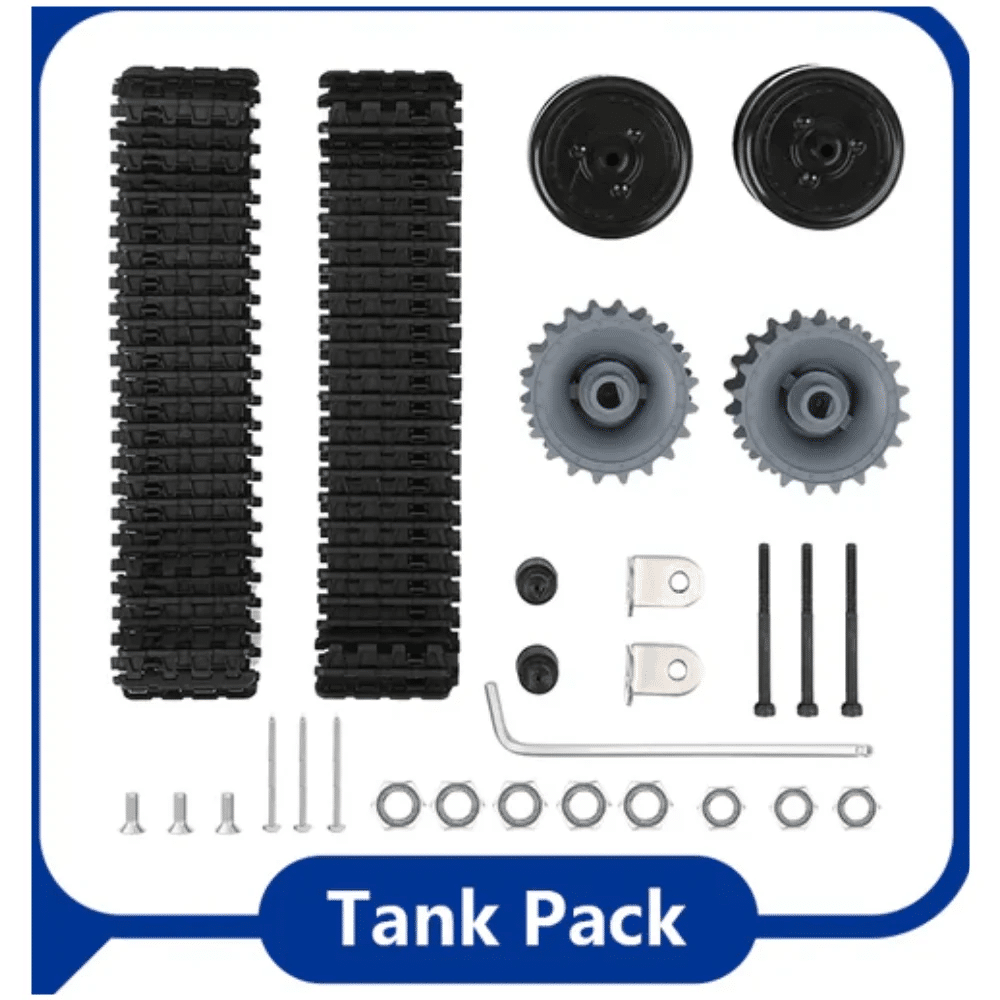
ACEBOTT ESP32 Tank Robot Car Expansion Pack (QD001–QD004)
Complete ESP32-based tank robot expansion kit with motor driver board, sensors, and programmable controller — the fastest way to get your tracked robot running with WiFi control.
Electronics & Components BOM
A complete tank robot electronics stack for a mid-level build:
| Component | Recommended Part | Purpose |
|---|---|---|
| Controller | ESP32 or Arduino Mega | Main logic, WiFi, servo PWM |
| Motor Driver | L298N or BTS7960 | Drive left/right tracks |
| RC Receiver | FlySky FS-GR3E | Receive RC signals |
| Transmitter | FlySky FS-GT2 | Manual RC control |
| Distance Sensor | HC-SR04 (×3) | Front/side obstacle detection |
| Camera | ESP32-CAM module | FPV live stream |
| Battery | 3S LiPo 2200–3000mAh | Power everything |
The BTS7960 motor driver handles up to 43A peak, making it far more suitable for high-current metal-geared track motors than the L298N (max 2A). For heavy builds, always prefer the BTS7960 or Cytron MDD10A.
Motor Driver Wiring for Tank Drive
Tank drive (skid steer) needs two independent motor channels — one per track. With a dual-channel driver (L298N or BTS7960):
// Tank drive mixing
void tankDrive(int leftSpeed, int rightSpeed) {
  // leftSpeed, rightSpeed: -255 to +255
  // Positive = forward, Negative = reverse
  if (leftSpeed >= 0) {
    analogWrite(LEFT_FWD, leftSpeed);
    analogWrite(LEFT_REV, 0);
  } else {
    analogWrite(LEFT_FWD, 0);
    analogWrite(LEFT_REV, -leftSpeed);
  }
  // Same for right channel...
}

// Forward
tankDrive(200, 200);
// Turn left (pivot)
tankDrive(-150, 150);
// Turn right
tankDrive(150, -150);
// Reverse
tankDrive(-200, -200);
For RC control, read the receiver PWM signals and map them to left/right speeds using channel mixing:
int throttle = map(pulseIn(CH1, HIGH), 1000, 2000, -255, 255); // forward/back
int steering = map(pulseIn(CH2, HIGH), 1000, 2000, -255, 255); // left/right
int leftSpeed  = constrain(throttle + steering, -255, 255);
int rightSpeed = constrain(throttle - steering, -255, 255);
tankDrive(leftSpeed, rightSpeed);
RC Control with FlySky Transmitter
For outdoor tank robot operation, a 2.4 GHz RC system provides reliable control up to 500m+. The FlySky FS-GT2 transmitter and FS-GR3E receiver are a popular budget choice:
- Bind the receiver to the transmitter (press bind button on RX while powering up with TX in bind mode).
- Channel 1 (throttle stick): forward/backward
- Channel 2 (steering wheel): left/right turning
- Set
pulseIn()timeout to 25ms to handle signal loss gracefully. - Add a failsafe: if no valid PWM pulse received for 200ms, stop all motors.
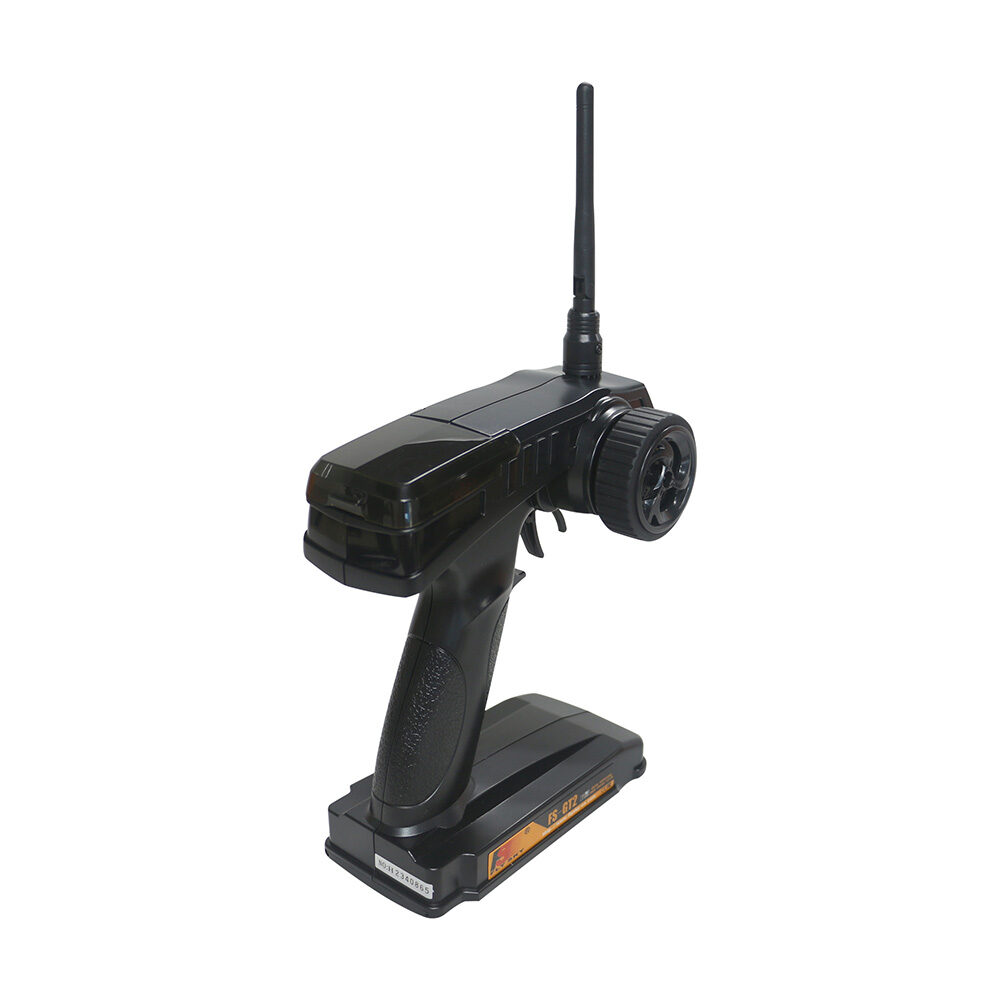
Flysky FS-GT2 Transmitter with FS-GR3E Receiver
2.4GHz RC system with steering wheel controller — intuitive tank robot control with reliable range for outdoor use. Includes both TX and RX in one pack.
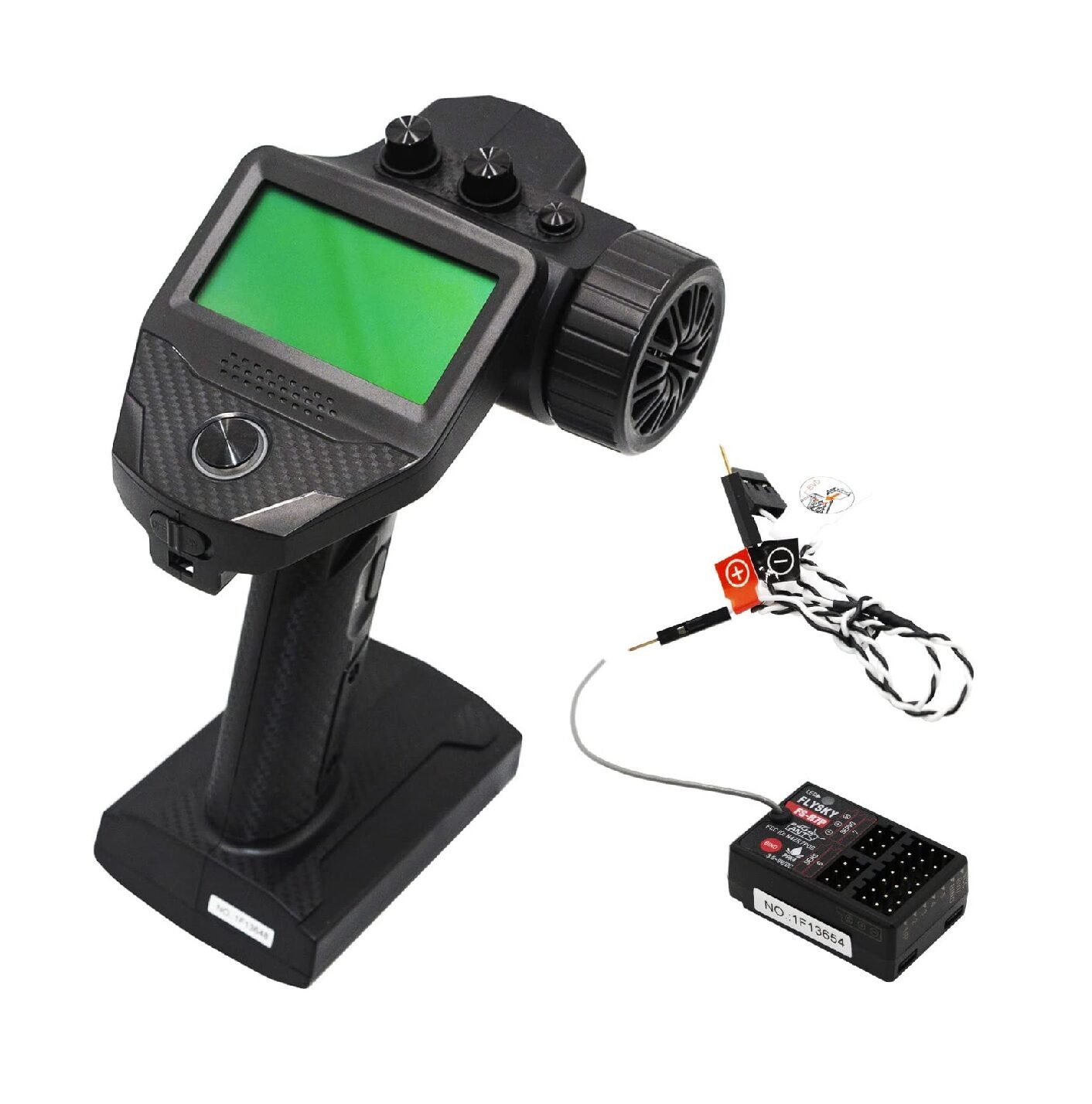
Flysky FS-G7P 2.4GHz ANT Transmitter with FS-R7P Receiver (Upgraded)
Upgraded 7-channel RC system with ANT protocol — more channels for controlling tank arm attachments, camera tilt, and auxiliary functions on advanced builds.
ESP32 WiFi Control & Web Dashboard
With an ESP32 as the main controller, you can add a web-based control dashboard accessible from any smartphone on the same WiFi network. This is perfect for indoor demonstrations and competitions with spotty RC signal:
#include <WiFi.h>
#include <WebServer.h>
WebServer server(80);

const char* html = R"(
<!DOCTYPE html><html><body>
<h2>Tank Robot Control</h2>
<button ontouchstart="move('forward')" ontouchend="move('stop')">Forward</button>
<button ontouchstart="move('left')"    ontouchend="move('stop')">Left</button>
<button ontouchstart="move('right')"   ontouchend="move('stop')">Right</button>
<button ontouchstart="move('backward')" ontouchend="move('stop')">Backward</button>
<script>
function move(dir) {
  fetch('/move?dir='+dir);
}
</script>
</body></html>
)";

void setup() {
  WiFi.softAP("TankBot", "robot1234");
  server.on("/", []() { server.send(200, "text/html", html); });
  server.on("/move", handleMove);
  server.begin();
}
This creates a WiFi hotspot called “TankBot” — connect from your phone and control the robot via the web page. Latency is ~20–50ms on a direct connection, adequate for slow manoeuvring.
Autonomous Upgrades: Sensors & Obstacle Avoidance
Take your tank robot beyond manual control with sensor-based autonomy:
- Ultrasonic array: Mount HC-SR04 sensors at front-left, front-centre, and front-right. Use servo sweep for wider coverage.
- IR cliff detection: IR sensors pointing downward at front detect table edges and stairs — critical for indoor deployment.
- IMU gyro: MPU6050 helps the robot hold a straight heading (gyro-assisted PID steering) even on slippery tracks.
- RPLIDAR: Mount an RPLIDAR A1 on the tank for full 360° obstacle awareness and SLAM-based autonomous navigation.
A simple state machine handles basic autonomous operation:
if (frontDist < 25) {
  stopMotors();
  delay(300);
  if (leftDist > rightDist) turnLeft(90);
  else turnRight(90);
} else {
  moveForward();
}
Competition-Ready Upgrades
For robotics competitions like ABU Robocon, DRDO competitions, or college robotics fests, consider these upgrades:
- Gripper arm: A 3-DOF servo arm mounted on the tank can pick up objects for delivery tasks.
- LED indicators: Status LEDs and a buzzer for competition mode signalling.
- Protective enclosure: Lexan polycarbonate shield over electronics protects from arena hazards.
- Quick-swap battery: XT60 connector for rapid battery changes between rounds.
- Brushless upgrade: Replace brushed DC track motors with BLDC motors + ESCs for 3× the power at lower weight.
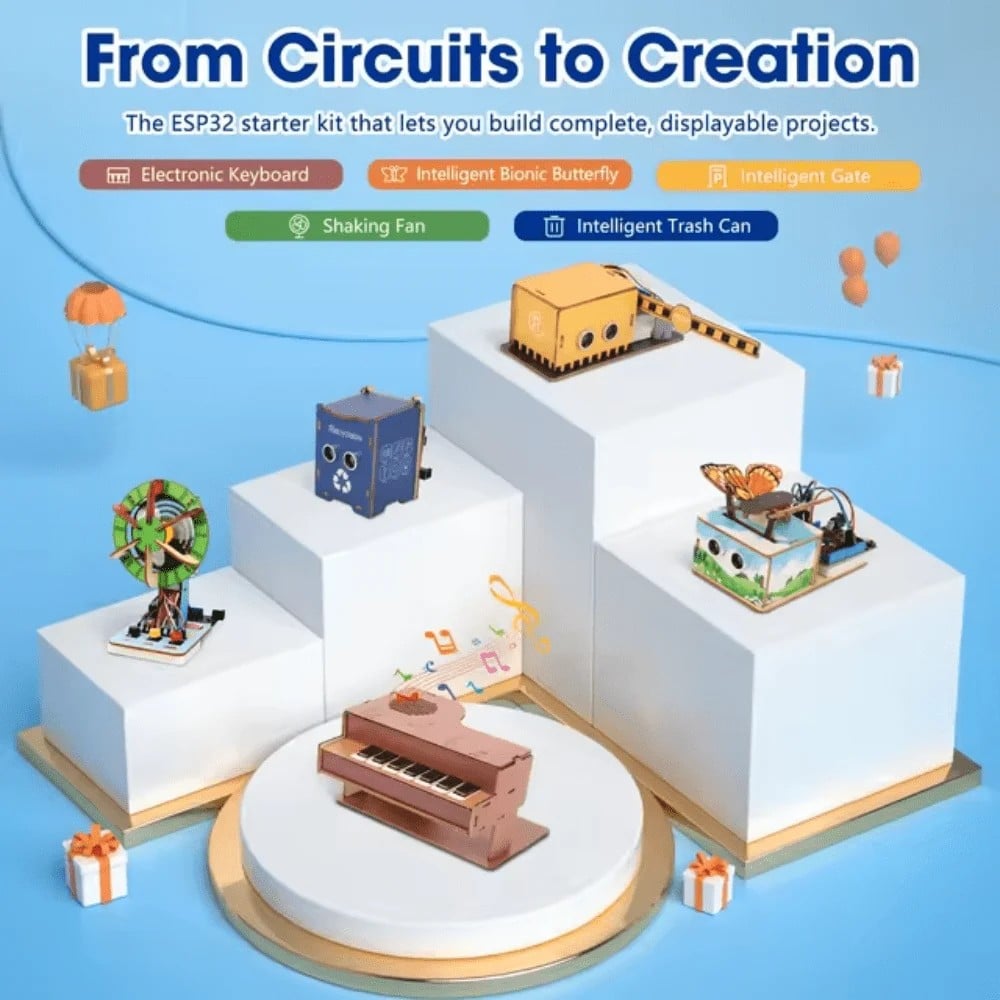
ACEBOTT ESP32 Basic Starter Kit (QE201)
ESP32 starter kit with all the basic sensors and modules — perfect for adding autonomous features like obstacle detection and WiFi control to your tank robot.
Frequently Asked Questions
What is the best tracked chassis for beginners in India?
For beginners, a mid-level metal-frame rubber-track chassis is ideal — robust enough to last through a full project but not so complex to assemble. Pair it with an ESP32 or Arduino and a dual motor driver for an excellent first tracked robot.
How fast can a DIY tank robot go?
With standard TT DC motors, expect 0.3–0.5 m/s. With higher-RPM 12V gear motors and a BTS7960 driver, speeds of 1–2 m/s are achievable. For competition robots, 3+ m/s is possible with BLDC motors.
Can a tank robot climb stairs?
Small DIY rubber-track robots cannot climb stairs (need triangle or flipping track geometry for that). They can however climb over cables, door thresholds, gravel, and low obstacles (~3–5cm).
What battery is best for a tank robot?
A 3S LiPo (11.1V) with 2200–3000mAh gives 30–60 minutes of typical operation. Avoid alkaline batteries — their voltage sag under motor load causes the microcontroller to reset.
Is there GST invoice available when buying from Zbotic?
Yes. Zbotic.in provides GST invoices for all orders, making it suitable for college project reimbursements and institutional purchases.
Build Your Tank Robot in India
Get all the components for your tracked robot — ESP32 kits, RC transmitters/receivers, motor drivers, and chassis accessories — from Zbotic.in with fast delivery across India and genuine GST invoices.







Add comment