
SLAM with Raspberry Pi: TurtleBot3 Navigation & Mapping
Implementing SLAM with Raspberry Pi for TurtleBot3 navigation is the gateway to understanding autonomous mobile robotics. SLAM — Simultaneous Localisation and Mapping — lets a robot build a map of an unknown environment while simultaneously tracking its own position within that map. When you pair a Raspberry Pi with TurtleBot3 running ROS2, you get a complete, cost-effective platform for mastering techniques used in everything from warehouse AMRs to self-driving cars. This tutorial walks you through the hardware setup, ROS2 installation, SLAM configuration, and real navigation testing you can do in any room or corridor.
Understanding SLAM: The Core Concepts
SLAM solves a chicken-and-egg problem: to localise yourself on a map, you need a map; to build a map, you need to know where you are. Modern SLAM algorithms solve this jointly using probabilistic estimation techniques like Extended Kalman Filters, Particle Filters, or graph-optimisation methods.
In the TurtleBot3 ecosystem, SLAM is implemented via the slam_toolbox package. It uses a 2D LIDAR scanner to detect walls and obstacles, matches these laser scans against previously seen environments using scan-matching (ICP/NDT), and builds an occupancy grid map in real time. The robot’s odometry (from wheel encoders) provides a motion prior, and the LIDAR corrects for cumulative drift.
Key SLAM algorithms available in ROS2:
- slam_toolbox (recommended): Graph-based SLAM with loop closure, life-long mapping support
- Cartographer: Google’s submap-based approach, excellent for large environments
- GMapping: Particle filter SLAM, simpler but less accurate for larger maps
- RTAB-Map: 3D SLAM with RGB-D cameras, works with Pi Camera + depth module
Hardware Requirements for TurtleBot3 SLAM
The official TurtleBot3 Burger uses specific hardware, but you can build equivalent platforms using parts available in India:
Official TurtleBot3 Burger Components
- Raspberry Pi 4B (4GB recommended) as the SBC
- OpenCR1.0 board for motor control (STM32F7 based)
- DYNAMIXEL XL430-W250 servo motors (2) — expensive at ~₹8,000 each
- LDS-01 or LDS-02 2D LIDAR scanner
- Li-Po battery (11.1V, 1800mAh)
Budget Indian Alternative Build
You can replicate most TurtleBot3 functionality with an Indian DIY build:
- Raspberry Pi 4B or equivalent SBC
- 2WD chassis with N20 or TT motors + encoder wheels
- RPLIDAR A1M8 or YDLiDAR X4 (₹6,000–12,000) — same LIDAR as TurtleBot3
- Arduino Mega or STM32 as motor controller, bridged via rosserial or micro-ROS
- MPU-6050 IMU for enhanced odometry
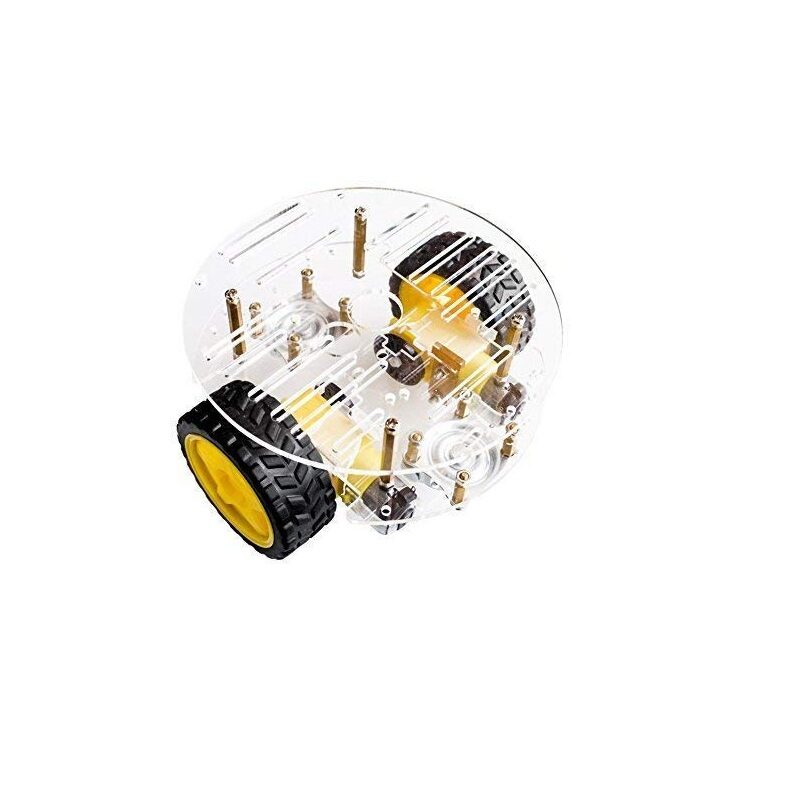
2WD Mini Round Double-Deck Smart Robot Car Chassis DIY Kit
The ideal base platform for a TurtleBot3-style differential drive SLAM robot. Double-deck acrylic gives room for Raspberry Pi, LIDAR, and battery on separate levels — keeping the LIDAR unobstructed.
Setting Up ROS2 Humble on Raspberry Pi
ROS2 Humble Hawksbill is the current LTS release (supported until May 2027) and the recommended version for TurtleBot3. Install it on Ubuntu Server 22.04 on your Raspberry Pi 4.
Step 1: Flash Ubuntu 22.04 Server
Use Raspberry Pi Imager to flash Ubuntu Server 22.04 64-bit (arm64) onto a 32GB+ microSD card. Enable SSH in the imager’s advanced settings. Boot, update packages:
sudo apt update && sudo apt upgrade -yStep 2: Install ROS2 Humble
sudo curl -sSL https://raw.githubusercontent.com/ros/rosdistro/master/ros.key -o /usr/share/keyrings/ros-archive-keyring.gpg
echo "deb [arch=$(dpkg --print-architecture) signed-by=/usr/share/keyrings/ros-archive-keyring.gpg] http://packages.ros.org/ros2/ubuntu jammy main" | sudo tee /etc/apt/sources.list.d/ros2.list > /dev/null
sudo apt update
sudo apt install -y ros-humble-ros-base python3-argcomplete ros-dev-tools
Step 3: Install TurtleBot3 Packages
sudo apt install -y ros-humble-turtlebot3 ros-humble-turtlebot3-msgs
sudo apt install -y ros-humble-slam-toolbox ros-humble-navigation2 ros-humble-nav2-bringup
echo 'export TURTLEBOT3_MODEL=burger' >> ~/.bashrc
echo 'source /opt/ros/humble/setup.bash' >> ~/.bashrc
source ~/.bashrc
TurtleBot3 Configuration and Bring-Up
For the official TurtleBot3 Burger, the bring-up process is straightforward. On the robot’s Raspberry Pi:
ros2 launch turtlebot3_bringup robot.launch.pyThis starts the OpenCR node (motor controller), LDS LIDAR driver, and TF broadcaster. On your remote PC (connected to the same WiFi network), set the ROS_DOMAIN_ID to match the robot:
export ROS_DOMAIN_ID=30  # must match robot Pi
export TURTLEBOT3_MODEL=burger
Verify the robot is publishing sensor data:
ros2 topic list # should show /scan, /odom, /tfCustom Robot Bring-Up (Non-TurtleBot3)
For a DIY differential drive robot, you need to publish:
/scan(sensor_msgs/LaserScan) from your LIDAR ROS2 driver/odom(nav_msgs/Odometry) computed from encoder ticks/tftransforms: map→odom→base_link→laser_frame
The robot_localization package can fuse odometry and IMU data for better pose estimates.
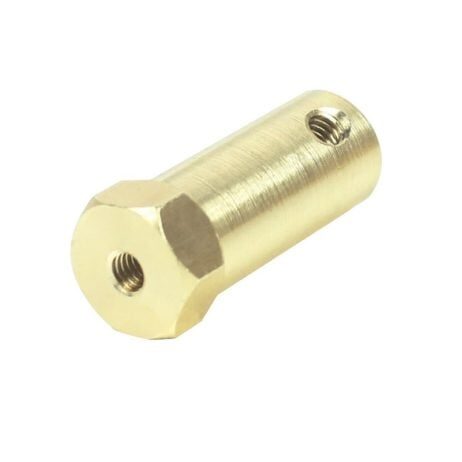
4mm Hex Coupling for Robot Smart Car Wheel (30mm)
Essential for mounting encoder wheels on your DIY SLAM robot’s differential drive motors. Accurate encoder data is critical for reliable odometry in SLAM. 30mm length fits most TT and N20 motor shafts.
Running SLAM Toolbox for Mapping
With the robot running and sensors publishing, launch SLAM Toolbox in online asynchronous mode on your remote PC:
ros2 launch slam_toolbox online_async_launch.py n slam_params_file:=/opt/ros/humble/share/turtlebot3_navigation2/param/burger.yaml n use_sim_time:=falseOpen RViz2 for visualisation:
rviz2 -d $(ros2 pkg prefix turtlebot3_navigation2)/share/turtlebot3_navigation2/rviz/tb3_navigation2.rvizMapping Tips for Better Results
- Drive slowly (max 0.15 m/s linear, 1.0 rad/s angular) during mapping for better scan matching
- Make multiple passes through each area to build denser map data
- Ensure loop closure by returning to your starting point — this corrects accumulated drift
- Avoid highly reflective surfaces (mirrors, glass doors) that confuse LIDAR
- Good lighting isn’t needed — LIDAR works in total darkness
Saving the Map
ros2 run nav2_map_server map_saver_cli -f ~/maps/my_roomThis saves my_room.pgm (pixel image of occupancy grid) and my_room.yaml (metadata including resolution and origin). A typical room maps to 0.05m/pixel resolution with RPLIDAR A1.
Autonomous Navigation with Nav2
Once you have a saved map, the Nav2 (Navigation2) stack provides:
- AMCL: Adaptive Monte Carlo Localisation — localises the robot on the pre-built map using particle filters
- Costmap2D: Inflates obstacles for safe path planning
- NavFn/Smac Planner: Global path planning (A* or hybrid A*)
- DWB/MPPI Controller: Local path following, obstacle avoidance
- Behaviour Trees: High-level mission management
Launching Localisation and Navigation
ros2 launch turtlebot3_navigation2 navigation2.launch.py n map:=$HOME/maps/my_room.yamlIn RViz2, use “2D Pose Estimate” to tell AMCL the robot’s initial position on the map (click and drag in the direction the robot faces). Then use “Nav2 Goal” (2D Goal Pose) to send navigation targets. Nav2 will plan a path and drive the robot autonomously, avoiding obstacles detected by the LIDAR in real time.
Python API for Autonomous Missions
Use the Nav2 Simple Commander API for programmatic waypoint missions:
from nav2_simple_commander.robot_navigator import BasicNavigator
from geometry_msgs.msg import PoseStamped
import rclpy

rclpy.init()
nav = BasicNavigator()
nav.waitUntilNav2Active()

goal = PoseStamped()
goal.header.frame_id = 'map'
goal.pose.position.x = 1.5
goal.pose.position.y = 0.5
goal.pose.orientation.w = 1.0

nav.goToPose(goal)
while not nav.isTaskComplete():
    pass
print('Goal reached!')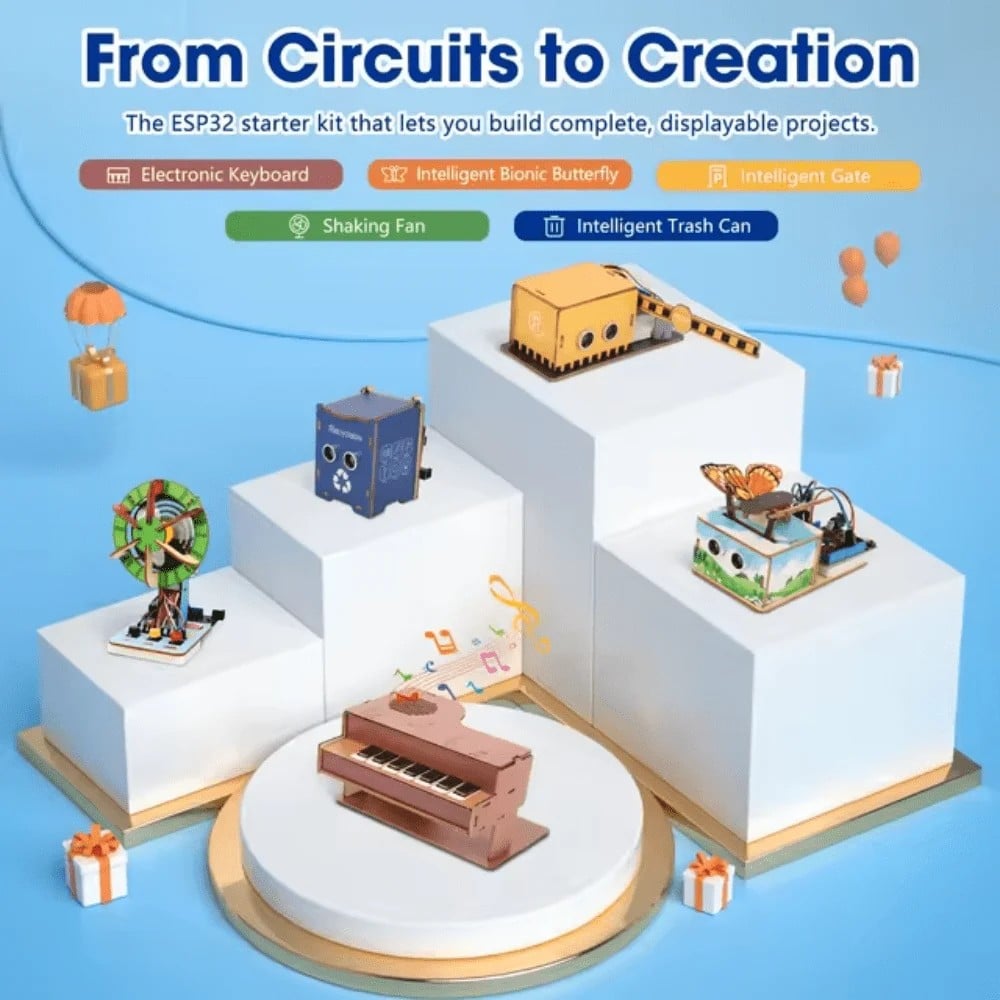
ACEBOTT ESP32 Basic Starter Kit (QE201)
Use this ESP32 kit as a micro-ROS motor controller bridge between your SLAM robot’s Raspberry Pi and drive motors. ESP32 handles real-time motor PWM and encoder counting via micro-ROS.
Adapting SLAM to Your Custom Robot
The TurtleBot3 software stack is highly modular and can be adapted to any differential drive or Ackermann-steering robot. The key parameters to tune in your SLAM configuration file are:
max_laser_range:Set to your actual LIDAR’s maximum range (A1M8 = 12m)resolution:Map resolution in metres/pixel (0.05 is standard for indoor rooms)minimum_travel_distance:How far the robot must move before processing a new scan (default 0.5m)minimum_travel_heading:Minimum rotation before new scan (default 0.5 rad)
For the Nav2 costmap, set your robot’s actual footprint (polygon or radius) in the navigation2.yaml config. An undersized footprint causes collisions; an oversized one prevents passage through narrow corridors.
Indian environments present specific challenges: cluttered rooms, glass doors in offices, children/pets as dynamic obstacles, and monsoon-affected floors. Increase the inflation_radius parameter (try 0.35–0.50m) for better safety margins.
Common Issues and Troubleshooting
SLAM Map Has Tears or Smears
Cause: Wheel slippage on smooth floors (common in Indian homes) corrupts odometry. Fix: Reduce speed during mapping, add rubber tyres to your drive wheels, or use an IMU to supplement odometry with robot_localization EKF fusion.
AMCL Kidnapped Robot Problem
If the robot is picked up and placed elsewhere (or starts in the wrong position), AMCL’s particle filter needs to recover. Enable recovery_alpha_slow and recovery_alpha_fast parameters in the AMCL config for automatic recovery.
Nav2 Planner Fails to Find Path
This usually means the goal is inside an obstacle on the costmap, or the costmap inflation radius is so large that narrow paths appear blocked. Check your YAML footprint definition and reduce inflation_radius gradually.
High CPU Load on Raspberry Pi
Running full SLAM + Nav2 on a Pi 4 consumes 70–90% CPU. Use a heatsink + small fan on your Pi. Consider running SLAM on a remote PC and only bringing up the drivers on the Pi (this is the recommended TurtleBot3 architecture).
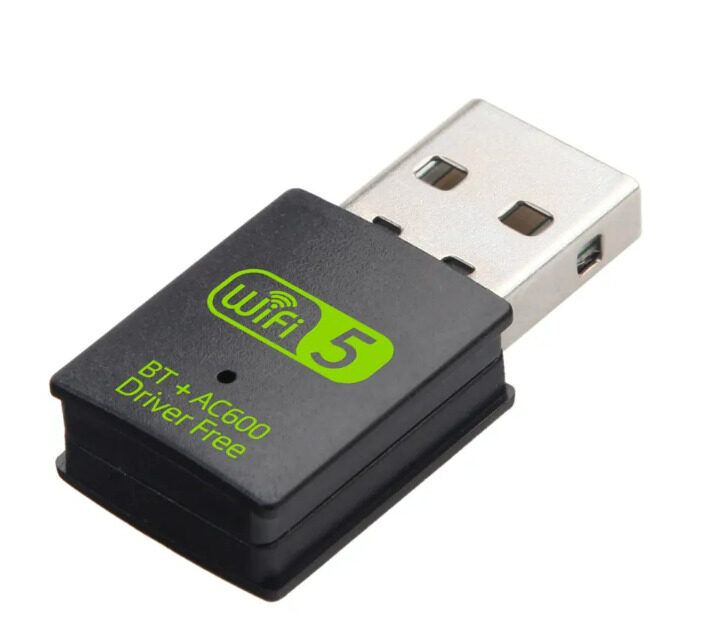
2-in-1 USB Bluetooth WiFi Adapter 600Mbps Dual Band
Reliable dual-band WiFi for your SLAM robot’s ROS2 communication. The 5GHz band provides lower latency for RViz2 remote visualisation over your home network — critical for smooth SLAM monitoring.
Frequently Asked Questions
Can I run SLAM on Raspberry Pi 3 instead of Pi 4?
Raspberry Pi 3B+ has insufficient RAM (1GB) and CPU for running full SLAM + Nav2 simultaneously. It can handle robot bring-up (drivers, sensors, odometry) while offloading SLAM and Nav2 to a more powerful remote PC connected via WiFi. Pi 4 with 4GB is the minimum recommended for fully standalone operation.
Do I need a real TurtleBot3 or can I simulate first?
You can simulate TurtleBot3 in Gazebo on any Ubuntu desktop PC before buying hardware. Install ros-humble-turtlebot3-gazebo and use the provided world files. Simulation is excellent for learning Nav2 configuration, testing mission scripts, and debugging — all without risk to physical hardware.
Which LIDAR is best for SLAM in India within budget?
The RPLIDAR A1M8 (₹6,000–8,000) is the most popular choice for Indian makers. It has an official ROS2 driver, 12-metre range, 5.5Hz scan frequency, and 360-degree coverage — identical specs to the TurtleBot3 LDS-02. YDLiDAR X4 is a cheaper alternative (₹4,000) but with a slightly noisier signal in practice.
How accurate is SLAM mapping with a Raspberry Pi setup?
A properly tuned SLAM setup with RPLIDAR and good odometry achieves 5–10cm positional accuracy in a 10×10m room. Accuracy degrades in long corridors (parallel walls confuse scan matching) and near reflective surfaces. Loop closure via slam_toolbox significantly improves global consistency.
Can SLAM work outdoors in India?
2D LIDAR SLAM works outdoors in structured environments like campus pathways or warehouse yards. Open areas with few obstacles (flat fields, parking lots) give poor SLAM performance because there are insufficient features for scan matching. 3D LIDAR or camera-based Visual SLAM (ORB-SLAM3) is better for outdoor Indian environments.
Build Your SLAM Robot Today
Zbotic has all the chassis, coupling hardware, and electronic components you need to build a TurtleBot3-style SLAM robot in India. Shop our robotics category for 2WD platforms, hex couplings, ESP32 motor controllers, and more — with fast delivery across India.






Add comment