
SIM7080G NB-IoT + GNSS Module: Low Power Tracker Project
When you need to track assets, vehicles, or livestock across India’s vast geography with a device that lasts months on a single battery charge, the SIM7080G NB-IoT GNSS tracker project delivers exactly that. The SIMCOM SIM7080G combines a multi-band NB-IoT/LTE-M modem with a built-in GNSS receiver (GPS + GLONASS + BeiDou) in a single compact module. With deep sleep currents below 5 µA and NB-IoT connectivity working on Jio and Airtel’s existing LTE infrastructure — no new SIM or special plan needed on many networks — this is the platform for serious production-grade IoT in India. This guide walks you through building a complete low-power tracker from hardware wiring to cloud data delivery.
SIM7080G Module Overview and Key Features
The SIM7080G is SIMCOM’s flagship Cat-M1/NB-IoT module for IoT applications. Here’s what makes it special for Indian deployments:
- Multi-band: Supports LTE bands B1, B2, B3, B4, B5, B8, B12, B13, B18, B19, B20, B25, B26, B27, B28, B66, B71, B85 — virtually every band used by Jio (B5, B28), Airtel (B3, B5, B8), and Vi (B3, B8) in India.
- Dual protocol: NB-IoT (Cat-NB2, up to 127 kbps DL) and LTE-M (Cat-M1, up to 589 kbps DL). The module auto-selects based on network availability.
- Integrated GNSS: GPS + GLONASS + BeiDou + Galileo. Typical TTFF cold start ~30 s open sky; hot start ~5 s.
- Ultra-low power: PSM sleep: 3.8 µA; deep sleep: 0.7 µA; transmit peak: ~500 mA at +23 dBm.
- Interface: UART (default 115200 baud), with hardware flow control (RTS/CTS) for reliable high-speed communication.
- Supply voltage: 3.4–4.4 V (designed for direct LiPo battery connection).
The module’s standout feature for trackers is that GNSS and NB-IoT can operate simultaneously — the module fixes its position and transmits in a single wake cycle without switching modes.

15cm 3dBi GSM/GPRS/3G PCB Antenna with IPEX Connector
Compact PCB antenna for the SIM7080G’s LTE/NB-IoT interface. The IPEX (U.FL) connector matches the SIM7080G module’s antenna port directly, ideal for enclosed tracker builds.
Hardware Wiring and Power Supply Design
For this project, we’ll use an ESP32 as the host microcontroller communicating with the SIM7080G via UART. The ESP32 handles application logic, sleep orchestration, and data formatting while the SIM7080G handles connectivity and positioning.
Connections
| SIM7080G Pin | ESP32 Pin | Notes |
|---|---|---|
| TXD | GPIO16 (RX2) | Module TX → MCU RX |
| RXD | GPIO17 (TX2) | Module RX → MCU TX |
| PWRKEY | GPIO4 | Active LOW, pull high 1.8 s to power on |
| NETLIGHT | GPIO5 (input) | Network status LED output |
| VCC | 3.7–4.2 V (LiPo direct) | DO NOT use 3.3V regulator — needs 3.4V min, 500mA peak |
| GND | GND | Common ground |
Critical Power Supply Note
The SIM7080G draws up to 500 mA during LTE transmission bursts. A standard LDO 3.3 V regulator cannot supply this. Power the module directly from a 3.7 V LiPo cell (3.4–4.2 V range) and use a separate 3.3 V LDO only for the ESP32 and other 3.3 V logic. Use a 100 µF low-ESR capacitor right at the SIM7080G VCC pin to handle the current spikes.
Essential AT Commands: Network Registration and GNSS
All SIM7080G control happens via AT commands over UART. Here’s the sequence to initialise the module and register on India’s NB-IoT network:
// 1. Check module responds
AT
// Expected: OK

// 2. Check SIM card present
AT+CIMI
// Expected: 15-digit IMSI number

// 3. Set network preference to NB-IoT
AT+CNMP=38
// 38 = LTE Only. For NB-IoT preferred: AT+CMNB=2
AT+CMNB=2
// 2 = NB-IoT preferred

// 4. Set APN for Jio NB-IoT
AT+CGDCONT=1,"IP","jionet"
// For Airtel: "airtelgprs.com" or "internet"

// 5. Trigger network registration
AT+CFUN=1
AT+COPS=0
// Wait 30-60 seconds for network attachment

// 6. Check registration status
AT+CEREG?
// Response: +CEREG: 0,1 (0=not subscribed, 1=registered home)
// or +CEREG: 0,5 (registered roaming)

// 7. Check signal quality
AT+CSQ
// +CSQ: 18,0 → RSSI = -79 dBm (good)
// +CSQ: 5,0  → RSSI = -101 dBm (marginal)
Getting GNSS Position Fixes
The SIM7080G’s GNSS engine is controlled by a separate set of AT commands (CGNSS prefix). GNSS and NB-IoT share the same module but use different antenna ports — you need both a cellular antenna (IPEX) and a GPS antenna (separate IPEX port):
// Enable GNSS power
AT+CGNSPWR=1
// Expected: OK

// Check GNSS status (poll until position acquired)
AT+CGNSINF
// Response: +CGNSINF: 1,1,20240301120000.000,
//   12.971598,77.594566,837.800,0.00,0.0,1,,1.5,1.8,1.1,,8,,36.3,
// Field 2 = fix status (1 = fix acquired)
// Field 4 = Latitude
// Field 5 = Longitude
// Field 6 = Altitude (metres)
// Field 7 = Speed (km/h)
// Field 14 = Satellites in view

// For production: poll every 10 seconds, stop polling when fix acquired
// Parse latitude and longitude from the comma-delimited response
A helper function in Arduino:
struct GNSSData {
  bool    fixed;
  float   lat;
  float   lon;
  float   alt;
  float   speed;
  uint8_t satellites;
};

GNSSData parseGNSS(String response) {
  GNSSData data = {false, 0, 0, 0, 0, 0};
  // +CGNSINF: run_status,fix_status,datetime,lat,lon,alt,speed,...
  if (!response.startsWith("+CGNSINF:")) return data;

  // Tokenise by comma
  int idx = response.indexOf(':') + 2;
  String fields[16];
  int fieldCount = 0;
  while (fieldCount < 16) {
    int comma = response.indexOf(',', idx);
    if (comma == -1) { fields[fieldCount++] = response.substring(idx); break; }
    fields[fieldCount++] = response.substring(idx, comma);
    idx = comma + 1;
  }

  data.fixed      = (fields[1].toInt() == 1);
  data.lat        = fields[3].toFloat();
  data.lon        = fields[4].toFloat();
  data.alt        = fields[5].toFloat();
  data.speed      = fields[6].toFloat();
  data.satellites = fields[13].toInt();
  return data;
}
Publishing Tracker Data via MQTT over NB-IoT
The SIM7080G supports MQTT natively via AT commands — no separate MQTT library needed on the ESP32. This saves RAM and simplifies the code significantly:
// Configure MQTT parameters
AT+SMCONF="URL","broker.hivemq.com",1883
AT+SMCONF="CLIENTID","ZboticTracker001"
AT+SMCONF="KEEPTIME",60
AT+SMCONF="CLEANSS",1

// Connect to MQTT broker
AT+SMCONN
// Expected: OK (may take 10-30 seconds on first connection)

// Publish a location message
// Build JSON payload first in your MCU:
// {"id":"T001","lat":12.9716,"lon":77.5946,"alt":837,"spd":0,"bat":3.84,"sat":9}
AT+SMPUB="zbotic/tracker/T001",74,0,0
// After > prompt:
{"id":"T001","lat":12.9716,"lon":77.5946,"alt":837,"spd":0,"bat":3.84,"sat":9}
// Expected: OK

// Disconnect after publishing (to save power)
AT+SMDISC
For a production tracker, sequence the complete wake cycle as: power on module → register on network → enable GNSS → wait for fix → publish MQTT → disconnect MQTT → power off module → enter deep sleep for N minutes. A typical wake cycle takes 45–90 seconds; at 15-minute reporting intervals, the duty cycle is under 10%.
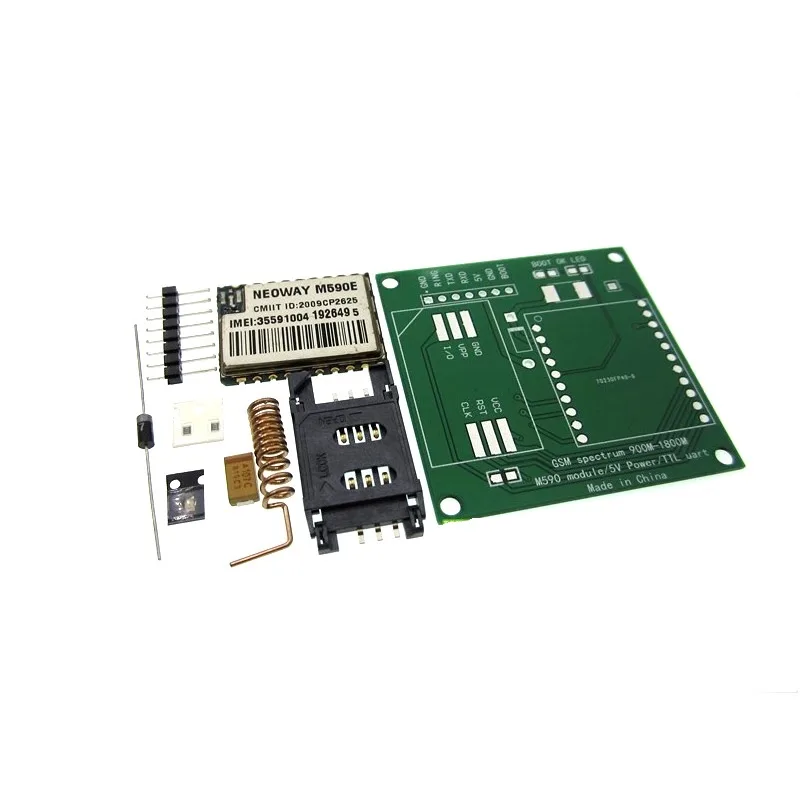
DIY GSM/GPRS M590E Module Kit
An affordable GSM/GPRS module kit for prototyping cellular IoT projects. Great for learning AT command programming before moving to advanced NB-IoT modules like the SIM7080G.
Power Saving: PSM and eDRX Configuration
The SIM7080G’s true superpower is Power Saving Mode (PSM). In PSM, the module enters a deep sleep state where it consumes only 3.8 µA while remaining registered on the network. The network holds any downlink messages until the next active window (TAU timer).
// Enable PSM with 1-hour TAU (periodic TAU timer) and 5-second active time
// T3412 (TAU timer): 001 00001 = 1 hour (binary: 001=1h unit, 00001=1 count)
// T3324 (active timer): 000 00001 = 2 seconds × 1 = 2 seconds
AT+CPSMS=1,,,"00100001","00000001"
// Parameters: mode=1 (enabled), , , T3412, T3324

// Enable eDRX for extended paging cycles (reduces power when not in PSM)
// eDRX value 0101 = 20.48 seconds cycle (NB-IoT)
AT+CEDRXS=2,5,"0101"
// 2=enable+request, 5=NB-IoT, paging cycle=20.48s

// After data transmission, module will enter PSM automatically
// Verify PSM status:
AT+CPSMSTATUS?
// +CPSMSTATUS: "ACTIVE" (wake window) or "SLEEP" (PSM active)
For maximum battery life, combine PSM with hardware power control: have the ESP32 completely cut power to the SIM7080G via a MOSFET during deep sleep, and re-enable it only at the next reporting interval. This eliminates even the 3.8 µA standby current of PSM when your reporting interval is 15+ minutes.
Battery Life Estimation for Indian Deployments
Let’s calculate real battery life for a typical Indian asset tracker — say, a cattle or equipment tracker reporting every 15 minutes:
| Phase | Current | Duration | Charge (mAh) |
|---|---|---|---|
| Module boot + registration | 50 mA avg | 30 s | 0.417 mAh |
| GNSS acquisition | 30 mA avg | 30 s | 0.250 mAh |
| MQTT connect + publish | 150 mA avg | 10 s | 0.417 mAh |
| ESP32 wake (all phases) | 80 mA | 70 s total | 1.556 mAh |
| ESP32 deep sleep (14 min) | 0.01 mA | 840 s | 0.002 mAh |
| Total per 15-min cycle | — | — | 2.64 mAh |
Daily consumption: 2.64 × 96 cycles/day = 253 mAh/day. A 3000 mAh 18650 cell delivers approximately 11.8 days per charge. Upgrade to a 10,000 mAh LiPo pack (common in powerbanks) and you get 39 days — more than enough for monthly-serviced field deployments.
Optimise further by: extending the reporting interval to 30 minutes (6.4 days → 25 days on 3000 mAh), using PSM instead of full module power-off (saves boot time), and reducing ESP32 active time by pre-loading credentials and reducing serial timeout.
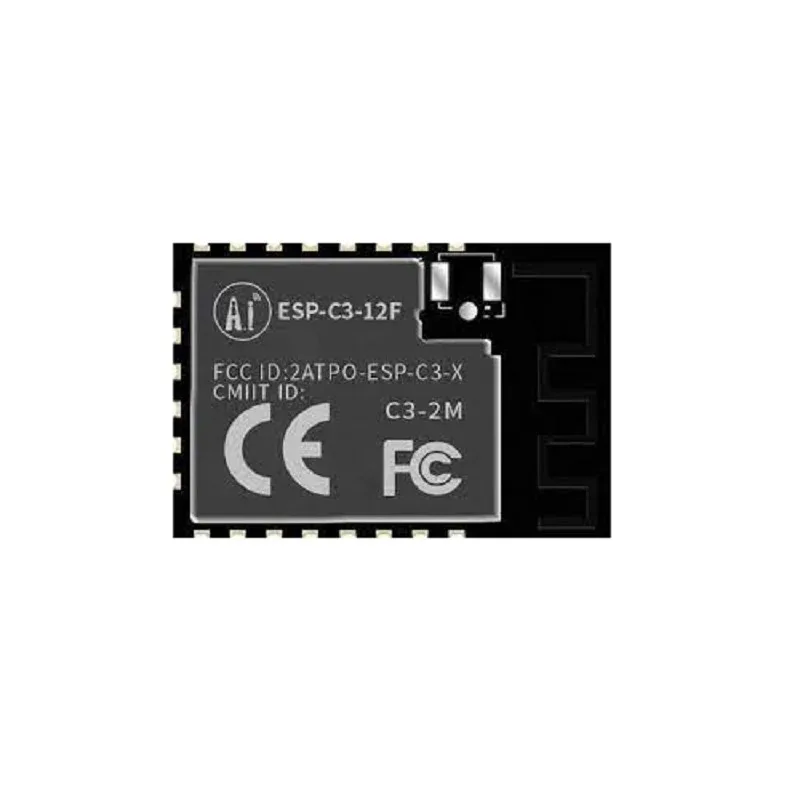
Ai-Thinker ESP32-C3-12F Wi-Fi + BLE Module
Compact ESP32-C3 with 4MB flash — an ideal low-power host MCU for SIM7080G tracker projects. Deep sleep current under 5 µA, UART available for SIM7080G communication.

GPS NEO-6M Satellite Positioning Module for Arduino
When NB-IoT is not available and you need GPS tracking over Wi-Fi or LoRa, the NEO-6M is your companion module. Pairs with ESP32 or STM32 for simpler standalone GPS logging projects.
Frequently Asked Questions
Does NB-IoT work in rural India where 4G LTE coverage is limited?
NB-IoT operates on existing LTE Band 5 (850 MHz) and Band 28 (700 MHz) infrastructure, which both Jio and Airtel have deployed for rural coverage. The 700 MHz band penetrates buildings and travels farther than 2100 MHz, so NB-IoT actually has better rural coverage than standard 4G data services. However, activation of the NB-IoT bearer on the SIM card and network support varies by circle — check with your carrier for specific coverage maps.
Can I use the SIM7080G with a standard 4G SIM card?
You can insert a standard 4G SIM, but the SIM7080G does not support traditional 4G/LTE data (Cat-4). It only connects to NB-IoT and LTE-M bearers. Your carrier must have NB-IoT or LTE-M (eMTC) activated on the SIM and enabled in their network. Jio and Airtel both offer NB-IoT-enabled SIM cards for IoT applications — contact their enterprise/IoT teams for activation.
How accurate is the SIM7080G’s built-in GNSS versus a dedicated NEO-6M module?
The SIM7080G’s integrated GNSS supports GPS + GLONASS + BeiDou + Galileo simultaneously, giving it access to 20–30 satellites typically. This yields 1.5–2.5 m CEP accuracy, comparable to (and often better than) a standalone NEO-6M (GPS-only, 2.5 m CEP). The trade-off: the SIM7080G GNSS antenna port uses a smaller patch antenna. Use the external active GPS antenna (IPEX connector) for best results.
What MQTT broker should I use for an Indian NB-IoT tracker project?
For production, AWS IoT Core (Mumbai region, ap-south-1) offers the best latency from India, integrates with DynamoDB/S3 for storage, and supports fleet management at scale. For prototyping, HiveMQ Cloud (free tier, 10 devices) or EMQX Cloud are easy to start with. Avoid public brokers like broker.hivemq.com for production — use authenticated, TLS-secured private brokers. The SIM7080G supports MQTTS (MQTT over TLS) via AT+SMSSL commands.
The CEREG command shows +CEREG: 0,2 (searching) but never registers. What’s wrong?
This usually indicates one of: (1) NB-IoT not activated on the SIM — contact your carrier; (2) Wrong APN — try AT+CGDCONT=1,"IP","" with empty APN to use the carrier default; (3) Band mismatch — force the module to scan specific bands with AT+CBAND=5,28 (Jio/Airtel IN bands); (4) Poor signal — check with AT+CSQ and move to an area with better coverage.
Build Your NB-IoT Tracker Today
Get cellular modules, GPS modules, antennas, and ESP32 boards from Zbotic — all the components for your low-power IoT tracker, delivered fast across India.



Add comment