
A gesture controlled robot using MPU6050 and NRF24L01 is one of the most impressive DIY robotics projects you can build. Instead of joysticks or buttons, you tilt your hand in a glove to steer the robot wirelessly — pure intuition meets electronics. In this guide, we walk through the complete build: hardware selection, wiring, Arduino code for both transmitter (glove) and receiver (robot), and tuning tips for smooth control.
How Gesture Control Works
The MPU6050 is a 6-axis IMU (Inertial Measurement Unit) combining a 3-axis accelerometer and a 3-axis gyroscope in a single chip. Mounted on the back of a glove, it reads the pitch (forward/backward tilt) and roll (left/right tilt) of your hand. These two values map directly to robot motion: pitch controls forward/reverse speed, roll controls steering direction.
The NRF24L01 is a 2.4 GHz RF transceiver operating on the SPI bus. With its PA+LNA (power amplifier + low-noise amplifier) variant, you get a practical range of 50–100 metres outdoors. The transmitter side (glove Arduino) reads MPU6050 data, packages it as a small payload (typically 6–10 bytes), and sends it 30–50 times per second. The receiver (robot Arduino) decodes the payload and drives motor controllers accordingly.
The key advantage over IR or Bluetooth is range and latency: NRF24L01 delivers sub-5 ms round-trip, making the robot feel responsive to hand movements in real time.
Components You Need
Here is the full bill of materials for this gesture-controlled robot project:
- 2× Arduino Nano or Uno — one for the glove, one for the robot
- 1× MPU6050 module — I²C IMU for gesture sensing
- 2× NRF24L01 (PA+LNA version recommended) — 2.4 GHz RF transceivers
- 1× L298N or L293D motor driver — for the robot chassis motors
- 1× 2WD or 4WD robot chassis
- 1× 7.4V LiPo or 2× 18650 cells for robot power
- 1× 9V battery or USB power bank for the glove
- 1× 100 µF capacitor across NRF24L01 VCC-GND pins (critical for stability)
- Jumper wires, glove, velcro, small breadboard
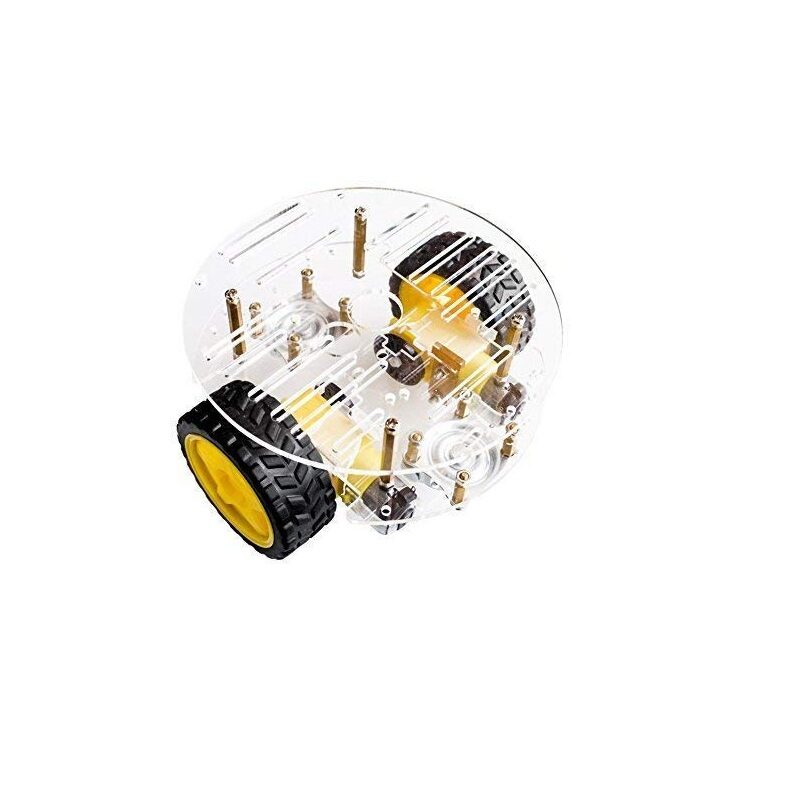
2WD Mini Round Double-Deck Smart Robot Car Chassis DIY Kit
Compact double-deck chassis with two DC motors and wheels — perfect base for your gesture-controlled robot build.
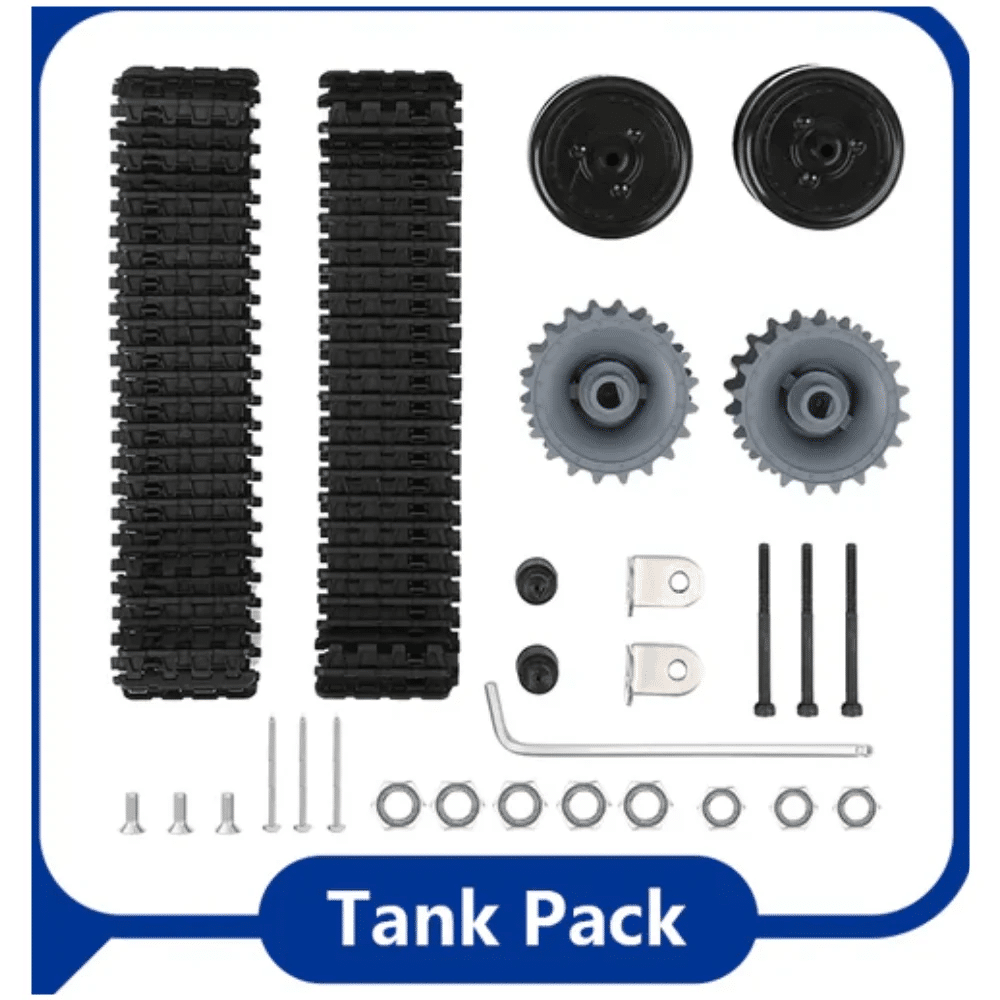
ACEBOTT ESP32 Tank Robot Car Expansion Pack
Tank-track chassis expansion with ESP32 compatibility — great for gesture control projects needing robust mobility.
Glove (Transmitter) Wiring
The glove Arduino hosts the MPU6050 and one NRF24L01. Connect them as follows:
MPU6050 → Arduino Nano
- VCC → 3.3V
- GND → GND
- SDA → A4
- SCL → A5
- AD0 → GND (I²C address 0x68)
- INT → D2 (optional, for interrupt-driven reads)
NRF24L01 → Arduino Nano
- VCC → 3.3V (use 100 µF cap across VCC-GND!)
- GND → GND
- CE → D9
- CSN → D10
- SCK → D13
- MOSI → D11
- MISO → D12
Important: The NRF24L01 is a 3.3V device. Never connect it directly to 5V or you will destroy it instantly. The 100 µF capacitor is essential — without it, voltage dips when the RF module transmits will cause the Arduino to reset or deliver corrupted data.
Robot (Receiver) Wiring
The robot side has an Arduino, one NRF24L01, and a motor driver (L298N). The NRF24L01 pins are identical to the glove side. Connect the L298N as follows:
- IN1 → D4, IN2 → D5 (left motor direction)
- IN3 → D6, IN4 → D7 (right motor direction)
- ENA → D3 (PWM for left speed)
- ENB → D9 (PWM for right speed)
- 12V → 7.4V LiPo+
- GND → common ground
- 5V out from L298N → Arduino Vin
Mount the robot chassis securely and ensure motor wires are routed away from the NRF24L01 antenna to avoid RF interference.
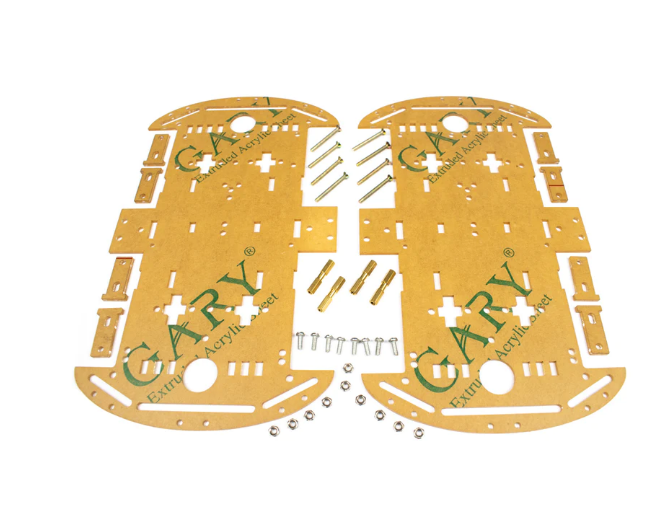
4 Wheels Car Chassis Acrylic Frame
Sturdy 4WD acrylic frame with ample space for motor driver and receiver Arduino — ideal for gesture robot builds.
Arduino Code Overview
You will need two libraries: MPU6050 by Electronic Cats and RF24 by TMRh20. Install both via the Arduino Library Manager.
Transmitter (Glove) Sketch — Key Logic
#include <Wire.h>
#include <MPU6050.h>
#include <RF24.h>

MPU6050 mpu;
RF24 radio(9, 10); // CE, CSN
const byte addr[6] = "00001";

struct Payload { int pitch; int roll; };

void setup() {
  Wire.begin();
  mpu.initialize();
  radio.begin();
  radio.openWritingPipe(addr);
  radio.setPALevel(RF24_PA_HIGH);
  radio.stopListening();
}

void loop() {
  int16_t ax, ay, az, gx, gy, gz;
  mpu.getMotion6(&ax, &ay, &az, &gx, &gy, &gz);
  Payload data;
  data.pitch = map(ay, -17000, 17000, -255, 255);
  data.roll  = map(ax, -17000, 17000, -255, 255);
  radio.write(&data, sizeof(data));
  delay(20);
}
Receiver (Robot) Sketch — Key Logic
#include <RF24.h>
RF24 radio(9, 10);
const byte addr[6] = "00001";
struct Payload { int pitch; int roll; };

void loop() {
  if (radio.available()) {
    Payload data;
    radio.read(&data, sizeof(data));
    int leftSpeed  = constrain(data.pitch + data.roll, -255, 255);
    int rightSpeed = constrain(data.pitch - data.roll, -255, 255);
    driveMotors(leftSpeed, rightSpeed);
  }
}
The driveMotors() function maps positive/negative speed values to the correct IN1–IN4 direction pins and PWM on ENA/ENB. Add a dead-band (e.g., ignore values between −15 and +15) to prevent drift when the glove is held level.
Calibration and Tuning
Raw MPU6050 readings have a zero-point offset that varies chip to chip. Run the MPU6050 calibration sketch (included in the Electronic Cats library examples) once and hard-code the offsets in your transmitter sketch. Typical offsets are ±500 on each axis.
Tuning tips for smooth control:
- Dead-band: Ignore pitch/roll values within ±20 of centre to avoid jitter when holding the glove still.
- Speed scaling: Map the full ±255 range to a lower max PWM (e.g., 200) initially; increase as you gain confidence.
- Low-pass filter: Average the last 3–5 readings to smooth out spikes. Simple running average works well at 50 Hz.
- Complementary filter: Combine gyro and accelerometer readings for more stable tilt estimation — especially useful if the robot chassis vibrates.
Troubleshooting
| Symptom | Likely Cause | Fix |
|---|---|---|
| Robot does not move at all | NRF24L01 not communicating | Add 100 µF cap; check 3.3V rail |
| Robot drifts in one direction | MPU6050 zero offset | Run calibration sketch, add dead-band |
| Jerky movement | No smoothing filter | Add running average over 5 samples |
| Short range (<5 m) | Standard NRF24L01 (no PA+LNA) | Upgrade to PA+LNA variant |
| MPU6050 returns all zeros | I²C address conflict or wiring fault | Check SDA/SCL; AD0 to GND for 0x68 |
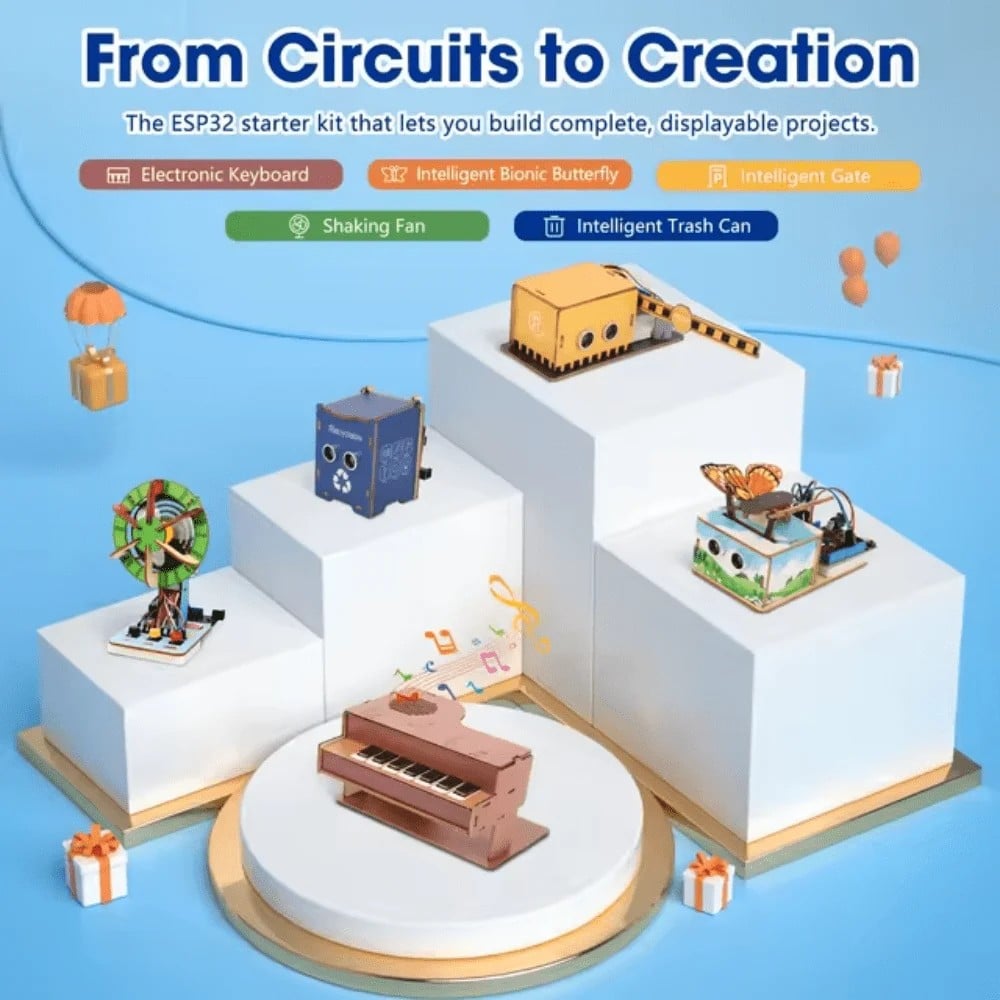
ACEBOTT ESP32 Basic Starter Kit (QE201)
All-in-one ESP32 starter pack — great companion kit with sensors and modules for wireless robot control experiments.
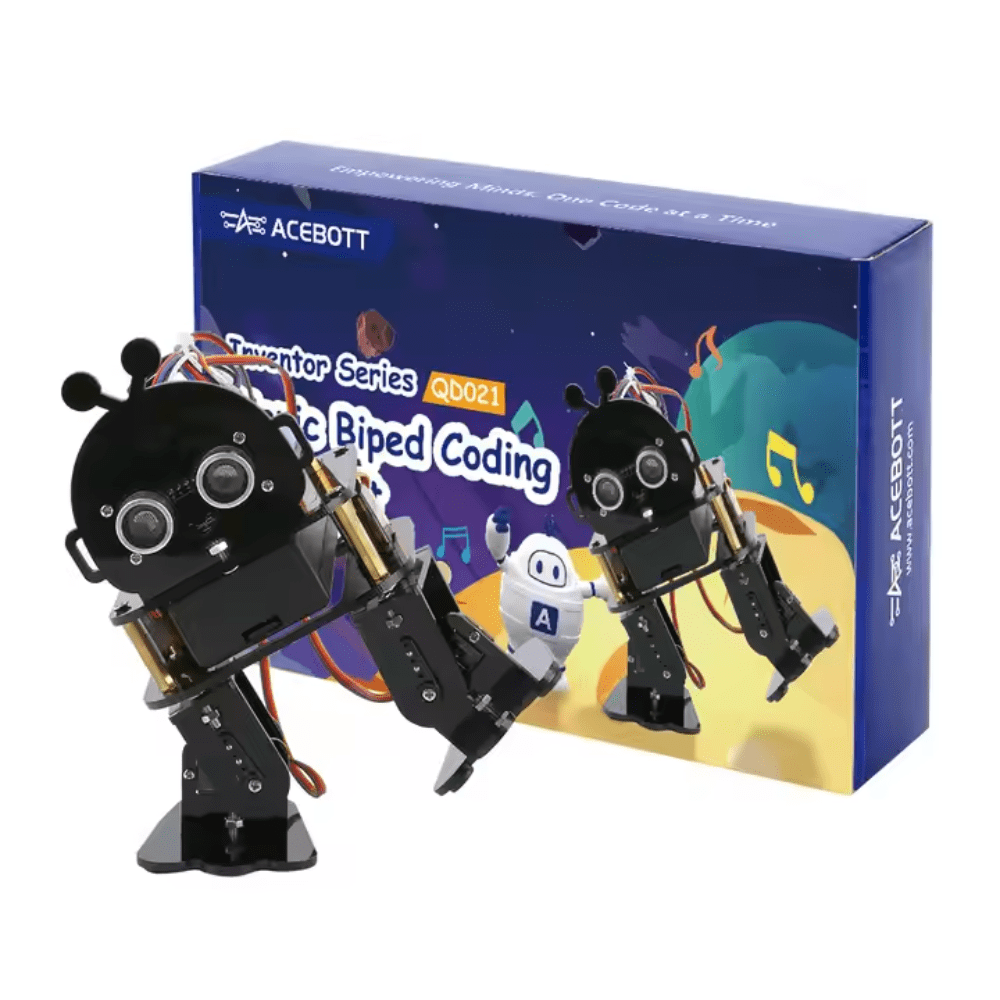
ACEBOTT Biped Robot Kit – QD021
Two-legged walking robot kit — once you master gesture control on wheels, extend the concept to this biped walker.
Frequently Asked Questions
Can I use an ESP32 instead of Arduino Nano for this project?
Yes. The ESP32 is 3.3V native, which is better for the NRF24L01 and MPU6050. The RF24 library supports ESP32 and the MPU6050 library works over ESP32’s I²C. Pin mapping changes: use GPIO 18 (SCK), 19 (MISO), 23 (MOSI) for SPI, and GPIO 21/22 for I²C SDA/SCL.
What is the maximum range of NRF24L01 PA+LNA?
In open space, 100–200 metres is achievable. In indoor environments with walls, expect 30–50 metres. Standard NRF24L01 (without PA+LNA) gives about 10 metres indoors.
Can I add a camera or live video feed?
NRF24L01 is too narrow-band for video. Add an ESP32-CAM module on the robot for Wi-Fi video streaming while keeping NRF24L01 for control. They use different frequencies so they will not interfere.
How many gestures can I detect?
With pitch and roll you get 4 directions plus proportional speed. Adding finger-flex sensors or a second MPU6050 on the wrist can add 4–8 more discrete commands (grip, wave, etc.).
Is the MPU6050 better than ADXL345 for this use case?
The MPU6050 combines accelerometer and gyroscope, giving more stable tilt estimation. The ADXL345 is accelerometer-only and more susceptible to vibration noise from the robot chassis. MPU6050 is the better choice for gesture control.
Ready to Build Your Gesture-Controlled Robot?
Get all the components you need from Zbotic — India’s trusted source for robotics and electronics. Fast delivery, genuine parts, and expert support.





Add comment