
The MG90S is one of the most popular micro servos in India’s maker community, and for good reason. It offers the compact, lightweight body of the classic SG90 but replaces the fragile plastic gear train with metal gears that can withstand far greater forces and last significantly longer under load. If you are building a robotic arm, an RC plane with high aerodynamic loads, a pan-tilt camera mount, or any mechanism where the servo horn bears real torque, the MG90S is the right upgrade over the SG90.
This guide covers everything you need — technical specifications, installation steps, Arduino wiring, torque calculations for robotic arms, and a buying guide for sourcing the MG90S in India.
MG90S Specifications
| Parameter | Value |
|---|---|
| Weight | 13.4 g |
| Dimensions | 22.5 × 12 × 35.5 mm |
| Stall Torque (4.8 V) | 1.8 kg·cm |
| Stall Torque (6 V) | 2.2 kg·cm |
| Operating Voltage | 4.8 V – 6 V |
| Operating Speed (4.8 V) | 0.1 s / 60° |
| Operating Speed (6 V) | 0.08 s / 60° |
| Rotation Angle | 180° |
| Gear Type | Metal (brass / aluminium alloy) |
| PWM Pulse Width | 500 µs – 2400 µs |
| PWM Period | 20 ms (50 Hz) |
| Connector | JR / Futaba compatible (universal 3-pin) |
MG90S vs SG90: Key Differences
The SG90 and MG90S share the same PCB and motor. The differences are in the gear train and casing:
- Gear durability: SG90 plastic gears strip easily under shock loads (robot arm hitting a hard stop, RC plane crash). MG90S metal gears handle the same impact and keep working.
- Torque: Marginally higher in practice — not because the motor is different, but because metal gears have lower friction losses.
- Weight: MG90S is about 3 g heavier than SG90 (10 g). This matters in weight-critical RC aircraft but is negligible for ground robots.
- Price: MG90S costs slightly more than SG90 in India, but the longevity improvement is worth it for any serious project.
- Compatibility: MG90S uses the same pinout, same PWM protocol, and fits the same mounting holes as SG90 — a drop-in upgrade.

Servo Mount Holder Bracket for SG90/MG90 (Pack of 2)
Purpose-built mounting brackets for the MG90S and SG90 — makes structural installation easy in robotic arms, pan-tilt mounts, and RC models.
Wiring to Arduino
The MG90S uses a standard 3-wire connector:
- Brown / Black: GND
- Red: VCC (4.8 V – 6 V)
- Orange / Yellow: Signal (PWM)
Important: Do NOT power the MG90S from the Arduino 5V pin when controlling more than one servo, or when the servo is under any mechanical load. The Arduino 5V regulator is rated for only 40–50 mA total, while a single MG90S can draw 250 mA under stall. Use a dedicated 5V power supply (like a USB power bank or a 7805 regulator from your 9V battery), with GND shared with the Arduino.
Arduino Pin  →  MG90S Wire
GND          →  Brown/Black
[External 5V]→  Red
D9 (PWM)     →  Orange/Yellow
External GND →  Arduino GND (common ground)
Arduino Code & PWM Basics
The servo Servo library handles all timing automatically:
#include <Servo.h>

Servo myServo;

void setup() {
  myServo.attach(9);  // Signal wire on D9
}

void loop() {
  myServo.write(0);    // Full left (0°)
  delay(1000);
  myServo.write(90);   // Centre position
  delay(1000);
  myServo.write(180);  // Full right (180°)
  delay(1000);
}
For precise microsecond control (useful when calibrating exact endpoints):
myServo.writeMicroseconds(500);   // 0° position
myServo.writeMicroseconds(1450);  // ~90° centre
myServo.writeMicroseconds(2400);  // 180° position
Torque Calculation for Robotic Arms
Before using an MG90S in a robot arm joint, verify the required torque. The formula is:
Required Torque = Load Mass (kg) × Arm Length (m) × 9.81 (m/s²) × Safety Factor
Convert to kg·cm: Required Torque (N·m) × 10.197
Example: A 100 g hand assembly at the end of a 10 cm forearm:
T = 0.1 kg × 0.10 m × 9.81 = 0.098 N·m = 1.0 kg·cm
The MG90S provides 1.8 kg·cm at 4.8 V — sufficient for this load with 1.8× safety margin. For a longer arm (20 cm), the required torque doubles to 2.0 kg·cm, exceeding the MG90S rating. In that case, upgrade to the MG996R (10 kg·cm).
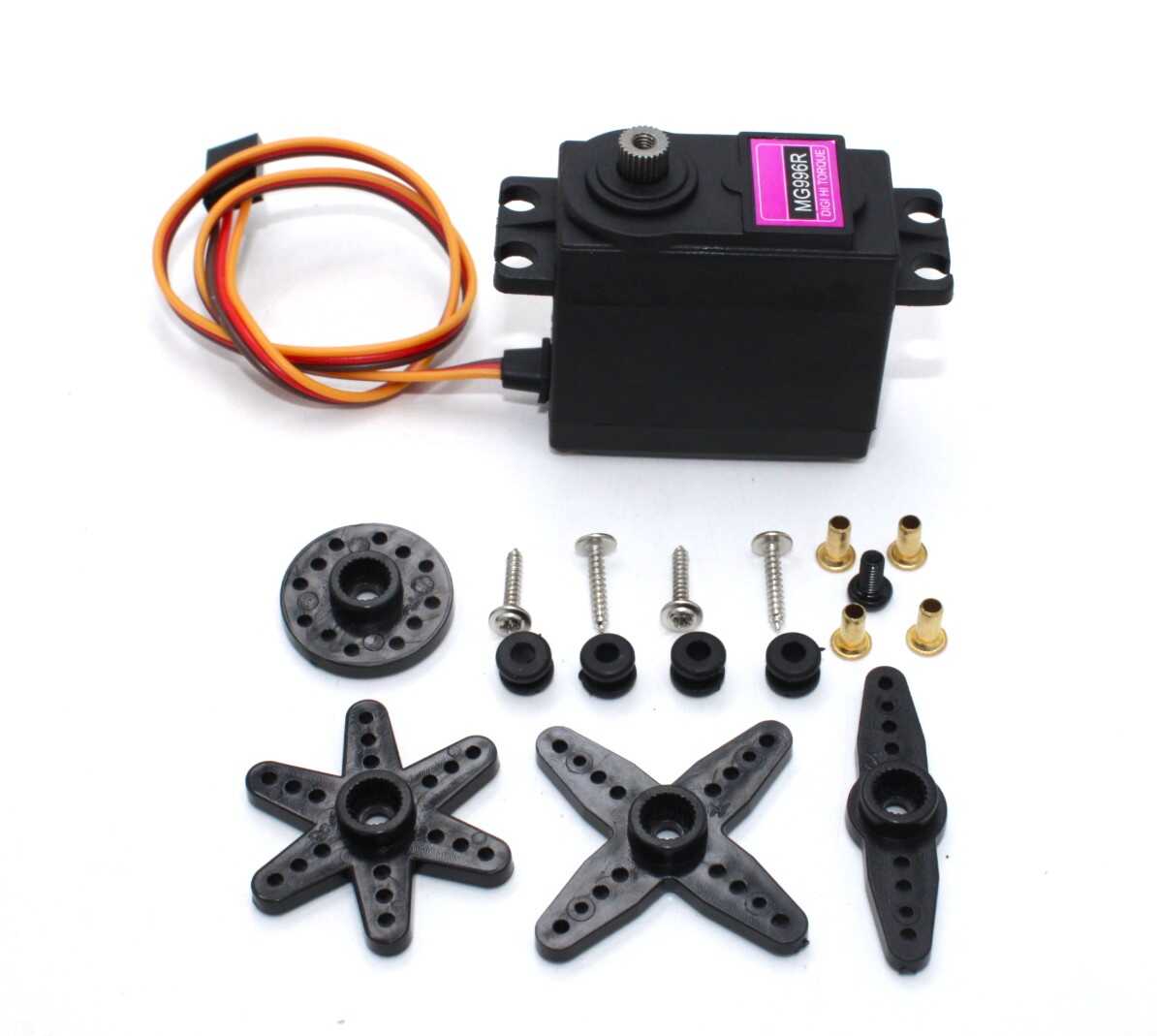
Servo MG996 13KG 180° High Quality
When your arm design exceeds the MG90S torque rating, step up to the MG996 for 13 kg·cm of metal-gear power in the same servo form factor.
Robotic Applications
1. 4–6 DOF Robotic Arm
The wrist and gripper joints of a small robotic arm (arm span under 15 cm) are ideal MG90S applications. The metal gears survive repeated gripping cycles without stripping. The base and shoulder joints — which carry more load — should use MG996R or larger servos.
2. Pan-Tilt Camera Mount
A two-axis pan-tilt mount for a small camera (OV2640, Raspberry Pi camera) weighs under 50 g. Both axes can be MG90S. The pan axis should be mounted vertically — gravity assists centring and reduces stall current.
3. Biped / Hexapod Robots
Small biped and hexapod designs popular in India’s robotics competitions use 8–18 servos. MG90S handles leg joints for robots under 300 g total weight. At this scale, the power draw of all servos simultaneously is 2–3 A, requiring a dedicated LiPo battery (2S 7.4 V stepped down to 5V).
4. RC Airplane Control Surfaces
For planes with wing spans up to 800 mm, MG90S handles ailerons and elevator loads during normal flight. The metal gears are crucial here — a plastic gear strip in flight means loss of control.
5. Gripper Mechanisms
Parallel jaw grippers for small objects (up to 200 g) are within MG90S range. Use a rack-and-pinion or scissor linkage to convert servo rotation to linear jaw movement.
Mounting & Mechanical Tips
- Always use all four mounting screws. Servos under load generate significant reaction forces. Mounting with fewer than four screws cracks the plastic casing.
- Use servo horns matched to your linkage. The MG90S includes a cross-type, single-arm, and round horn. For a push-rod linkage, use the single arm. For multi-point attachment, use the cross horn.
- Avoid hard stops. Never mechanically prevent the servo from reaching its commanded position — it will stall and overheat. Add software limits in firmware using
constrain(angle, 10, 170)to keep the servo 10° away from mechanical limits. - Thread the signal wire through strain relief. Servo wires are often the first failure point. Zip-tie the cable 2 cm from the connector to prevent plug-pull stress.
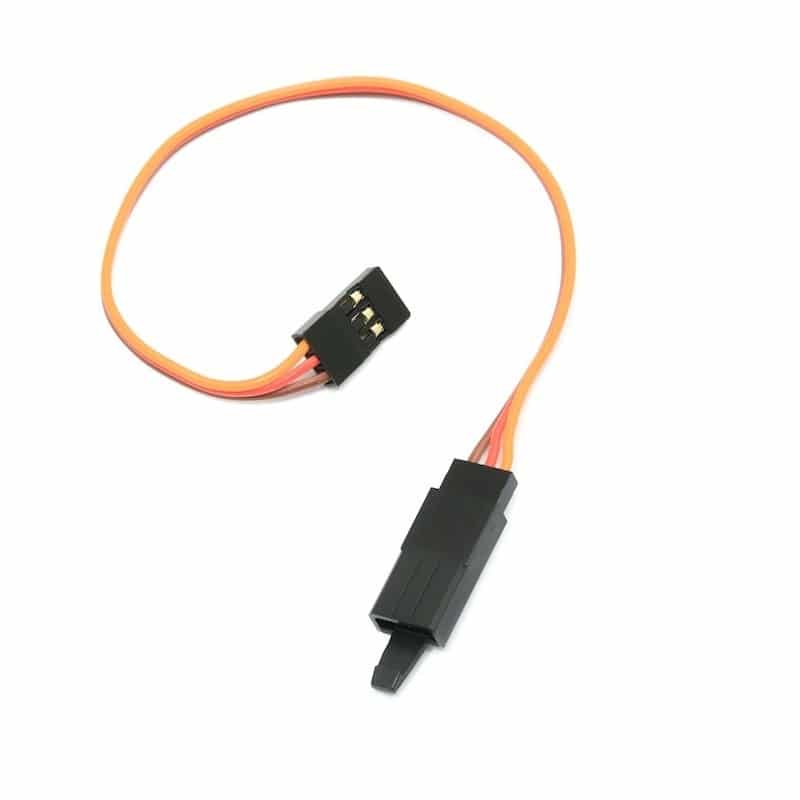
15 CM 26AWG Servo Lead Extension (JR) Cable
Extend your MG90S signal wire in tight robotic builds where the servo is mounted far from the controller — JR-compatible, 26 AWG for minimal voltage drop.
Running Multiple Servos
Arduino Uno supports up to 12 servos using the Servo library (D2–D13). For larger numbers, use a PCA9685 16-channel I2C servo driver, which offloads PWM generation to dedicated hardware and reduces Arduino processing overhead.
Power budget for multiple MG90S servos: Allow 250 mA per servo at stall. For six servos: 6 × 250 mA = 1.5 A minimum supply capacity. Use a 2 A, 5 V regulated supply (not USB power) with a bulk 1000 µF capacitor across the supply rails to handle inrush current spikes when servos start simultaneously.
Buying MG90S in India
When sourcing MG90S servos in India, watch for counterfeit or low-quality clones:
- Check gear material: Real metal gears are visually distinct from plastic. Shake the servo slightly — metal gears have minimal backlash. Plastic gears in an MG90S-labelled servo are a quality red flag.
- Check the connector: Genuine MG90S uses a universal JR/Futaba-compatible 3-pin connector. Some clones use non-standard wire colours.
- Weight test: MG90S should weigh 13–14 g. If it is under 10 g, the gears may not be metal.
- TowerPro branding: The original MG90S is a TowerPro product. Authentic TowerPro units have the name embossed on the case.

TowerPro SG90 180° Rotation Servo Motor
The plastic-gear SG90 from TowerPro — an excellent option for weight-critical RC planes or prototyping before committing to MG90S metal-gear versions.
Frequently Asked Questions
Can I use MG90S with a 3.3 V microcontroller (ESP32, STM32)?
Yes. Servo signal requires a PWM signal at 50 Hz with 0.5–2.4 ms pulse width. The MG90S accepts signal levels down to about 2 V, so ESP32 (3.3 V output) drives it reliably without a level shifter. However, always power the servo from a separate 5V supply, not from the 3.3 V regulator.
What is the difference between MG90S and MG92B?
The MG92B is a higher-torque metal gear servo (3.5 kg·cm at 6V) in the same physical size. Use MG92B when MG90S torque is insufficient but you need to keep the SG90 form factor. The MG92B uses the same PWM protocol and mounting pattern.
My MG90S twitches at the centre position. What causes this?
Centre-position jitter is caused by noise on the signal wire. Possible causes: PWM frequency mismatch between library and servo (use 50 Hz), shared GND with power-noisy components, or missing decoupling capacitors. Add a 10 µF capacitor between VCC and GND at the servo connector and a 100 Ω resistor in series with the signal wire.
How many MG90S servos can I connect to one Arduino Uno?
The Arduino Servo library supports up to 12 servos on a Uno using timer interrupts. The hardware limit is the available PWM output pins (D2–D13 work with the Servo library). The practical limit is power — each servo needs its own power supply or a shared high-current 5V rail, not the Arduino 5V pin.
Can MG90S do continuous rotation?
The standard MG90S is a positional servo limited to 180°. It cannot be used for continuous rotation without modification. If you need continuous rotation, use a dedicated continuous rotation servo or a DC gear motor with an appropriate driver.
Build your next robot with confidence. Browse Zbotic’s full range of servo motors, brackets, and extension cables — all available with fast delivery across India.






Add comment