
One of the most practical applications of a desktop 3D printer for makers, hobbyists, and small product developers in India is creating custom electronics enclosures. Whether you are boxing up a Raspberry Pi project, housing a custom PCB for an IoT sensor, designing a project enclosure for a client, or building a product prototype — 3D printed enclosures offer a level of customisation that off-the-shelf ABS boxes simply cannot match.
But there is a significant gap between printing a decorative object and printing a functional electronics enclosure. Enclosures need to fit precisely, handle real-world temperatures, protect sensitive electronics, and survive regular handling. This comprehensive guide covers the design principles, material choices, tolerances, and finishing techniques that separate professional-looking enclosures from amateur attempts.
Why 3D Print Your Electronics Enclosures?
For Indian makers, the economics are compelling. A custom injection-moulded enclosure requires expensive tooling (often ₹5–15 lakh for a simple mould) and minimum order quantities in the hundreds. Off-the-shelf project boxes from Mouser, RS Components, or local suppliers rarely match your PCB dimensions exactly, forcing layout compromises.
3D printed enclosures give you:
- Exact fit: Design around your PCB, not vice versa. Every cutout, boss, and snap-fit exactly where you need it.
- Rapid iteration: Change a design and have a new prototype in 2–3 hours. Injection moulding modification takes weeks and costs lakhs.
- Small batch production: Print 1 to 50 units economically. 3D printing cost per unit stays roughly constant regardless of quantity.
- Integrated features: Boss posts, cable management clips, mounting holes, snap-fits, living hinges — all integrated into the print rather than added as separate hardware.
- Custom branding: Emboss your logo, product name, or version number directly into the enclosure surface.
Material Selection: PLA, PETG, ABS or Nylon?
The material choice for electronics enclosures is more critical than for decorative prints. Electronics generate heat, enclosures get handled, and they may live in harsh environments. Here is a practical comparison for Indian conditions:
PLA — Avoid for Most Electronics
PLA has a glass transition temperature of 55–60°C. In India, an enclosure left on a car dashboard in summer, near a heat source, or inside a poorly ventilated cabinet can easily reach this temperature. PLA will soften and deform. Even in a 35°C Indian summer office without AC, a PLA enclosure containing a moderately warm microcontroller can creep and deform over time.
Use PLA only for: Prototyping the shape before printing the final version in a better material. Room-temperature applications in consistently air-conditioned environments. Non-structural display cases.
PETG — The Sweet Spot for Most Projects
PETG has a glass transition around 80°C, is more flexible (impact resistant) than PLA, and has reasonable chemical resistance. It prints with minimal warping, requires no enclosure, and sticks well to glass and PEI beds. For most indoor Indian electronics projects — Raspberry Pi enclosures, Arduino controllers, relay modules, IoT devices — PETG is the best balance of printability and real-world performance.
PETG limitations: More stringy than PLA (important for tight enclosures with small features), slightly more hygroscopic than ABS. In Mumbai and Chennai monsoon, dry your PETG filament before printing critical parts.
ABS/ASA — For Outdoor and High-Heat Applications
ABS has a glass transition around 100°C and can be acetone-smoothed for a professional finish. ASA is ABS’s UV-stabilised cousin — essential for outdoor enclosures (solar controllers, irrigation systems, roof-mounted sensors). Both require an enclosed printer, which is a significant practical constraint.
Use ABS/ASA for: Outdoor enclosures, automotive applications, high-power electronics housings, any application where the ambient temperature exceeds 60°C.
Nylon (PA6, PA12) — High Performance
Nylon offers excellent impact resistance, chemical resistance, and heat resistance (up to 120°C for PA12). However, nylon is extremely hygroscopic — in India’s humid climate, nylon filament absorbs moisture so quickly that it must be printed directly from a dry box. Nylon also requires a high-temp hotend and enclosure. Best for truly demanding industrial enclosures.

eSun PETG 1.75mm 3D Printing Filament 1kg – Clear
eSun PETG is the ideal material for electronics enclosures in India. Clear colour lets you see indicator LEDs inside the enclosure. Great balance of printability and heat resistance.
View on Zbotic
eSun PETG 1.75mm 3D Printing Filament 1kg – Grey
Grey PETG gives electronics enclosures a professional, commercial look. Perfect for product prototypes and small-batch enclosure production.
View on ZboticDesign Fundamentals for FDM Enclosures
FDM printing has specific strengths and weaknesses that must be reflected in your enclosure design. Ignoring these leads to prints that either fail mechanically or look terrible.
Wall Thickness
The minimum practical wall thickness for a functional electronics enclosure is 2.4mm (3 perimeters at 0.4mm nozzle). For any enclosure that will be handled regularly or must be rigid, 3.2mm (4 perimeters) is better. Thread-forming screw holes and snap-fit areas should have walls of at least 3mm.
Do not confuse infill percentage with wall strength — walls (perimeters) provide structural rigidity and exterior finish quality. Infill provides bulk interior strength. For most enclosures, 3–4 walls + 15–20% infill (gyroid or cubic pattern) is optimal.
Layer Orientation and Strength
FDM parts are anisotropic — they are weaker between layers than within a layer. This matters critically for enclosure design:
- Snap-fit tabs should flex in the XY plane, not bend across layers (Z-axis bending creates inter-layer failure).
- Screw bosses should be printed vertically so screw threads engage with multiple layers of continuous perimeter.
- Living hinges (integral hinges) are generally not reliable in FDM — use a separate hinge pin instead.
- Parts that will be pried open should have the prying stress aligned with the XY plane.
Overhangs and Support
Design enclosures to minimise supports inside the housing. A poorly supported interior surface leaves messy support removal marks that can interfere with PCB seating. Use the following strategies:
- Keep overhangs below 45° where possible.
- Use teardrop shapes for holes on vertical walls instead of circular holes — the pointed top self-supports.
- Bridge short gaps (up to 50–60mm in PLA/PETG) without supports.
- Split complex enclosures into two halves that each print flat-side down.
Tolerances, Fits and Clearances
This is where most beginner makers struggle. FDM prints are not perfectly dimensionally accurate — they typically have 0.1–0.3mm variation depending on your printer, calibration, and material.
Fundamental Tolerance Rules for FDM Enclosures
| Fit Type | Total Gap (per side) | Use Case |
|---|---|---|
| Clearance (loose) | 0.4–0.6mm | Sliding parts, removable panels |
| Clearance (snug) | 0.2–0.3mm | Assembly mating surfaces |
| Press fit (light) | 0.0–0.1mm | Permanent pins, bushings |
| Thread forming screws | Use 85% of nominal hole dia | M2.5 screw → 2.1mm hole |
| PCB mounting hole | +0.5mm over nominal | PCB through-hole alignment |
Always print a small tolerance test before committing to a full enclosure print. A 20×20×10mm test cube with your specific connector cutouts and screw holes tells you exactly what adjustments are needed in 15 minutes rather than discovering the issue after a 3-hour print.
Thermal Expansion
For PETG and ABS, thermal expansion is significant. A PETG part that fits at 25°C may be slightly tighter or looser at 60°C. Design with 0.05–0.1mm extra clearance in any application where the enclosure will run warm.
Designing Ports, Connectors and Cutouts
Clean connector cutouts make the difference between a professional-looking enclosure and an obvious DIY job. Key principles:
USB, HDMI, and Standard Connectors
Download standard connector templates from GrabCAD or use connector models from the manufacturer’s STEP files. Add 0.3mm clearance on all sides of the connector body for FDM tolerances. Chamfer the inside edge of all connector cutouts — this guides the connector during assembly and removes the need for precise alignment during repeated use.
Button and Switch Cutouts
Round cutouts (for circular buttons) print cleanly only if the diameter is above 3mm. Below 3mm, consider drilling rather than printing. For rectangular switch cutouts, orient with the long axis along the X or Y direction to avoid stair-stepping on curved surfaces.
Display Windows
For OLED or LCD displays, two approaches work well:
- Open window with acrylic overlay: Print a rectangular cutout slightly smaller than the display viewing area, and glue a laser-cut acrylic or thin polycarbonate sheet as a protective window.
- Clear-material window: Print the window frame in opaque PETG/ABS and the window section separately in clear PETG. Glue them together.
Ventilation and Airflow
Electronics generate heat. Solid-walled enclosures without ventilation will trap heat and shorten component life. Design elongated slot vents rather than circular holes (slots span gaps better in FDM, circular holes under ~4mm diameter often droop on the ceiling of the hole). Place vents on opposing walls or bottom/top for convection airflow.
Heat Management Inside Enclosures
In India’s warm climate, heat management inside electronics enclosures is even more critical than in cooler countries. A component rated for 70°C junction temperature in a 25°C ambient has very little thermal headroom in a sealed enclosure at 35°C ambient.
Thermal Design Guidelines
- Never seal an enclosure completely unless it is specifically for IP-rated outdoor use. Even waterproof enclosures use Gore-Tex vents that allow pressure equalisation without water ingress.
- Add heatsink standoffs for the microcontroller or power section — print raised pedestals that keep the PCB 5–10mm off the bottom of the enclosure, allowing air circulation underneath.
- Use thermal simulation before committing to a sealed design. Simple tools like SimScale’s free tier can model airflow in a basic enclosure.
- Place vents based on component layout — put exhaust vents directly above the hottest component, and intake vents at the bottom/cool end.
Active Cooling Integration
For power electronics, motor drivers, or Raspberry Pi running computationally intensive tasks, design a fan mount into the enclosure. Standard 25mm, 30mm, or 40mm fan mounting holes are straightforward to include in CAD. A 30mm fan with a 30×30×4mm mounting flange can be designed in 5 minutes and significantly extends component life in warm Indian environments.
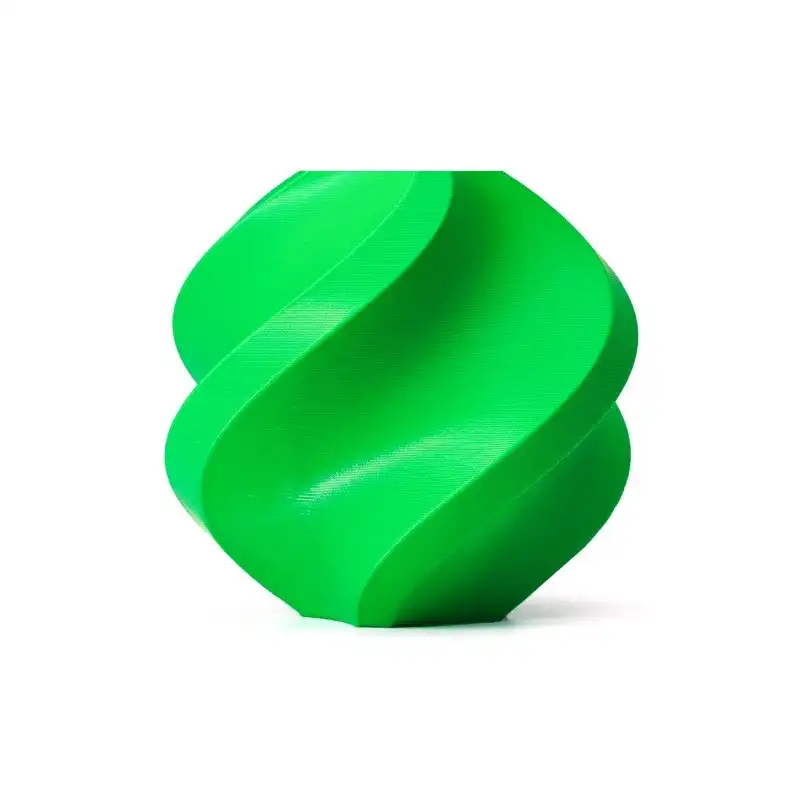
Bambu Lab ABS Filament – Bambu Green 1.75mm with Reusable Spool
For electronics enclosures that will be exposed to higher temperatures or outdoor environments, Bambu ABS offers superior heat resistance over PETG. Smooth finish, low shrinkage.
View on ZboticMounting PCBs and Components
How you mount the PCB inside the enclosure determines both the structural integrity of the assembly and the ease of serviceability. Three approaches work well in FDM enclosures:
Screw Bosses (Recommended)
Hollow cylindrical standoffs (bosses) aligned with PCB mounting holes. The PCB sits on top, held by M2.5 or M3 thread-forming screws. This is the professional standard and allows full PCB removal. Design bosses at exactly the PCB mounting hole pitch ± 0.5mm tolerance allowance.
Boss dimensions for M2.5 screws: 5mm outer diameter, 2.1mm inner hole (for thread-forming), 5–8mm height to lift PCB clear of enclosure floor.
Snap-in Clips
Print integral clips that the PCB edge slots into. Works well for small, lightweight PCBs in non-service applications. Design clip opening 0.3mm wider than PCB thickness. Add a slight taper to the clip mouth to guide the board in.
Sliding Rail
Two parallel rails inside the enclosure that the PCB slides into from one end. Excellent for designs where the enclosure end-cap is removable. The PCB slides in and is retained by the cap. Easy serviceability, no loose screws.
Finishing and Post-Processing
A well-designed enclosure with rough layer lines and unfinished surfaces looks unprofessional. These finishing techniques are achievable at home in India:
Sanding Progression
Start at 120 grit, move through 220, 400, and 800 grit wet-and-dry sandpaper (available at any hardware shop in India for ₹10–20 per sheet). Sand between grits with water (wet sanding). For PETG and ABS, this process produces a smooth, matte surface ready for primer.
Filler Primer + Spray Paint
After sanding to 400 grit, apply automotive filler primer (Motip or Rust-Oleum available in India). Sand with 800 grit, then apply 2–3 coats of rattle-can spray paint. For a glossy finish, a final coat of clear lacquer. This process transforms a layered FDM surface into something virtually indistinguishable from injection-moulded plastic.
Acetone Smoothing (ABS Only)
ABS dissolves in acetone. A brief acetone vapour bath (heated acetone in a sealed container — do this outdoors, acetone vapour is flammable) melts the surface layer and produces a glass-smooth finish in 15–30 minutes. This is one of the reasons ABS remains preferred for presentation-grade electronics enclosures despite being harder to print.
Resin Coating (All Materials)
XTC-3D or similar epoxy coating fills layer lines chemically without sanding and adds structural hardness. Mix, brush on, rotate the part to level, cure 24 hours. Results in a plastic-smooth finish in one step. Available in India from online maker suppliers.

3D Printer Pen with Filament and USB Cable
A 3D printer pen is invaluable for filling gaps, repairing surface defects, and adding small features to printed enclosures without reprinting the entire part.
View on ZboticIndia-Specific Design Considerations
Monsoon and Humidity
For any outdoor or semi-outdoor enclosure in India, humidity is the primary enemy. PETG and ABS both absorb moisture over time. For outdoor applications: use ASA instead of ABS (UV-stabilised), include a silica gel packet holder inside the enclosure design, and seal cable entry points with cable glands (print a cable gland boss with M16 or M20 thread for standard cable glands available at any Indian electrical shop).
Dust Ingress
India’s construction activity, road dust (especially in North India), and agricultural environments mean dust ingress is a constant concern. Print a labyrinth vent — a zig-zag channel that allows air circulation while blocking straight-line dust entry. This can achieve IP52-equivalent dust protection without a filter membrane.
Standard Screw Availability
Design around M3 screws primarily — these are universally available in India (even in smaller towns at hardware shops). M2 and M2.5 screws are available in cities but harder to find in semi-urban areas. M3×10mm and M3×16mm hex socket head screws cover 90% of enclosure assembly needs. Design your boss holes and dimensions around these standard lengths.
DIN Rail Mounting
For industrial enclosures going into control panels (common for Indian automation/motor control projects), include a DIN rail clip design. DIN rail clips can be printed in PETG and handle the mechanical loads if wall thickness is 4mm+. This saves significant cost over purchasing commercial DIN rail enclosures.

ABS/PLA/PETG Filament Filters Cleaner Blocks – Dust Removal
Keep your filament clean during printing with these dust filter blocks. Critical for achieving consistent wall surfaces on electronics enclosures, especially in dusty Indian environments.
View on ZboticFrequently Asked Questions
What wall thickness should I use for an electronics enclosure?
Minimum 2.4mm (3 perimeters) for non-structural sections, 3.2mm (4 perimeters) for sides that will be handled regularly, and 4mm+ for screw boss walls and areas subject to prying or impact. Never go below 2mm for any functional enclosure wall.
Can a 3D printed enclosure get IP65 or IP67 rating?
Not by itself. FDM prints are inherently porous between layers. However, with proper design (mating surface gaskets, printed-in O-ring channels using silicone cord, sealed cable entries) and post-processing (epoxy coating of all surfaces), practical water resistance equivalent to IP54–IP65 is achievable. True IP67 requires either resin printing or post-processing both halves with epoxy and using a properly compressed gasket.
Is PETG strong enough for electronics enclosures?
Yes for most applications. PETG is tougher (more impact resistant) than PLA or ABS and has sufficient stiffness for enclosures under normal handling. It is adequate for enclosures that do not carry structural loads, are not used in temperatures above 70°C, and are not exposed to prolonged UV (use ASA instead for outdoor PETG applications in direct sunlight).
What CAD software is best for designing electronics enclosures?
Fusion 360 (free for hobbyists/startups under $100k revenue) is the most popular choice in India’s maker community due to its parametric modelling, PCB import capability, and large tutorial library. FreeCAD is a free open-source alternative. OpenSCAD is excellent for programmatic designs where you want to parameterise enclosure dimensions for different PCB sizes.
How long does it take to print a standard Raspberry Pi enclosure?
A standard RPi 4 enclosure (two halves) prints in 2–4 hours at normal quality settings (0.2mm layer height, 40–60mm/s). With a fast printer like the Bambu P1S at high speed mode, the same enclosure can be done in 45–90 minutes. Slower Ender 3-class printers at 50mm/s may take 4–6 hours.
Start Building Better Enclosures
The difference between a good electronics enclosure and a great one comes down to material selection, design for FDM tolerances, and proper finishing. With quality PETG or ABS filament and a well-tuned printer, you can produce enclosures that look and function as well as commercial products — at a fraction of the cost.
Find quality PETG, ABS, and other filaments for electronics enclosure printing at Zbotic.in — with fast delivery across India.




Add comment