
Best Budget 3D Printer India Under ₹15000 in 2026 – Complete Buying Guide
3D printing in India has never been more accessible. What cost ₹50,000–₹1 lakh just five years ago can now be had for under ₹15,000 — and these budget machines are genuinely capable of producing excellent prints. The technology has matured to the point where a sub-₹15,000 printer can produce results that would have been flagship-level just a few years back.
But “budget” also means trade-offs, and knowing what to look for — and what to skip — can save you from buying a machine that frustrates you out of the hobby. This guide covers the best 3D printers available in India under ₹15,000 in 2026, what features matter at this price point, realistic expectations, and the accessories you should budget for alongside the printer itself.
3D Printer Market in India in 2026
The Indian 3D printing market has grown significantly over the past three years. Increased competition, local distributors, and the popularity of Chinese brands like Creality, Elegoo, and Bambu Lab have driven prices down dramatically. Today, you can buy a fully functional FDM printer for under ₹10,000 — though the ₹12,000–₹15,000 range offers significantly better quality and features.
The main platforms for purchasing in India:
- Amazon India: Large selection, fast delivery (especially Prime), good return policy
- Flipkart: Similar to Amazon, occasionally has better deals on specific models
- Zbotic: Specialist 3D printing supplier with filaments, spares, and accessories; ideal for ongoing consumables
- Official brand stores: Creality has an official India store, Elegoo is available via distributors
For the printer itself, Amazon or Flipkart are the most practical choices for budget models. For filaments, nozzles, build plates, and other consumables — Zbotic is your go-to Indian supplier.
What to Expect at Under ₹15,000
Let’s be honest about what you get — and what you don’t — at this price point.
What You Get
- A genuine FDM printer capable of 0.1–0.3mm layer heights
- Build volume typically 220x220x250mm or similar
- Ability to print PLA, PETG, and sometimes TPU
- A large community of users with solutions for common problems
- Printable upgrade parts available for free online
What You Don’t Get
- Auto bed levelling (usually — some budget models now include it)
- Enclosed build chamber (limits ABS printing)
- High-speed printing (expect 40–80mm/s max for good quality)
- Multi-colour or multi-material printing
- Premium customer support
- Complete out-of-box experience — expect some assembly and tuning
Key Features to Look For
When evaluating budget 3D printers, prioritise these features:
Auto Bed Levelling (ABL)
This is a must-have in 2026. Manual bed levelling is a skill that takes time to learn and re-do frequently. CR Touch, BLTouch, or strain gauge ABL sensors make first-layer adhesion much more reliable and reduce the most common beginner frustration significantly. Models with ABL are worth paying a slight premium for.
Direct Drive vs Bowden Extruder
Budget printers historically use Bowden extruders (where the motor is on the frame, not the printhead). Direct drive extruders (motor on the printhead) give better filament control, especially for flexible filaments (TPU). If TPU is on your list, favour direct drive. For PLA/PETG, Bowden is perfectly functional.
Build Volume
220x220x250mm is the standard budget size. More build volume costs more. For beginners, this size is plenty — most hobby prints fit within 180x180mm. Don’t pay extra for a larger bed if you’re just starting out.
Heated Bed
Essential. All current budget printers include a heated bed (60°C+ for PLA, 80–85°C for PETG). Without a heated bed, print adhesion is much harder. Confirm before buying.
Community and Parts Availability
A large user community means solutions to your problems are a Google search away. Availability of cheap spare parts in India is also key — a broken part shouldn’t mean a ₹3,000 international shipping wait.
Top Budget 3D Printer Picks Under ₹15,000
Note: Prices fluctuate on Amazon/Flipkart. At the time of writing (early 2026), these models fall within or close to the ₹15,000 budget on Indian platforms.
Creality Ender 3 Series (V3 SE / KE)
Creality Ender 3 V3 SE – ₹9,000–₹12,000
The Ender 3 V3 SE is arguably the best value entry-level 3D printer available in India right now. It includes automatic bed levelling with a strain gauge system, a direct drive extruder (Sprite extruder), and a 220x220x250mm build volume.
Key specs:
- Build volume: 220 x 220 x 250 mm
- Max speed: 250mm/s (practical quality speed: 100–150mm/s)
- Extruder: Direct drive (Sprite)
- Levelling: Automatic (CR Touch or strain gauge)
- Bed surface: PEI magnetic spring steel sheet (excellent adhesion and easy removal)
- Display: Colour touchscreen
Why it’s the top pick: Direct drive + auto levelling + PEI bed in this price range is remarkable. Prints PLA, PETG, and TPU well out of the box. Large community, tons of upgrade mods available for free.
Limitations: Fan noise, build quality on some units is inconsistent, no enclosure.
Creality Ender 3 Pro – ₹8,000–₹11,000 (Used/Refurbished)
The older Ender 3 Pro is still a valid choice, especially at the lower price points you can find refurbished or sale units. However, it lacks auto bed levelling — you’ll need to add a BLTouch (₹800–₹1,500) to get comparable ease of use to the V3 SE.
Elegoo Neptune Series
Elegoo Neptune 4 / Neptune 3 Pro – ₹11,000–₹15,000
Elegoo’s Neptune series offers strong competition to Creality at similar price points. The Neptune 4 (when on sale) is particularly impressive — it features Klipper firmware for faster and more reliable printing, auto levelling, and direct drive.
Key specs (Neptune 4):
- Build volume: 225 x 225 x 265 mm
- Max speed: 500mm/s (practical speed: 150–250mm/s)
- Firmware: Klipper (more powerful than Marlin)
- Extruder: Direct drive
- Levelling: Automatic (strain gauge)
- Bed: PEI spring steel
Why consider it: Klipper firmware opens up advanced features like input shaping and pressure advance that significantly improve print quality at higher speeds. The Neptune series has a growing community in India.
Limitations: Slightly less proven community in India vs Ender 3. Software setup has a learning curve.
Other Budget Options Worth Considering
- Creality Ender 3 S1: Older model, sometimes on discount. Direct drive, CR Touch ABL. Good option when heavily discounted.
- Anycubic Kobra 2 Neo: ₹11,000–₹13,000. Auto levelling, reasonable speed, solid entry-level machine.
Which Is Best for Absolute Beginners?
For someone buying their first 3D printer in India with a ₹15,000 budget: Creality Ender 3 V3 SE.
Reasons:
- Largest community of any budget printer — every problem has been solved and documented online
- Auto levelling reduces the most frustrating beginner problem
- Direct drive handles PLA, PETG, and TPU well
- PEI spring steel bed means prints pop off easily — no more scraping and cracking prints
- Spare parts and upgrades are widely available in India
- Tons of free beginner guides in Hindi and English
If you want to future-proof a bit more and can find the Neptune 4 near ₹15,000 during a sale, it’s a slightly more capable machine due to Klipper firmware. But for pure ease of entry, the V3 SE wins.
Best Filaments to Start With
For beginners, start with PLA. It’s the most forgiving filament: low temperature, no warping (mostly), great community resources, and available in every colour imaginable. Once you’re comfortable, move to PETG for functional parts.
First Filament Recommendations
- PLA: Bambu Lab PLA or eSUN PLA+ are excellent starting points. Both have consistent diameter and predictable settings.
- PETG: After 2–3 months of PLA, try eSUN PETG for stronger functional parts. PETG requires slightly more tuning (temperature, speed, cooling) but is very manageable.
Avoid cheap no-brand filaments for your first prints — inconsistent diameter causes under-extrusion and failed prints, which demoralises beginners before they’ve even got started. Spend ₹800–₹1,200 per spool on a reliable brand.
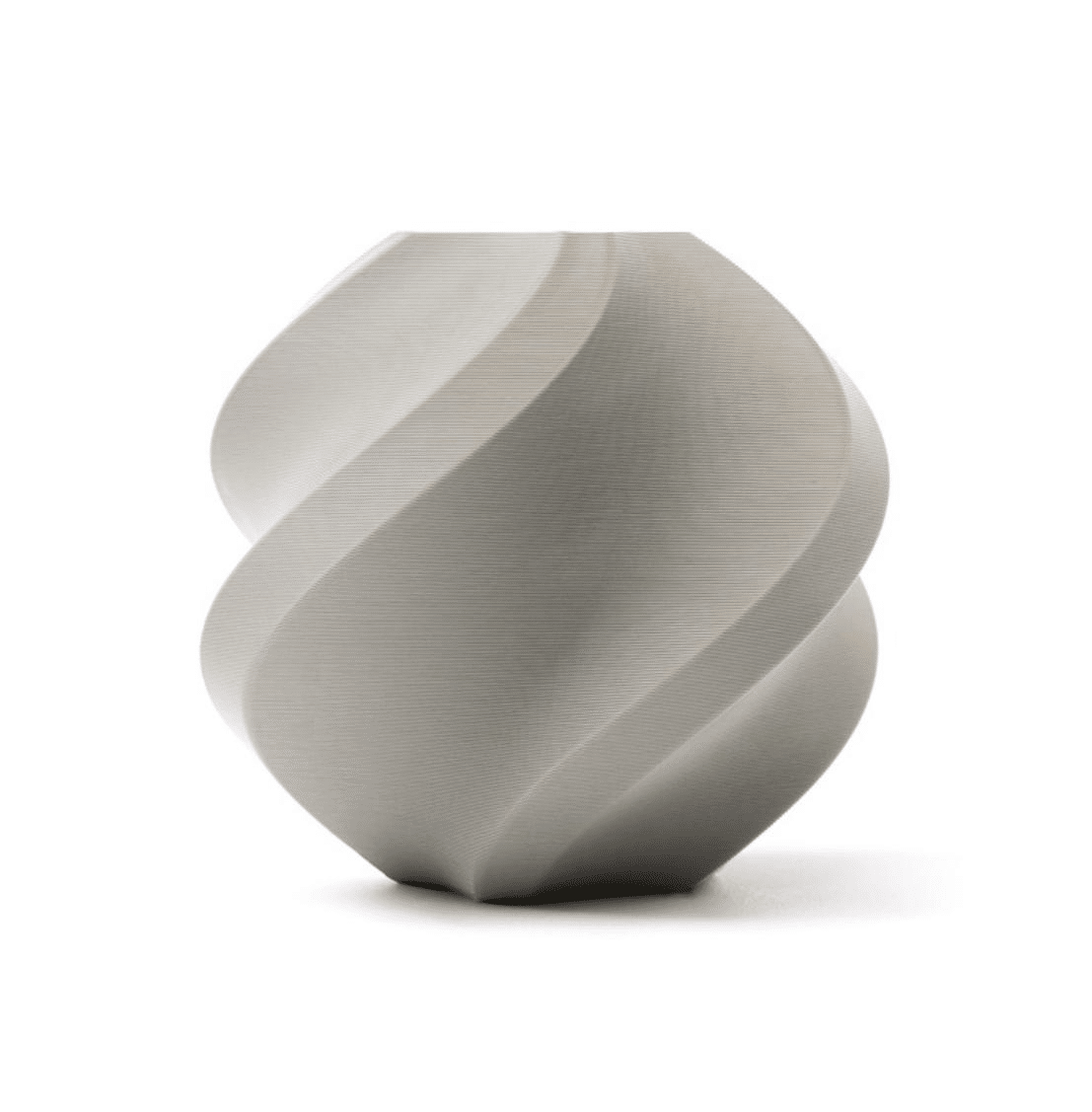
Bambu Lab PLA 3D Printer Filament – Grey 1.75mm with Reusable Spool
Premium PLA with tight ±0.02mm diameter tolerance. Perfect first filament for any beginner 3D printer in India. Consistent results every time.
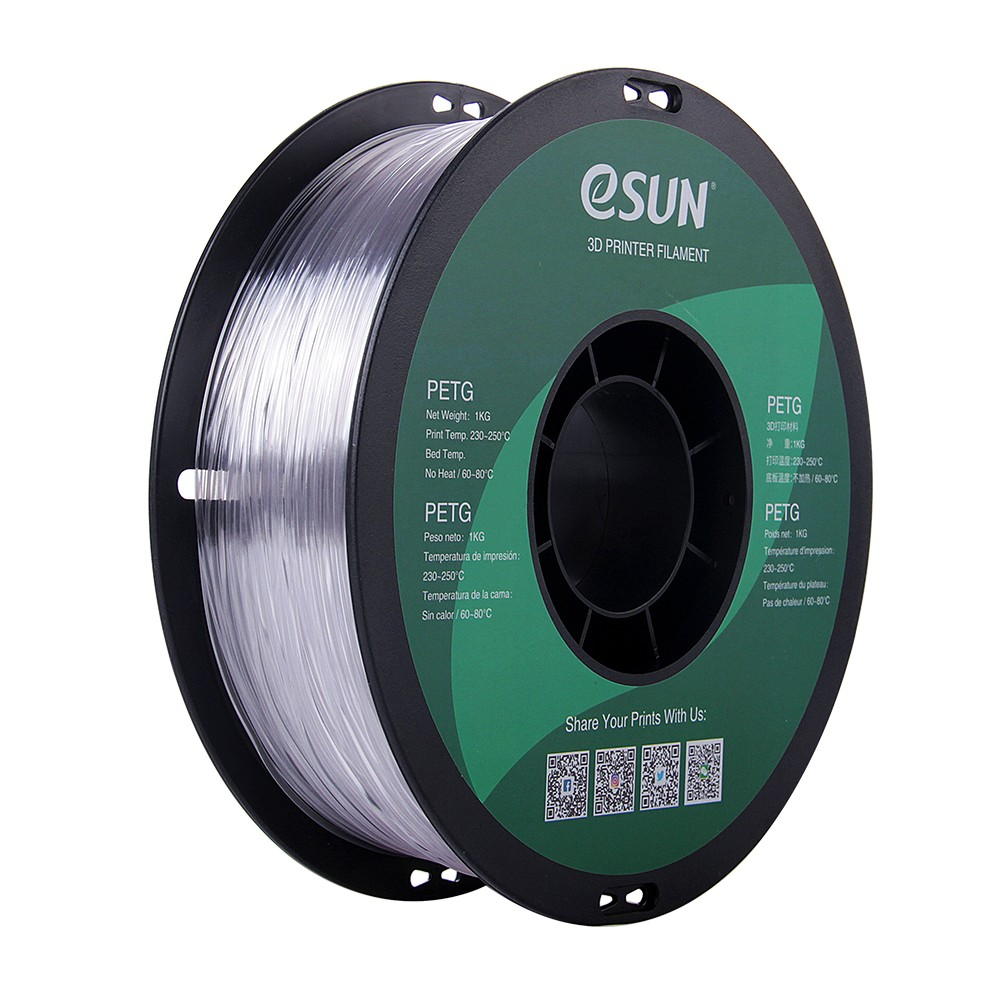
eSun PETG 1.75mm 3D Printing Filament 1kg – Clear
Step up to PETG once you’re comfortable with PLA. eSUN PETG gives you stronger, more durable functional parts — ideal for mechanical applications.
Essential Accessories and Upgrades
Budget for these alongside your printer purchase — they’re either essential or dramatically improve your experience:
Must-Have Accessories (Budget ₹1,500–₹2,000)
- Spare nozzles: Buy a pack of 5 brass nozzles (0.4mm). You’ll use them eventually. ₹200–₹400 for a pack.
- Filament cleaner/dust filter: A small felt cleaner on the filament path prevents dust and debris from reaching the hotend. ₹100–₹200.
- Flush cutters: Essential for trimming supports and support scars. ₹200–₹400.
- Isopropyl Alcohol (IPA): For cleaning the bed before prints. ₹150–₹250 for a bottle. Hugely improves first-layer adhesion.
- Bed clips: If your printer uses a glass bed (some entry models do), bed clips keep it secure. ₹100–₹200 for a set of 4.
Useful-But-Not-Essential (Budget Another ₹1,000–₹2,000 Over Time)
- Nozzle cleaning drill bits: For clearing partial clogs without disassembly. Essential if you print varied materials.
- Spare PTFE tube (Bowden printers): Replace the stock tube with a quality Capricorn tube for better heat resistance.
- Heated bed spring upgrade: Stock bed springs compress with use and cause bed levelling drift. Stiffer yellow springs are a ₹100–₹200 upgrade.
- Raspberry Pi for OctoPrint: Allows wireless printing and monitoring. Not essential for beginners but very convenient.
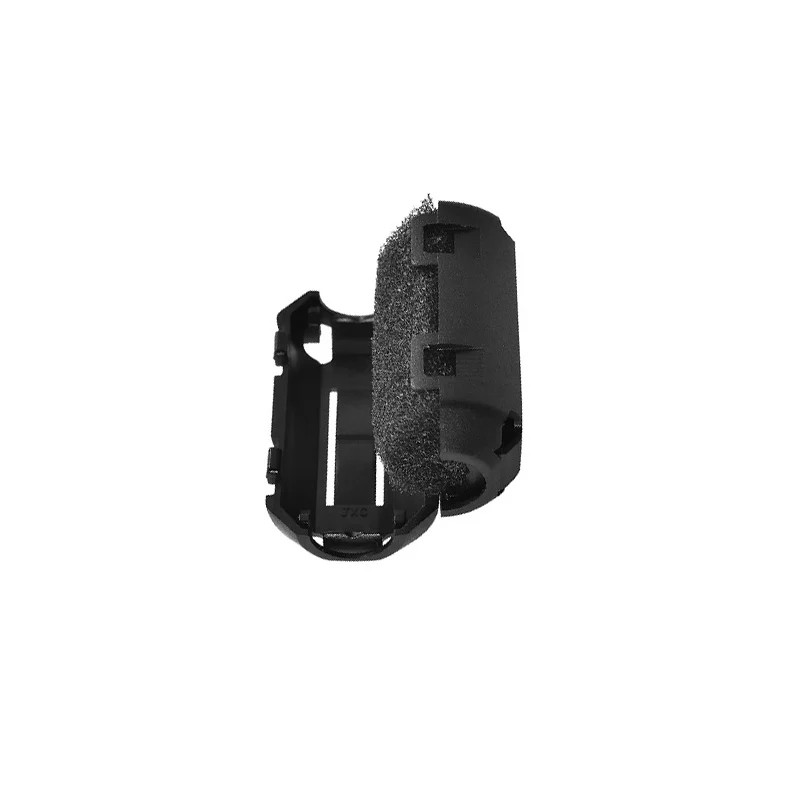
ABS PLA PETG 1.75mm Filament Filter Cleaner – Dust Removal for 3D Printer
Simple accessory that keeps your filament clean as it feeds into the extruder. Prevents dust-caused clogs and extends nozzle life. A must-have for every setup.
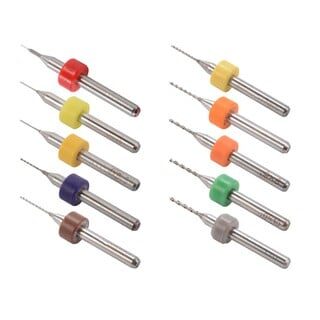
0.1–1.0mm Mixed 3D Printer Nozzle Cleaning Drill Bit Kit – 10Pcs
Budget-essential for every 3D printer owner. Clear partial nozzle clogs in seconds without removing the nozzle. Covers all common nozzle sizes.
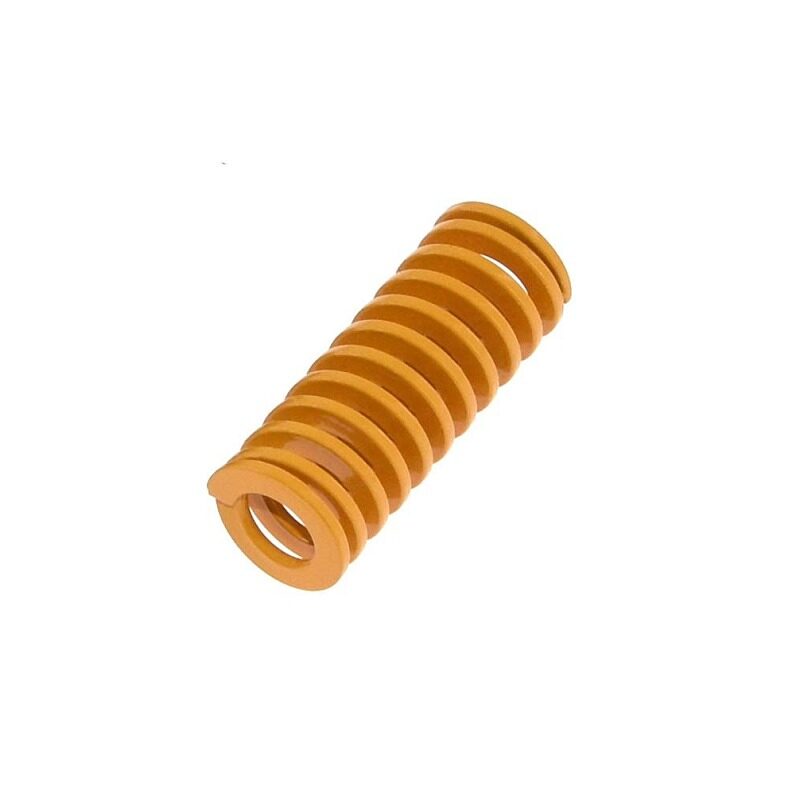
3D Printer Parts Spring for Heated Bed MK3 CR-10 Hotbed
Stiffer replacement springs for your heated bed. Reduces levelling drift over time — a simple but effective upgrade for Ender 3 and CR-10 series printers.
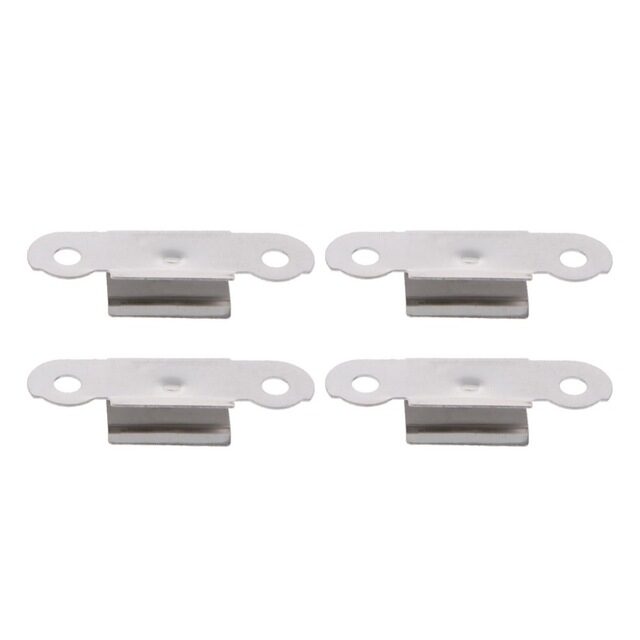
3D Printer Build Platform Glass Retainer Heated Bed Clip – Pack of 4
Stainless steel clips for securing your glass build plate. Essential if your printer uses a removable glass bed — prevents movement during printing.
India-Specific Buying Considerations
There are a few things Indian buyers should know that don’t apply in Western markets:
Voltage and Power
All current budget 3D printers support 220V input (Indian standard). No voltage converter needed. Confirm before buying — some grey-market imported units may be 110V only.
GST and Import Duty
3D printers attract 18% GST and potentially import duty on foreign purchases. Buying from Amazon India (fulfilled by Amazon, with an Indian address seller or Amazon itself) means GST is included in the displayed price and all duties are paid. Be cautious of very cheap imports from AliExpress — customs clearance can add 20–30% to the cost and create significant delays.
After-Sales Support
Creality has official service centres in India in major cities. Elegoo’s support is primarily online. For budget printers, the community (Facebook groups, Reddit r/3Dprinting, and YouTube) is often more useful than official support anyway — but having a local service option is valuable for major hardware failures.
Humidity
India’s coastal regions and monsoon season mean high humidity. PLA absorbs moisture from the air, causing brittle prints, stringing, and popping sounds during printing. Store your filament in sealed bags with silica gel desiccant. Consider buying a filament dryer if you live in a humid city (Mumbai, Chennai, Kolkata, Kochi).
Electricity Quality
Voltage fluctuations are more common in India than in Europe or the US. Use a UPS (uninterruptible power supply) or voltage stabiliser for your printer, especially in areas with frequent power cuts. A mid-print power failure can cause a failed print and, rarely, damage to the heating components.
Frequently Asked Questions
Is ₹15,000 enough for a good 3D printer in India?
Yes, absolutely. The Creality Ender 3 V3 SE and Elegoo Neptune 4 both fall within or near this budget and are genuinely capable machines. They won’t match a ₹60,000+ Bambu Lab printer in speed or multi-material capability, but for standard printing they produce excellent results.
Which filament should I buy first for my new 3D printer?
Start with PLA. It’s the most forgiving, prints at low temperature, doesn’t warp badly, and is easy to post-process. Buy a reputable brand like Bambu Lab PLA or eSUN PLA+ — the ₹200–₹400 price premium over no-brand filament is 100% worth it when you’re still learning.
Do I need an enclosed printer for ABS in India?
Yes, ideally. ABS warps in open-air conditions and requires a consistently warm ambient temperature (40–50°C in the print chamber). Budget printers under ₹15,000 are almost all open-frame. You can DIY an enclosure from cardboard or buy an aftermarket enclosure for ₹1,500–₹3,000, which makes ABS much more manageable.
How much does it cost to run a 3D printer in India?
A typical budget printer draws 200–350W during printing (mainly from the heated bed). At ₹6–₹8 per kWh (typical Indian residential tariff), a 10-hour print costs roughly ₹12–₹28 in electricity. PLA filament costs ₹700–₹1,200 per kg. A 100g print (average size) costs ₹70–₹120 in materials + ₹1–₹3 in electricity. Very economical.
What is the best slicer software for beginners in India?
Creality Print (free, made by Creality specifically for their printers) is the easiest starting point. Ultimaker Cura is the most popular free option with excellent community resources. OrcaSlicer is the most feature-rich free option with the best calibration tools. Start with Creality Print or Cura, move to OrcaSlicer as you advance.
Can I print in colour with a budget printer?
Single-colour printing only with a standard budget printer (one extruder). For multi-colour, you need either a printer with a filament changer system (like Bambu Lab AMS) or a dual-extrusion printer — both above the ₹15,000 budget. You can achieve simple colour swaps manually (pause print, swap filament) for single-layer colour changes, which is free and works on any printer.
Once you have your printer, stock up on quality filaments, spare nozzles, cleaning tools, and accessories from Zbotic — India’s trusted 3D printing supplier. Fast delivery, genuine products.
Conclusion
The best budget 3D printer in India under ₹15,000 in 2026 is the Creality Ender 3 V3 SE — it offers the best combination of features (auto levelling, direct drive, PEI bed, large community) for beginners at the most accessible price point. If you want slightly more future-proofing and can find the Elegoo Neptune 4 on sale near ₹15,000, it’s a strong alternative with Klipper firmware advantages.
Budget ₹2,000–₹3,000 beyond the printer purchase for your first two spools of quality filament and essential accessories. That total investment of ₹12,000–₹18,000 will set you up with a reliable printing setup that can produce functional, quality parts right from the start.
3D printing in India has never been more accessible or more rewarding. The community is large, the resources are extensive, and the only way to learn is to start printing. Get your machine, load up some PLA, and start with something simple — a calibration cube, a phone stand, a small organiser. You’ll be hooked within the first week.





Add comment